Updated October 2026.
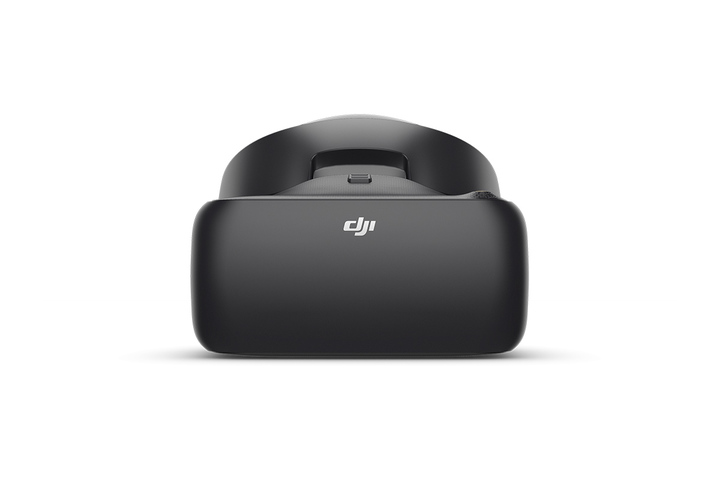
In early 2018, DJI launched the Goggles Racing Edition, often shortened to Goggles RE. They are a black FPV headset built for drone racing, and unlike the first DJI Goggles they can show both DJI’s digital video and analog video from the small transmitters most racing drones use. This post covers what the goggles do, how the analog and digital sides work, and how to think about FPV goggles if you are shopping now. I have not flown with these goggles myself. Everything below comes from DJI’s own support page and user manual, and from general FPV knowledge. The product photos are DJI’s, not mine.
 Save
SaveWhat the Goggles RE are
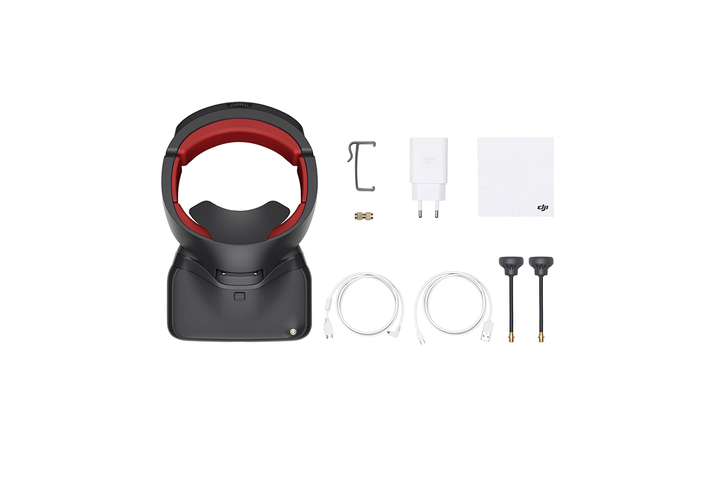
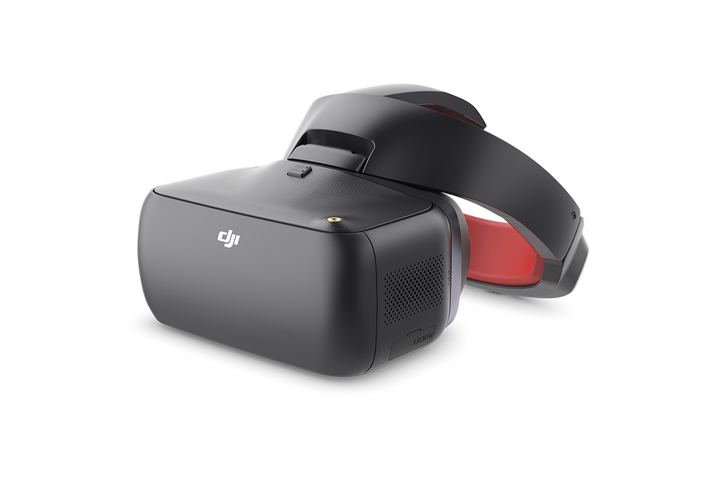
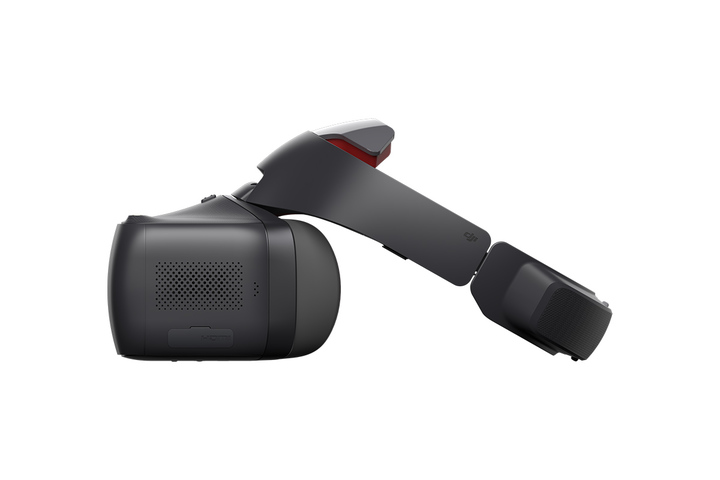
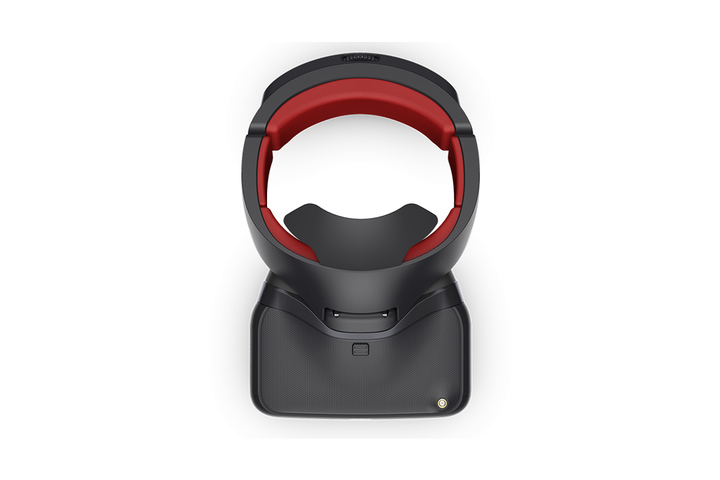
The Goggles RE keep the core of the original DJI Goggles and add a few things aimed at racers. DJI describes a redesigned facial pad and headband, a new look in black with red padding, support for Sphere panorama photo viewing and local video playback, and the ability to receive analog video. Their video link is DJI’s OcuSync Air System, which pairs the goggles with a DJI aircraft or an OcuSync Air Unit.
In plain terms: if you fly a DJI drone, the goggles show you its camera feed in real time. If you build or fly a racing quad with a regular analog video transmitter, the same goggles can show that feed too. That second part is what made them different from the first model.
Digital and analog in one headset
Digital video gives you a clean, sharp picture with fewer of the static and rolling lines that analog is known for. Analog gives you very low delay, cheap gear and a huge range of compatible transmitters. Racers have long used analog because it is simple and fast, and many pilots still do. Having both in one set of goggles meant a pilot could use a DJI drone for smooth footage and a racing quad for fast flying without buying two headsets.
DJI’s manual says the analog frequency band the goggles cover is 5.650 GHz to 5.925 GHz, which spans the bands commonly used by third party analog transmitters. The goggles include a frequency scan in their shortcut menu to find the signal. Local rules decide which channels and power levels you may use, so check them before you transmit anything.
 Save
SaveThe OcuSync link, range and delay
DJI lists live view delay as low as 50 ms at 480p50, 60 ms at 720p60 and 70 ms at 960p50. Maximum transmission distance depends on the region: up to 7 km on 2.4 GHz and 4 km on 5.8 GHz under FCC rules, and shorter under CE rules. These are best case figures measured in open areas with no interference. Real range depends on trees, buildings, radio noise and your antennas, so treat the numbers as a ceiling, not a promise.
For racing, delay matters a lot. At 50 to 70 ms, the digital link is quick for filming and general flying, but serious racers often prefer a pure analog setup because of its even shorter delay. Know what you want to do before you choose.
Antennas and the SMA port
The goggles have four built in antennas, and the RE adds an SMA port on the body for external antennas that work together with them for 5.8 GHz video. DJI says the goggles come with three compatible antennas for different jobs: a pagoda antenna, which is circularly polarized and works best at 5.8 GHz, a cylindrical antenna, also circularly polarized and covering 2.4 and 5.8 GHz, and a lightweight dipole, which is linearly polarized and good for clear video at close range.
 Save
SaveA short note on antennas for newcomers. Circular polarization copes better with the changing angles of a drone in flight. Linear antennas can be strong but depend on alignment. If you plan to buy extras, match the connector type to your goggles and keep to the legal frequency range for your country.
Controlling a drone and the gimbal
DJI says the Goggles RE can act as a controller for a gimbal in Head Tracking mode: you turn your head, and the camera follows. For DJI aircraft, the goggles also work with the usual remote. The original announcement also said that connecting a third-party controller lets you control racing drones with common flight controllers. I could not confirm the exact list of supported boards from DJI’s current pages, so check the manual for your model before you rely on it.
 Save
SaveOn-screen display
Goggles show flight information over the video: transmission quality, battery level, signal strength and more. The point is that you never need to look down. When you fly FPV, learn what each item on the display means before you take off, set a low battery warning that gives you time to land, and test the signal alarm in a safe place.
Comfort and fit
Goggles sit on your face for a long time, so fit matters. DJI changed the face pad and headband on the RE. Check the strap length, the foam and how the goggles sit with glasses. If you wear glasses, look for goggles with diopter adjustment or enough space inside. Try a pair before buying if you can.
 Save
SaveTips for choosing FPV goggles
1. Decide analog, digital or both. Analog is cheap and fast. Digital looks better. A dual setup, like this one, costs more but is flexible.
2. Match your drone. Make sure your goggles work with the video system on your aircraft. Not every goggle works with every transmitter.
3. Think about delay. If you want to race, look at the delay figures, not only the image quality.
4. Check the field of view and screen. A larger field of view feels more immersive. A sharper screen helps you see small details.
5. Plan your power. Check the battery type, run time and how you will charge in the field.
6. Think about antennas. Good antennas improve range and picture more than almost anything else you can buy.
7. Check what is current. This is a 2018 product, and DJI has released newer FPV goggles since. Look at what is on sale, what is supported and what the used market looks like before you buy anything.
 Save
SaveFly safe and legal
Flying with goggles puts your eyes in the drone. Always use a spotter to watch the aircraft with their own eyes, because that is the rule in many countries and it is good sense in all of them. Keep the drone within the legal distance and height, avoid people, roads and airports, and follow the drone rules where you live. Practice in a simulator first if you can, since crashing a sim costs nothing.
Getting more from your goggles
Update the firmware before you fly, so you get the latest fixes. Learn the menu and the shortcuts on the ground. Charge the goggles and the aircraft battery fully. Bring a microSD card if you want to use local video playback or record your flights. Keep the lenses clean with a soft cloth and store the goggles in a case so the visor does not scratch.
If you are new to flying and filming from the air, the basics of exposure, composition and light apply here too. Our school at learn.shutyouraperture.com can help you build those skills before you add a drone to the mix.
For the official specs and manual, see DJI’s Goggles RE support page.
A first-week plan for FPV beginners
Day one: read the manual and set up the goggles without a drone. Learn the menus and the display. Day two: practice in a simulator for an hour. Day three: fly a small, cheap drone indoors or in an empty field with a spotter. Day four: add the goggles view to a larger aircraft in an open area. Day five: fly slowly, practice turns and landings, and review the signal strength readout. Keep short sessions, because FPV can tire your eyes and cause motion sickness. Take a break if you feel dizzy.
Keep notes of what worked. Which antenna gave the cleanest picture? Where did the signal drop? How long did the battery last? After a few flights you will know your gear much better than any spec sheet can tell you.
FPV words you will hear
FPV means first person view: you see what the drone sees. Latency is the delay between the camera seeing something and your eyes seeing it in the goggles. OSD is the on-screen display of flight data. Polarization describes how an antenna sends its signal, and matching it between your transmitter and receiver improves the picture. Diversity means a receiver uses more than one antenna and picks the best signal. Head tracking lets your head movement steer a camera gimbal.
Knowing these terms helps you read spec sheets and forum advice without getting lost. Most arguments about goggles come down to the same few things: delay, picture quality, range, comfort and price. Rank those five by what you care about, and the right choice usually becomes clear.
Practice before you fly
A drone simulator is the cheapest way to learn. You can crash a hundred times without breaking a prop. Most simulators work with a normal radio controller, so you learn the same stick movements you will use in the field. Spend a few hours there, then move to a small, forgiving drone. FPV skill comes from repetition, and the goggles feel much less strange once your hands already know what to do.
Also practice losing the signal. Learn what your goggles show when the video drops, what your drone does in a failsafe, and how you will find it if it lands out of sight. A calm plan for the bad moment makes the good moments much safer.
What to take away
The DJI Goggles RE were an interesting step in 2018: one headset for DJI digital video and analog racing feeds, with an SMA port for better antennas. Today they are an older product, so check availability and compare with newer goggles. Whatever you choose, think about delay, range, comfort and legal flying first, and the rest follows.
What are the DJI Goggles Racing Edition?
The DJI Goggles Racing Edition, or Goggles RE, is an FPV headset from DJI that works with DJI aircraft over OcuSync and can also receive analog video, with local video playback and Sphere pano viewing.
Do the Goggles RE support analog video?
Yes. DJI says they can receive analog video, and the manual lists an analog band of 5.650 GHz to 5.925 GHz.
How far can the Goggles RE transmit?
DJI lists up to 7 km on 2.4 GHz under FCC rules, with shorter distances under CE rules and at 5.8 GHz. Real range depends on your environment and antennas.
What is the SMA port for?
It lets you connect external antennas that work with the built-in ones to support 5.8 GHz video transmission.
Have I tested these goggles?
No. This post is based on DJI’s own documentation and general FPV knowledge, and the product photos belong to DJI.
Gear box: FPV starting points
These are research starting points, not rankings. Check current models, reviews and prices before you buy.
- A pair of SMA antennas for FPV: See antennas at B&H or on Amazon.
- A spare LiPo-safe charging bag: See ND filters at B&H or on Amazon.
- A sturdy FPV drone backpack or case: Browse at B&H or on Amazon.
- A microSD card for local playback: See microSD cards on Amazon.
Affiliate disclosure: some links above are affiliate links. If you buy through them, Shut Your Aperture may earn a small commission at no extra cost to you.