Updated October 2026
The perfect portrait is not a perfect face. It is a photograph that feels deliberate, shows the person clearly, and does the job you made it for. Chasing a magical expression while ignoring light and focus is a frustrating way to work. Get the practical choices under control, then give your subject room to be themselves.
This guide is a simple portrait-session workflow. It starts before you lift the camera and ends with a small set of finished images. Use it for a friend, a personal project, or a basic profile portrait. You do not need an epic studio. A quiet location, useful light, and clear communication can take you a long way.
There is no single expression that proves a portrait is authentic. A smile, a serious face, and a carefully directed pose can all be honest choices. The original version of this article leaned too heavily on reading emotions from faces. Do not assume you know someone’s inner life because of how their eyes look in one frame. Ask, listen, and make pictures with them.
First decide what the portrait needs to say
Start with the purpose. A small profile photograph needs a face that stays clear at thumbnail size. A portrait of an artist at work might need the room, tools, or a meaningful object. A personal portrait may leave more space for mood. If you do not know the purpose, you cannot judge which picture is the right one.
Ask the person how they want to come across and where the photograph will appear. You are not promising to manufacture a different personality. You are agreeing on a direction. A relaxed picture for a personal website and a formal picture for a company directory may need different clothes, framing, and expressions.
Keep the plan short enough to remember. Choose one main photograph and one variation. For example: a clean head-and-shoulders portrait, followed by a wider portrait with the person’s surroundings. That is a better starting point than ten locations and a bag full of lenses. Add options when the first setup works.
Agree on boundaries before shooting. Ask about unwanted angles, sensitive details in the location, and intended sharing. If a photograph is for commercial use, deal with the appropriate release and permissions rather than guessing. Participation in a session does not automatically mean permission to publish everywhere.
Build comfort without asking for a performance
Introduce the process before giving directions. Explain where you will start, roughly how long it will take, and what you will ask the person to do. Let them know you may stop to check focus and exposure. Otherwise a silent technical pause can feel like they are doing something wrong.
Keep conversation natural. Talk about something the person wants to talk about, not an intrusive question designed to force an emotional reaction. You do not need to make someone reveal a personal story to get a useful portrait. Comfort comes from being clear, respectful, and predictable.
Give one direction at a time. “Turn your shoulders slightly toward the window” is workable. A pile of instructions about the chin, eyes, hands, knees, and smile is not. After each change, make a few photographs and decide whether that change helped. If it did not, go back instead of adding another correction.
Do not call someone awkward, bland, or difficult. If a pose is not working, change the pose. Demonstrate with your own body when words are confusing. Ask before touching clothing or hair; usually the person can make the adjustment themselves. A portrait session is a collaboration, not permission to take over someone’s body.
 Save
SaveChoose a location you can control
Look for a place with enough space to move the camera and subject independently. A beautiful wall is not useful if it forces you too close to the face. Check for distracting signs, bright objects, and lines that seem to grow out of the person’s head. Take a quick test frame before the person settles into position.
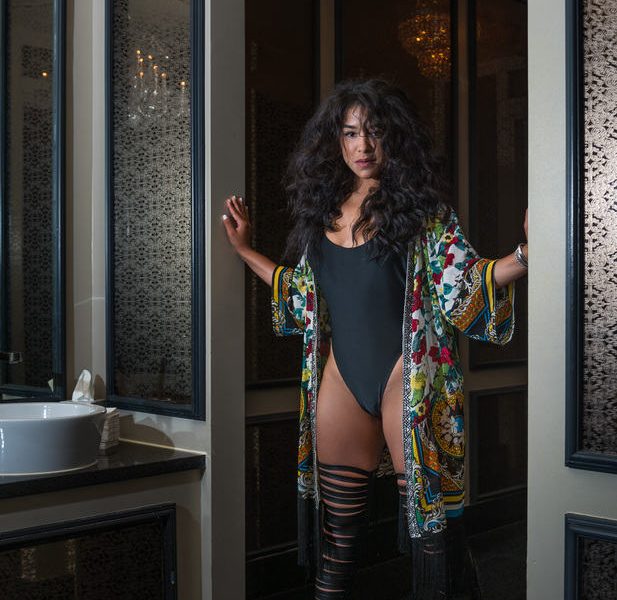
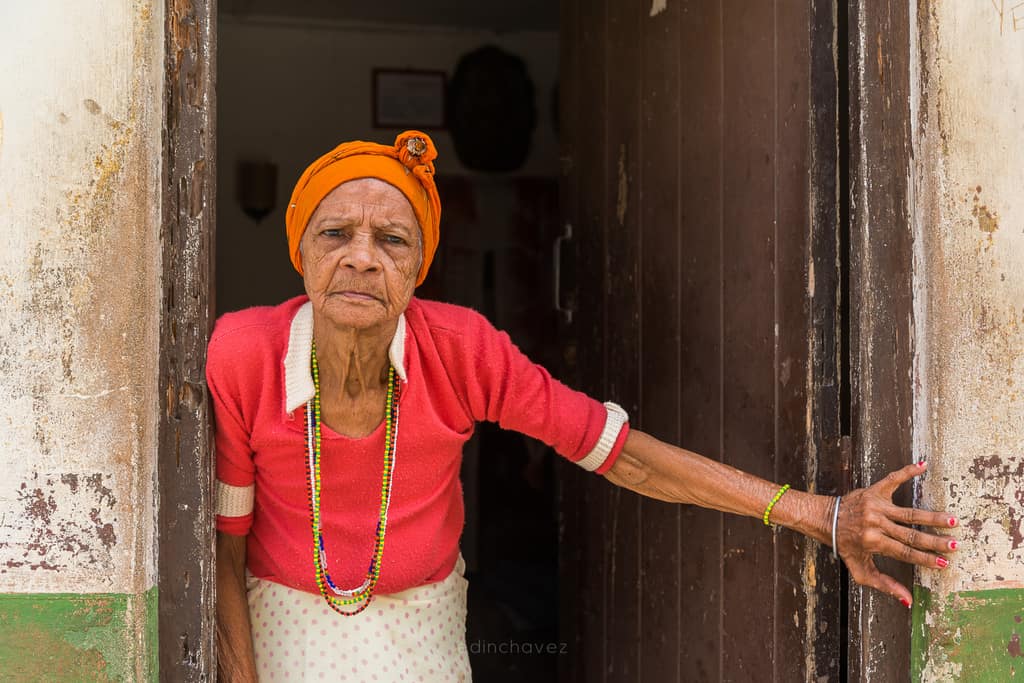
A plain background is helpful for a headshot, but plain is not the only good choice. An environmental portrait can use a doorway, studio, or workspace to add context. Each visible element should earn its place. If an object says nothing about the person and keeps stealing attention, move it or change the angle.
Put some distance between the subject and background when the space allows it. That gives you more freedom with shadows and background sharpness. It does not guarantee blur; aperture, focal length, camera distance, and background distance all matter. Check the actual picture instead of trusting a recipe.
Outside, choose safe footing and a place where you are not blocking other people. Get permission where required. Indoors, watch for mirrors, windows, and private information in the background. The best location is one where both of you can concentrate on the portrait without constant interruptions.
Find the light before chasing the expression
Start with one understandable light source. A window, open shade, or a single controlled light makes it easier to see what is happening. Look at the face rather than only the room. Where are the bright areas? Where do the shadows fall? Is there enough separation between the face and background?
With window light, turn the subject a little and watch the shadow change. A small movement can do more than a new camera setting. If direct sun is uncomfortable or produces shadows you do not want, move away from that patch or use another part of the window. Do not ask someone to stare into strong light for a photograph.
Open shade is a useful outdoor starting point. Face the person toward the brighter open area rather than deep into a dark corner. Watch for colored reflections from walls or grass. Shade is not automatically neutral, and a background in direct sun may be much brighter than the face.
Hard light can work too. It creates stronger edges and more obvious shadows, so you must place it deliberately. Do not reject it because a tutorial said every portrait needs soft light. Decide whether it supports the agreed mood and whether the person is comfortable. Test a few angles before committing to it.
For flash, learn the camera’s sync behavior and the flash setup before the session. A shutter speed that works with daylight may not work with ordinary flash. If bouncing light, remember that the bounce surface can change its color. Make a test, inspect it, and keep the setup simple enough to explain.
 Save
SaveSet the camera for a dependable first frame
Choose framing and camera distance before treating the lens as the whole answer. For a tight portrait, stepping back and using a standard or short-telephoto view is often a practical starting point. Moving very close with a wide lens changes facial proportions. A wider view can still work for a portrait that includes the surroundings.
Set an aperture that gives the important features enough depth of field. You do not have to use the widest aperture on the lens. If one eye is sharp and the other is distracting, stop down or adjust the angle. For multiple people, check how their faces line up with the focus plane.
Use a shutter speed that handles the person’s movement as well as your own. A still-looking subject can move while speaking or laughing. Image stabilization can help camera shake, but it does not freeze the subject. Raise ISO when needed rather than accepting motion blur just to keep the ISO number low.
Put focus on the eye that matters most in the composition. If the camera offers eye detection, check that it selected the intended person and eye. If it does not, use an appropriate focus point. Do not assume an autofocus label proves the result. Inspect a test frame at useful magnification.
Check exposure for the face and important bright details. A bright background can mislead automatic metering. Use exposure compensation or manual exposure when needed, then verify the photograph. Review the histogram and highlight warnings as aids, not substitutes for looking at the image.
For a deeper explanation of these controls, use the Shut Your Aperture Academy. For a shorter field checklist, see seven portrait photography tips. Learn the controls before the session so your attention can stay on the person.
Make a small sequence, not a hundred near-identical frames
Begin with an easy position: standing comfortably or seated with stable support. Check shoulders, hands, and the edge of the frame. Give the person something specific to do, such as looking slightly past the camera or resting their hands naturally. A direction should give them a task, not make them wonder what “look authentic” means.
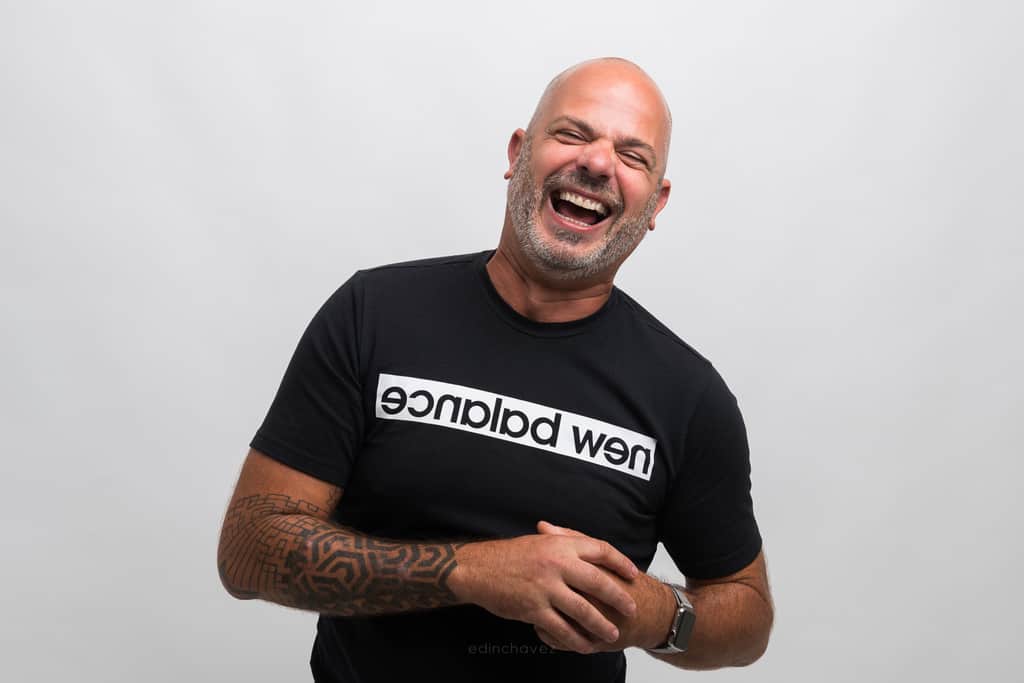
Make a few frames with one expression, then offer an alternative. A small smile, neutral expression, and bigger laugh may all belong in the set if the person wants them. Do not tell them that one expression is their real self and another is a mask. That judgment is not yours to make.
Change one variable at a time. First adjust the camera height. Then try a slight turn. Then make a wider frame. This lets you see what actually improved the photograph. If you change the light, lens, pose, and background together, you lose the useful comparison.
Use short pauses to inspect focus, exposure, and distractions. Tell the person what you are checking. When a frame works, explain why: the eyes are clear, the shoulders feel relaxed, or the background is cleaner. Specific feedback is more useful than repeating “perfect” after every shutter click.
 Save
SaveInclude one wider portrait with a reason
A tight crop tells you what the face looks like. A wider portrait can tell you how someone occupies a space. Before widening the frame, decide what the additional space contributes. Clothing, posture, a stool, or a doorway may matter. A random stretch of empty floor usually needs a stronger reason.
Check the entire frame again. Hands and feet introduce new decisions. Avoid accidental cuts through joints when a small reframing would feel more deliberate. Leave room for the intended crop if the image must fit a website or printed layout. Make both orientations when the use is uncertain.
Do not confuse environmental context with clutter. You can keep a recognizable place without including everything in it. Move sideways, simplify the angle, or change the person’s position. Keep the face large enough to read unless the agreed photograph is mainly about the wider scene.
Edin’s Jorge session is a useful real example of varying the frame. The published account says the session began with headshots and moved to a stool, using a Nikon D800 and a 24-70mm lens. These photographs show a tight expression and a wider seated composition without needing a different person or location.
 Save
SaveSelect and edit without changing the person
Make the first selection for technical reliability. Remove accidental blinks, missed focus, unwanted motion blur, and frames with distracting mistakes. Then compare the remaining photographs for expression, posture, light, and purpose. The last photograph is not automatically the best, and the sharpest frame is not automatically the most useful.
Choose a small, varied set. Ten nearly identical pictures make the choice harder without adding much. Keep the strongest main portrait and a genuinely different alternative. Where appropriate, involve the person in the final choice. They may notice something about their expression that you missed.
Start editing with exposure, white balance, and crop. Keep skin believable and texture intact. Agree on retouching boundaries rather than assuming every line or mark should disappear. Do not reshape someone’s features as a routine finishing step. A polished photograph should still look like the person.
Export for the intended use, check the finished file, and keep the original securely. Make sure the crop has not cut off something important and that the image still reads at its final display size. Confirm the sharing plan before posting. A session ends with a usable delivery, not simply a folder full of files.
Portrait questions and answers
What makes a portrait feel natural?
Clear communication, a comfortable position, and an expression the person is happy with help. A natural portrait can still be directed. Do not force a reaction or assume one expression reveals someone’s personality.
Do I need an 85mm lens for portraits?
No. A standard or short-telephoto view is often useful for tighter portraits, but the right lens depends on framing, space, and camera format. Start with the lens you own and pay attention to camera distance.
Where should I focus in a portrait?
Usually on the nearer eye or the eye most important to the composition. Verify eye-detection results and check a test frame. Use enough depth of field for the features and people that need to be sharp.
Is a blurry background always better?
No. Blur can reduce distractions, while a sharper background can provide useful context. Decide what the surroundings add before choosing aperture and subject-to-background distance.
How many finished portraits should I deliver?
Agree on the number and intended use before shooting. A small set of distinct, carefully selected photographs is often more useful than many near-duplicates. Delivery requirements vary by assignment.
Portrait gear: upgrade only for a real need
Nikon NIKKOR Z 85mm f/1.8 S
A portrait-length prime for Nikon Z cameras when you want a tighter view and have room to step back. It is not a Nikon F-mount DSLR lens. Confirm camera compatibility and working distance before buying; an 85mm view may be too tight in a small room. It is optional, not the price of entry for making better portraits.
Practice this workflow with your current lens first. Buy only if you can name the limitation it would fix. No live price or stock claim is made here.
Affiliate disclosure: these links may earn Shut Your Aperture a commission if you buy, at no extra cost to you.
Technical reading: Nikon’s portrait starting points. Treat settings as examples to test, not a promise that one combination works in every location.