
Updated October 2026
Every camera has three controls that govern exposure: how wide the lens opens, how long the shutter stays open, and how sensitive the sensor is to light. Most photographers get comfortable with the first two quickly. ISO is the one that tends to create the most confusion, partly because the numbers feel arbitrary and partly because the penalty for misusing it shows up later, when you open the file and find grain where you expected clean shadows.
This guide explains what ISO actually does inside your camera, how it interacts with the rest of your exposure settings, and how to make fast, smart decisions about it in the field.
What ISO Does (and What It Does Not Do)
The term ISO comes from the International Organization for Standardization, which originally set sensitivity ratings for film stock. A roll of ISO 100 film needed more light to expose correctly than ISO 800 film. Digital cameras inherited the scale even though the underlying physics changed completely.
On a digital sensor, raising ISO does not make the sensor absorb more photons. It amplifies the electrical signal that the sensor has already recorded. Think of it like turning up the volume on a recording: the music gets louder, but so does any background hiss that was already there. That background hiss is what photographers call noise.
This distinction matters because it changes how you think about the cost of a high ISO. You are not getting extra information from the scene. You are making the information you have easier to see, while also making its imperfections more visible.
The Standard ISO Scale and What the Numbers Mean
Most cameras offer ISO values that double with each major step: 100, 200, 400, 800, 1600, 3200, 6400, and higher. Each doubling represents one stop of additional brightness. Move from ISO 400 to ISO 800 and the image will be one stop brighter, everything else equal.
Base ISO is the lowest native setting on your camera, typically 100 or 200. At base ISO the sensor produces the cleanest signal with the widest dynamic range. Professional full-frame cameras like the Sony A7 series or Nikon Z6 series hold their quality well through ISO 3200 or even ISO 6400. Smaller sensors in crop bodies or smartphones degrade faster.
Full-stop vs. third-stop increments
Most cameras also let you choose values between the major stops: ISO 160, 250, 320, and so on. These third-stop increments give you finer control but the quality difference between, say, ISO 800 and ISO 1000 is negligible. When you are working quickly, sticking to the major stops keeps mental math simple.
How ISO Fits Into the Exposure Triangle
ISO does not exist in a vacuum. It is the third leg of what photographers call the exposure triangle, alongside aperture and shutter speed. Change one and you usually need to adjust another to maintain the same overall brightness.
A useful way to think about it: aperture and shutter speed control how much light actually reaches the sensor. ISO controls what the camera does with whatever light arrives. If the scene gives you enough light to work with, keep ISO low and let aperture and shutter speed do the heavy lifting. If the scene is dark and you have already opened the aperture as wide as it will go and slowed the shutter as far as you can without motion blur, ISO is where you turn next.
The exposure trade-offs in practice
Photographing a fast-moving subject in a dim gym: you need a fast shutter to freeze motion, but the gym lighting is weak. Your aperture is probably already wide open. The only move left is to raise ISO. Going to ISO 3200 will introduce noise, but a sharp, noisy image is almost always more useful than a motion-blurred clean one.
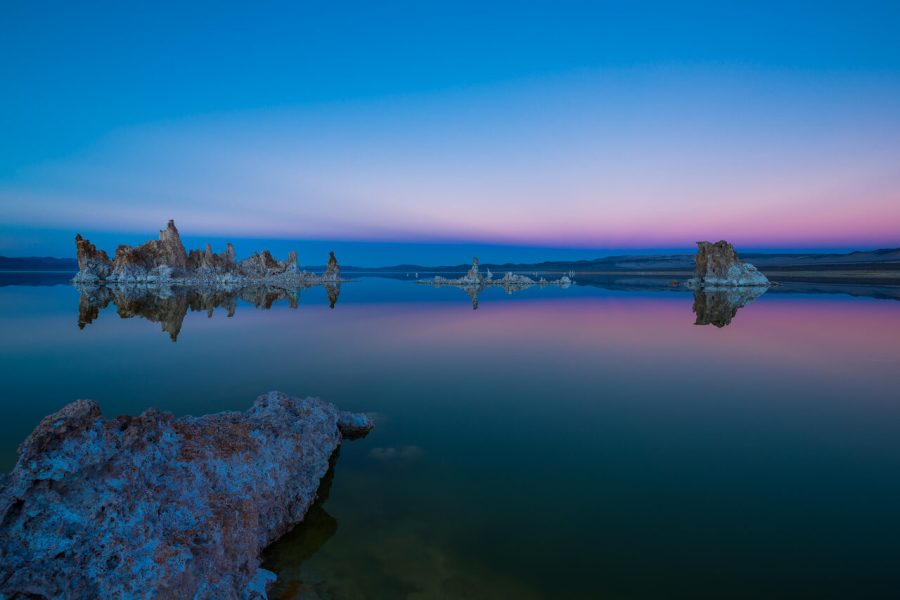
Photographing a still landscape at dawn on a tripod: motion blur is not a problem, so slow the shutter down to a second or two and keep ISO at 100. The resulting file will have dramatically more shadow detail and dynamic range.
When to Raise ISO and When to Resist
There is a persistent myth that high ISO always ruins photos. In practice, a modest ISO bump is invisible after editing, and modern noise reduction in Lightroom or Capture One has become good enough that even ISO 6400 files from a current full-frame body can look clean at typical web display sizes.
Raise ISO when:
- You are shooting handheld in low light and cannot use a slower shutter without camera shake
- Your subject is moving and you need a shutter speed fast enough to freeze the action
- Flash is not allowed or would ruin the ambient mood of the scene
- You are shooting through glass or from a distance where adding light is impossible
Keep ISO low when:
- Your camera is on a tripod and your subject is static
- You are shooting for large prints where noise will be visible at close inspection
- The scene has deep, important shadows that you need to recover cleanly in post
- Lighting is abundant and there is no need to amplify the signal
Auto ISO: When It Helps and When to Override It
Most cameras offer Auto ISO, which lets the camera pick a sensitivity value within a range you define. Used properly, it is one of the most practical tools on a working camera.
The key is to set sensible limits. Configure your camera to keep ISO no higher than what you consider acceptable for the work you are doing. For a wedding photographer shooting in a dark reception hall, ISO 6400 might be the ceiling. For a landscape photographer doing fine art prints, ISO 800 might already feel too high.
Also set a minimum shutter speed when using Auto ISO. Many cameras let you link this to focal length so that a 50mm lens will not drop below 1/60th while a 200mm lens will not drop below 1/200th. This prevents the camera from quietly choosing a shutter speed that will produce camera shake even while managing ISO for you.
Where Auto ISO falls short: studio flash photography, when you need perfectly consistent exposures across a sequence, or when the scene’s brightness is variable enough that the camera keeps hunting between values.
Noise Types and How to Manage Them
High ISO produces two kinds of noise. Luminance noise looks like grain, a fine texture of light and dark variation that many photographers find acceptable or even pleasant since it resembles film grain. Color noise looks like random colored speckles, typically magenta and green, and is generally considered more distracting.
Lightroom’s Denoise AI tool, introduced in 2023, handles high-ISO files significantly better than the older luminance and color sliders. Shooting RAW rather than JPEG gives you full access to noise reduction in post. JPEG files have noise reduction baked in at the camera level, which can smear fine detail before you ever open the file.
One more tip: underexposing and then pushing brightness in post creates far more noise than exposing correctly at a higher ISO in the first place. When the scene is dark, it is better to raise ISO and get a proper exposure than to underexpose at a low ISO and try to recover it later.
ISO in the Real World: Four Scenes
Numbers make more sense when you tie them to a scene. These are recommended starting points, not rules. Test them with your own camera and look at the files at 100 percent before you trust them.
 Save
Save| Scene | Starting ISO | Why |
|---|---|---|
| Landscape on a tripod, any light | Base ISO (100 or 64 to 200 on many cameras) | Cleanest shadows and widest dynamic range; slow shutter is fine |
| Street photography in daylight | Auto ISO, 100 to 800 | Light is plentiful, keep noise out |
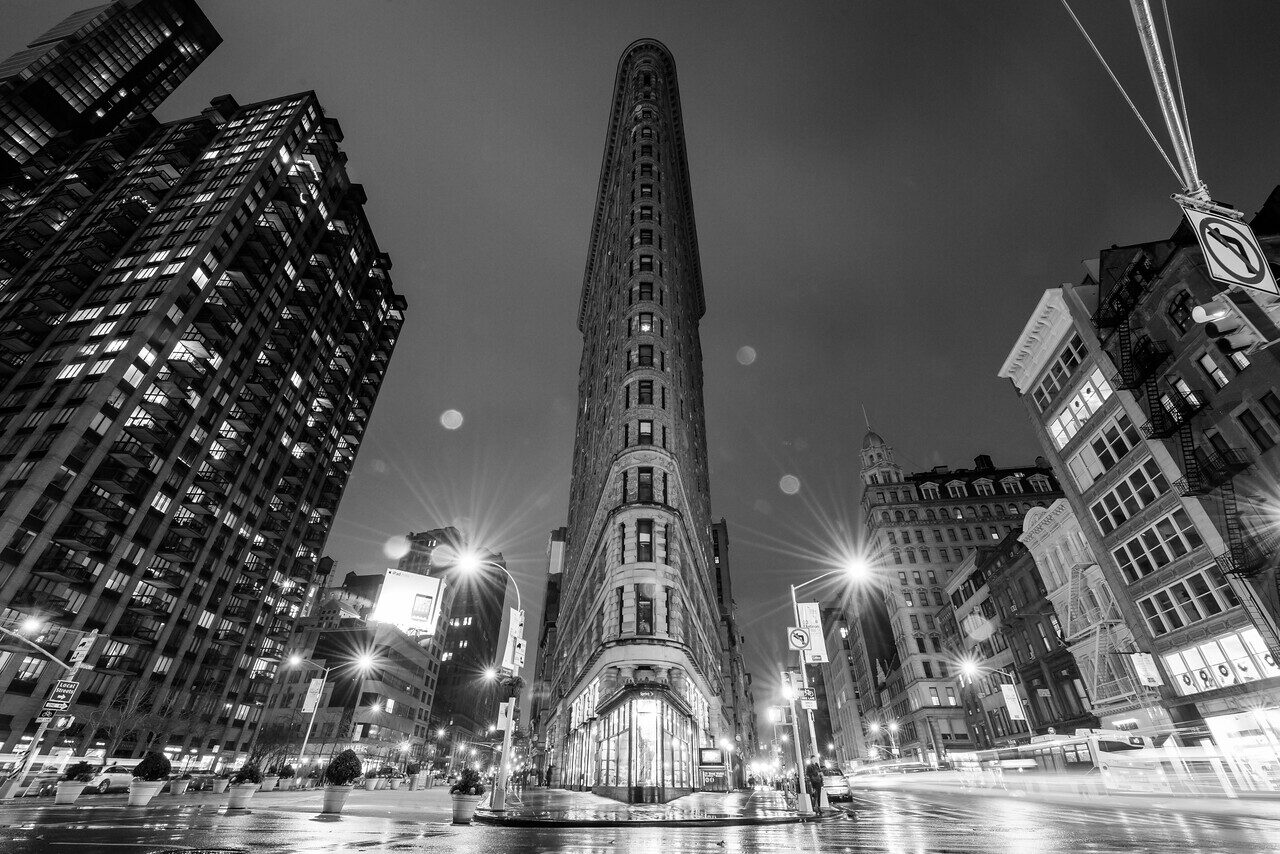
| Street photography at night | Auto ISO, up to 3200 or 6400 | Fast enough shutter for walking people |
| Indoor events and receptions | 800 to 3200 with a fast lens | Dim rooms, moving people, no tripod |
| Stars and the Milky Way | 1600 to 6400 with a wide, fast lens | Short exposures to avoid star trails |
| Kids, pets and sports indoors | 3200 to 6400 or more | Freezing motion matters more than noise |
Noise Reduction: What Actually Works
Noise has two enemies: more light and a good edit. Start by exposing correctly. A properly exposed ISO 3200 frame is cleaner than an underexposed ISO 1600 frame that you brighten later, because brightening in editing amplifies the same signal and its noise again. This is the idea behind the old advice to expose to the right, which means keeping the histogram close to the right edge without clipping the highlights.
In editing, apply luminance noise reduction first and use it gently. Too much leaves skin and skies plastic. Add a touch of sharpening back, and check the result at 100 percent, then at the size people will actually see. For files shot in dim places, color noise reduction does the most good with the least cost. Our Lightroom guide covers a clean workflow, and our exposure triangle guide shows how ISO fits with the other two settings.
 Save
SaveDoes Sensor Size Change Your ISO Choices?
Yes, in general. A larger sensor collects more light for the same field of view and aperture, so a full-frame body usually gives cleaner files at high ISO than a smaller sensor. That is why a full-frame camera is often the choice for indoor events and night work. A smaller sensor can still deliver strong results at moderate ISO, and a lens with a wide aperture narrows the gap. Compare real sample files from cameras you are considering instead of reading one number.
Manufacturer specifications show what each camera offers. Nikon lists an ISO range of 100 to 64000 for the Z6 III, according to its published specifications. Sony lists ISO 100 to 51200 for stills on the A7C II, with an Auto ISO range of 100 to 12800, on its specifications page. These are the ranges the cameras offer, not a promise of clean results at the top end. Use the numbers above your own tested ceiling only when the moment demands it.
A Simple ISO Routine for Every Shoot
- Start at base ISO and set your aperture for the look you want.
- Set the shutter speed you need for the subject: fast for movement, slower for a tripod.
- Check the exposure. If the image is too dark, raise ISO until it is right.
- If you need more light than your ceiling allows, open the aperture, slow the shutter or add light.
- Switch to Auto ISO with a minimum shutter speed when the light keeps changing.
- Review a test frame at 100 percent and adjust your ceiling for next time.
 Save
SaveCommon ISO Mistakes
- Leaving Auto ISO on without a ceiling and getting 25600 by accident
- Staying at ISO 100 at night and getting blurry handheld shots
- Underexposing and brightening later instead of raising ISO
- Judging noise on a camera screen instead of at 100 percent
- Forgetting that a faster lens can lower the ISO you need by two stops
Quick Reference
ISO 100-400: clean files, bright conditions, tripod work, studio flash, landscape, and product photography.
ISO 400-1600: indoor available light, cloudy days, early morning or late evening without a tripod. Noise is manageable.
ISO 1600-6400: dim interiors, stage performances, dark reception halls, street photography at night. Expect visible noise but usually usable after editing on modern full-frame bodies.
ISO 6400 and above: emergency territory on most cameras. Use when motion or the moment demands it, and plan for more aggressive noise reduction in post.
Getting ISO right is less about memorizing numbers and more about understanding the trade-off: amplification costs quality, and the acceptable cost depends entirely on what you are shooting and how the final image will be used. Start with the lowest ISO the light allows and raise it only when aperture and shutter speed have already been pushed as far as the situation permits.
ISO Questions Photographers Ask
What does ISO do in photography?
ISO sets how much the camera amplifies the signal the sensor recorded. A higher ISO makes the image brighter, but it also amplifies noise.
What is the best ISO for photography?
Use the lowest ISO the light and your shutter speed allow. For most cameras that is base ISO, usually 100 or 200, in bright light or on a tripod.
Is high ISO always bad?
No. A sharp, noisy photo is better than a clean, blurry one. Modern noise reduction handles moderate ISO well, especially on full-frame cameras.
Should I use Auto ISO?
Yes, in changing light. Set a ceiling you have tested and a minimum shutter speed.
What ISO should I use at night?
Start at ISO 1600 to 3200 handheld with a fast lens, and 100 to 400 on a tripod with a long exposure.
Want to go further? The ShutYourAperture Academy’s Mastering ISO (6 modules, 24+ lessons) is built to help you go from clean to creative with sensitivity.
Gear box: cameras with a wide ISO range
If low-light work is why you are reading about ISO, these are two bodies whose makers list wide ISO ranges. Budget separately for a fast lens, which helps as much as the body.
Affiliate disclosure: We may earn a commission from qualifying purchases through the Amazon and B&H links, at no extra cost to you. ISO ranges come from the makers’ published specifications, not hands-on testing. Photos are illustrative, and prices and stock can change.

