The D850’s original place in the Nikon system
Nikon’s August 2017 announcement introduced a high-resolution FX-format DSLR designed for stills and video. Read the announcement as a dated source. Its launch availability, accessories and pricing are not current offers. The D850 uses Nikon’s F-mount system rather than the mirrorless Z mount. For a photographer with suitable F-mount lenses, that is part of the ownership decision. For someone starting without lenses, it is a whole-system choice rather than simply the cost of a used body. Check the exact lenses and functions you need, not merely whether a lens can be physically attached. The optical viewfinder is also a distinct working experience. It shows the scene through the lens, while Live View shows a sensor-based image on the rear display. Those modes have different focusing behavior and practical uses. Do not assume a DSLR behaves like a mirrorless body because both produce full-frame photographs.45.7 megapixels: useful resolution with a workflow cost
Nikon’s D850 product page lists 45.7 million effective pixels and an FX-format sensor. That resolution can provide detail and cropping room when the capture supports it. It cannot turn a missed focus point, a moving camera or an unsuitable lens into a clean file. Think about the output. A carefully made landscape, product photograph or large print may use the resolution differently from a small web image. More pixels are a capability, not a requirement that every assignment needs. Evaluate the files at the size you intend to deliver. The workflow needs space and time. Test your card reader, storage, editing computer and backup process with representative raw files before taking a high-volume job. A camera can fit your visual needs while overwhelming a computer you planned around much smaller files. Keep a realistic archive plan. Original captures, edit information and delivered files each serve a role. Two card slots do not replace backups after the shoot, and an exported JPEG does not necessarily replace the raw file you may need for a later revision.ISO 64 and exposure decisions
Nikon lists a standard sensitivity range beginning at ISO 64. That is a useful specification to understand for controlled-light and daylight work, but it is not a command to use the lowest setting regardless of shutter speed. A sharp photograph at a higher ISO can be more useful than a blurred one made to satisfy a spec-sheet ideal. Choose exposure around the subject. On a tripod with a stationary scene, you may have more freedom with shutter time. With moving people, wind-blown leaves or handheld work, movement changes the decision. Review important highlights and focus rather than trusting that a raw file can fix everything afterward. Compare files from the actual body and your intended lenses. Make a stationary test and a moving-subject test. The practical question is whether your combination delivers what you need under your working conditions. A manufacturer’s sensitivity range does not answer that alone.Seven frames per second is the standard headline
Nikon lists up to 7 fps in the standard configuration. The often-quoted 9 fps figure requires the appropriate optional MB-D18 power pack and EN-EL18-series battery configuration described in Nikon’s documentation. A listing that advertises 9 fps without identifying the required accessories is incomplete. Burst speed is only part of photographing action. Focus acquisition, subject tracking, lens behavior, shutter speed and the photographer’s timing all affect the sequence. Shooting more frames does not guarantee the decisive one is sharp or well composed. Buffer and card performance also depend on recording settings and compatible media. Check the manual’s details for the file format you intend to use. Do not borrow a buffer number from a different bit depth or compression setting and present it as a universal promise. If action is your main reason for considering the camera, make a representative test or inspect original sequences from the exact setup where possible. A single sharp sample says little about consistency across a burst.Optical-viewfinder autofocus and Live View are different
DPReview’s 2017 hands-on report describes the 153-point autofocus system and its relationship to Nikon’s professional DSLR technology of the period. That is useful launch context, not a claim that it matches every newer tracking system.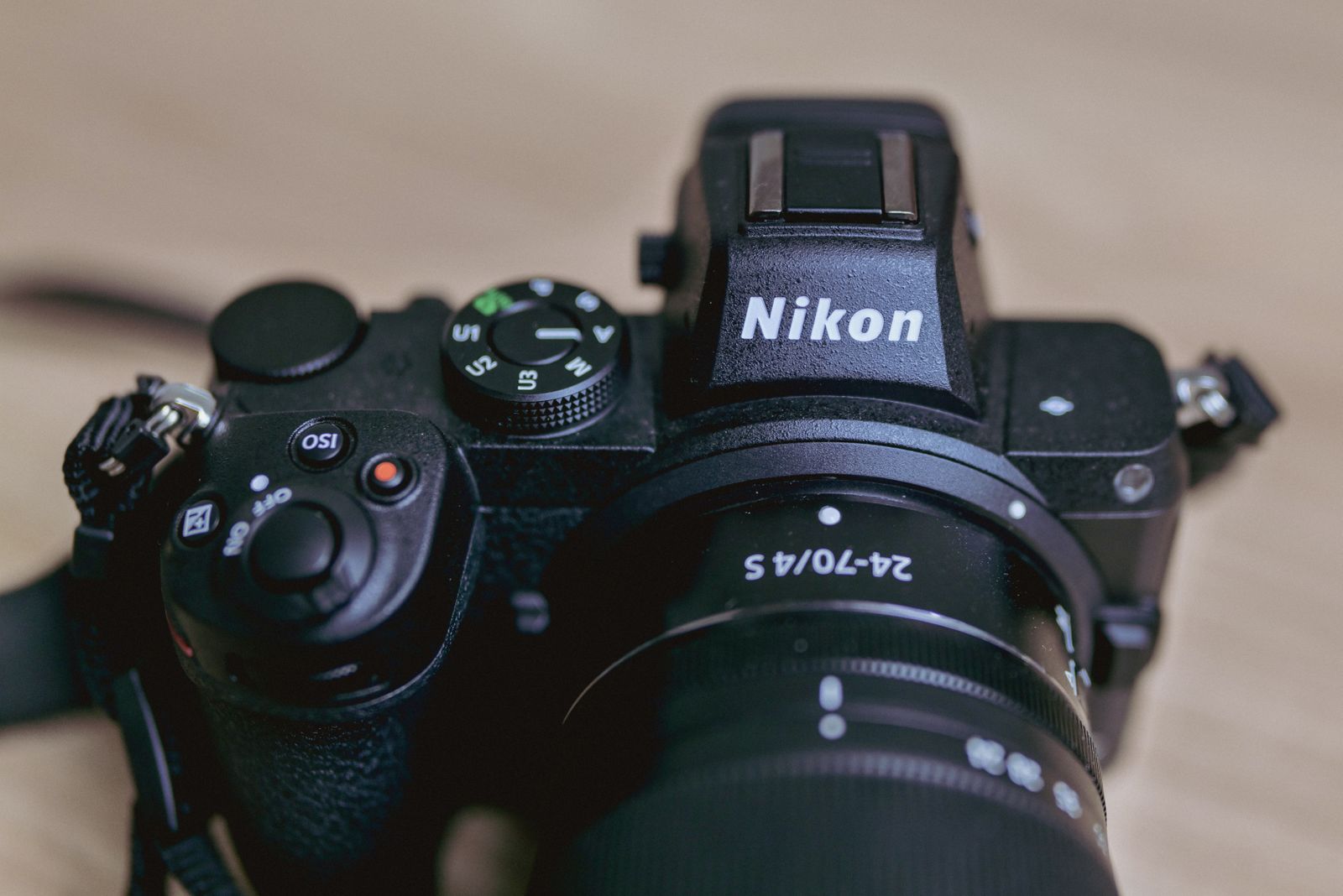 Save
SaveVideo: full-frame UHD, with a clear frame-rate limit
Nikon lists UHD 4K at 3840 by 2160 with 30, 25 or 24p. The D850 is not a 4K/60p camera. Decide whether its recording modes fit your delivery requirements before buying it primarily for video. Think about focus, sound, stabilization, recording time and how you support the camera. A stills specification does not answer those production questions. A tripod-based interview and handheld moving footage ask for different capabilities. Test original footage in the editing system you will use. Confirm the format and settings rather than judging a heavily compressed online clip. A file that looks good on a small web player may still need a different production workflow from the one you planned. Time-lapse features and references to high-resolution sequences should not be confused with ordinary high-resolution video recording. Nikon’s documentation distinguishes capture and processing requirements. Read the relevant mode before promising a deliverable to a client.Cards, firmware and accessories need exact checks
Use Nikon’s D850 Download Center for manuals and current firmware information. At the time of this research, the page lists C firmware 1.31. Recheck the source when preparing an update rather than relying on a version remembered from an old article. Nikon’s firmware page records added support for CFexpress Type B among its change history. That does not mean every card is accepted in every body state. Check supported media and required firmware through Nikon’s regional documentation. If updating, follow the instructions and precautions exactly. Read the installed version first and use the correct file for the model. Do not begin an update casually while preparing for a job or assume a third-party download has the right software. Battery, grip and charger compatibility also deserve a specific check. An accessory that resembles the correct item is not proof that it supports the feature you want. Identify the included parts and verify them before assigning value to a used bundle.Inspect a used D850 before making the price decision
Ask about repair history, shutter use, exposure to weather, known faults and the reason for sale. Shutter count is one piece of information, not a health certificate. A low count does not rule out damage, and a high count does not reveal every other aspect of condition. Check the mount, controls, display, viewfinder, card slots and battery compartment. Look for damage, corrosion or unusual behavior. Test the functions you actually need, including both slots where relevant, autofocus with a known lens and playback of newly made files. Inspect original raw files and video rather than only photographs of the camera. Use an even scene for basic sensor-condition checks and a detailed scene to examine focus and consistency. Sensor dust can be different from damage; investigate rather than guessing from one mark. Ask whether a return or inspection period exists and get the seller’s terms in writing. A private sale and a dealer sale may offer different protections. This guide does not certify a seller or guarantee that a camera described as tested has undergone the checks you need. Save
SaveCompare the system cost, not just the body
List the lenses, dependable batteries, charger, compatible cards, reader and any required accessories. Add possible service and the storage workflow. A low body price can hide several purchases you need before the camera is ready for the intended work. If you already own compatible lenses, verify their behavior on the D850. If you are starting from scratch, compare complete systems based on your jobs. Do not assign value to the number of lenses available without checking the specific focal lengths, functions and condition that matter to you. Current inventory, regional repair support and prices require current sources. No launch-era price is repeated as a current bargain here. Check those facts independently before spending money, especially when a job depends on quick repair or replacement. Save
SaveWho might find the design useful?
A photographer who prefers an optical viewfinder, understands DSLR focusing and has appropriate F-mount lenses may see different value from someone who needs modern video tracking or a smaller travel system. Neither person is wrong. They are asking the camera to solve different problems. For landscapes and controlled work, resolution is attractive when the technique and output use it. For events, reliability, focus behavior and handling matter alongside file detail. For video-first work, the recording modes and Live View experience need their own assessment. An existing owner should evaluate whether the current setup meets the work before replacing it for novelty. A buyer should evaluate the exact body and total workflow before buying the reputation of the model. The best decision is the one you can explain in terms of actual requirements.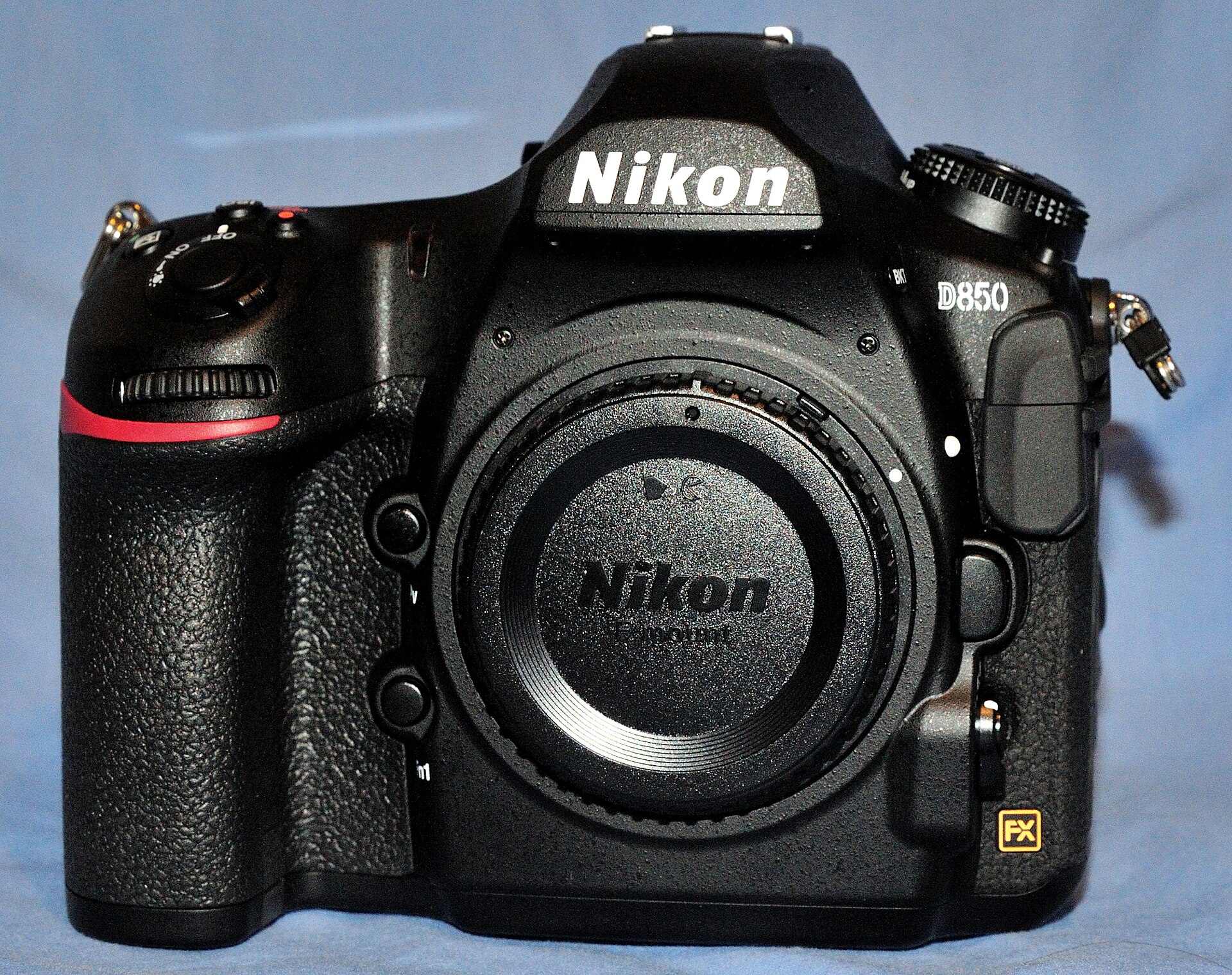 Save
SaveLearn faster with a plan. The ShutYourAperture Academy has 22 photography courses, from the fundamentals of aperture, shutter and ISO to genre courses like landscape, portrait and street.
Nikon D850 Q&A
Is the D850 a mirrorless camera?
No. It is an FX-format DSLR using Nikon F mount and an optical viewfinder. Live View is a separate rear-display mode, not a change of camera type.Does every D850 shoot 9 fps out of the box?
No. Nikon lists up to 7 fps in the standard configuration. The 9 fps configuration requires the specified optional power pack and battery arrangement. Verify the actual bundle.Does it record 4K/60p?
Nikon lists UHD 4K at 30, 25 or 24p, not 60p. If that frame rate is essential, this camera’s listed mode does not meet the requirement.Will all Nikon lenses work the same way?
Do not assume so. Check the exact lens and supported functions in Nikon’s documentation. Mount type, autofocus and exposure support are separate compatibility questions.Can I use CFexpress cards?
Nikon’s firmware documentation records Type B support, but card and firmware compatibility still need a current check. Use the supported-media guidance for your body rather than a generic card label.Does a low shutter count prove a used body is safe?
No. It is only one indicator. Inspect physical condition, repairs, controls, card slots and actual image files, and understand the seller’s inspection or return terms.Is this a current price or hands-on review?
No. It is a source-based product archive and evaluation guide. It claims no personal test, current stock or verified offer, and does not rank the D850 against cameras not evaluated here. Disclosure: Specifications and historical commentary are attributed to the linked sources. Original product photographs are archival material, not proof of a current bundle or camera condition. The optional gear links below are affiliate links; no current-price claims are made.Images: G1MFG and TurnOnTheNight (CC BY-SA 4.0), via Wikimedia Commons.
Keep your own original photo files
For your own photo projects, keep original files separate from finished exports. This storage link is not a camera recommendation or a claim about the D850. A black Samsung T7 Shield portable SSD, 1TB model MU-PE1T0S/AM, is one storage option to compare. Check capacity and your computer connection before buying. Open the copied files and maintain another checked copy separately. A drive does not replace a complete backup plan. Compare the current retailer specifications; no hands-on test, price or stock promise is being made here.
Compare Samsung T7 Shield Portable SSD Black 1TB MU-PE1T0S/AM on Amazon | Check Samsung T7 Shield Portable SSD Black 1TB MU-PE1T0S/AM at B&H
Affiliate disclosure: We may earn a commission from qualifying purchases through these gear links at no extra cost to you. As an Amazon Associate, Shut Your Aperture earns from qualifying purchases.