Color Theory for Photography
Updated
This guide is part of the Shut Your Aperture tutorials library. New to exposure? Start with aperture, ISO and shutter speed, then come back — color is where technically-correct images become good ones.
Table of Contents — 15 min read
- Why Your Photos Look Fine But Not Iconic (It’s Almost Always Color)
- The Color Wheel for Photographers
- Warm vs. Cool — The Emotional Logic of Color Temperature
- Color in the Scene — Controlling What Enters the Frame
- White Balance Is Creative, Not Technical — When to Break “Correct”
- Lightroom HSL Panel Deep Dive — The Only Tool That Really Matters for Color
- Camera Profiles — The Foundation Nobody Talks About
- Skin Tone Preservation While You Grade Everything Else
- Famous Color Palettes You Can Steal
- Building a Personal Color Palette for Your Portfolio
- Common Color Mistakes
- Editing Exercise: A 3-Step Color Grading Recipe
- Frequently Asked Questions
Why Your Photos Look Fine But Not Iconic (It’s Almost Always Color)
Here’s a conversation I have at least twice a month with photographers who want their work reviewed: the exposure is right, the focus is sharp, the composition is solid, and still the image feels like it’s missing something. Like a technically correct sentence that says nothing.
Nine times out of ten, the problem is color. Not bad color — just random color. No relationship between the tones, no emotional pull, nothing tying one frame to the next.
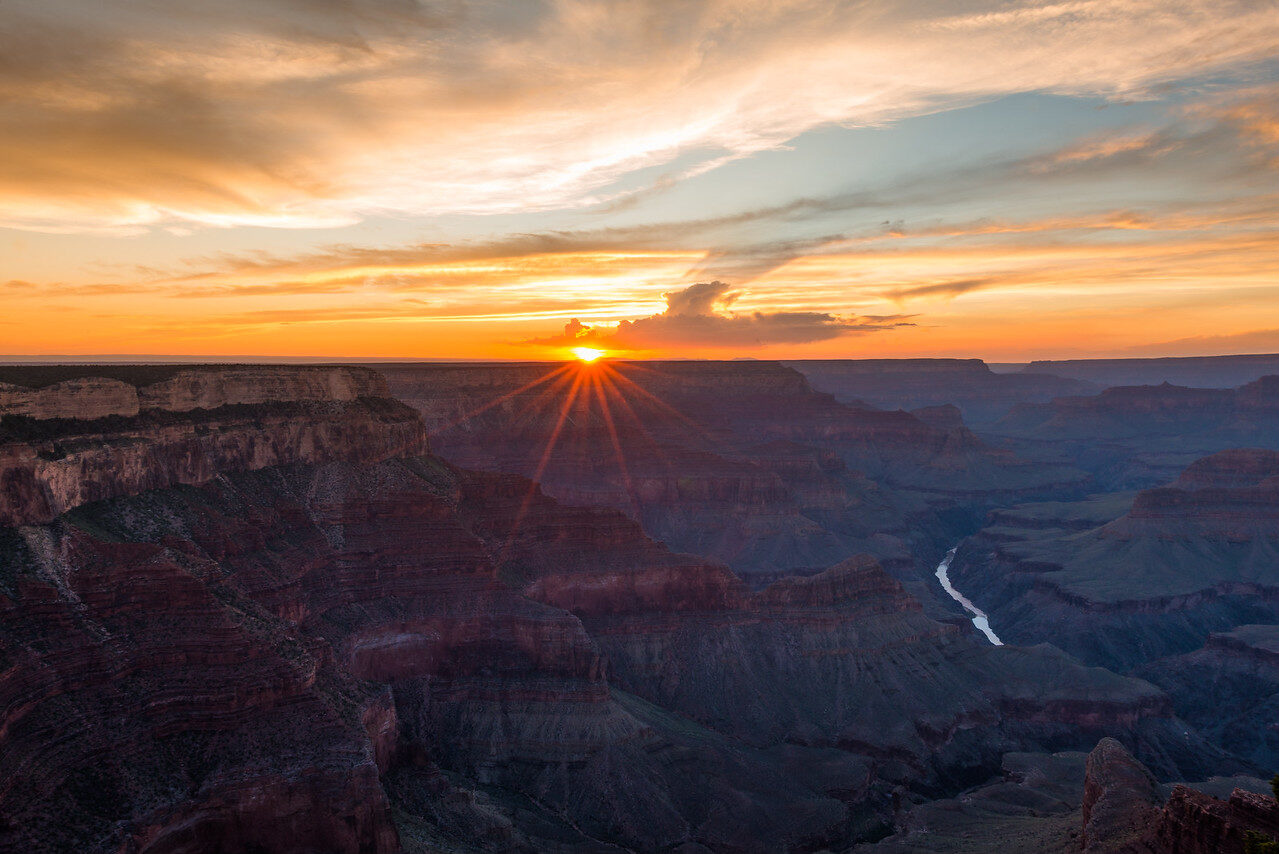
Color theory for photography is the difference between a camera operator and a visual storyteller. Every colorist on a major campaign is working from the same principles Itten and Albers worked out decades ago — applied to raw files instead of pigment. This guide covers the color wheel, warm vs. cool, controlling what enters your frame, white balance as a creative weapon, the HSL panel, camera profiles, skin tones, famous palettes you can steal, and a 3-step grading recipe. Shaky on exposure basics? Start with our guides on aperture, ISO, and shutter speed.
 Save
SaveThe Color Wheel for Photographers
Skip the art school lecture. Here’s what actually matters when you’re standing in a location or sitting at a grading panel.
Complementary Colors
Opposite on the wheel: red/cyan, blue/orange, yellow/purple. Maximum visual tension — the eye bounces between the two anchors. It’s why teal-and-orange became the default Hollywood grade: skin tones are naturally orange-adjacent, push the shadows teal, and you have a complementary palette from footage you already have.
Shooting example: Portrait against a deep blue wall, subject in a rust-orange jacket. Neither color needs to be saturated. The complementary relationship does the work. Golden hour light against blue-hour background works the same way.
Analogous Colors
Three or four colors sitting next to each other on the wheel. Analogous schemes feel harmonious and natural. They’re also easy to make boring, so you need one anchor tone and supporting players that don’t compete.
Shooting example: Forest portraiture in the Pacific Northwest. You’re working in olive, hunter green, and sage. Drop in a subject wearing cream or warm beige and the palette has a focal point instead of blending into visual soup.
Triadic Colors
Three colors evenly spaced on the wheel — red, yellow, blue being the classic triad. Vibrant and energetic, harder to pull off without chaos. They work in lifestyle and social content where energy is the message, but you rarely see a balanced triadic palette in high-end editorial. Shooting example: A night market with red lanterns, yellow food stalls, a subject in blue denim. The chaos is the point.
Split-Complementary
Take a base color, then use the two colors flanking its complement. Instead of blue-orange, you’d use blue with yellow-orange and red-orange. You get most of the contrast punch of complementary without the tension feeling confrontational — it reads as sophisticated rather than aggressive. Shooting example: A subject in a deep blue dress against warm terracotta and golden tones. Strong contrast, but the split keeps it from becoming a visual fight.
Warm vs. Cool — The Emotional Logic of Color Temperature
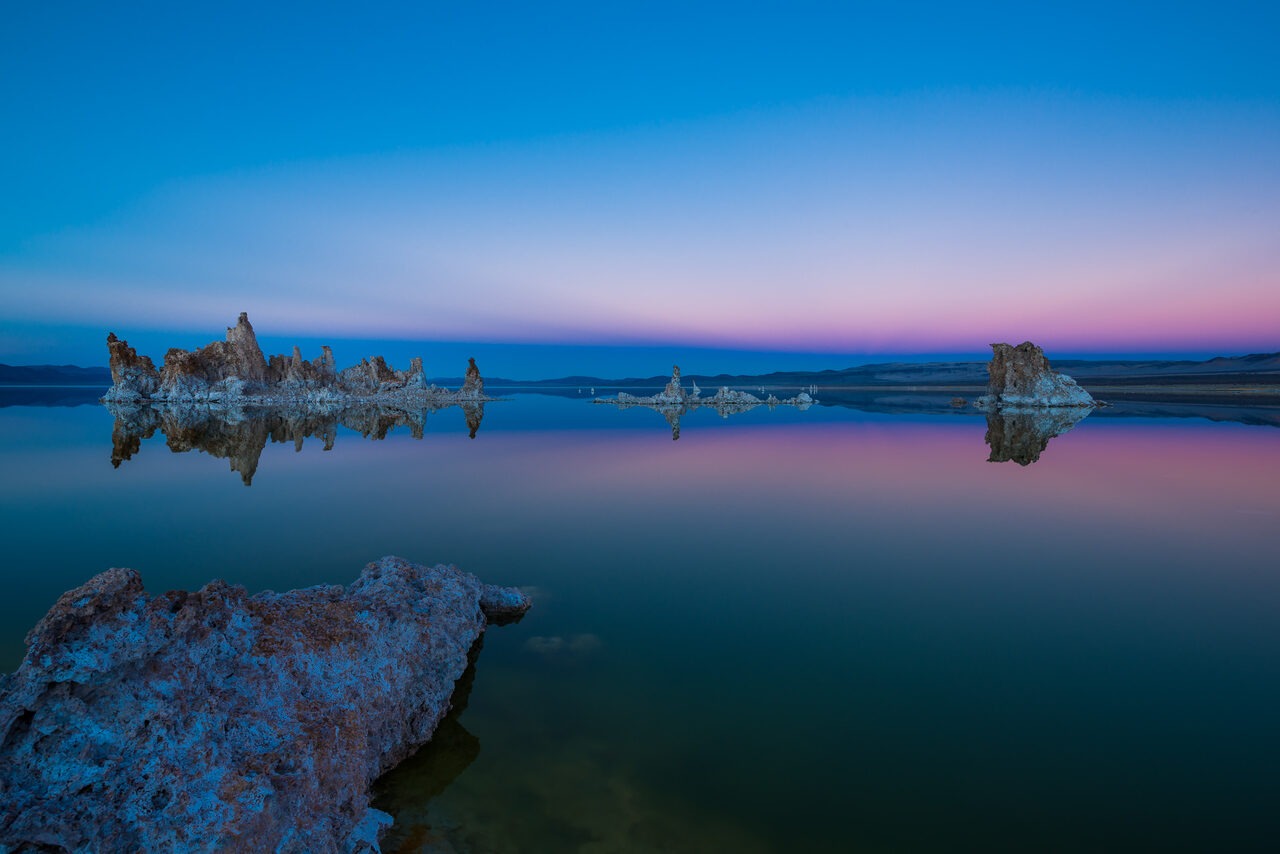
Warm colors advance visually; cool colors recede. Warm light reads as safety, intimacy, summer. Sunsets, candlelight, tungsten interiors: your brain associates warm color temperature with physical ease. Cool light reads as isolation, tension, detachment. Blue hour, overcast shade, fluorescent rooms feel modern and slightly uncomfortable in ways that are useful for moody portraiture and editorial work.
Golden hour delivers light between 2,500K and 4,000K. Midday sun sits around 5,500K: technically neutral but emotionally flat. Blue hour runs 7,000K to 10,000K. Decide what the image should feel like, then point your white balance in that direction.
 Save
SaveColor in the Scene — Controlling What Enters the Frame
The cleanest color grade cannot fix a chaotic scene. Before you open Lightroom, color is being made or broken by what you put in front of the lens.
Clothing
Tell your subjects what to wear. Not as a suggestion — as a direction. If you’re shooting a lifestyle series in earthy tones and the subject shows up in a neon pink hoodie, no HSL work will save you. Neutral mid-tones — stone, cream, slate, warm gray, olive — give you maximum flexibility in post. Accidental color, a bright bag, a logo shirt, a turquoise phone case at frame edge, destroys the palette you’ve built everywhere else.
Locations
Scout for color before you scout for light. A green tree canopy overhead throws green light into a subject’s face. Concrete bounces back warm gray. Sand beaches bounce back the warmest light you’ll find outside a studio, which is why beach portraiture is often more flattering than it has any right to be. Look at color in the shadows as much as in the highlights.
Props
Anything you place in the frame is a color decision. Build a prop kit around your personal palette. Mine runs toward dried pampas grass, dark clay ceramics, raw linen, and worn leather: earthy, desaturated, warm. Prop consistency across shoots is one of the fastest ways to make a portfolio look deliberate.
White Balance Is Creative, Not Technical — When to Break “Correct”
Your camera’s auto white balance wants to neutralize everything. Correct white balance is whatever serves the image. Under tungsten light, “correct” neutralizes the warmth, but that warmth is often the entire mood. Shoot a candle-lit dinner with proper white balance and you get a flat gray image that looks like a hospital cafeteria. Leave it intentionally warm and you have atmosphere.
- Drag warm in shade: Instead of correcting shade’s natural blue, drag Kelvin up to 6,500–7,500K. It looks like a film still.
- Leave the tungsten: Indoor tungsten light looks cinematic when uncorrected, especially in editorial work.
- Cross-process the temperature: Set white balance for the dominant source and let the secondary go wrong. Mixed lighting produces color tension that feels more alive than a neutralized image.
- Use the Tint slider: Small pushes toward green (minus 5 to minus 10) often read more natural than neutral. Most photographers adjust Kelvin and ignore tint entirely.
Shoot RAW. You have full latitude over white balance in post on a raw file. JPEGs bake it in and the decision is gone.
Lightroom HSL Panel Deep Dive — The Only Tool That Really Matters for Color
If I could only use one panel in Lightroom for the rest of my career, it would be HSL/Color. It lets you surgically target individual colors and change them independently. Everything else is blunt.
For a step-by-step walkthrough of the panel with real edits, see the HSL for color in Lightroom tutorial.
Hue
Hue shifts the identity of a color along the spectrum. Push orange hue left toward red and skin goes warmer; right toward yellow and skin goes sallow. Shift green hue toward yellow-green and grass goes summery; toward aqua and it goes moody. Steer colors here without changing how bright or vivid they are.
Saturation
The most dangerous channel. Most beginners pull everything up and wonder why their images look overdone. The move is usually subtractive: reduce colors you don’t want dominating and let intentional ones breathe. Pull aqua and green saturation down in portraits. You’ll barely notice the landscape shift, but skin tones will suddenly look like they belong in a luxury editorial.
Luminance
Luminance changes how bright or dark a specific color appears without touching anything else. Drop blue luminance and the sky gets dramatic without dehaze. Pull orange luminance down on skin and you add depth without crushing highlights. Lift green luminance on flat-lit foliage and plants pop without looking over-saturated.
Use the target adjustment tool (the circle with arrow in the HSL panel top-left). Click a specific area and drag up or down. Lightroom identifies which color channels that pixel actually touches and adjusts those. Faster and more precise than guessing which slider to move.
For building on this with presets, see our Lightroom presets guide and the preset packs built around specific palettes.
 Save
SaveCamera Profiles — The Foundation Nobody Talks About
Before you touch a slider, your raw file is rendered through a camera profile. The least-discussed setting in Lightroom, and it has an enormous impact on your starting point.
Adobe Color vs. Adobe Standard: Adobe Color is the default, with punchier midtone contrast and saturation. Standard is flatter with more latitude for heavy grades. For lighter, naturalistic edits, Color gets you there faster.
Fuji Film Simulations: Provia/Standard is clean and neutral. Velvia is deep, saturated, high-contrast: great for landscapes, problematic for portraits. Classic Chrome is the creative workhorse: muted, slightly desaturated, sophisticated. Eterna Cinema is flat out of the box — shoot with positive exposure compensation and grade up for a cinematic result.
Canon Neutral: Low contrast, low saturation, flat. Canon’s default standard profile oversaturates reds slightly, which creates skin problems. Neutral avoids that entirely.
A color-calibrated monitor is not optional: if your display is off, you’re compensating for the screen instead of editing the image.
Skin Tone Preservation While You Grade Everything Else
Skin tones are the first thing any viewer looks at in an image with a person in it, and the most sensitive part of any grade. Go too heavy and the person looks sick or processed. Skin tones across every ethnicity live in a narrow band anchored around orange. What changes is luminance and saturation, not hue. Lock the hue and let luminance do the work.
- Orange hue slider: Fine-tune skin warmth. 5 to 10 points is significant.
- Orange luminance: Add or reduce depth in skin midtones without blowing out highlights.
- Radial mask on the face: Apply separate adjustments — slightly warm tint, pulled-back saturation, lifted shadows — that differ from the overall grade.
- Red channel: Pushing overall warmth often oversaturates reds in skin. Pull red saturation back slightly if cheeks or nose start going ruddy.
- A ColorChecker Passport builds a DNG camera profile for your specific body and lighting setup. Shoot one at the start of a session, apply the profile in Lightroom, and skin tones are accurate before you’ve touched a slider.
Famous Color Palettes You Can Steal
Wes Anderson
Pastel versions of saturated colors: dusty rose, faded mint, warm ochre, powder blue. Nothing vivid at full saturation. In Lightroom: drop global saturation by 15, push vibrancy back up 10 (vibrancy lifts less-saturated colors more than vivid ones), warm the temp to 5,400–5,800K, add a subtle warm split tone to the shadows. Color without aggression.
Roger Deakins
Blade Runner 2049 used amber and deep teal: complementary, high contrast, orange-dominated highlights with shadow detail intact. 1917 went cold and desaturated, with warm spikes from flares and fire. What both grades share: extreme care with luminance relationships, not saturation. Study his work frame by frame for a masterclass in restrained intentionality.
Annie Leibovitz
Deep shadows with detail, no blown highlights, saturated but never garish. Her celebrity portraits feel like Old Master paintings because she lights and grades toward that: warm in the face, cooler in the background, color separation pushing the subject forward.
The Teal and Orange Debate
Cliché? Yes. Still effective? Also yes, done with restraint. The problem: most people max the teal in shadows and orange in midtones until it looks like a 2012 action movie poster. Done subtly — a gentle push of shadow hue toward teal, a lift in orange luminance for skin — it remains one of the most effective complementary grades available. The mistake is applying it identically to every image.
Building a Personal Color Palette for Your Portfolio
A portfolio where every image has a different color story is a collection, not a portfolio. Color consistency is how clients recognize your eye.
- Pull your 10–15 favorite images from the last year. Look at them together. What color family dominates? You have a natural color preference — you just haven’t named it yet.
- Identify two or three anchor tones. Color families, not specific colors: warm neutrals, jewel tones, desaturated earth tones. Commit and edit toward it consistently.
- Build a base preset around those tones. It should do 70% of the work on any image in your target genre. The last 30% is image-specific.
- Test it across conditions. If it holds on portraits, wide landscapes, indoor scenes, and flat overcast days without breaking the palette, it’s solid. If it only works in one light condition, refine it.
- Sit with it for 90 days before changing it. The instinct to chase new looks is what keeps portfolios inconsistent.
Johannes Itten’s The Art of Color is still the deepest investment you can make in your color education. Written for Bauhaus painters, every concept maps directly to photography and grading work.
 Save
SaveCommon Color Mistakes
Over-saturated greens. Pumping vibrance sends greens neon before the rest of the palette improves. Drop green saturation in HSL, bring back dimension with green luminance, or shift the hue slightly toward yellow. Yellow-green reads natural; pure green reads artificial.
Magenta skies. Cranking blue saturation on a sunset image breaks the warm-to-cool gradient and pushes the transition zone magenta. Target the purple and magenta channels in HSL and desaturate back toward neutral.
The orange skin trap. Warming overall temperature until the subject’s face looks like a fake tan. Fix: warm the image, then use a face mask to cool the skin toward neutral, or pull orange luminance down for depth instead of warmth.
Inconsistent color temperature between frames. Mixed lighting, shifting clouds, or moving in and out of shade. Sync white balance across a shooting block, or shoot a gray card reference and batch-correct in post.
Crushed shadows with no color. Heavy shadow pulling removes all color information, leaving flat black. Push a subtle hue into shadows using the color grading panel: a little blue-green or deep amber. The image reads as dimensional immediately.
Editing Exercise: A 3-Step Color Grading Recipe
Use this on your next portrait in natural light. No heavy moves. The goal is intentional, not dramatic.
- Set your foundation in camera profile and white balance. Choose Adobe Color or a film simulation. Set white balance manually, then push it 300–500K warmer or cooler than “correct” depending on the emotional direction. Everything else builds on this.
- Work the HSL panel before anything else. Reduce saturation on accidental or distracting colors. Shift hues on intentional colors toward your palette. Use luminance to add dimension to sky, skin, and background separately. Know what your color relationships are before you push contrast.
- Add a subtle split tone. Shadow hue toward blue-green (210–240 degrees), saturation 10–15. Highlight hue toward warm amber (30–50 degrees), saturation 8–12. Pull the blending slider toward highlights so the effect weights the shadows. Warm highlights, cool shadows: the principle behind every cinematic grade you’ve admired.
Run this on five images from the same shoot and compare them as a set. They should feel like they belong together. That’s the beginning of a consistent palette.
Want to make color choices with more confidence? The Color Theory for Photographers course at Shut Your Aperture Academy has 6 modules and 24+ lessons covering white balance, color in composition and grading. Use it to build a palette that supports the story in your photographs.
Frequently Asked Questions
What’s the best starting point for color theory if I’ve never studied it?
Start with complementary colors. They’re the most immediately useful concept in photography. Learn to spot them in locations you already shoot, then make clothing and prop decisions around them. Johannes Itten’s The Art of Color is the canonical text and worth every hour.
Do I need to shoot RAW to control color properly?
For serious color grading, yes. A raw file preserves the full sensor data, including white balance that is fully adjustable after the fact. JPEGs bake white balance in-camera and discard the rest. The file sizes are larger, but the creative control is not comparable.
My images look great on my laptop but awful on other screens. What’s wrong?
Your monitor is almost certainly uncalibrated. Most laptops run too warm, too cool, or too bright, and your eyes adapt. A hardware calibrator gives you a baseline that matches industry standards. Recalibrate every 4 to 6 weeks — monitor color drifts over time.
How do I get the “film look” without it feeling like a filter?
The film look lives in four places: a lifted black point, slight midtone desaturation, color in the shadows (usually blue-green or teal), and slight halation in the highlights (they go warm and lose sharp edge definition). Pull each lever individually and combine them. Most film presets feel like filters because they apply the same curve and split tone to every image regardless of the scene’s light.
Which colors are hardest to manage in post-processing?
Reds and magentas. Both are extremely sensitive to saturation changes — a slight push and they go garish fast. They’re also the most likely to clip in-camera before the histogram shows a problem. Expose carefully for reds, protect them in the HSL red and magenta channels, and shoot a ColorChecker reference when accuracy matters.
Color is not decoration. It’s argument. Every palette decision you make tells the viewer how to feel before they’ve processed what they’re looking at. Make those decisions on purpose.