Night Photography — Complete Guide | Framehaus

After the sun drops below the horizon, most photographers pack up and head home. That’s a mistake. The hours between dusk and dawn hold some of the most dramatic, surreal, and emotionally powerful images you’ll ever make — glowing cityscapes reflected in wet streets, the Milky Way arching over a mountain silhouette, a 30-second exposure turning a highway into rivers of light. Night photography isn’t about fighting the darkness. It’s about learning to use it. This guide covers everything: the camera settings that actually work, the gear you need (and what you can skip), long exposure technique, astrophotography basics, noise reduction, and the mistakes that trip up nearly every beginner. Read it start to finish or jump to the section you need right now.

Why Night Photography Is Worth the Effort

The single biggest barrier to night photography isn’t technique — it’s motivation. Getting out of bed at 2 a.m. to stand in a field requires a belief that the result will justify the discomfort. Let’s settle that question first.

Night photography forces your camera to work harder and your creative eye to work smarter. You can’t rely on fast shutter speeds. You can’t rely on autofocus. You have to slow down, think deliberately, and make intentional choices about every element in the frame. That discipline produces better photographs — not just at night, but in every condition you shoot in afterward.

Practically speaking, night photography is also one of the least crowded niches in the photography world. Visit a famous waterfall at midday and you’ll find twenty other photographers in the same spot. Visit that same waterfall at midnight with a full moon, and it’s yours alone.

Night images also look distinct. The human eye doesn’t see the world the way a long exposure does. Thirty-second exposures turn choppy water into silk. They transform busy highways into glowing light rivers. They compress time in a way that feels otherworldly. That gap between how the image looks and how the scene actually appeared is exactly what makes night photography compelling.

And from an SEO and social perspective, night photos are among the most shared photography content online. The Milky Way. Light trails. Star trails. Blue hour cityscapes. These images travel. They drive backlinks, social shares, and course enrollment for photographers who teach them well. If you’re building an audience as a photographer or photography educator, night photography belongs in your portfolio and in your content strategy.

Essential Gear for Night Photography: What You Actually Need

Night photography has a reputation for requiring exotic, expensive gear. That reputation is wrong. Here’s what genuinely matters:

1. A Camera with Manual Mode

Any DSLR or mirrorless camera with a Manual (M) mode will work. Entry-level cameras — Canon Rebel T8i, Nikon D3500, Sony a6000 — have all produced stunning night images. The sensor technology matters less than knowing how to use what you have. Larger sensors (full-frame, APS-C) do handle high ISO better than smartphone sensors, but that gap has narrowed significantly in recent years.

What you need: manual mode, RAW file capture, and a remote shutter release port (most modern cameras have one).

2. A Fast Lens (This Matters More Than the Camera)

A fast lens — f/1.8 or f/2.8 — lets in dramatically more light than a kit lens at f/5.6. The difference between f/1.8 and f/5.6 is about nine times more light. That means you can use ISO 800 where you’d otherwise need ISO 6400, or 5 seconds where you’d need 45 seconds. The Canon 50mm f/1.8 STM costs under $150 new and is one of the best investments in photography, period. For astrophotography, a wide-angle lens (14–24mm) at f/2.8 is the gold standard.

See our guide on aperture in photography for a deeper look at how lens speed affects every aspect of your image.

3. A Sturdy Tripod (Non-Negotiable)

This is the piece of gear that separates sharp night images from blurry ones. At exposure times of 10–30 seconds, even microscopic camera movement creates blur that ruins the shot. Spend at least $80–$100 on a tripod with a solid ballhead. The cheapest tripods wobble in light wind and can’t hold heavier lenses steady. Look for carbon fiber or aluminum legs with a rated payload above your camera + lens weight. Popular options include the Joby GorillaPod (for travel), K&F Concept (mid-range value), and Gitzo (professional).

4. A Remote Shutter Release (or Use the Self-Timer)

Pressing the shutter button physically introduces camera shake. For exposures longer than a few seconds, use either a remote shutter release (wired or wireless) or set your camera’s self-timer to 2 seconds. Bulb mode — for exposures longer than 30 seconds — requires a remote shutter lock. Many cameras support smartphone app control as a free alternative.

5. Extra Batteries and a Headlamp

Cold temperatures drain batteries fast. Cold, long exposures drain them faster. Bring at least two fully charged batteries. For the headlamp: get one with a red-light mode. Red light preserves your night vision so you can navigate without temporarily blinding yourself every time you check your camera.

What You Don’t Need (Yet)

ND filters, star trackers, intervalometers, and planning apps like PhotoPills are all useful tools — but none of them are prerequisites for your first successful night shots. Start with the five items above. Add gear as specific techniques demand it.

Camera Settings for Night Photography: The Numbers That Work

This is the section most beginners search for, so let’s make it actionable. Night photography doesn’t use a single “correct” setting — it varies by subject. Here’s a quick-reference table followed by the reasoning behind each choice:

Night Photography Settings Quick Reference
Subject Aperture Shutter Speed ISO
Milky Way / Stars f/1.8–f/2.8 15–25 sec (500 Rule) 3200–6400
Cityscapes / Blue Hour f/8–f/11 10–30 sec 100–400
Light Trails f/8–f/16 10–30 sec 100–400
Fireworks f/8–f/11 Bulb (2–4 sec per burst) 100–200
Concert / Events f/1.8–f/2.8 1/250–1/1000 sec 3200–12800
Street / Handheld f/1.8–f/2.8 1/60–1/250 sec 3200–12800

Understanding the Night Photography Exposure Triangle

The exposure triangle — aperture, shutter speed, and ISO — works the same at night as during the day. The challenge is that you’re starting from a place of severe light deficit, so every variable matters more.

Aperture: For star and Milky Way photography, open as wide as your lens allows (f/1.8 or f/2.8). For cityscapes and architecture on a tripod, stop down to f/8–f/11 for sharpness across the full frame and beautiful “starburst” effects on city lights. See our complete aperture guide for the mechanics.

Shutter Speed: On a tripod, your shutter speed can be as long as you need — up to 30 seconds in standard mode, longer in Bulb mode. For stars without trailing, use the 500 Rule: divide 500 by your focal length. 500 ÷ 24mm = ~20 seconds max before stars start to streak. For a more precise result, use the NPF Rule (which accounts for aperture and sensor pixel pitch), but the 500 Rule is a reliable starting point.

ISO: Higher ISO amplifies the signal — and the noise. On a tripod, prioritize a lower ISO with a longer shutter speed. Reserve high ISO (3200+) for situations where longer exposures aren’t possible: astrophotography (stars move), handheld shooting, concerts. Modern cameras — especially full-frame sensors — handle ISO 6400 with surprising cleanliness. See our ISO photography guide for detailed noise analysis by camera type.

Shooting in RAW Is Not Optional at Night

JPEG compression discards highlight and shadow detail that you’ll need in post-processing. Night photos — especially those with both deep shadows and bright light sources — require the full dynamic range that only RAW files preserve. Set your camera to RAW (not RAW+JPEG) before every night shooting session. The file sizes are larger, but the editing flexibility is transformative.

Manual Focus at Night

Autofocus systems struggle in low light. Most will hunt back and forth without locking, then give up. Switch to manual focus. For stars: zoom into live view at maximum magnification, point at the brightest star visible, and rotate the focus ring until the star is a crisp pinpoint (not a bloated disc). For foreground subjects: use the hyperfocal distance for your focal length and aperture — a quick Google search or a free app like PhotoPills gives you the number.

Long Exposure Photography: Making Time Visible

Long exposure photography is the practice of keeping the shutter open for an extended period — typically 2 seconds to 30 minutes — to capture motion that the human eye can’t perceive. At night, it produces some of the most distinctive images in all of photography.

Light Trails

Position your camera above or alongside a busy road, set f/8, ISO 100, and a 20-30 second exposure. Every car that passes during that window leaves a continuous streak of red and white light. The technique works on bridges, overpasses, highway curves, and city streets. The longer the exposure (within reason), the more cars contribute their streaks and the more layered the image becomes.

For more detail, read our dedicated guide to long exposure photography.

Silky Water

Waterfalls, rivers, and ocean waves become smooth and silky with exposures of 1–30 seconds. Daytime long exposures typically require an ND (neutral density) filter to block enough light. At night, the darkness does that work for you — no filter needed. This makes night the best time to photograph moving water if you want that flowing, painterly texture.

Star Trails

Leave the shutter open for 30 minutes to several hours (using Bulb mode and an intervalometer) and stars trace arcs across the sky as the Earth rotates. Point toward true north (or south in the southern hemisphere) and the trails form concentric circles around Polaris — one of the most visually dramatic images in landscape photography. Alternatively, stack dozens of shorter exposures in software like Sequator to achieve the same effect with less noise.

Bulb Mode

Most cameras cap the manual shutter speed at 30 seconds. Bulb mode (usually labeled “B” on the mode dial or within the shutter speed scale) holds the shutter open for as long as you hold the shutter button down. For exposures longer than 30 seconds, you’ll need a remote shutter release with a lock function. Bulb mode is essential for fireworks, star trails, lightning, and any creative long exposure beyond 30 seconds.

Astrophotography and Night Sky Photography for Beginners

The term “astrophotography” covers everything from a casual photo of a starry sky to deep-field telescope imaging of distant galaxies. This section focuses on the nightscape style — wide-angle shots that combine a dramatic landscape foreground with a star-filled sky above.

Finding Dark Skies

Light pollution is the enemy of astrophotography. Even a small town 20 miles away creates a visible orange glow on the horizon. Use the Light Pollution Map to find Bortle Class 3 or darker skies near you. A 1–2 hour drive from any major city usually gets you there. Dark sky preserves, national parks, and wilderness areas are reliable starting points.

Timing: Moon Phase and Season

A full moon is bright enough to wash out faint stars and the Milky Way entirely. Shoot during the new moon window (a few days before and after) for the darkest skies. The Milky Way galactic core is visible from about March through October in the Northern Hemisphere, with peak visibility from May through July when the core rises high in the sky after midnight.

The 500 Rule (and Why the NPF Rule Is More Precise)

As mentioned in the settings section, the 500 Rule gives you a quick maximum shutter speed before star trailing becomes visible: 500 ÷ focal length (mm) = max seconds. For a 24mm lens on full-frame: ~20 seconds. On a crop sensor (1.5× factor), divide by 36 instead: ~14 seconds.

The NPF Rule is more accurate because it accounts for aperture and pixel pitch: it’s built into PhotoPills and other planning apps. In practice, the 500 Rule is a reliable field starting point and the NPF Rule is worth using when you want the absolute sharpest pinpoint stars.

Focusing on Stars

Switch to manual focus. In live view, zoom to 10× magnification and aim at the brightest star or planet in the sky. Rotate the focus ring slowly toward the infinity mark (∞) until the star collapses from a fuzzy disc into the sharpest possible pinpoint. Lock the focus ring with tape. Do not touch the focus ring again until conditions change. Even a tiny bump during the shoot will throw your focus off and you won’t realize it until the next morning when you review images.

Planning Apps Worth Using

PhotoPills is the industry-standard planning app for astrophotographers. It shows exactly when and where the Milky Way core rises, where the moon sets, and calculates the 500 Rule and hyperfocal distance for your specific lens. It’s $10.99 and worth every cent. Stellarium (free) is excellent for star identification and visualizing what the sky will look like from a specific location on a specific date.

For the full deep-dive on astrophotography technique, see our astrophotography guide.

Cityscape and Urban Night Photography

Cities at night are endlessly photogenic. The challenge is managing the extreme contrast between bright lights and deep shadows while finding compositions that feel both dramatic and intentional.

Shoot Blue Hour First

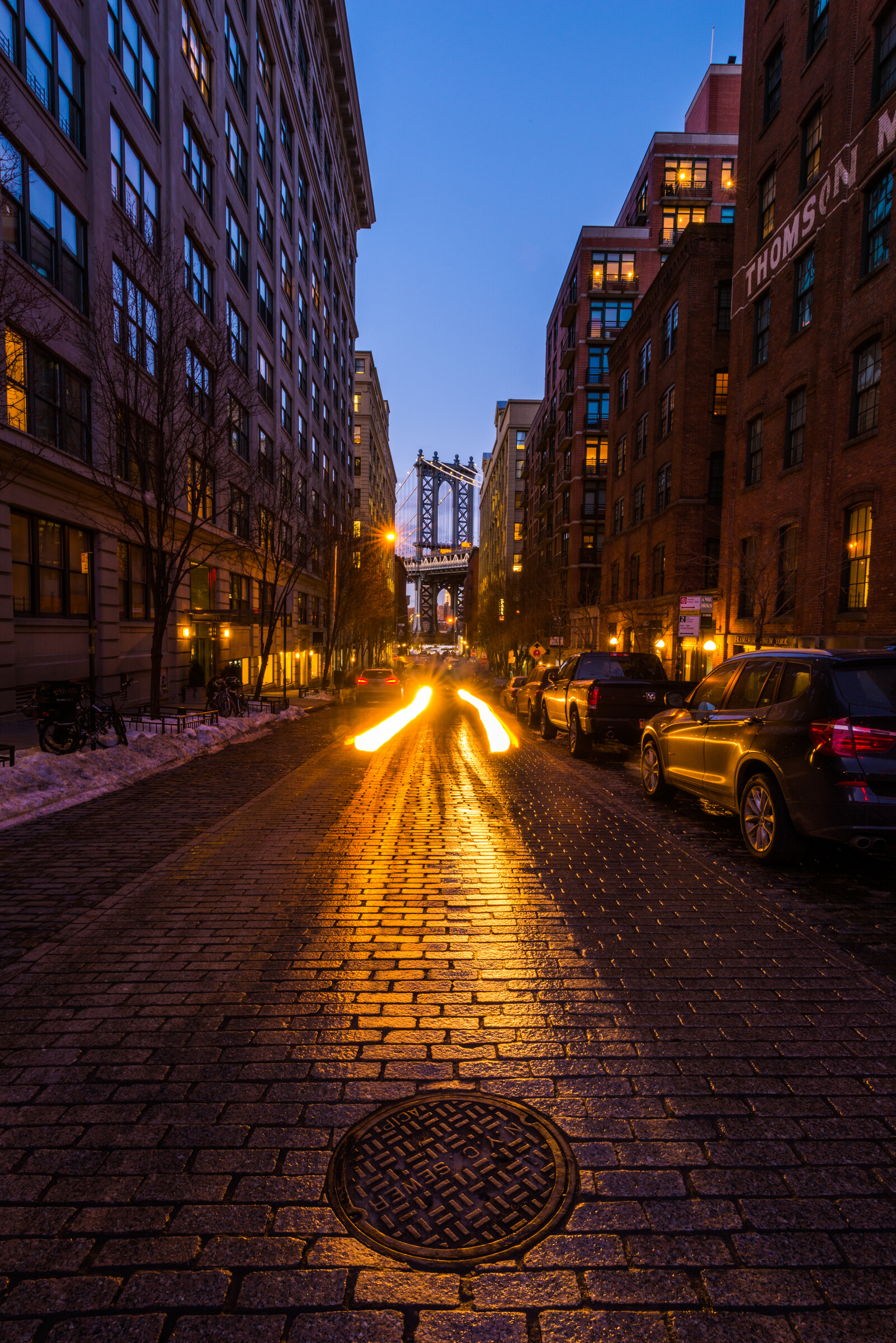
The single best time for cityscape photography is blue hour — the 15–20 minute window roughly 20–30 minutes after sunset (or before sunrise). During blue hour, the sky is a deep, rich blue that provides a natural light balance against city lights. The sky isn’t black (which creates extreme contrast and blown highlights) but it also isn’t competing with the artificial lights below. Buildings are illuminated, reflections appear in wet streets, and the whole scene feels cinematic. Plan to be set up 30 minutes before blue hour begins and shoot continuously through the transition to full dark.

Wet Streets: Nature’s Free Reflectors

Rain-wet streets reflect neon signs, streetlights, and headlights, doubling the visual complexity of any night cityscape. If it hasn’t rained recently, you can create the same effect by pouring water on the pavement in front of your shot. This is a classic technique used by commercial photographers for fashion shoots, and it works equally well for architectural and street photography.

Composition for Cityscapes at Night

The same compositional principles that govern daytime photography apply at night with one addition: light sources become part of the composition in a way they don’t during the day. Streetlights, illuminated windows, and traffic create natural leading lines. Reflections in water create symmetry. Light sources in the corners of the frame are usually distracting — position them intentionally or exclude them.

For settings: f/8–f/11, ISO 100–400, and a 10–30 second exposure will give you sharp images with good depth of field and naturally smoothed traffic. At these apertures, strong point light sources create starburst effects — beautiful on city lights and streetlamps. The number of points in the starburst equals twice the number of aperture blades in your lens.

Light Trails in Urban Environments

Any road with moving vehicles is a light trail opportunity. The key variables are exposure time (longer = more trails, more layered) and positioning (higher angles compress trails into the frame better; street level emphasizes scale). Roundabouts, highway interchanges, and busy intersections produce particularly striking results. Use a remote shutter release to avoid camera shake during the exposure.

Neon and Sign Photography

Neon signs are among the most visually satisfying night photography subjects: they provide a bright, colorful light source that illuminates the surrounding scene, create strong color contrast, and have a retro-cinematic quality that’s difficult to replicate in post-processing. For neon shots, open wide (f/1.8–f/2.8) and use a moderate ISO (800–1600) rather than a long exposure — neon flickering at slow shutter speeds can create uneven exposure. Include reflections, puddles, or architectural context for a more interesting composition than a straight-on sign portrait.

Cityscape photography connects deeply with the landscape pillar. Read our landscape photography guide for composition and timing techniques that translate directly to urban environments.

Noise Reduction in Night Photography

High ISO amplifies not just the signal from light but also electronic noise — that gritty, grain-like texture that degrades detail in shadows and smooth tones. Night photography, by necessity, often involves higher ISOs than daytime shooting. Here’s how to manage it.

Prevention First: Minimize Noise at the Source

The most effective noise reduction happens before you press the shutter:

  • Use the lowest ISO that works. On a tripod with a long exposure, ISO 400 often produces a brighter, cleaner image than ISO 3200 at 1/15 sec. Let the tripod do the work.
  • Expose to the right. A slightly brighter RAW file has better signal-to-noise ratio than a dark file lifted in post. Don’t blow highlights — but don’t underexpose to “be safe” either.
  • Cool temperatures help. Cold sensor = less thermal noise. Night shooting in winter produces noticeably cleaner files than summer shooting.

Lightroom AI Denoise

Adobe’s AI-powered Denoise tool (introduced in Lightroom 2023 and available in both Classic and CC) is dramatically superior to the legacy Luminance/Color noise sliders. It analyzes the full RAW file and produces a new DNG with noise removed while preserving genuine edge detail. For most night photos, a Detail setting of 50 works well as a starting point. The result at ISO 6400 is often comparable to what older tools could achieve at ISO 1600.

For more on Lightroom noise reduction and the full editing workflow, see our Lightroom complete guide.

Image Stacking for Maximum Quality

The most powerful noise reduction technique for astrophotography and star trails is image stacking: capturing multiple identical exposures of the same scene and averaging them together in software. Averaging four images reduces random noise by half; averaging 16 images reduces it by 75%. Free tools include:

  • Sequator (Windows, free): Aligns and stacks star photos, compensating for star movement between frames. Excellent for Milky Way noise reduction and star trail creation.
  • Starry Landscape Stacker (Mac, free trial): Separate alignment for sky and foreground, producing a composite with minimal noise in both regions.
  • Adobe Photoshop (paid): Load layers → Smart Objects → Stack Mode: Mean. Powerful but more manual workflow.

Long Exposure Noise Reduction (In-Camera)

Many cameras offer an in-camera Long Exposure Noise Reduction (LENR) setting. When enabled, the camera captures a “dark frame” — an equal-duration exposure with the shutter closed — immediately after your photo, then subtracts it from your image. This removes hot pixels and some thermal noise effectively. The downside: it doubles your shooting time (a 30-second exposure takes 60 seconds total). For Milky Way shooting where every minute of window time matters, disable LENR and stack in post instead.

7 Common Night Photography Mistakes (and How to Fix Them)

1. Shooting JPEG Instead of RAW

JPEG files apply irreversible compression that destroys the shadow and highlight detail you’ll need in editing. Switch to RAW immediately. You can always export JPEGs from RAW — you cannot recover a JPEG’s discarded information.

2. Forgetting to Switch to Manual Focus

Autofocus hunts endlessly in the dark, often landing on infinity and hunting away from it repeatedly. Switch to MF mode before it gets dark, confirm your focus in live view, and tape the focus ring. Check focus after every time you move or adjust the camera.

3. Using a Shutter Speed That’s Too Long for Stars

Stars move. At 24mm, 25 seconds is near the limit before trailing is visible. At 50mm, the limit drops to about 10 seconds. Beginners often use a 30-second shutter speed out of habit — the maximum in non-Bulb mode — without realizing their stars are trailing. Apply the 500 Rule or use PhotoPills to calculate your maximum exposure for each focal length.

4. Skipping the Test Shot at High ISO

Before committing to a 25-second exposure, take a 2-second test shot at ISO 12800. It will be noisy and rough, but it tells you whether the composition works, whether focus is correct, and whether there’s anything in the scene you didn’t notice (a light behind you, a passing car that will trail through the frame). Fix issues before the long exposure, not after.

5. Not Waiting for Blue Hour

Most beginners shoot either during full daylight or after full dark. Blue hour — that 15-20 minute window after sunset — is when the magic happens for cityscapes, seascapes, and architecture. If you’re not shooting during blue hour, you’re missing the easiest dramatic light improvement in photography.

6. Underestimating Battery Drain in Cold

A battery that reads 80% at room temperature can drop to 20% in sub-freezing conditions within an hour. Always bring a fully charged spare. Keep spare batteries in a chest pocket against your body to keep them warm.

7. Not Checking for Hot Pixels

Long exposures at high temperatures or high ISO sometimes produce “hot pixels” — bright-colored stuck pixels that appear as small colorful dots in the image. They’re fixed in position regardless of the scene. If you see them, enable in-camera LENR for the rest of the session, or remove them in Lightroom using the Heal tool with the Visualize Spots toggle active.

Editing Night Photos in Lightroom

The RAW file from a night shoot looks flat, noisy, and underlit compared to the final image. Editing transforms it. Here’s the workflow that works best for night photos:

Step 1: Exposure and White Balance First

Raise Exposure until the image looks naturally lit. Then set White Balance: for Milky Way photos, a cooler white balance (3800–4500K) preserves the blue tones that make night sky images feel authentic. For cityscapes, experiment between 3500–5500K depending on whether you want warm or cooler tones.

Step 2: Recover Highlights, Lift Shadows

Pull Highlights down to recover blown streetlights and moon detail. Push Shadows up gently to reveal foreground detail. Use a moderate Whites boost and bring Blacks down slightly to maintain depth. Don’t go extreme — a flat, grey-looking histogram means you’ve lifted too much.

Step 3: Apply AI Denoise

With exposure and tone corrected, apply Lightroom’s AI Denoise (Develop → Detail → Denoise). Start at 50 and evaluate. For very high ISO images (6400+), 60–70 may be appropriate. This step produces a new DNG file — work on that file for all subsequent adjustments.

Step 4: Clarity, Texture, and Dehaze

For night sky images: a small Dehaze boost (10–20) often improves the contrast of stars against the sky without affecting the foreground. Texture adds perceived sharpness to star fields. Clarity adds mid-tone contrast — use sparingly on portraits but freely on architectural and landscape night shots.

Step 5: Color Grading

Night photos often benefit from a split toning treatment: cool blue-teal shadows, slightly warmer midtones. In the Color Grading panel, push the Shadows hue toward blue-teal at low saturation. This reinforces the nighttime atmosphere without looking artificially manipulated. Lightroom night presets can provide a starting point if you’re new to color grading.

For the complete Lightroom editing workflow from import to export, see our Lightroom tutorial guide.

Frequently Asked Questions About Night Photography

What camera settings should I use for night photography?

For general night photography, start with a wide aperture (f/1.8–f/2.8), a shutter speed between 15–30 seconds, and ISO 1600–3200. For astrophotography, apply the 500 Rule: divide 500 by your focal length to find the maximum shutter speed before stars start trailing.

Do I need a tripod for night photography?

Yes — a sturdy tripod is the single most important piece of gear for night photography. Shutter speeds of 10–30 seconds are common, and even the slightest camera movement will blur the entire image. No amount of image stabilization compensates for exposures that long.

What ISO should I use at night?

For landscapes and cityscapes on a tripod, stay at ISO 800–1600 and let a longer shutter speed do the work. For astrophotography and the Milky Way, ISO 3200–6400 is normal. For handheld street or concert photography, push to ISO 6400–12800 and accept some noise — it’s better than blur.

How do I focus in the dark?

Use manual focus and set your lens to infinity (∞). For stars, use live view at maximum magnification, point at a bright star, and adjust until the star is the sharpest pinpoint possible. Then lock focus with tape or a focus-lock ring. For scenes with foreground, use the hyperfocal distance for your lens.

What is the 500 Rule in night photography?

The 500 Rule is a quick formula for avoiding star trails: divide 500 by your focal length in mm (on a full-frame camera) to get your maximum exposure time in seconds. For a 24mm lens: 500 ÷ 24 ≈ 20 seconds. On a crop sensor camera, divide by the effective focal length (focal length × crop factor).

Can I do night photography with a beginner camera?

Absolutely. Any DSLR or mirrorless camera with manual mode, a tripod mount, and the ability to change ISO will work for night photography. Entry-level cameras like the Canon Rebel series, Nikon D3500, or Sony a6000 have all produced stunning night shots. A fast 50mm f/1.8 lens costs under $150 and transforms low-light capability.

How do I reduce noise in night photos?

The three best methods are: (1) Shoot at the lowest ISO that still gives a correct exposure — longer shutter speed beats high ISO on a tripod. (2) Use Lightroom’s AI Denoise tool, which is dramatically better than older noise reduction. (3) Stack multiple exposures using free software like Sequator (Windows) or Starry Landscape Stacker (Mac) — stacking 4+ exposures can reduce noise by half.

What is blue hour and when does it happen?

Blue hour is the period roughly 20–30 minutes after sunset (or before sunrise) when the sky turns a deep, even blue. City lights are on but the sky isn’t pitch black, which creates a natural light balance that’s difficult to fake. It lasts only about 15–20 usable minutes, so plan your setup before it begins. Apps like PhotoPills show the exact blue hour window for any location and date.

Go Deeper with the Full Night Photography Course

This guide covers the essentials. The full When Darkness Becomes Your Canvas course at Framehaus goes further: module-by-module walkthroughs of the Milky Way, star trails, aurora borealis, light painting, concert photography, and editing workflows — with real shoot-along exercises and community feedback on your images.

Everything in one place, at your own pace, for $29/mo. Cancel any time.

Start Learning — $29/mo

30-day money-back guarantee. No risk.