Updated October 2026
Nikon Z8 wedding settings start with one fact: a wedding doesn’t give you a second take. The kiss happens once, the first dance happens once, and your cards had better have both of them. That’s why the Nikon Z8 is such an interesting wedding body: it’s fast, it’s quiet, and it gives you the redundancy you need if you set it up right.
This guide gives you recommended starting points for the Nikon Z8 on a full wedding day, from the getting-ready room to the last dance. We built it from Nikon’s published specifications and Nikon’s own documentation, not from a wedding we shot with this body, so treat every number as a place to start and test it under your venue’s light before the big day. If you’re still deciding which body to buy, read our best camera for wedding photography guide first, then come back here.
 Save
SaveWhat makes the Z8 a wedding camera
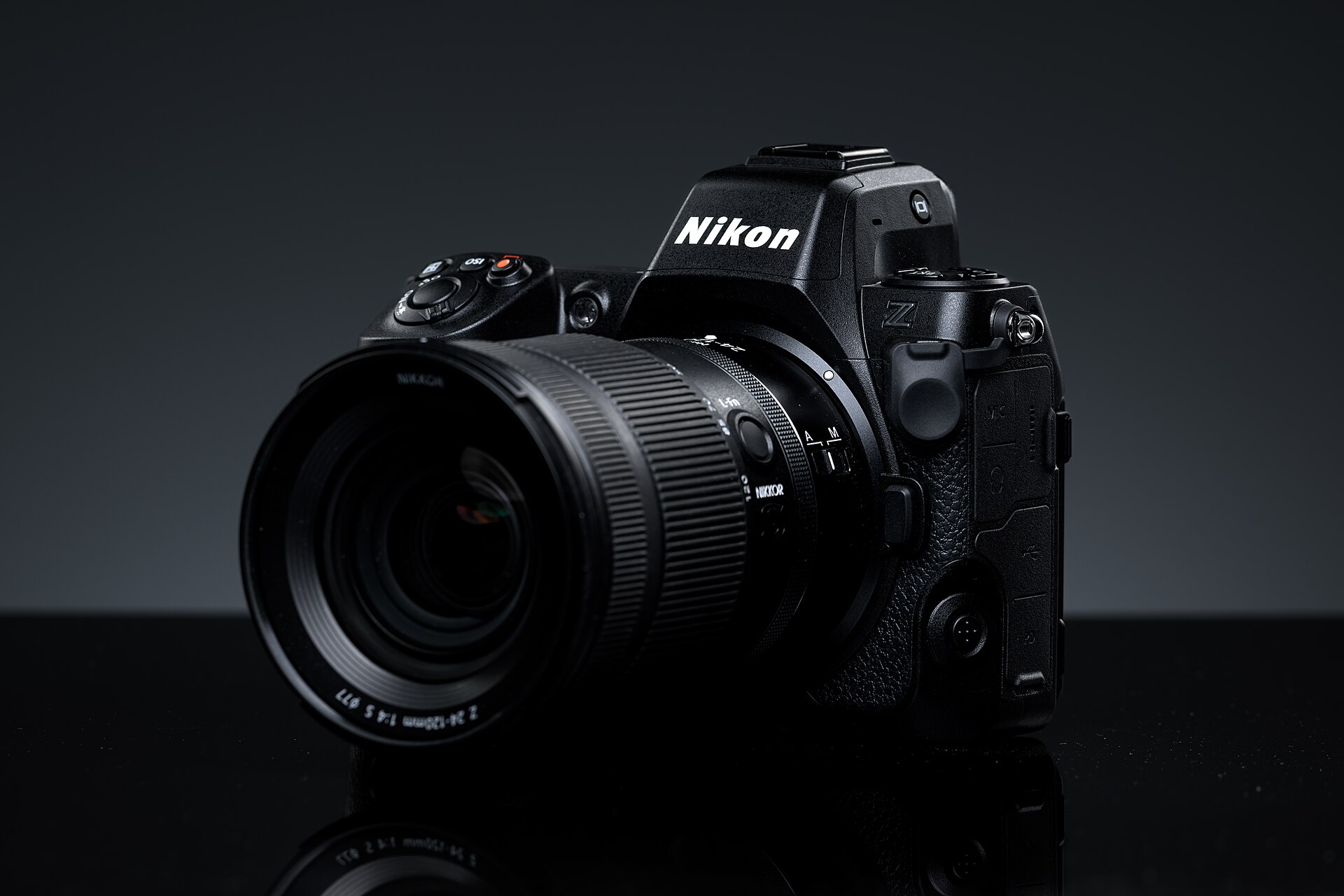
According to Nikon’s Z 8 page, the body has a 45.7-megapixel sensor, up to 20 fps in Continuous H with RAW files, subject detection combined with 3D tracking, and two card slots (one CFexpress Type B and one SD UHS-II). It also has an all-electronic shutter with no moving parts. That last detail changes how you set it up, so let’s be clear about it up front.
The Z8 has no mechanical shutter. Every frame is electronic. That’s good news for a ceremony, because there’s no shutter noise and no vibration. It’s also the reason you need to think about flicker under LED and fluorescent light, and about flash sync, which Nikon lists as 1/200 sec or slower. Plenty of older settings guides tell you to switch to a mechanical shutter for the reception. On this camera, that option doesn’t exist.
Card setup: protect the day first
 Save
SaveBefore you touch autofocus or exposure, protect the files. A wedding is the one job where a bad card can’t be fixed with a reshoot.
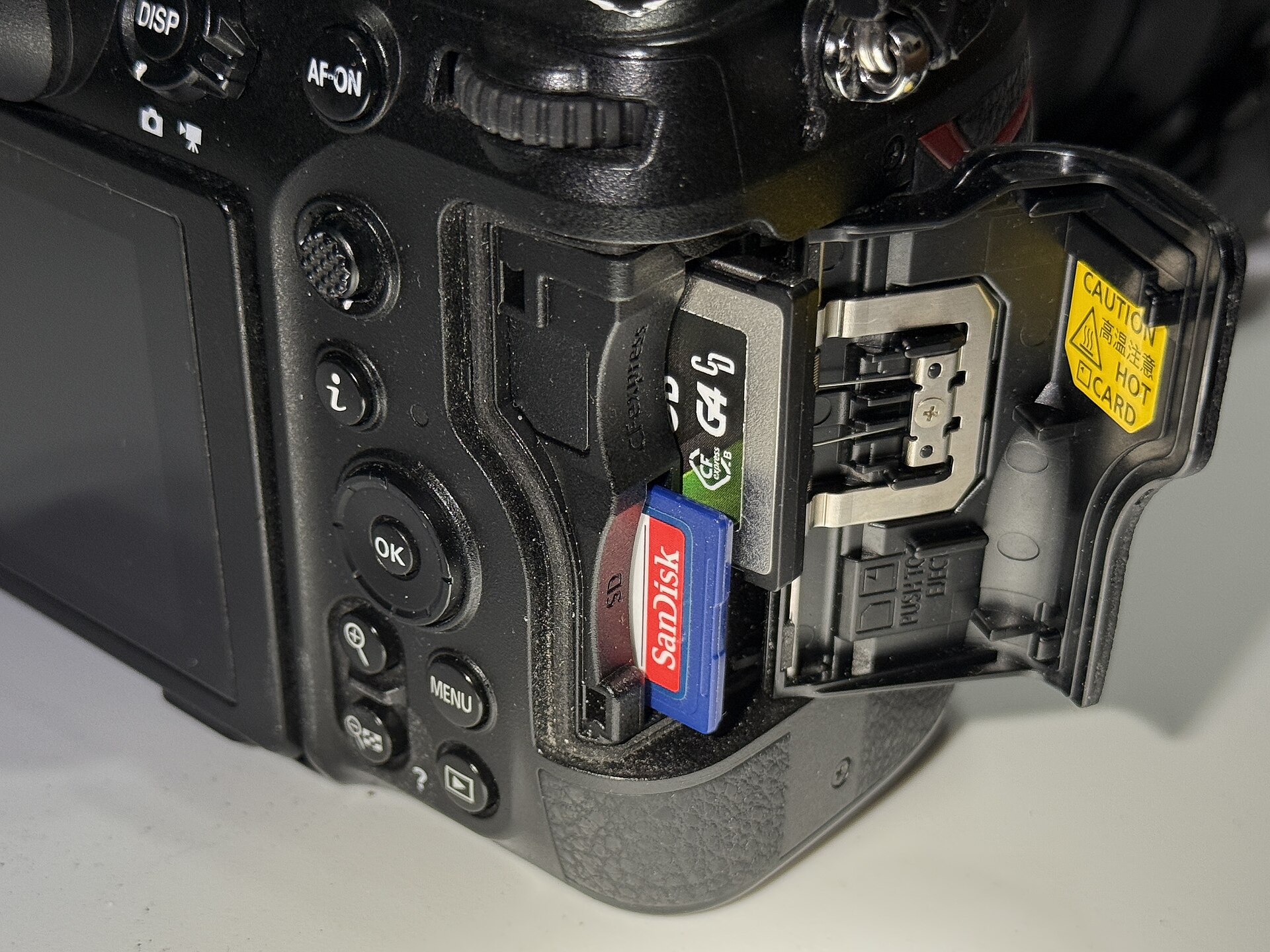
The Z8 takes one CFexpress Type B card and one SD UHS-II card. In the Photo Shooting Menu, find the option for the role of the card in Slot 2 and set it to Backup. Every frame now writes to both cards. If one fails, the other still has the day.
A few rules that save weddings:
- Use a fast SD UHS-II card in Slot 2. A slow card can hold back the buffer when you’re writing to both.
- Format both cards in the camera before every wedding, not on the laptop.
- Don’t use Overflow for a wedding. It fills Slot 1 first and moves to Slot 2 only when Slot 1 is full, so you end up with one copy of everything.
- When you copy files at the end of the night, verify both cards before you format anything.
 Save
Save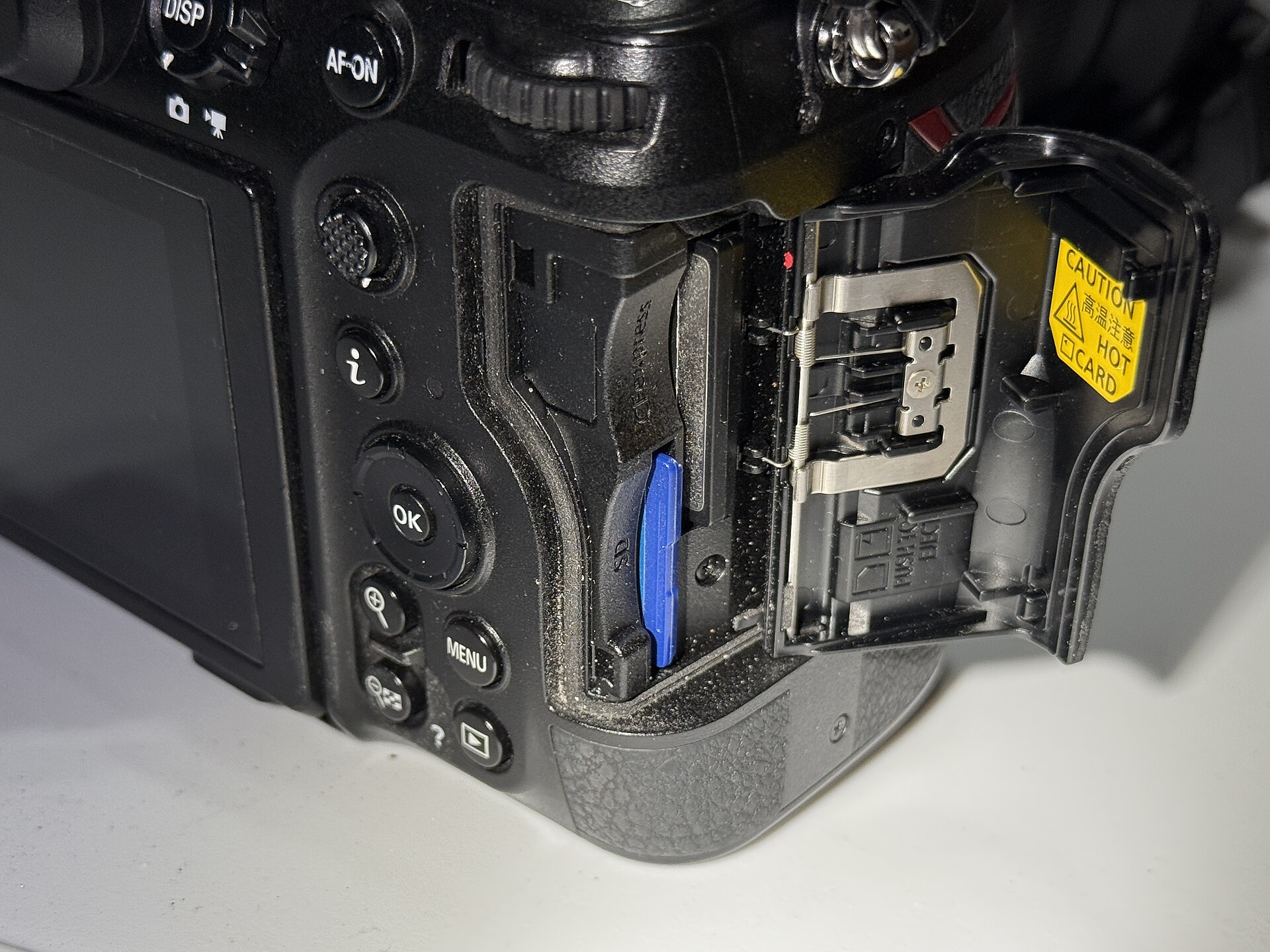 Save
SaveAutofocus: start with people, then tighten up
Nikon says the Z8 combines subject detection with 3D tracking. For weddings, that gives you two reliable starting points.
For the processional, the kiss and the dance floor
Turn on People subject detection and use 3D tracking or a wide area mode, depending on how much the subject moves. Put the first focus point on the face of the person walking toward you, half-press, and let the camera follow. This is the setup to try for processionals, candids and anything where you can’t predict the next move.
Tracking can hesitate when a subject’s clothing and background blend together. A white dress against a white wall is the classic case. If the camera keeps jumping, drop to a wide-area mode with people detection on, and place the frame so the subject stands apart from the wall.
For formals and portraits
Slow down. Use a smaller AF area or single-point AF on the nearest eye, and check your focus on the back of the camera after the first frame of each setup. People blink, groups shuffle, and a 45.7-megapixel file is unforgiving about a missed eye.
Shutter: silent is the default, and you still manage it
Because the Z8 is all-electronic, silence comes with the camera. Use that during the ceremony, when a mechanical clack from a big camera pulls every head around. Pair it with the habits that keep a ceremony calm: stay low, stay out of the aisle, and don’t chimp every frame.
The cost of an electronic shutter is flicker. LED panels, fluorescent tubes and some dance-floor lighting pulse faster than your eye can see, and a fast electronic readout can show that as banding. Nikon lists flicker reduction as a feature on the Z8, so turn it on and test it. Take a few frames in the actual room at the shutter speed you plan to use. If you see bands, change the shutter speed a step or two, or switch to a longer speed that averages out the pulse.
Exposure: manual with Auto ISO
A wedding runs from bright window light to a dark chapel to a dim reception in a few hours. The calmest way to handle it is aperture and shutter speed set by you, with ISO floating on Auto.
| Moment | Aperture | Shutter | Auto ISO |
|---|---|---|---|
| Getting ready, window light | f/2.8 | 1/250 | Up to 3200 |
| Ceremony, indoors | f/2.8 to f/4 | 1/250 (1/160 for still moments) | Up to 6400 |
| Family formals | f/5.6 to f/8 | 1/200 | Up to 1600 |
| Couple portraits, outdoors | f/2 to f/2.8 | 1/500 or faster | Base to 400 |
| Reception, with flash | f/2.8 to f/4 | 1/125 to 1/200 | Up to 6400 |
The Z8 lets you set a maximum ISO and a minimum shutter speed for Auto ISO. Start with a ceiling of 6400 and a floor of 1/250 for moving subjects, then test your own comfort with noise. Nikon lists the native range as ISO 64 to 25600, so there’s room above 6400 if a dark venue forces you there. A clean file you can cull is worth more than a sharp file you missed.
Burst rate: save the speed for the moments that earn it
Continuous H goes up to 20 fps with RAW files on this body, per Nikon. That’s a gift for a bouquet toss or a confetti exit, and a pain for culling if you leave it on all day. Use a slower Continuous L setting for general coverage, and keep a custom bank or button ready for the fast stuff.
The Z8 also offers pre-release capture, which records the frames just before you press the shutter. It’s a strong safety net for the instant everyone’s laughing before you’ve raised the camera. Test it before the day so you know how it behaves and how many frames it adds to your cull.
Save the day in custom banks
Put your two main looks into saved settings so you can flip between them without diving into menus.
| Bank | Scenario | Starting point |
|---|---|---|
| U1 | Ceremony | Silent shutter, people detection with 3D tracking, f/2.8, 1/250, Auto ISO to 6400, flicker reduction on, no flash |
| U2 | Reception | Wide-area AF with people detection, f/2.8 to f/4, 1/160, Auto ISO to 6400, flash on, flash white balance |
Flash: bounce it and keep it gentle
Nikon lists the Z8’s flash sync at 1/200 sec or slower, with Auto FP high-speed sync supported. For reception work, keep the shutter at 1/200 or slower with a standard flash, and use Auto FP only when you truly need a faster speed for outdoor fill.
- Mode: start with TTL balanced fill-flash.
- Compensation: try minus 1 EV to minus 2/3 EV. A slightly underpowered flash looks more natural than full power.
- Direction: bounce off a ceiling or wall when you can. Direct flash flattens faces.
- White balance: set a flash or fixed value in the room so your skin tones don’t swing from frame to frame.
Lenses and light: what the Z8 can’t fix
The body is only half of the setup. A fast zoom in the 24-70mm range with a constant f/2.8 aperture covers most of a wedding day, and a 70-200mm f/2.8 gives you reach from the back of a ceremony. A fast prime in the 35mm to 85mm range handles low-light portraits and details. Nikon’s current Z-mount lineup includes lenses in all those classes, so check the Z lens list before you buy, and rent the lens you plan to rely on.
The 45.7-megapixel sensor is demanding. It shows a missed focus plane and a slightly slow shutter more clearly than a lower-resolution body would. If your hand shake or your subject’s movement is the real problem, a faster shutter speed will do more for you than any menu change.
A wedding day, hour by hour
Getting ready: window light, aperture-priority or manual at f/2.8, people detection on, single-shot or slow burst. This is the time to shoot details: rings, shoes, the dress, the invitation. Move slowly and look for clean backgrounds.
Ceremony: load U1. Silent shutter, flicker reduction on, no flash. Stay out of the aisle and watch your shutter floor. If the room is dark, accept a higher ISO before you accept a blurry kiss.
Formals and portraits: slow down, drop to a smaller AF area, check the eyes, and give people time to look natural. Use open shade or a gentle bounce if the sun is harsh.
Reception: load U2. Bounce your flash, keep the shutter at 1/200 or slower, and shoot a few frames at different speeds on the dance floor to see what looks best in the room.
Mistakes to avoid
- Leaving Slot 2 on Overflow. You will have one copy of everything.
- Trusting an old guide that tells you to use a mechanical shutter. The Z8 doesn’t have one.
- Shooting 20 fps all day and drowning in a 6,000-frame cull.
- Skipping a test shot in the venue. Flicker shows up in the real room, not in your living room.
- Carrying one body. A tested backup is part of the kit.
Pre-wedding checklist
- Both cards formatted in camera, Slot 2 set to Backup
- Batteries charged, with spares in your pocket, not the bag
- People detection on, with 3D tracking ready for movement
- Silent shutter for the ceremony, flicker reduction tested in the venue
- Auto ISO ceiling and shutter floor set
- Flash set to TTL with a gentle compensation, shutter at 1/200 or slower
- Custom banks saved before you leave home
- A second camera body that you have also tested
For the editing side, our wedding Lightroom presets film look guide walks through a full Lightroom workflow. If you’re still planning the day itself, use our wedding photography timeline guide and our broader wedding photography guide.
Nikon Z8 wedding questions
How do I set up dual card backup on the Nikon Z8?
In the Photo Shooting Menu, set the role of the Slot 2 card to Backup. Every frame writes to both cards. Format both in camera before the wedding, and verify both copies before you format anything afterward.
Does the Nikon Z8 have a mechanical shutter?
No. Nikon describes it as an all-electronic shutter with no moving parts. That’s why it’s silent for a ceremony and why you should test flicker reduction under LED and fluorescent light.
What Auto ISO settings should I use for a wedding on the Z8?
Start with a ceiling of ISO 6400 and a shutter floor of 1/250 for moving subjects, then adjust to your own noise tolerance. Nikon lists the native range as ISO 64 to 25600, so you have room if a venue forces you higher.
What flash sync speed does the Nikon Z8 support?
Nikon lists 1/200 sec or slower, with Auto FP high-speed sync supported. Stay at 1/200 or slower for standard flash and use Auto FP only when you need a faster speed outdoors.
Should I shoot at 20 fps all day?
No. Save Continuous H for fast moments and use a slower rate for general coverage, so your cull stays manageable.
Is the Z8 too much camera for a wedding?
Only if you won’t practice with it. The body is built for speed and quiet, but a 45.7-megapixel file also means larger folders and slower editing. If your delivery doesn’t need that resolution, a smaller body may suit you better. Our wedding camera comparison covers the alternatives.
Want to go further? The ShutYourAperture Academy’s The Wedding Day (7 modules, 28+ lessons) is built to help you capture love, story and chaos in a single day.
 Save
SaveGear box: the Nikon Z8 for weddings
Nikon Z8 body, Nikon Z mount. This is the body-only camera discussed above. Budget separately for fast Z-mount lenses, a bounce-friendly flash, a V90-class SD card, a CFexpress Type B card and a tested backup body.
Affiliate disclosure: We may earn a commission from qualifying purchases through the Amazon and B&H links, at no extra cost to you. Settings are starting points based on Nikon’s published specifications, not hands-on wedding testing. Photo credits: Nikon Z8 body photo by Henry Söderlund (CC BY 2.0); card slot photos by 4300streetcar (CC BY 4.0); seascape by Stanzman (CC BY-SA), all via Wikimedia Commons. Photos are illustrative, and prices and stock can change.