We’ve all got that one shoebox. You know the one, it’s tucked away in the back of a closet, under a pile of holiday decorations, or gathering dust in the attic. Inside that box isn’t just old paper; it’s a collection of "zombie" photos. These are the snapshots of Great-Grandpa Joe looking stoic in a suit, or your mom in the 70s with a hairstyle that can only be described as a "choice."
The problem? Time is a jerk. It fades the colors, cracks the paper, and covers everything in a weird, sickly yellow hue that makes everyone look like they’re living inside a lemon. For a long time, fixing these photos meant spending hundreds of dollars at a professional lab or spending forty hours mastering the Clone Stamp tool in Photoshop until your eyes bled.
But it’s 2026, and we have robots for this now. Specifically, we have Luminar Neo’s Restoration AI. It’s like a time machine for your pixels, and it’s about to make that dusty shoebox your new favorite hobby.
The Resurrection: Bringing Family Photos Back from the Dead
When we talk about "bringing photos back from the dead," we aren’t just being dramatic. Physical photos are organic things. They rot. They react to the air, the light, and that one time your toddler decided to use a Polaroid as a coaster for a juice box.
Traditional restoration was an art form that required the patience of a saint. You’d have to manually zoom in, find every tiny white speck (dust) or black line (scratches), and paint over them. If a corner was missing? Forget about it. You’d have to be a digital painter to recreate that missing piece of the background.
Luminar changed the game by training neural networks on millions of images. The AI understands what a "clean" photo is supposed to look like. When you feed it a damaged photo, it doesn't just smudge the edges; it understands the context. It knows the difference between a wrinkle in a shirt and a crease in the paper.
Scratches, Creases, and the 70s Yellowing
Let’s talk about the "Three Horsemen of Photo Apocalypse": Scratches, Creases, and Yellowing.
1. The Scratch Removal
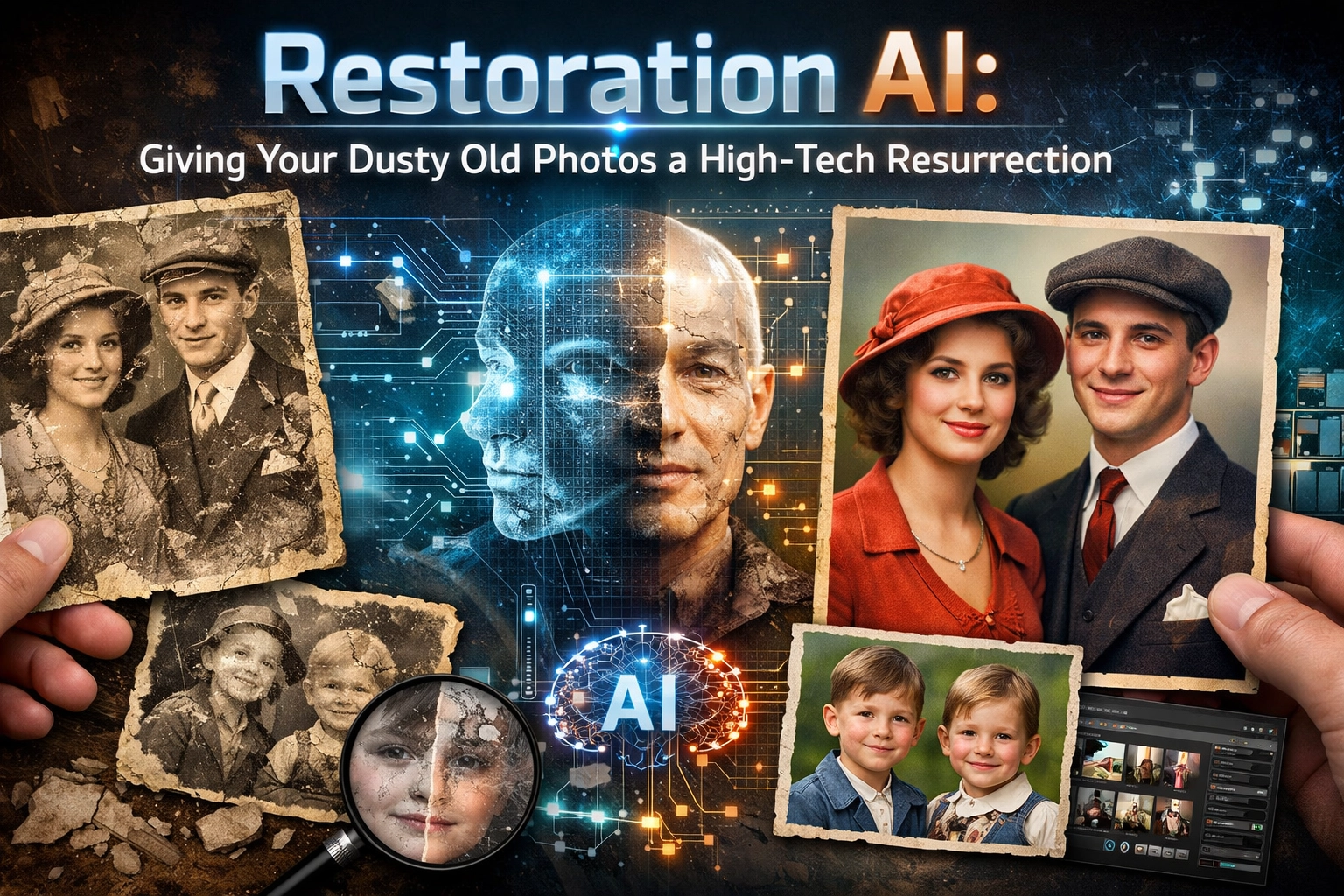
Scratches usually happen when photos are stored haphazardly. They look like white lightning bolts across your grandmother’s face. In the old days, fixing a scratch across a face was a nightmare because you’d lose the skin texture. Luminar’s AI identifies these linear defects and replaces them with texture that actually matches the surrounding skin or fabric. It’s seamless.
2. Crease Control
Creases are worse than scratches because they usually involve missing physical data where the photo paper has literally cracked off. The Restoration AI uses generative fill techniques to "hallucinate" (in a good way) what should be there. If a crease runs through a brick wall, the AI sees the pattern of the bricks and fills the gap. It’s basically magic, but with more math.
3. The 70s Yellowing
Why does every photo from 1974 look like it was dipped in mustard? It’s a chemical reaction in the film processing and the paper. This yellowing, or "sepia on steroids", kills the dynamic range of the photo. Restoration AI can neutralize these shifts instantly. It identifies the "white point" that should have been there and recalibrates the entire image. Suddenly, the sky is blue again, and your dad’s bell-bottoms are the glorious shade of denim they were meant to be.
If you’re interested in how lighting and color affect the mood of a photo, check out our guide on the role of luminosity in real-estate photography. While it’s focused on houses, the principles of how light interacts with a scene apply to every photo you’ve ever taken.
Colorization That Doesn't Look Like a Cartoon
We’ve all seen those badly colorized historical photos where everyone looks like they’re wearing "clown makeup" and the grass is a neon green that doesn't exist in nature. That’s because those were done with simple color overlays.
The AI in Luminar Neo is smarter. It uses "deep learning" to recognize objects. It knows that a tree should have varying shades of green and brown, and it knows that human skin has sub-surface scattering (the way light bounces around under the skin). When it colorizes a black-and-white photo, it applies a palette that is grounded in reality.
The result? A photo that looks like it was shot on modern film yesterday, not something that was hand-painted by a bored Victorian. It adds a layer of storytelling in photography that was previously lost to the limitations of the era. Seeing a relative in full color for the first time is an emotional experience that’s hard to put into words.
 Save
Save
The 30-Second Miracle
The best part about this whole process? It’s fast. Like, "don't even have time to finish a sip of coffee" fast.
In the past, a professional restoration could take hours or even days. With Luminar Neo, you essentially click a button, wait about 30 seconds for the AI to do its thing, and boom: your photo is back. This speed is a game-changer if you’re trying to archive an entire family album. Instead of a project that takes years, you can finish a whole decade of memories in a single weekend.
If you want to dive deeper into the technical side of making images pop, you might want to look at mastering photography: 10 essential tips. It covers the basics that will help you understand what the AI is trying to achieve when it fixes your shots.
Why This Matters for More Than Just Nostalgia
You might think, "I'm not a historian, why do I care?" But the skills and tech used in restoration are the same ones used in high-end commercial work.
Take real estate, for example. Sometimes you get a shot of a beautiful home, but the grass is dead or there’s a distracting scratch on the lens. Using these AI tools helps you elevate your real estate with aerial photography and post-processing. It’s about perfection.
Even masters like Peter Lik use advanced techniques to ensure their landscapes are flawless. If you want to see what that level of perfection looks like, read up on the techniques behind Peter Lik's landscape photography. Restoration is just the reverse of that: instead of making a new photo perfect, you’re making an old photo perfect.
How to Get Started with Your Own Restoration
Ready to dig out that shoebox? Here is a simple workflow to get the best results:
- Digitize Properly: Don't just take a photo of the photo with your phone (unless you have a really steady hand and great lighting). Use a flatbed scanner if possible. Scan at 600 DPI or higher. If you must use your phone, use a scanning app that removes glare.
- Import to Luminar Neo: Drop your scan into the software.
- Apply Restoration AI: Find the tool in the catalog. You’ll see sliders for "Enhance" and "Remove Defects."
- Fine-Tune: Sometimes the AI gets a little aggressive. You can use the masking tools to dial back the effect in certain areas.
- Colorize (Optional): If it’s a black-and-white shot, toggle the colorization switch.
- Export and Share: Save it as a high-quality JPEG or TIFF.
For more technical guides on getting the best out of your gear and software, I always recommend checking out Shut Your Aperture. They have a wealth of information that simplifies the complex stuff.
The Emotional Impact of High-Tech Resurrections
There is something profoundly moving about seeing a clear, crisp image of a loved one you’ve only ever seen through a hazy, scratched lens. It closes the gap between the past and the present. It makes history feel less like a "history book" and more like a living memory.
When you use Luminar to fix these images, you aren't just editing a file; you’re preserving a legacy. You’re making sure that the next generation doesn't just see a "dusty old photo," but a vibrant person they can relate to.
Beyond the Basics: Advanced Tips
Once you’ve mastered the basic restoration, you can start playing with other tools to really make the photos shine.
- Face Enhancer: If the old photo is a bit blurry, AI can help sharpen facial features, bringing back the "sparkle" in the eyes.
- Structure AI: This is great for bringing out the detail in old clothing: think lace wedding dresses or textured wool suits.
- Relight AI: If the original photo was underexposed (common in the days of manual film cameras), you can use this to virtually "move" the light source and brighten the subject without washing out the background.
If you’re looking for inspiration on how to capture your own "future classics," maybe take some lessons in landscape photography from Peter Lik. Learning how the pros frame a shot can help you understand how to better crop and compose your restored photos for maximum impact.
Final Thoughts (The Non-Robotic Kind)
Technology gets a bad rap for making us feel disconnected, but this is one of those cases where it does the exact opposite. AI photo restoration is about connection. It’s about taking something that was broken by time and making it whole again.
So, go find that shoebox. Grab a copy of Luminar Neo. Spend an afternoon resurrecting your family history. It’s faster than you think, easier than you’d expect, and honestly, it’s a lot of fun.
Your ancestors might have had to sit still for 10 minutes to get one blurry shot, but you only need 30 seconds to make it look like they just stepped out of a modern studio. Welcome to the future of the past!
If you're interested in more ways to take your photography to the next level, whether it's through stunning landscape photography tips or improving your corporate event photography, we’ve got you covered. Photography is a journey: sometimes that journey goes forward, and sometimes, thanks to AI, it goes back.
For more deep dives into the gear and art of the craft, visit blog.edinchavez.com or proshoot.io. And if you want to see what high-end fine art looks like, check out edinfineart.com. Happy restoring!