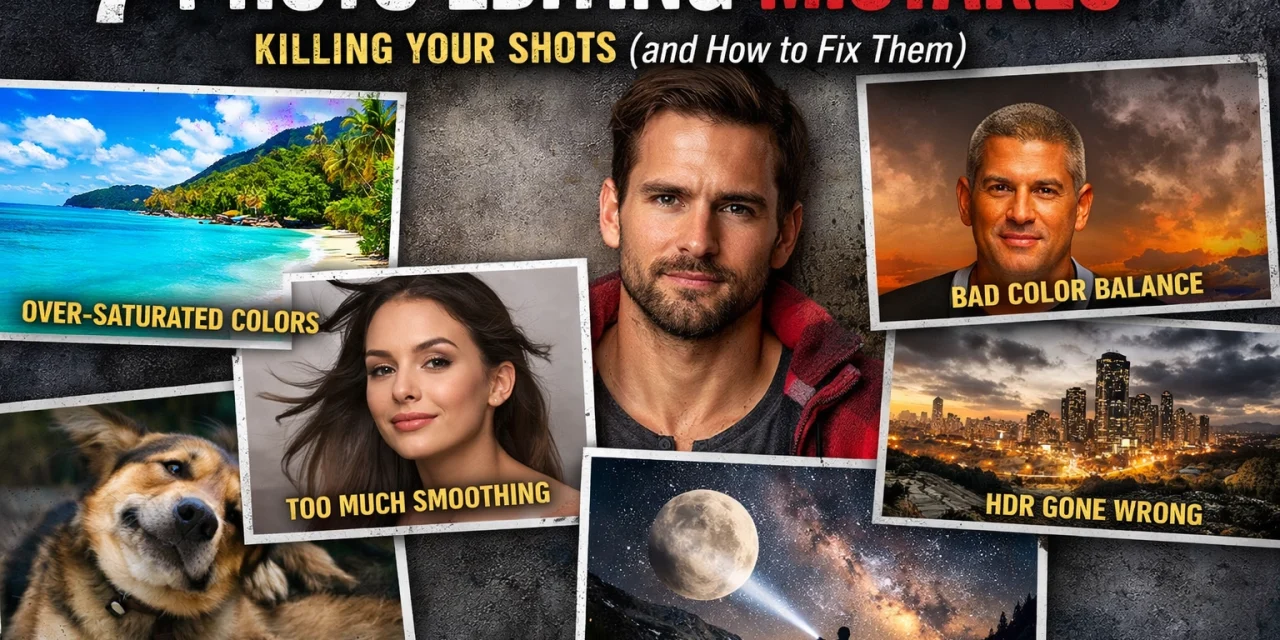
We’ve all been there. You come home from an epic day of shooting, your SD card is full of bangers, and you’re feeling like the next Ansel Adams. You sit down at your computer, fire up your favorite editing software, and start sliding those bars. Two hours later, you’ve got something that looks more like a radioactive fever dream than a photograph.
Editing is a double-edged sword. It’s the digital darkroom where your vision finally comes to life, but it’s also the place where good photos go to die. In 2026, with AI tools and powerful software like Luminar making it easier than ever to manipulate pixels, the temptation to "overdo it" is at an all-time high.
If you want your work to stand out for the right reasons, you need to know where the line is. Here are the seven most common photo editing mistakes that are killing your shots and, more importantly, how you can fix them right now.
1. The "Tunnel Vision" Vignette
We get it. You want the viewer to look at your subject. A vignette, darkening the edges of the frame, is the oldest trick in the book to create focus. But when you crank that slider so far that it looks like we’re looking through a literal cardboard tube, you’ve gone too far.
Heavy-handed vignetting is distracting. Instead of subtly guiding the eye, it screams, "Look at the middle of the photo because I didn't know how to compose it properly!" This is especially common in landscape photography.
How to fix it:
The best vignette is the one you don't notice. When applying a vignette, keep it subtle. Increase the "feathering" to the max so the transition is invisible. A good rule of thumb? Dial it in until you think it looks perfect, then cut the intensity in half. Your goal is to gently nudge the viewer's eye, not hit them over the head with a spotlight.
2. The Halo of Doom (Over-Sharpening)
Sharpening is a lie. It doesn’t actually make a blurry photo clear; it just adds contrast to the edges of objects to trick your brain into thinking they are sharper. When you over-sharpen, you get those nasty white "halos" around buildings, trees, and people. It makes the photo look "crunchy" and digital.
If your shot is blurry because you missed focus or used a slow shutter speed, no amount of software can save it. You might want to brush up on how to master your camera’s manual mode to get it right in-camera first.
How to fix it:
Always zoom in to 100% magnification when applying sharpening or clarity. This allows you to see exactly when those white edges start to appear. If you see grain (noise) becoming overly prominent or edges looking jagged, back it off. In Luminar, use the masking tool to only sharpen the parts of the image that need it, like the eyes in a portrait, rather than the whole scene.
3. The Neon Nightmare (Over-Saturation)
Color is emotional, and it’s tempting to boost the saturation to make a sunset look "epic." But our eyes are incredibly well-tuned to what natural colors look like. When you push the saturation too far, your greens look like neon slime and your oranges look like a Cheeto factory exploded.
Over-saturation is the hallmark of an amateur edit. It strips away the nuance and makes the photo look cheap.
How to fix it:
Instead of the Saturation slider, try using "Vibrance." Vibrance is "smarter", it boosts the less-saturated colors without nuking the ones that are already bright. Another pro tip from the guys over at PhotoGuides.org: turn the saturation up until it looks "good," then immediately dial it back by 10%. When you look at the image again with fresh eyes tomorrow, you’ll be glad you did.

4. The Shadow Lifter (Losing Your Blacks)
Modern cameras have incredible dynamic range. You can take a photo that looks almost black and "rescue" the shadows to see everything in the dark. While this is a cool technical feat, it often results in a flat, muddy image.
Shadows are essential. They provide depth, contrast, and drama. If you lift the shadows so much that there are no true blacks left in your photo, it looks washed out and artificial. This is a common issue when people try to force a "compelling visual" without understanding storytelling in photography.
How to fix it:
Maintain a "Black Point." Use your histogram to make sure you have some actual black in your image. Contrast is the difference between light and dark; if you remove the dark, you remove the impact. If you need to see more detail in the shadows, do it selectively rather than globally.
5. Plastic Skin (Over-Applying Noise Reduction)
Noise (that grainy look in low-light shots) isn't always the enemy. In fact, a little bit of grain can add a "filmic" texture to your work. The real enemy is the "Smooth" slider. When you apply too much noise reduction, skin starts to look like plastic or wax. You lose pores, fine hairs, and texture.
This often happens when photographers think they need the "perfectly clean" look. But a slightly noisy photo with sharp detail is almost always better than a blurry, "clean" photo that looks like a CGI character from 2004.
How to fix it:
Be conservative. If you’re editing a high-ISO shot, apply just enough noise reduction to take the edge off the "color noise" (the red and green spots) while leaving the "luminance noise" (the grain) alone. If you want to see what high-quality gear can do to minimize noise before you even hit the edit suite, check out the ultimate mirrorless camera comparison for 2026.
6. The "Raw" Truth: Shooting Only in JPEG
This isn't strictly an "editing" mistake, but it's the biggest mistake you can make before you edit. A JPEG is a finished product. The camera has already decided what the colors, contrast, and sharpness should be, and it threw away about 80% of the data to make the file small.
Trying to edit a JPEG is like trying to bake a cake using a cake that's already been baked. You can put frosting on it, but you can't change the ingredients.
How to fix it:
Switch your camera to RAW (or RAW+JPEG). RAW files contain all the data your sensor captured. This gives you the flexibility to change the white balance, recover highlights that look "blown out," and pull detail from shadows without the image falling apart. It makes software like Luminar ten times more effective.
7. The "No Filter" Fallacy (Not Processing at All)
On the flip side of the over-editors are the "purists" who refuse to edit at all. They think "straight out of the camera" is the only honest way to do photography. Here’s the reality: your camera’s processor is already "editing" the photo to turn it into a viewable image. If you aren't doing the editing, a computer chip in Japan is doing it for you.
Every great photographer in history, from Ansel Adams to Steve McCurry, spent a massive amount of time in the darkroom (or the digital equivalent) to guide the viewer’s eye. Skipping the edit is leaving your story half-told.
How to fix it:
Think of editing as "developing." Start with the basics: correct your exposure, set your white balance, and add a touch of contrast. You don't have to transform the scene into something it wasn't; you just have to make it look the way it felt when you were standing there. Whether you are shooting ethereal landscapes or urban streets, a little bit of polish goes a long way.
The Secret to Great Editing: The "Walk Away" Method
One of the best pieces of advice I ever got, and something I share over at blog.edinchavez.com, is the "Walk Away" method.
Our eyes adapt to the screen very quickly. If you spend 30 minutes staring at a photo while cranking the saturation, your brain starts to think that neon green is normal. You lose your perspective.
The Fix:
Once you think you're finished with an edit, walk away. Go get a coffee, pet your dog, or look out a window for five minutes. When you come back and look at the screen with "fresh eyes," the mistakes will jump out at you. You’ll usually find yourself saying, "Whoa, that's way too blue," and you'll dial it back to a professional level.
Why Does This Matter in 2026?
You might be wondering, does new camera gear really matter in 2026 if we can just fix everything in post? The answer is a resounding yes. The better your initial capture, the less you have to "fix," and the more you can "enhance."
High-quality sensors and lenses give you more "headroom" in your files. When you start with a clean, sharp, well-composed image, your editing becomes a creative choice rather than a rescue mission.
If you're looking to level up your work, don't just look for new presets. Look for ways to simplify. The most powerful edits are often the most invisible. Whether you're using ProShoot.io for professional tips or experimenting with rare textures for tangible aesthetics, keep the "less is more" philosophy in mind.
Final Thoughts on the Digital Darkroom
Editing should be fun. It’s the moment you get to relive the experience of taking the shot. Don't let the fear of making mistakes stop you from experimenting, but keep these seven pitfalls in mind as you work.
The goal isn't to create a "perfect" image; it's to create an image that feels real and resonates with the person looking at it. Keep it simple, keep it subtle, and most importantly, keep shooting.
If you want to see some examples of how professional editing looks when done right, check out the galleries over at Edin Fine Art or Edin Studios. You'll see that while the shots are polished, they still feel grounded in reality.
Now, go grab your camera, find a hidden gem location, and go make something awesome. Just… maybe take it easy on that saturation slider, okay?