Let’s be real for a second. There’s a certain pride that comes with shooting in Manual Mode. You’re the pilot. You’re the one dialing in the ISO, balancing the shutter speed, and choosing that perfect aperture to get the depth of field just right. For a long time, manual focus was part of that "purist" badge of honor. If you weren’t twisting the glass yourself, were you even really taking the photo?
But here’s the thing: technology moved on, and it moved fast. We’re in 2026, and the "AI" buzzword isn't just marketing fluff anymore: it’s a legitimate tool that lives inside your camera’s processor. Integrating AI-powered focus into your manual workflow doesn’t mean you’re giving up control. It means you’re getting a co-pilot who can see things faster than you can.
If you’ve been hesitant to mix these two worlds, it’s time to rethink your strategy. Combining the creative control of manual exposure with the surgical precision of AI focus will change your hit rate forever.
Why Manual Mode Purists Are Turning to AI
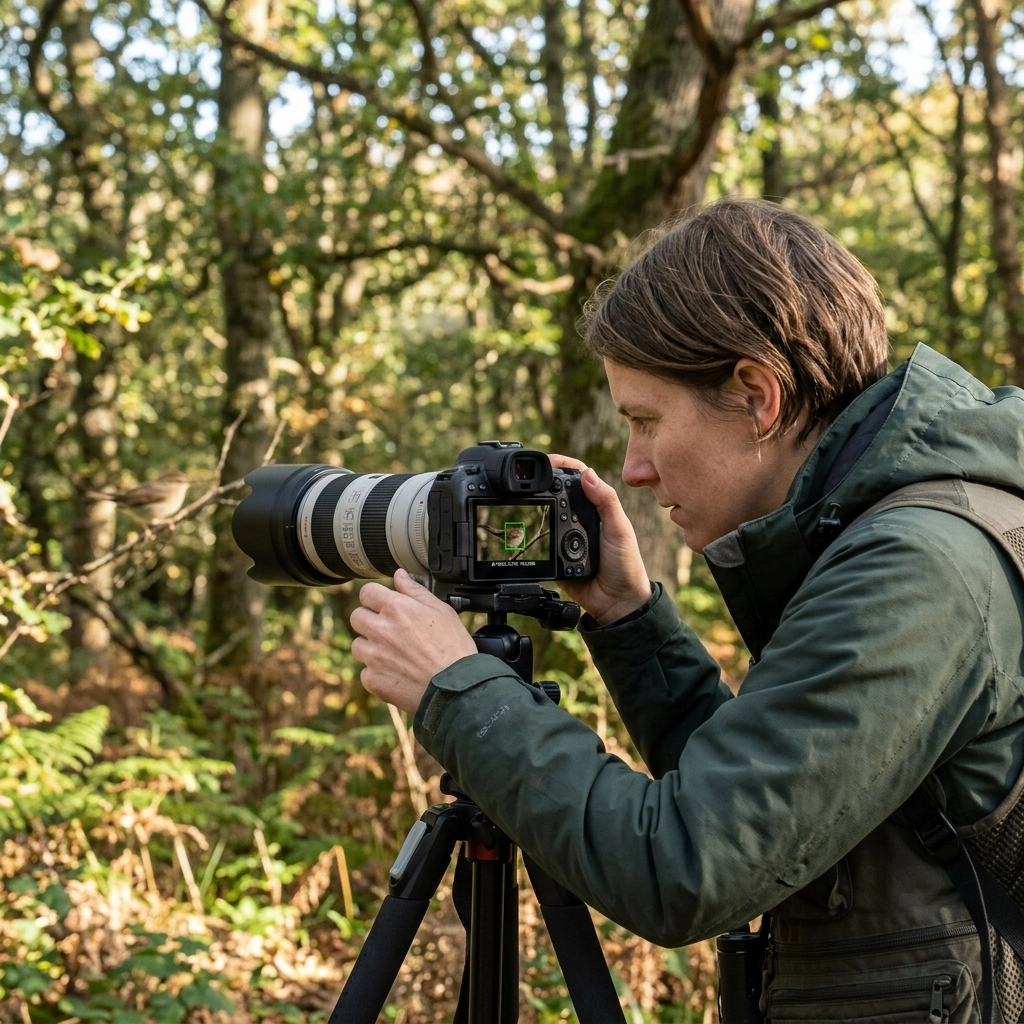
For years, manual focus was the only way to ensure the camera didn't "hunt" or grab the wrong subject. We’ve all been there: trying to shoot a bird through some branches, and the autofocus keeps locking onto the leaves instead of the hawk.
However, AI subject detection has flipped the script. Modern cameras use deep-learning algorithms to recognize eyes, faces, animals, vehicles, and even specific parts of a subject (like a bird's eye or a race car's helmet). When you integrate this with your manual workflow, you aren't letting the camera decide how the image looks; you're letting it handle the math of keeping the subject sharp while you handle the art of the exposure.
If you’re still mastering the basics of the "manual" side of things, check out The Ultimate Guide to Landscape Photography to see how composition and control work together.

The "Hybrid" Setup: Back-Button Focus
If there is one "secret sauce" to integrating AI focus with manual control, it’s back-button focusing. By default, most cameras focus when you press the shutter button halfway. This is fine for beginners, but for someone shooting manual, it’s a nightmare.
When you move focusing to a dedicated button on the back of the camera (usually labeled AF-ON), you decouple the focus action from the shutter. This allows you to:
- Use AI to lock on: Use your thumb to trigger the AI subject tracking.
- Evaluate: Let go of the button once the AI has found the eye or the subject.
- Refine: Since your lens isn’t trying to focus when you hit the shutter, you can manually fine-tune the focus ring if you want to shift the focus slightly for artistic reasons.
This hybrid approach is a game-changer for wildlife and sports. The AI tracks the movement across the frame far better than any human can, but you maintain the manual control over when the shutter actually fires and how the exposure is handled.
Combining Focus Peaking with Subject Detection
One of the coolest ways to work in a manual-heavy workflow is to use AI as a "guide" rather than a "doer." If you’re using manual focus lenses (like those gorgeous old vintage primes), you can’t use AI to move the glass. But you can use AI to tell you where to look.
Many modern mirrorless systems allow you to overlay AI subject detection with Focus Peaking.
Focus peaking highlights the sharpest areas of your frame with a bright color (usually red, yellow, or blue). When you enable AI subject detection, the camera will put a box around the subject’s eye. You then manually turn the focus ring until the peaking color glows right over that AI-detected box. It’s like having a spotter in a sniper nest telling you exactly where to aim.
If you find yourself missing the mark often, you might be making some classic errors. Take a look at these 7 mistakes you’re making with landscape composition to see if your focus issues are actually related to how you're framing the shot.
AI Rangefinders: The Professional Edge
For the videographers and high-end cinema shooters among us, the integration has gone even further. Systems like Moon Smart Focus use AI-powered rangefinders to assist manual focus pullers. These devices use computer vision to track subjects in 3D space and send that data to your manual focus controller.
It’s a bit like "power steering" for your camera lens. You’re still driving, you’re still choosing the focal plane, but the AI is removing the physical strain and the "guesswork" that usually leads to soft shots. This is becoming the standard in professional workflows because it allows for a level of consistency that was previously impossible.
Predictive AI: Anticipating the Shot
In 2026, AI focus isn't just reacting to what is happening; it's predicting it. If a soccer player is running toward the camera, the AI calculates their velocity and adjusts the focus slightly ahead of where they are.
When you’re shooting in manual mode, this predictive data can be fed into your viewfinder as a distance scale. You can see a real-time bar moving that shows where the subject is going to be in half a second. This allows you to manually "catch" the focus point with incredible accuracy.
This is especially helpful when dealing with 7 mistakes you’re making with golden hour landscapes or fast-moving street scenes where the light is changing as fast as the subjects are moving.
Dealing with Busy Backgrounds and Low Light
The biggest fear manual shooters have with AI is that the camera will get "confused." We’ve all seen it: a beautiful portrait ruined because the camera locked onto a tree branch in the background.
To integrate AI successfully, you need to set "Constraints." Most modern AI focus systems allow you to limit the "Focus Search Range." If you know your subject is between 10 and 20 feet away, you can manually set the camera to only look in that range. This prevents the AI from jumping to the horizon or the foreground.
In low light, AI focus can actually outperform the human eye. While you might struggle to see the subject clearly through the EVF in a dark venue, the AI can detect the contrast patterns of a face and lock on. By trusting the AI in these scenarios while you manually manage your ISO and Shutter Speed, you can get shots that were literally impossible ten years ago.
Integrating AI in Post-Processing
Sometimes, even with the best AI and manual skills, things go wrong. Maybe the shutter speed was a hair too slow, or the AI locked onto the eyelashes instead of the pupil. This is where the workflow extends into your computer.
AI-powered sharpening and focus correction tools are no longer "gimmicks." Tools like Luminar have specific modules designed to analyze blur and intelligently reconstruct detail. If you missed the focus slightly in your manual workflow, using Luminar can often save a "once-in-a-lifetime" shot.
For more on how to use these tools, check out our guide on AI photo editing tools and techniques for 2026.
Practical Steps to Update Your Workflow
Ready to bridge the gap? Here is a simple step-by-step to integrating AI focus into your manual routine today:
- Set AF to Back-Button: Go into your camera menu and disable focus on the shutter button. Assign it to the AF-ON or AEL button.
- Enable Subject Tracking: Set your AI mode to "Subject Priority." Tell it what you’re shooting (People, Animals, or "Auto").
- Turn on Focus Peaking: This gives you the manual confirmation that the AI is doing its job.
- Practice the "Grab and Release": Hold the back button to let the AI find the subject, then release it to "lock" the distance. Now you can recompose your shot without the focus shifting.
- Audit Your Results: Look at your metadata. Are you missing more shots with AI or without? Adjust your sensitivity settings accordingly.
If you want to dive deeper into these technical settings, you should definitely check out the resources at learn.shutyouraperture.com. We have specific walkthroughs for almost every major camera brand.
The Future of the Manual Workflow
The "Manual vs. Auto" debate is dying. The future is Assisted Manual. We see this in cars, where "driver assistance" helps stay in lanes while the driver still steers. In photography, AI is our assistance.
Using AI-powered focus allows you to keep your head up. Instead of squinting at a tiny screen trying to see if the focus is sharp, you can focus on the emotion of the subject, the timing of the light, and the overall composition. It frees up your brain to do the creative work that a computer still can't do.
For more updates on how tech is changing our industry, keep an eye on PhotoGuides.org or read some of the deep dives on Edin Chavez’s personal blog.
Final Thoughts
Integrating AI into your manual workflow isn't about laziness; it’s about efficiency. The goal of photography is to capture a vision. If a piece of software can help you realize that vision with more consistency, it’s a tool worth using.
Don't be afraid to experiment. Turn on the AI, keep your camera in manual, and see what happens. You might find that the "robotic" assistant is exactly what you needed to take your manual photography to the next level.
And remember, if you’re looking for more tips, tricks, and gear reviews, we’re constantly updating our tutorials at learn.shutyouraperture.com. Go out there and start shooting!