Let’s be honest: landscape photography is deceptively hard. On the surface, it looks like the easiest gig in the world. You find a pretty mountain, wait for the sun to do something cool, and press a button. Done, right?
Not exactly. If it were that simple, everyone with an iPhone and a hiking permit would be Ansel Adams.
I’ve been shooting landscapes for years, and I still catch myself making rookie errors. The difference is that now I know how to spot them before I head home and open Lightroom. Most people don’t realize they’ve messed up until they’re sitting at their desk, staring at a blurry, flat, or boring image that looked "epic" on the tiny 3-inch screen on the back of the camera.
If you’re tired of coming home with shots that just don’t "pop," you’re probably falling into one of these seven traps. Here is how to identify them and, more importantly, how to fix them so you can start hanging your work on the wall instead of leaving it in a forgotten folder on your hard drive.
1. The "Drunken" Horizon
This is the absolute number one giveaway of an amateur landscape photo. You’ve got a stunning sunset, perfect reflections, and then… the ocean is literally sliding off the left side of the frame.
A crooked horizon is distracting. Our brains are hardwired to recognize the level of the earth. When it’s off by even one or two degrees, it creates a sense of unease in the viewer. They won't focus on the beautiful light; they’ll focus on the fact that your lake looks like it’s about to drain out of the picture.
How to Fix It:
Most modern cameras have a built-in electronic level (often called a "Virtual Horizon" or "Electronic Level"). Turn it on. It will show up in your viewfinder or on your LCD screen. If your camera doesn't have one, use the grid lines. Line up the horizon with one of the horizontal grid lines.
If you already took the shot and it’s crooked, don’t panic. You can fix this in post-processing. However, remember that rotating an image requires a crop, which means you’ll lose some of the edges of your frame. It’s always better to get it right in the field. For more technical tips on getting the shot right the first time, check out PhotoGuides.org.

2. Shooting at the Wrong Time of Day
I get it. You’re on vacation, you’re out for a hike at 1:00 PM, the sky is blue, and the view is great. You snap a photo, but it looks terrible. The colors are washed out, the shadows are pitch black, and the highlights are "blown out" (pure white with no detail).
The "Midday Sun" is the enemy of the landscape photographer. Direct, overhead sunlight is harsh. it flattens textures and kills the mood.
How to Fix It:
You need to embrace the Golden Hour and the Blue Hour.
- Golden Hour: The hour after sunrise and the hour before sunset. The light is soft, warm, and hits the landscape at an angle, creating beautiful textures and long shadows.
- Blue Hour: The period just before sunrise or just after sunset. The sky turns a deep, moody blue, and the light is incredibly even.
If you want to take your skills to the next level, I highly recommend reading The Art of Landscape Photography. It dives deep into how to read light and position yourself for the best possible results. Also, keep an eye on weather apps. Sometimes a "bad" weather day with moving clouds is actually the best time for dramatic lighting.
3. Forgetting the Subject (The "Empty Vibe" Trap)
A common mistake is thinking that "a pretty view" is the same thing as "a subject." You see a massive mountain range, you point your wide-angle lens at it, and you click. When you look at the photo later, it feels empty. There’s no place for the eye to land.
A landscape needs a focal point. It needs something that tells the viewer, "Look here." Without a subject, the eye just wanders around the frame until the viewer gets bored and scrolls past.
How to Fix It:
Find a "visual anchor." This could be a lone tree, a uniquely shaped rock, a person standing on a cliff, or even a leading line like a path or a river that points toward the background.
Ask yourself: "What am I actually taking a picture of?" If the answer is "everything," you’re probably going to end up with a photo of "nothing." Use the Rule of Thirds to place your subject off-center to create a more dynamic composition. For more inspiration on how to frame subjects, take a look at Edin Fine Art.
4. Neglecting the Foreground
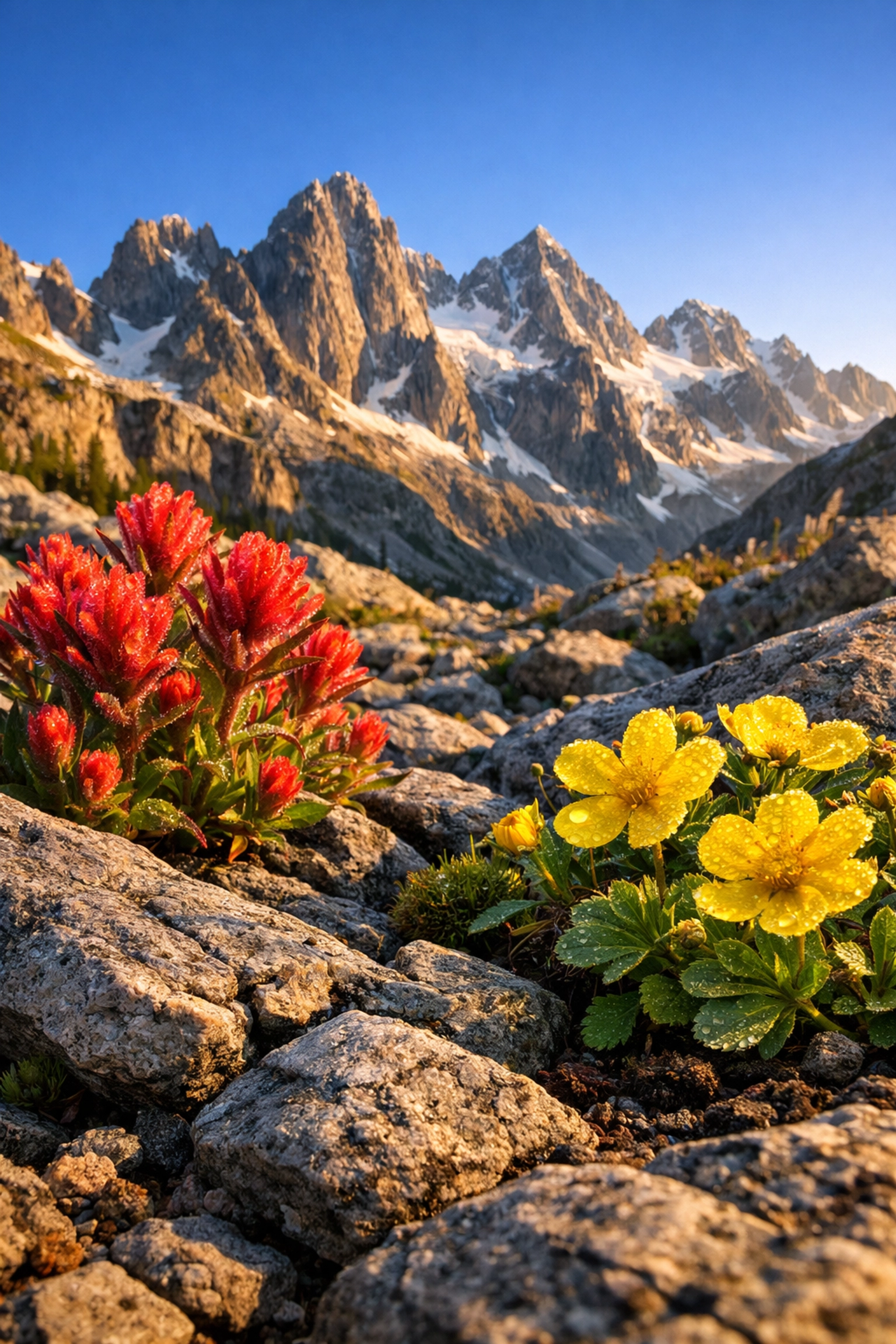
If you only focus on the distant mountains, your photo will feel two-dimensional. It lacks depth. In person, your brain perceives depth because you have binocular vision. A camera sensor is flat. You have to "trick" the viewer into seeing three dimensions.
A boring foreground is a wasted opportunity. If the bottom third of your photo is just a patch of messy grass or flat dirt, you’re losing the chance to draw the viewer into the scene.
How to Fix It:
Get low. Put your tripod or camera close to the ground. Find something interesting: flowers, a pattern in the sand, ice bubbles, or a stream: and make it a prominent part of your composition. This creates a "Near-to-Far" relationship. The viewer’s eye starts at the foreground and travels through the image to the background.
To help enhance these foreground details during editing, our Landscape and Cityscape Lightroom Presets are a lifesaver. They help bring out the textures in rocks and foliage that often get lost in a raw file.
5. Using a Flimsy Tripod (or No Tripod At All)
I see this all the time. Someone spends $3,000 on a high-end camera and lens, then puts it on a $20 plastic tripod they bought at a big-box store. Or worse, they try to hand-hold a shot during a sunset when the shutter speed is 1/10th of a second.
If your camera moves even a fraction of a millimeter while the shutter is open, your photo will be soft. You won't notice it on your phone, but if you ever want to print it, it’ll look like a blurry mess.
How to Fix It:
Invest in a solid tripod. It doesn't have to be the most expensive carbon fiber model, but it needs to be sturdy enough to handle a bit of wind.
- Use a remote shutter release: Or use your camera’s 2-second timer. This prevents the "shake" caused by your finger pressing the button.
- Turn off Image Stabilization (IS or VR): When your camera is on a tripod, the stabilization system can actually create a tiny bit of vibration as it searches for movement. Turn it off for maximum sharpness.
If you’re into long-exposure photography: like making waterfalls look like silk: stability is non-negotiable. Check out my Long Exposures Lightroom Editing Video Course to see how to process those super-sharp, long-duration shots.
6. Over-Processing Your Images
We’ve all been there. You get a photo into Lightroom or Luminar and you start cranking the sliders. You want it to look "epic," so you boost the saturation to 100, crank the clarity, and suddenly your sky looks like a radioactive accident.
Over-processing is a massive mistake. Specifically, watch out for:
- Halos: That weird white glow around the edges of mountains where they meet the sky. This happens when you push the "Highlights" or "Shadows" sliders too far.
- Crunchy Skies: Too much "Clarity" or "Dehaze" makes clouds look dirty and unnatural.
- Oversaturated Colors: Neon green grass and highlighter-blue water are dead giveaways of a bad edit.
How to Fix It:
Less is usually more. Start by using high-quality HDR Lightroom Presets as a base, and then tweak from there. If you’re using Luminar, take advantage of the AI tools, but always dial back the opacity a bit. A good rule of thumb: once you think the photo looks perfect, go get a cup of coffee. Come back 10 minutes later with fresh eyes. You’ll usually realize you overdid it and want to pull the sliders back by 20%.
For more professional post-processing workflows, you can explore the tutorials over at Edin Studios.
7. Shooting at a Tiny Aperture (Diffraction)
A lot of beginners hear "landscape photography" and immediately think they need to shoot at f/22 to get everything in focus. While it’s true that a smaller aperture increases your depth of field, there is a physical limit called "diffraction."
When you shoot at f/22, the light has to squeeze through a tiny hole. This causes the light waves to interfere with each other, actually making the entire image less sharp.
How to Fix It:
Most lenses have a "sweet spot," usually between f/8 and f/11. This is where the lens is at its sharpest. If you can’t get everything from the foreground to the background in focus at f/11, you might need to learn a technique called "Focus Stacking."
Instead of one shot at f/22, you take three shots at f/8: one focused on the foreground, one on the middle, and one on the background: and then merge them in Photoshop. It sounds complicated, but it’s the secret to those incredibly sharp images you see in magazines. For more advanced gear talk and technical setups, ProShoot.io is a great resource.
Putting It All Together
Landscape photography is a journey. It’s about being out in nature, enjoying the fresh air, and trying to capture a moment in time. Don't get discouraged if your first few hundred photos aren't "National Geographic" quality.
Focus on one fix at a time. This weekend, just focus on keeping your horizons straight. Next time, focus on finding a better foreground. Pretty soon, these fixes will become second nature.
If you’re looking to speed up your learning curve, check out our downloads page. We have everything from street photography presets to specialized video courses that show you exactly how I edit my professional work.
And remember, I’m working closely with Sonny, our Social Media Manager, to bring you more bite-sized versions of these tips on our Instagram and TikTok. If you have a specific struggle with your landscape shots, hit us up there!
Landscape photography isn't about having the most expensive gear; it's about how you see the world. Avoid these seven mistakes, keep your eyes open, and don't forget to occasionally look up from the viewfinder and just enjoy the view.
If you want to dive even deeper into the "vibe" of photography and how to use textures to make your digital shots feel more like film or fine art, check out our guide on using rare textures for tangible aesthetic photography. It’s a game-changer for anyone looking to step away from the "perfectly digital" look and create something with more soul.
Happy shooting, and keep those horizons straight! For more of my personal travel and photography stories, you can always visit blog.edinchavez.com.