We’ve all been there. You have a beautiful subject, a killer location, and a camera that cost more than your first car. You click the shutter, look at the back of the screen, and… meh. Something is off. Maybe your subject looks a bit stiff, or the light is making them look like they haven’t slept since the 90s.
Portrait photography is one of those things that looks easy until you actually try to do it professionally. It’s not just about pointing a lens at a person; it’s about psychology, physics, and a little bit of magic. Whether you’re shooting your first "Photography 101" project or you're trying to level up your portfolio for corporate headshots, mistakes are going to happen.
The good news? Most of these mistakes are incredibly common and, more importantly, easy to fix. Let’s dive into the seven most common portrait blunders and how you can stop making them today.
1. Missing the Focus on the Eyes
If there is one rule in portrait photography that you absolutely cannot break, it’s this: The eyes must be sharp.
The eyes are the windows to the soul, the focal point of the face, and the first thing a viewer looks at. If the tip of the nose is sharp but the eyes are slightly blurry, the whole photo feels like a mistake. This usually happens when you’re shooting with a very wide aperture (like f/1.4 or f/1.8) and your autofocus decides to lock onto the eyelashes or the eyebrow instead of the pupil.
How to Fix It:
Most modern mirrorless cameras have "Eye-AF" or "Animal-Eye AF." If you’re still rocking an older DSLR, you’ll need to be more intentional. Use a single-point focus and move that point directly over the eye closest to the camera.
If you're looking for a gear upgrade to help with this, check out our guide on choosing the best mirrorless cameras for your 2026 kit. High-end tech like the Panasonic Lumix S5 II or the Sony A7 IV makes missing focus almost impossible.
Pro Tip: If you’re shooting a group, stop down your aperture to f/4 or f/5.6 to make sure everyone’s eyes stay in the plane of focus.
2. The "Deer in Headlights" Pose
Nothing kills a vibe faster than a subject who doesn't know what to do with their hands. When people get in front of a big lens, they tend to freeze up. They stand square to the camera, shoulders high, arms hanging like limp noodles. It results in a flat, uninspired image that looks more like a DMV photo than a professional portrait.

How to Fix It:
As the photographer, you are the director. You need to talk to your subject constantly. Tell them where to put their weight (usually on the back foot) and how to angle their body. A simple 45-degree turn away from the camera instantly slims the profile and adds depth.
Give them something to do with their hands, put them in pockets, play with a watch, or hold a prop. If you're doing professional work, keep these 10 things you should know about corporate headshots in mind. It's your job to make them feel comfortable. If they feel awkward, they will look awkward.
3. Shooting in "Muddy" or Harsh Light
Light is everything. You can have the best model in the world, but if the lighting is bad, the photo is toast. Two common mistakes here are shooting in the high-noon sun (hello, raccoon eyes!) or shooting in "muddy" light where there’s no direction or contrast.
Harsh overhead sun creates deep shadows under the eyes and nose. On the flip side, shooting in deep shade without a reflector can make the skin look gray and lifeless.
How to Fix It:
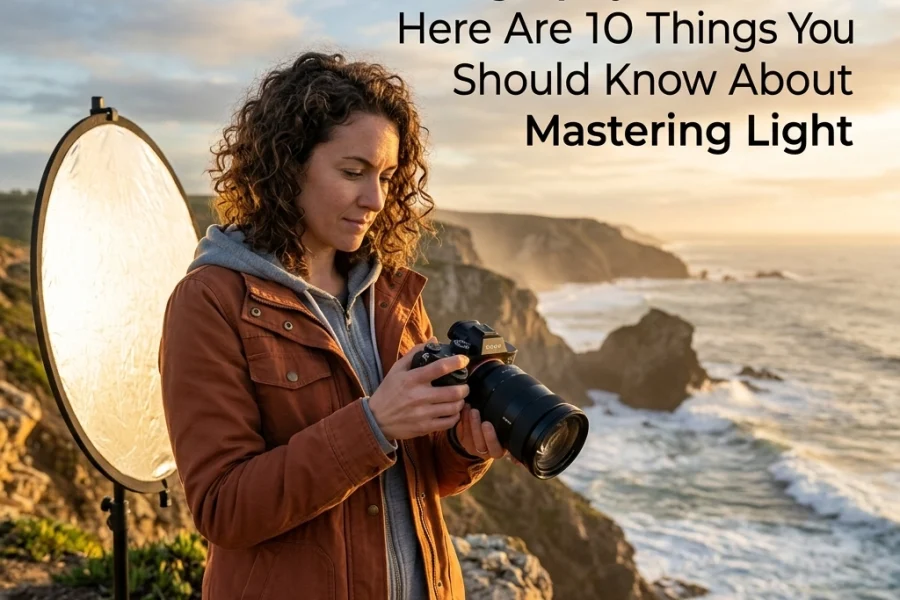
Whenever possible, aim for the "Golden Hour": that magical time just after sunrise or before sunset. The light is soft, warm, and hits the face at a flattering angle. If you have to shoot in the middle of the day, find some "open shade" (the edge of a shadow from a building or tree) or use a diffuser to soften the sun.
Mastering light is the fastest way to go from amateur to pro. For a deeper dive, read our beginner’s guide to mastering natural light. It’s a game-changer for outdoor sessions.
4. The "Dead Eye" Look (No Catchlights)
Have you ever looked at a portrait and felt like the person looked a bit… soulless? It’s probably because they were missing catchlights. Catchlights are those tiny reflections of light in a subject’s pupils. They add a "spark" of life to the eyes. Without them, the eyes look like flat, dark voids.
How to Fix It:
To get a catchlight, you need a light source in front of the subject. This could be the sun, a window, a softbox, or even a simple white reflector held just below their chest. If you’re shooting outdoors, have your subject look slightly toward the sky or a bright area to catch that reflection.

If you miss them in the field, you can sometimes enhance them using Luminar. Their AI-powered portrait tools are incredible for bringing life back into the eyes without making them look like a cartoon. Just don't overdo it: nobody wants to look like a Cullen from Twilight.
5. Distracting Backgrounds (The Pole-Out-Of-Head Syndrome)
We get so focused on the person’s face that we completely forget to look at what’s behind them. There is nothing more distracting than a beautiful portrait where a tree branch looks like it’s growing out of the subject’s ear, or a bright red trash can is stealing the spotlight in the corner.
A busy background competes for the viewer's attention. Your subject should always be the star of the show.
How to Fix It:
Before you click the shutter, do a quick "peripheral scan" of the frame. Move your feet! Sometimes shifting six inches to the left is all it takes to hide a distracting element behind your subject.
Another trick is to use a wide aperture (f/2.8 or lower) to blur the background into oblivion. This is called "bokeh," and it’s a portrait photographer's best friend. If you’re struggling with getting that look, you might be making some common landscape photography mistakes that also apply to portraits: like using the wrong lens or distance. Check out Shut Your Aperture for more on lens compression and how it affects your backgrounds.
6. Poor Cropping (The Amputation Mistake)
Cropping can make or break the "flow" of a photo. A common mistake is "amputating" your subject by cropping at the joints. Never crop at the ankles, knees, wrists, or elbows. It makes the limbs look truncated and creates an unsettling visual tension.
Another cropping crime? Leaving too much "dead air" above the head or cutting off the very top of the hair in a way that looks accidental rather than intentional.
How to Fix It:
The general rule is: If it bends, don't crop it. Crop mid-thigh, mid-waist, or mid-shin if you must, but stay away from the joints. If you're doing a tight headshot, it’s okay to crop the top of the hair slightly, as long as the eyes are placed according to the Rule of Thirds.
I always tell people in my photography tutorials to shoot a little wider than they think they need. You can always crop in later during post-processing, but you can’t add pixels back if you cut off someone's feet in-camera.
7. Over-Editing Skin
In the age of AI, it is very tempting to hit that "Smooth Skin" slider and crank it to 100. We’ve all seen those portraits where the subject looks like a wax figure with no pores, no texture, and no soul. This is one of the biggest mistakes people make with AI photo editing.
Skin has texture. It has pores, tiny lines, and character. When you remove all of that, you remove the humanity of the person.

How to Fix It:
Less is more. If you're using Luminar, use the "Skin AI" tool sparingly. Aim for about 30-40% opacity. You want to remove temporary blemishes (like a pimple or a scratch) but leave the permanent features (like freckles or character lines).
If you want to see how high-end pros handle this, take a look at the fine art portraits on Edin Fine Art. You’ll notice that while the images are polished, the subjects still look like real human beings.
Putting It All Together
Portrait photography is a journey. Even the pros at Shut Your Aperture make mistakes from time to time. The key is to recognize them, fix them in the moment, and keep shooting.
If you’re feeling overwhelmed by all the settings, don't sweat it. Start by mastering manual mode so you have full control over your exposure and depth of field. Once the technical stuff becomes second nature, you can focus on the most important part of portraiture: the connection with your subject.
I’ve been chatting with Sonny, our Social Media Manager, and we’re going to be sharing some "before and after" examples of these fixes on our Instagram soon. It’s one thing to read about it, but seeing the difference a simple pose change or a catchlight makes is eye-opening.
If you're just starting out, grab your camera and check out our Photography 101 guide. It’ll give you the foundation you need so you don't have to learn these lessons the hard way.
Quick Recap of the Fixes:
- Eyes: Use Eye-AF and prioritize the closest eye.
- Posing: Angle the body and give the hands a job.
- Lighting: Avoid midday sun; seek open shade or golden hour.
- Catchlights: Use a reflector to put a spark in the eyes.
- Background: Check for poles or distracting colors before shooting.
- Cropping: Don't cut off limbs at the joints.
- Editing: Keep it natural; don't turn your subject into a mannequin.
Portraiture is a skill that pays off for a lifetime. Whether you're capturing your kids growing up or building a business shooting corporate headshots, avoiding these seven pitfalls will put you miles ahead of the competition.
For more tips and tricks, check out blog.edinchavez.com or dive into our latest news on AI-powered mirrorless tech. Now get out there, grab a friend, and start practicing!
Skylum’s Aperty is purpose-built for portrait retouching with AI skin, eye and detail enhancement. Luminar Neo’s Portrait AI complements it for full-body and editorial work. Tagged as affiliate per FTC.