Portrait presets live or die on one thing: skin. A preset that makes skies dramatic and walls punchy but turns faces orange, gray, or waxy is useless for portrait work, and most generic presets fail exactly there. This guide covers what a good portrait preset actually does, the look families worth knowing, and how to test any preset before it touches client work. For the shooting side, our portrait photography guide covers light and posing.
 Save
SaveWhat a Good Portrait Preset Actually Does
Skin tones live in the orange range, so portrait presets are built around careful HSL work: orange hue and saturation shaped to flatter skin, orange luminance lifted slightly to brighten faces. Beyond skin, a good portrait preset softens contrast where faces need it, protects highlight detail on foreheads and cheekbones, and keeps eyes crisp rather than smearing sharpening across the whole frame.
What it should never do: push global saturation (skin goes orange fast), crush blacks in hair, or apply heavy clarity (skin texture turns to sandpaper). If a preset’s demo images only show landscapes or objects, it was not built for portraits.
The Look Families Worth Knowing
Natural color. The working photographer’s default: clean skin, honest color, gentle contrast. It ages well and offends nobody, which is why it dominates client work.
Film-inspired. Softer contrast, lifted blacks, warm or muted palettes. Great for lifestyle and editorial portraits; too much fade reads dated quickly.
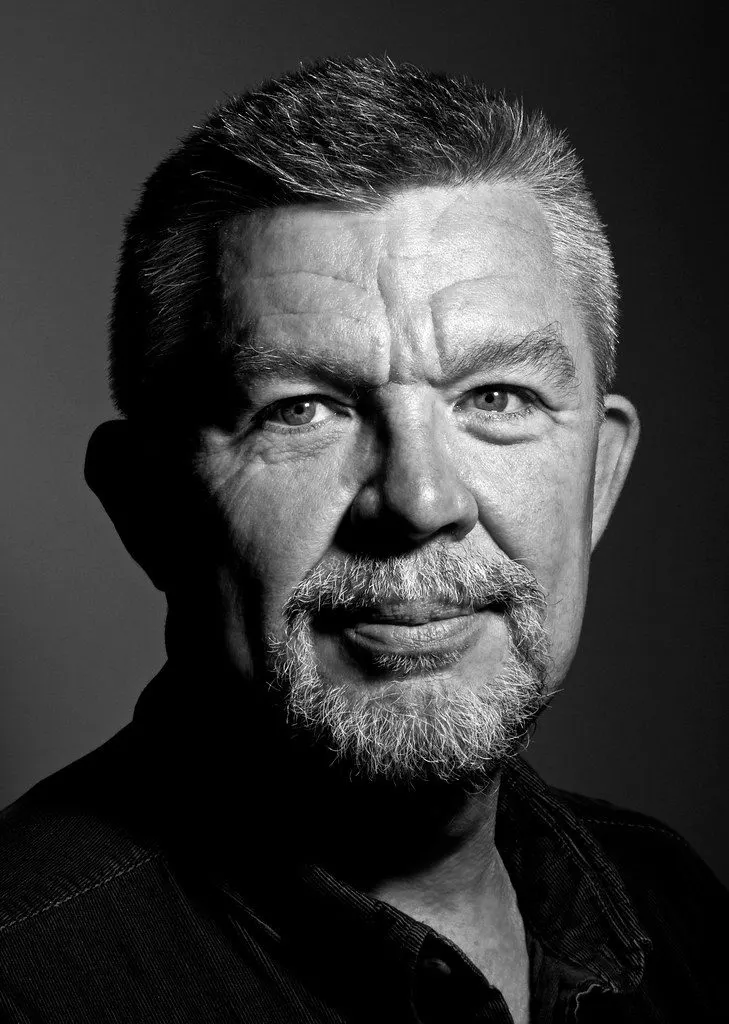
Black and white. A real B&W preset is not a desaturation switch. It reshapes the tonal curve, controls how colors convert to grays, and adds the grain or contrast structure that makes monochrome feel intentional.
Bright and airy. Lifted exposure, soft shadows, warm whites. The family-portrait and wedding-adjacent favorite; it needs careful highlight control to avoid blowing out skin.
Want to go further? The ShutYourAperture Academy’s The Portrait Masterclass (8 modules, 32+ lessons) is built to help you build portraits around faces, stories and human connection.
Testing a Preset Before You Trust It
Run every new preset across a spread of your own portraits: indoor and outdoor, hard and soft light, and a range of skin tones. A preset that flatters one subject and fails the next three is a liability in a client gallery. Then inspect the settings it changes: portrait presets that touch the global saturation slider heavily are usually the ones that break on real faces. The free vs paid presets comparison shows what this testing looks like in practice, and the guide to creating your own presets covers building a personal look from scratch.
Our own Portrait Lightroom Preset Pack is 50 presets built around skin-tone-first editing across natural, film, B&W, and airy looks. The free starter pack in the Lightroom presets guide lets you test the workflow before spending anything.
Gear for keeping portrait edit trials
Keep original portrait files and edit trials together so you can compare skin tones across different light without overwriting the source. A Samsung T7 Shield 1TB portable SSD is one option for a working copy. Check capacity, computer ports and cables, then verify copied files open. Keep another backup separate and protect client access. A drive cannot make an unsuitable preset work on every face. Compare the current retailer specifications; no hands-on test, price or stock promise is being made here.
Compare Samsung T7 Shield 1TB on Amazon | Check Samsung T7 Shield 1TB at B&H
Affiliate disclosure: We may earn a commission from qualifying purchases through these gear links at no extra cost to you. As an Amazon Associate, Shut Your Aperture earns from qualifying purchases.