A corporate headshot is a small photograph with a lot of jobs. It has to look like the person, sit comfortably beside their coworkers on the company site, crop cleanly for a square avatar and arrive with the right name. The lighting matters, but a beautiful portrait delivered under the wrong employee’s name is a failure. The useful way to approach a headshot day is to make the whole process repeatable without making everyone look identical.
 Save
SaveIllustrative headshot by David Mumma via Unsplash. This portrait is not a client example or a claim of work by the article author.
This is a practical workflow, not a claim that I photographed a particular company’s team or tested every piece of equipment mentioned. Work from the client’s actual usage, space, people and consent rules. If you’re learning portrait lighting, Adobe’s corporate-headshot guide and B&H’s key/fill/rim-light demonstration show useful starting points. The exact setup must be adjusted for the face and room in front of you.
Start with a brief that answers the unglamorous questions
Where will the photographs live: a website grid, a press kit, an ID directory, LinkedIn, a speaker page? A square profile crop and a wide editorial bio call for different headroom. Ask whether the company wants one background across offices, a neutral studio look, or environmental portraits that show the workspace. Ask how many people, where and when they’ll be available, who selects the final frame and who receives the files. Decide whether people may choose an image themselves or whether the communications team approves the set.
Write down the deliverables before you pack: final image count per person, crops, pixel dimensions, file type, naming convention, color or black-and-white option and retouching scope. If a brand guide exists, ask for it. A vague request for “professional photos” does not tell you whether glasses glare is acceptable, whether the background should match last year’s leadership portraits or whether the finished files must work in a tiny email signature.
Confirm the people list and spelling with one client contact. Include the name each person wants displayed and a private identifier if two employees share a name. Ask how a new hire or absent team member will be handled after the main session; a repeatable lighting diagram will help the follow-up look like the same series. Clarify any approvals for internal versus public use. Do not assume a portrait on a company intranet is automatically cleared for an ad.
Scout a space for light, traffic and dignity
 Save
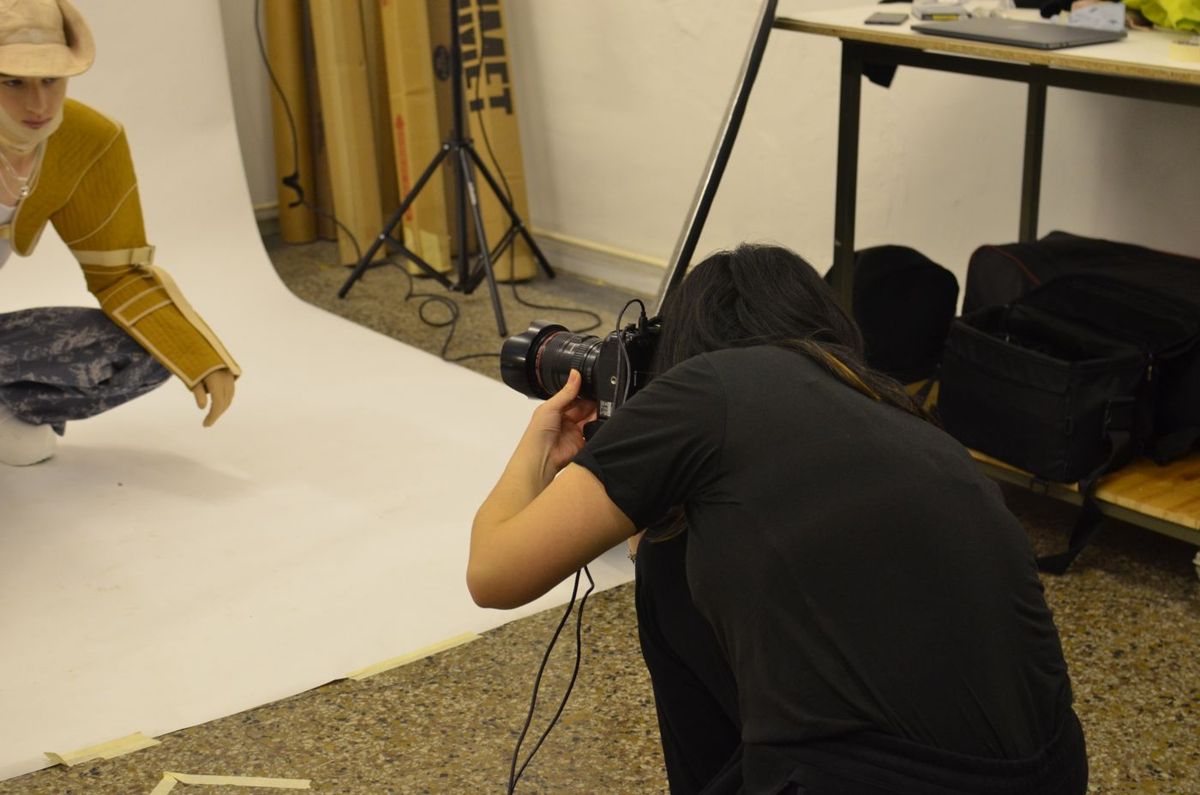
SaveBehind-the-scenes illustration by Skylar Kang via Pexels. This is a fashion studio scene, not the corporate headshot session described here.
An office conference room can work if there is enough distance between subject and background and room for the photographer to step back. Before the shoot, check ceiling height, windows, outlets, changing daylight, reflections in glass walls and whether people can enter without walking through a light stand. Avoid a cramped corner that forces a very close camera position or casts a hard shadow from the sitter onto the wall. Leave a clear path around stands and tape or secure cables where necessary.
Make the portrait station private enough that the subject isn’t performing for a waiting audience. Someone who has just come from a meeting may want a minute to adjust a collar or hair. Provide a mirror if practical and tell the organizer what simple prep will help: clean lenses, pressed clothing, a lint check, a spare layer. Do not issue prescriptive appearance rules. The goal is that each person recognizes themselves and feels comfortable being represented by the image.
If the space has a large window, note how its direction and light change through the schedule. A bright patch moving across the backdrop can make the first person’s photograph look unlike the twentieth. You can block or control ambient light and use a fixed lighting setup, or commit to a window-light approach in stable conditions. Don’t call daylight free light if the sun’s movement destroys consistency.
Choose camera distance before choosing a lens
A portrait’s facial perspective depends mainly on camera-to-subject distance. Move too close with a wide lens and features near the camera can look exaggerated; step farther back and framing becomes easier to keep consistent. A moderate telephoto on a full-frame camera is a useful starting range, but the room, camera format and intended crop decide the practical choice. Do not buy a particular focal length on the promise that it magically “flatters everyone.” Set the camera at an appropriate height for each person and confirm the eyes, shoulders and frame edges look natural.
Set a baseline exposure and white balance that will not drift from subject to subject. For flash, choose a shutter speed that syncs with your lights, an aperture that gives both eyes a safe focus margin for the chosen pose and ISO that preserves file quality. For continuous or window light, pick a shutter speed fast enough for subtle movement and check again when the light changes. These are controls, not one universal f-number. Inspect the eyes at full size after the first real person, then periodically through the session. An LCD thumbnail can hide missed focus.
Keep the focus point on the eye nearest the camera when the face is angled, and do not let shallow depth of field become a badge of style at the expense of a sharp second eye. If a close crop makes shoulders look squeezed, widen it in camera and deliver the alternate crop later. Leave enough image around the head for the company to use a round or square profile icon without cutting into hair.
Build one soft key light before adding more equipment
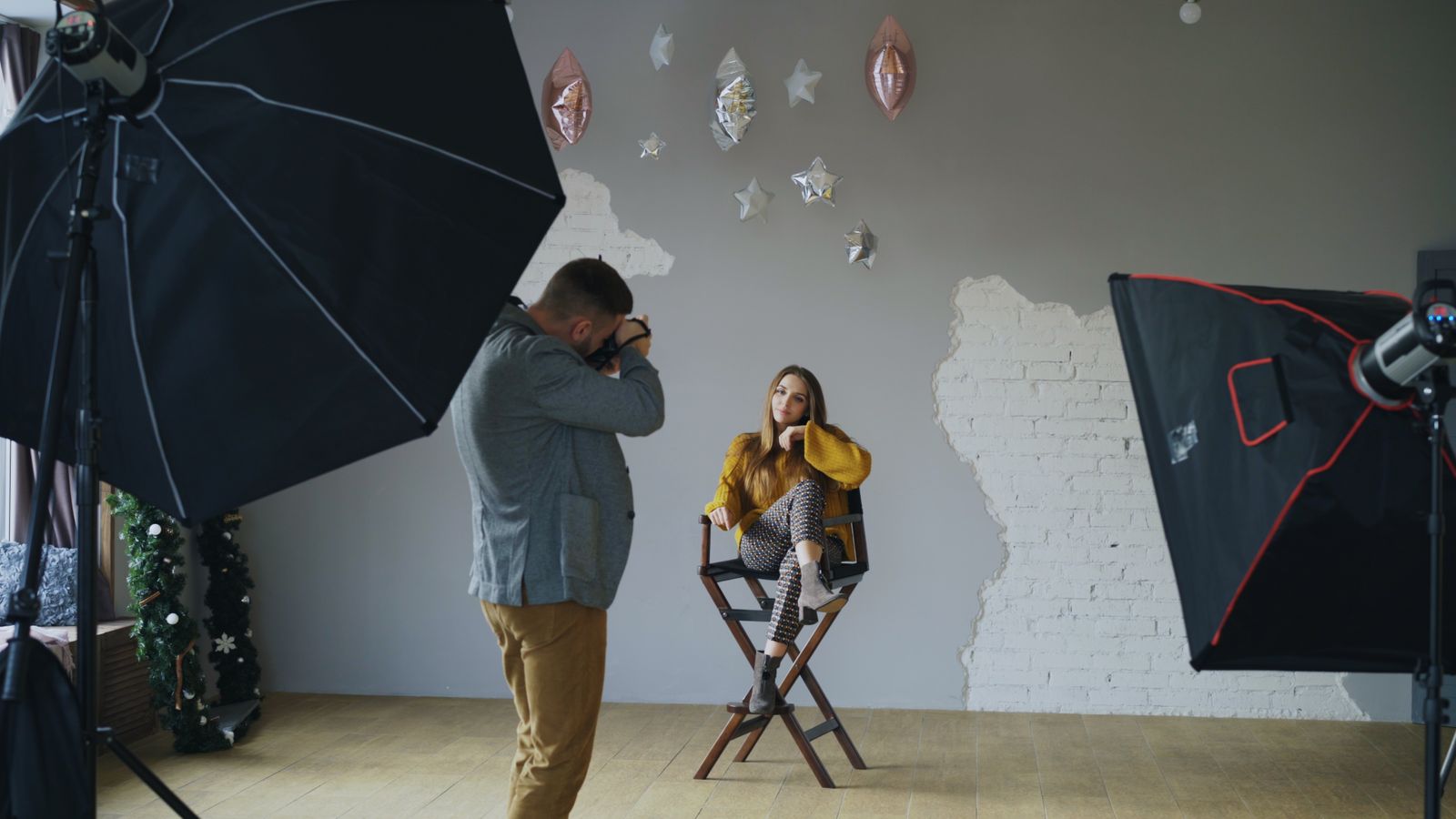
A large diffused key light above eye level and to one side is an adaptable baseline. Move it and study the shadow under the nose, the far cheek and the catchlight in the eye. A reflector opposite the key can lift the shadow side without another powered light. If the look becomes flat, reduce the fill rather than trying to fix all the dimension in retouching. The B&H lighting example shows how key, fill and backlight change the portrait; it is a comparison, not a required three-light shopping list.
Keep a careful gap from the background so the backdrop does not collect every subject’s hard shadow. A rim or kicker light can separate dark hair or clothing from a dark backdrop, but point it deliberately and watch for blown edges or flare. B&H’s demonstration shows why more fill is not always better: very even lighting can erase shape. For a corporate series, aim for coherent color and contrast while allowing small adjustments for each face, skin tone and hair. Consistency is not uniform brightness.
 Save
SaveGlasses need special attention. A light reflected in a lens may hide an eye even when the rest of the image looks perfect. Change the light’s angle or height, adjust the subject’s angle slightly and inspect the result at the actual final crop. Do not ask a person to remove glasses they normally wear solely to make your setup easier. If the choice is theirs, show both versions and let the person decide. Watch shiny foreheads and dark jackets without treating normal skin texture as a flaw.
Use a neutral reference frame or color target if a long shoot involves mixed lighting, then keep the light and white balance under control. If you move rooms, the old baseline may no longer apply. Make a new test frame. Never assume a preset can reconcile fluorescent spill and window daylight after the fact without affecting skin color.
Direct people in short, human sentences
Start by telling the person what the photograph is for and roughly how you’ll frame it. Offer a small change: turn the shoulders a little, bring the chin forward and down if it helps, or shift weight. Avoid a chain of mechanical commands that makes them more self-conscious. Talk between frames. Ask for a natural expression instead of shouting “smile” over and over. The best frame is often in the transition after a person laughs or resets.
Show a couple of good frames, not every exposure. Ask which feels like them. If the client needs a consistent crop, explain that boundary while still giving the person room to choose expression. Don’t insist that everyone face the same direction; body position, disability, cultural presentation and individual comfort all matter. A portrait that respects someone will age better than one that forces the whole team through a pose chart.
Keep the line moving without rushing the person. A brief pause to fix glasses, hair or a collar saves more editing time than it costs. If someone dislikes their pictures, ask what feels wrong before reshooting. The issue may be expression, unfamiliar lighting or a crop that differs from their usual presentation. Don’t promise to reshape their features later. Agree on what you can fix in camera and on the retouching limits set by the client.
Make a team session repeatable without becoming an assembly line
Before the first scheduled employee, photograph a test sitter in the real setup. Capture the framing, exposure and background position. Note the camera height and the distance marks; photograph the lighting arrangement for your own reference. Build a time buffer for arrivals, accessibility needs, breaks, leadership calendar changes and files review. Avoid guaranteeing a per-person pace until you know the company’s selection process.
Create a shot log. As each person arrives, confirm the name and identifier, then mark the first and last frame or use a controlled tethering workflow. Never rely only on the order of people in a queue, because someone will step away, trade a slot or return for a reshoot. At the end of a session, verify that the number of logged people matches the captured groups. The wrong photograph attached to a name can embarrass the person and the company.
If you tether, keep the review screen away from public traffic. A staff member should not see another employee’s unselected frames unless the client approved that access. If the setup runs on cards, use a clear rotation and backup plan. Do not format the only copy because the next person is waiting. Back up before leaving; verify that the copied files open and that the count makes sense. A drive light blinking is not a backup check.
For teams in several offices, share a small lighting and crop reference with whoever shoots the next location. Note backdrop, camera distance, key direction, approximate contrast, white balance and framing. That will not make two spaces identical, but it gives the editors a consistent target. A new hire photographed six months later should feel part of the same organization without pretending their portrait was made on the original shoot day.
Select for the person and for the page
Cull technically failed frames first: missed focus, blinking, distracting hand positions, glare hiding the eyes or a crop with no room to work. Then compare expressions at the size in which the image will actually appear. A subtle difference that looks dramatic at 200 percent may vanish in a 120-pixel avatar. Give people enough choice to feel heard, but not fifty almost-identical files that turn selection into homework.
Open the current company headshot grid while making final selects. Compare horizon, camera height, background tone, head size and color. Do not overwrite individuality to force a perfect pattern. If the grid uses circular crops, preview the circle. Hair at the top or shoulders at the edges may disappear. Export both a standard portrait and an agreed square variant when the client’s channels need both.
If a client wants a single final choice, record who approved it and when. If an employee’s choice and the communications team’s choice conflict, ask the client to settle the approval route before delivery. An editor’s favorite frame isn’t permission to ignore the subject’s concern about how they are represented.
Retouch for polish, not a different person
Set the rule before editing: remove temporary distractions such as lint, a spot that appeared that day or a stray object at the edge. Keep natural skin texture. Ask before changing stable features or hair. Adobe’s corporate-headshot guidance emphasizes consistent color, composition and backgrounds, and quotes photographers favoring restrained retouching. That is a useful standard. A smooth plastic face beside a natural one looks less professional, not more.
 Save
SaveMatch exposure and white balance across the set before local corrections. Pay attention to skin tones under the same lights and to whether a white or gray backdrop changes color between frames. Do not apply one aggressive preset to every face and assume consistency has been solved. Correct the actual image. If there is a company retouching policy, apply it evenly while still respecting the person. When a requested edit changes someone materially, get the scope approved instead of silently doing it.
Save an edited master and export the requested delivery files separately. Embed the appropriate color profile for screen use, check that the output pixel dimensions suit the site and inspect for compression or sharpening artifacts. Open several exported JPEGs, not only your editing catalog. Names matter: a clean pattern with the employee identifier and crop type is easier to manage than “final-final-new2.jpg.” Verify a few names against the original roster and spot-check the whole set.
Deliver files to the right people
Confirm the intended recipients and access rules. A private employee gallery, HR directory, public company website and marketing archive do not share the same audience. Keep unselected frames and source files out of a public folder. Explain how long the delivery link will work, what the client may use the photographs for under the agreed license and who they should contact for corrections. Do not promise indefinite storage unless you actually provide it.
Deliver a concise index: person, approved final filename, available crops and any known outstanding approval. If a person opted out or missed their slot, say so rather than quietly substituting an old portrait. Ask the client to test a file in the real website template. The last quality check is not whether the files left your computer; it is whether the correct image shows up on the page for the correct human.
Corporate headshot FAQ
What lens should I use for corporate headshots?
Choose camera distance and perspective first. A moderate telephoto field of view is a useful baseline when the room permits, but camera format, space and crop change the practical choice. Avoid shooting from so close that features look distorted. Make a test frame and compare it at the final display size.
Do I need three lights?
No. Start with one controllable soft key and a reflector or ambient fill. Add a rim or background light only if it fixes a specific problem, such as dark clothing disappearing into a dark backdrop. B&H’s portrait-lighting comparison shows what each light contributes.
How do I keep a whole team’s portraits consistent?
Agree on crop, backdrop, light direction, exposure, color and delivery sizes, then make a reference frame. Keep the setup stable and adjust for individual faces rather than freezing people into the same pose. Use a shot log to keep each approved file tied to the right name.
What should I do about glare in glasses?
Change the position or height of the light, try a small change in face angle and inspect both eyes at full size. Don’t force someone to remove glasses they normally wear. Show options if the person wants to choose, and check that the fix still fits the team’s lighting style.
How much retouching is appropriate?
Agree with the client and subject on scope. Temporary distractions can often be removed; stable features should not be altered without permission. Keep real skin texture and apply the same standard across the team. The final image should still look like the person.
Should employees select their own photographs?
Decide the approval route in the brief. Showing a few strong frames helps a subject participate, but the company may need a final brand approval. Explain both steps, and record the chosen file so a different frame does not get published by accident.
What files should I deliver?
Use the client’s actual placement needs: commonly a high-quality standard crop plus a square profile version, in specified dimensions, color profile and file format. Check the exports in the real template and use unambiguous filenames. Do not send raw files or an entire unselected gallery unless the agreement includes them.
A useful final check
Before you pack up, confirm the roster and backup. Before you deliver, confirm spelling, consent, retouching scope, crop and recipients. Before the site goes live, check a portrait in the actual layout. Corporate photography is good when the process makes people feel comfortable and the finished photographs look like them, not when every face has been forced through the same preset.
Want to go further? The ShutYourAperture Academy’s The Portrait Masterclass (8 modules, 32+ lessons) is built to help you build portraits around faces, stories and human connection.
Sources and affiliate disclosure
Lighting and production guidance is supported by the linked Adobe headshot articles and B&H portrait-lighting example. Their examples show approaches, not a claim that this article’s author tested particular products. The gear links below are affiliate links; the disclosure is included with them.
Gear for a simple headshot fill comparison
Start with the soft key light you can control. If a small fill is useful, the Impact R2522-51 22-inch 5-in-1 reflector is one option to compare. Try its white surface and check the face, glasses and backdrop together before repeating the setup across a team. Check the size and how an assistant will hold it safely. A reflector does not replace clear direction or make the same lighting suit every face. Compare the current retailer specifications; no hands-on test, price or stock promise is being made here.
Compare Impact R2522-51 22-inch 5-in-1 reflector on Amazon | Check Impact R2522-51 22-inch 5-in-1 reflector at B&H
Affiliate disclosure: We may earn a commission from qualifying purchases through these gear links at no extra cost to you. As an Amazon Associate, Shut Your Aperture earns from qualifying purchases.