By Edin Chavez
Updated October 2026
A beautiful boudoir gallery with the wrong access settings is a bad delivery. It does not matter how carefully you edited the skin or how gorgeous the light looks. If a link reaches somebody who was never meant to see it, you have a problem the photograph cannot fix.
The first rule is simple: hidden is not the same as protected. A gallery can be absent from navigation and still open to anyone with its link. A watermark can identify a photograph without stopping a screenshot. A drive can hold a backup without controlling who opens it.
This is a practical workflow for adult boudoir photographs: agree on use, protect working copies, choose access deliberately, inspect exports, and test delivery before real images go out. SmugMug is the platform example because its current documentation separates visibility from access. The same questions are worth asking of any delivery service. No platform setting is a promise that an image can never be copied or misused.
Separate delivery from permission to publish
A participant agreeing to receive photographs does not automatically mean you may put those photographs in your portfolio. A download link, an editing approval, a proof selection, and a public-use permission are different things.
Discuss the intended audience before the session and confirm the actual delivery plan afterward. Who receives the gallery? Is a partner included, or only the participant? Are proofs available to an editor? May any selected images be posted publicly? Do not add recipients because somebody seems close to the participant.
Treat coverage, boundaries, retouching preferences, and use permissions as specific decisions. This workflow is for adults only. A participant’s request to pause or stop means pause or stop. Neither a good photograph nor a business deadline is a reason to override that boundary.
Keep your records clear enough to distinguish what was agreed from what you would like to do. This is not a legal template. When you need an enforceable agreement or advice about local requirements, get qualified advice rather than copying a paragraph from a photography article.
Draw a small map of every copy
Before delivery, list where the files exist. Camera cards, working computer, external drive, editing catalog, preview exports, delivery gallery, and any backup service may all hold part of the session. The gallery is only one part of that map.
Include helpers and services. If an editor receives files, understand the authorized scope, transfer method, access, and retention arrangement. If a service uploads previews automatically, check whether that behavior fits the plan. Convenience is not permission for an extra copy somewhere else.
Use neutral session identifiers where practical. Avoid full names, addresses, or revealing labels in file and folder names. A folder name may be visible in a screenshot or notification even when the photograph itself is not open.
 Save
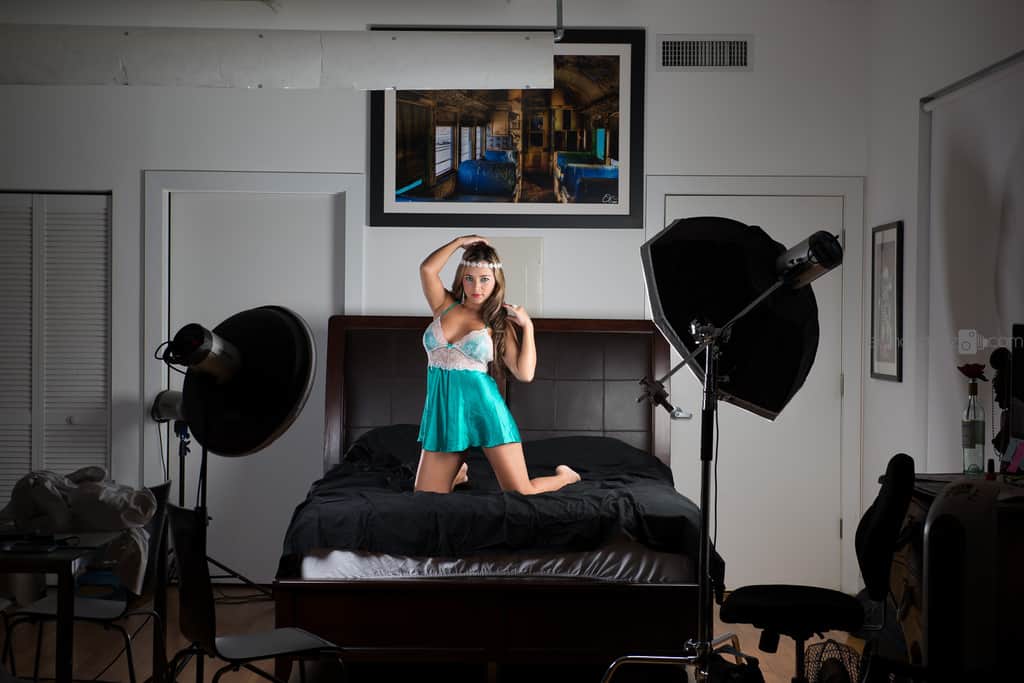
SaveThe studio photograph here illustrates a working environment, not a documented privacy setup. It does not tell us who had access, what agreements existed, or how the files were handled. Those decisions need their own process.
Protect working files before you build a gallery
Keep originals, edits, proofs, and final exports separate. That reduces the chance of sending an unfinished variant or raw file. It also makes it easier to know what you need to retain and what was created only for a temporary review.
Protect the devices that hold the work. Use the device’s supported account controls, lock it when unattended, and consider appropriate encryption for sensitive storage. Make sure your backup and recovery plan still works with those choices. Do not advertise a drive as private merely because it is portable or tough.
A second copy on separate storage helps with loss or device failure, but it needs protection too. Do not leave a backup connected and freely accessible in a shared workspace simply because you remember to lock the editing application.
Before an actual upload, check the destination account and folder. A familiar upload button can still point to the wrong gallery or public area. Stop and read the settings on the destination you are using today, not the settings you remember from the last job.
Understand visibility and access as separate controls
SmugMug currently documents three visibility choices: Public (Anyone), Unlisted (Anyone with the Link), and Private (Only Me). Read those labels carefully. They describe who can find or see a gallery under that visibility choice, not a universal guarantee of confidentiality.
Unlisted hides a gallery from site navigation and SmugMug search. SmugMug explicitly says it is a navigation setting, not a security setting. Someone who obtains the link may still be able to view it unless an access control is also applied.
Private (Only Me) is owner-only visibility. It is useful for storage, but it is not a client-delivery setting. Do not select it, send the link, and assume the recipient will somehow gain access because their name appears in an email.
Public visibility is not the sensible default for an intimate delivery. If public portfolio use is separately authorized, handle that as a separate selection and destination. Keep the proofing or delivery gallery out of the public workflow.
Choose a password or invited access deliberately
SmugMug’s documented access options include People with Password and People I Choose. An unlisted gallery with a viewing password adds an access step beyond merely knowing the link. But anybody who receives both the link and password may be able to use them.
Choose a strong, non-obvious password and avoid a public hint that reveals it. Do not use the participant’s name or session date as an easy answer. Coordinate how the recipient will get the access information without placing it in a public post or broad email thread.
People I Choose uses invitations for selected recipients and is available on SmugMug Power and higher accounts, according to its current private-sharing documentation. Follow those instructions and test the recipient experience with authorized test accounts before using real photographs.
Invited access still does not prevent an authorized viewer from making a screenshot or saving an allowed download. It can help limit entry to the gallery; it does not give you control over every action after somebody sees the image.
Check the containing folder and the actual gallery
A gallery may inherit settings from a folder. That can be useful, but it can also hide an assumption. Read both the containing folder and the gallery’s current settings, then test the gallery itself.
Do not rely only on a default preset. A previous job, copied gallery, or settings change may produce a different result from the one you intended. Read the visibility, access, search behavior, and download choices before every sensitive delivery.
 Save
SaveUse a non-sensitive test photograph while you learn the controls. There is no need to experiment with somebody’s intimate images to discover that an unlisted link opens without a password. The test can be a picture of a coffee mug.
If a setting is unavailable under your current account or plan, do not claim you enabled it. Choose a supported delivery method that fits the agreement, or resolve the limitation before uploading real files.
Downloads are another decision
Viewing and downloading are not the same permission. SmugMug documents an Allow Downloads setting and a Download Size choice. Its download documentation says the size defaults to Original, so check it instead of assuming the service sends a small proof.
Decide whether this is a proof gallery or a final delivery. If downloads are allowed, choose the intended size and test the actual downloaded file. Confirm that it is the finished version, not a raw file, old edit, or larger copy than you meant to provide.
SmugMug also documents an optional download password when downloads are enabled. A download password is separate from the question of who can view the gallery. Do not mistake one for the other. Test both behaviors using the same access conditions the recipient will have.
Turning downloads off does not make visible photographs impossible to copy. Screenshots and other capture methods remain possible. Watermarks and right-click controls can discourage casual copying or identify an image; they are not a confidentiality guarantee.
Inspect metadata, filenames, and visible clues
Images can carry more than pixels. Lightroom Classic supports metadata such as copyright, descriptions, keywords, and other information. Camera data and added catalog information may be included or excluded depending on your export choices.
Review what is needed for this delivery. Keep useful copyright information, but do not send location or identifying details without a reason and appropriate permission. Check the exported file rather than assuming a preset excludes everything sensitive.
Read filenames too. A neutral gallery title is not enough if every download includes a full name and a revealing label. Look at the gallery description, browser title, share text, and any notification preview you can test without exposing real client content.
 Save
SaveAlso inspect the image itself. Mirrors, windows, mail, name badges, room signs, and other background details can reveal information that no metadata switch will remove. Delivery review includes the whole frame, not only technical export settings.
Run a signed-out test before sending
Build a test gallery with non-sensitive content and the exact combination of settings you intend to use. Sign out of the owner account, or use a separate test browser session without the owner’s access. Owner access can make a restricted gallery look open in ways that do not match a recipient’s experience.
Open the copied gallery link while unauthorized. Confirm the expected barrier. If it should require a viewing password, check that the prompt appears before the test image is visible. If it should use invited access, test an uninvited session and then an authorized test recipient.
SmugMug says password authorization can be remembered for up to 24 hours in the same computer/browser context. A previously authorized session is not a clean unauthorized test. Use a fresh session when you need to check the barrier again.
Then test permitted viewing and downloading. Check the delivered filename, dimensions, image, and metadata. If anything disagrees with the plan, fix it and repeat the test. A test that fails is a stop sign, not a box to tick.
Check the recipient and the message together
Before sending, confirm the exact recipient address or destination with the participant through your established communication route. Do not guess from an old contact, an autocomplete suggestion, or a partner’s request to “just copy me too.”
Keep the delivery message plain and narrow. It should identify the session in an agreed way, explain the access step, and state the permitted download behavior. Avoid putting intimate details in the subject line, preview text, or an unnecessary attachment.
Do not send a real gallery link to yourself on a shared family device just to test it. Use your controlled test process. If somebody else is helping with delivery, give them only the information and access that the agreed role needs.
A successful send is not proof that the recipient can use the gallery. Confirm the access experience through the normal delivery workflow without asking them to send sensitive photographs back to demonstrate the problem.
Have a retention and access-removal plan
Agree on how long proofs, finals, working files, and backups are kept. Those may have different purposes. Do not promise an exact deletion result if your services, backups, or helpers cannot support and verify it.
Record an actual review date for temporary access when the workflow calls for one. At that point, check the gallery and the recipient permissions rather than assuming an email reminder removed access. SmugMug documents ways to rescind private-sharing invitations; use the current supported controls when needed.
Removing gallery access does not remove copies already downloaded or screenshots already made. Deleting a visible gallery also does not prove that every backup or previous export vanished. Explain those limits plainly before they become a misunderstanding.
Keep enough operational records to know what happened without retaining unnecessary sensitive content. A neutral session identifier, intended audience, tested access choice, and delivery date can be more useful than a folder of screenshots containing real intimate photographs.
If a privacy check fails, stop the delivery
If an unauthorized session can view the test content, do not upload real images into that setup. Recheck visibility and access separately. Look for inherited settings, a remembered password session, or a test account that already has an invitation.
If a real delivery may have exposed unintended access, pause further sharing. Restrict the affected destination using supported controls and document the known facts. Do not claim that removing a link erased copies or that no one viewed it unless you have evidence for that narrow claim.
Communicate with the participant through the established route, and get qualified help when legal or incident-response obligations may apply. Avoid broad guesses, blame, or false reassurance. The useful response is to reduce the exposure and explain what is known and what remains uncertain.
A simple rehearsal before your next session
Create a test set with ordinary objects. Give the files neutral names, export them with your planned metadata choices, and upload them to the intended test gallery. Configure visibility, access, and downloads deliberately.
Test as the owner, as an unauthorized visitor, and as an authorized test recipient. Download the permitted version and inspect it. Practice removing test access, then check again. Write down any step you initially misunderstood.
 Save
SaveThat rehearsal is worth more than a vague promise that your galleries are “private.” You will know what the controls actually do, where the limits are, and how the recipient experiences the process. Repeat it when the service or your workflow changes.
Questions and answers
Is an unlisted boudoir gallery private?
Not by itself. SmugMug says Unlisted is a navigation setting, not a security setting. Pair it with an appropriate access control and test the unauthorized visitor experience before real delivery.
Can I deliver a SmugMug gallery set to Private (Only Me)?
That visibility setting is owner-only and is not intended for client sharing. Choose a supported sharing and access configuration, then test it with non-sensitive content and an authorized test recipient.
Does a password stop screenshots?
No. It controls access to the password-protected area; it does not prevent an authorized viewer from capturing visible photographs. Download restrictions, watermarks, and right-click controls also do not guarantee confidentiality.
Should downloads always be disabled?
No. Match them to the agreement. Proofing and final delivery may require different choices. Check the allowed size, test a real download, and distinguish a download password from a gallery-viewing password.
Can I publish a delivered photograph in my portfolio?
Delivery alone does not establish permission to publish. Confirm public use separately, including the intended images and audience, before placing photographs in a portfolio or public social post.
Does deleting the gallery delete every copy?
No. Downloads, screenshots, working files, and backups may still exist. Use a realistic retention plan and verify the parts you control without promising erasure of copies you cannot inspect.
Recommended storage and delivery tools
Some links are affiliate links. If you buy through them, we may earn a commission.
The Samsung T7 Shield 1TB at B&H is one option for separate storage in a planned backup workflow. Physical durability and storage capacity are not privacy controls. Protect access and verify recovery.
If you are evaluating delivery services, explore SmugMug through our affiliate link. Check the current plan, available controls, and recipient workflow before relying on any feature. No fixed discount or security guarantee is promised.
For preparing finished files, the Shut Your Aperture Lightroom course teaches general editing and export skills, not specialized privacy or legal advice.
Platform details follow current SmugMug support documentation. This is an educational workflow, not legal advice or a guarantee of security; photographs are illustrative, not examples of private client galleries.
Continue through the boudoir series: Complete boudoir guide, Lightroom editing, Black-and-white boudoir.