Updated October 2026 | By Edin Chavez, owner of Edin Studios
Heads up: some links below are affiliate links. If you start an Aftershoot plan through them, Shut Your Aperture earns a commission at no extra cost to you. Check the current plans and any available offers on the Aftershoot site before subscribing.
Consistency is what separates a photographer with a style from a photographer who owns a lot of presets. Clients can feel it. A wedding gallery where the getting-ready shots, the ceremony, and the reception all look like the same artist made them is a gallery that feels finished. A gallery where each section looks like a different editing day is a gallery that feels cobbled together.
The problem is that real shoots have inconsistent light. Window light, open shade, a dark church, a tungsten reception, a DJ throwing colored lights at your subject. Keeping one look across all of that by hand, on thousands of images, is slow. This guide covers how AI photo editing software handles it, how to train a profile that matches your look, and where you still need to step in.
The tool I use is Aftershoot’s AI editing, so that is the one I will walk through, using what the company documents on its own pages.
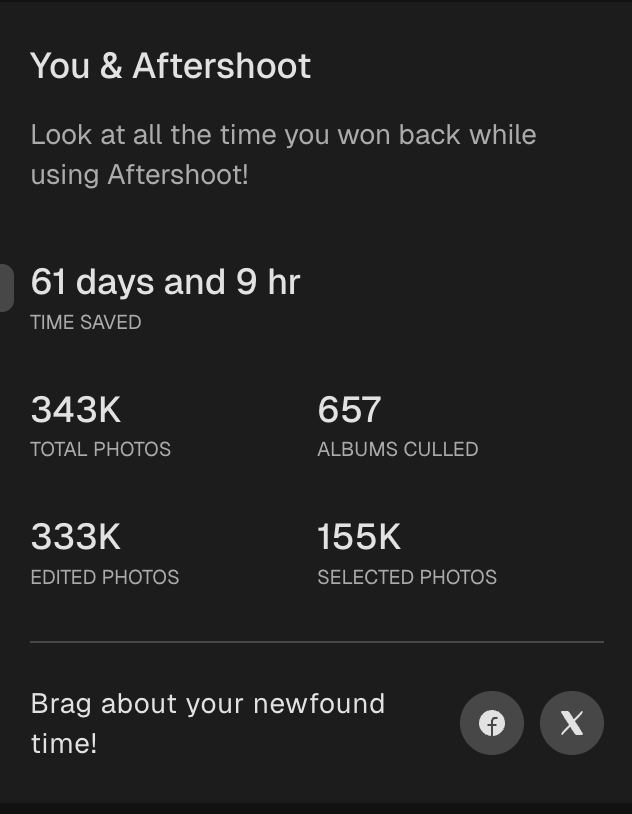
My numbers, straight from the app. I run Edin Studios, a national event photography business, and the supplied app snapshot records my Aftershoot usage. The “You & Aftershoot” screen in the supplied October 2026 app snapshot shows 343K total photos, 657 albums culled, 155K selected photos, 333K edited photos, and 61 days and 9 hours of time saved. That time figure is the app’s own tally, so read it as an estimate, not a stopwatch. Still, 657 albums is a lot of real work to run through one tool.
 Save
SaveThat 333K edited photos is the number that matters for this article. At that scale, consistency cannot depend on my patience. It has to be built into the pipeline.
Table of Contents
- How AI editing actually works
- Three kinds of profile
- How to train a personal profile
- Handling changing light
- The precision tools
- A full editing workflow
- Quality control: what to check
- Cost
- Mistakes to avoid
- Questions photographers ask
How AI editing actually works
Forget the idea of a filter slapped on top of a photo. A conventional fixed-setting preset applies the same adjustments to every image, which is why presets look great on some frames and awful on others. AI editing, as Aftershoot describes it, analyzes each image and edits based on its attributes, aiming for a consistent look across the album.
The key idea is that the software learns from edits you have already made. Instead of “add +20 contrast to everything,” it learns something closer to “when a frame looks like this, this photographer usually does that.” Aftershoot says its profile adapts to different lighting conditions and keeps learning and improving as you go.
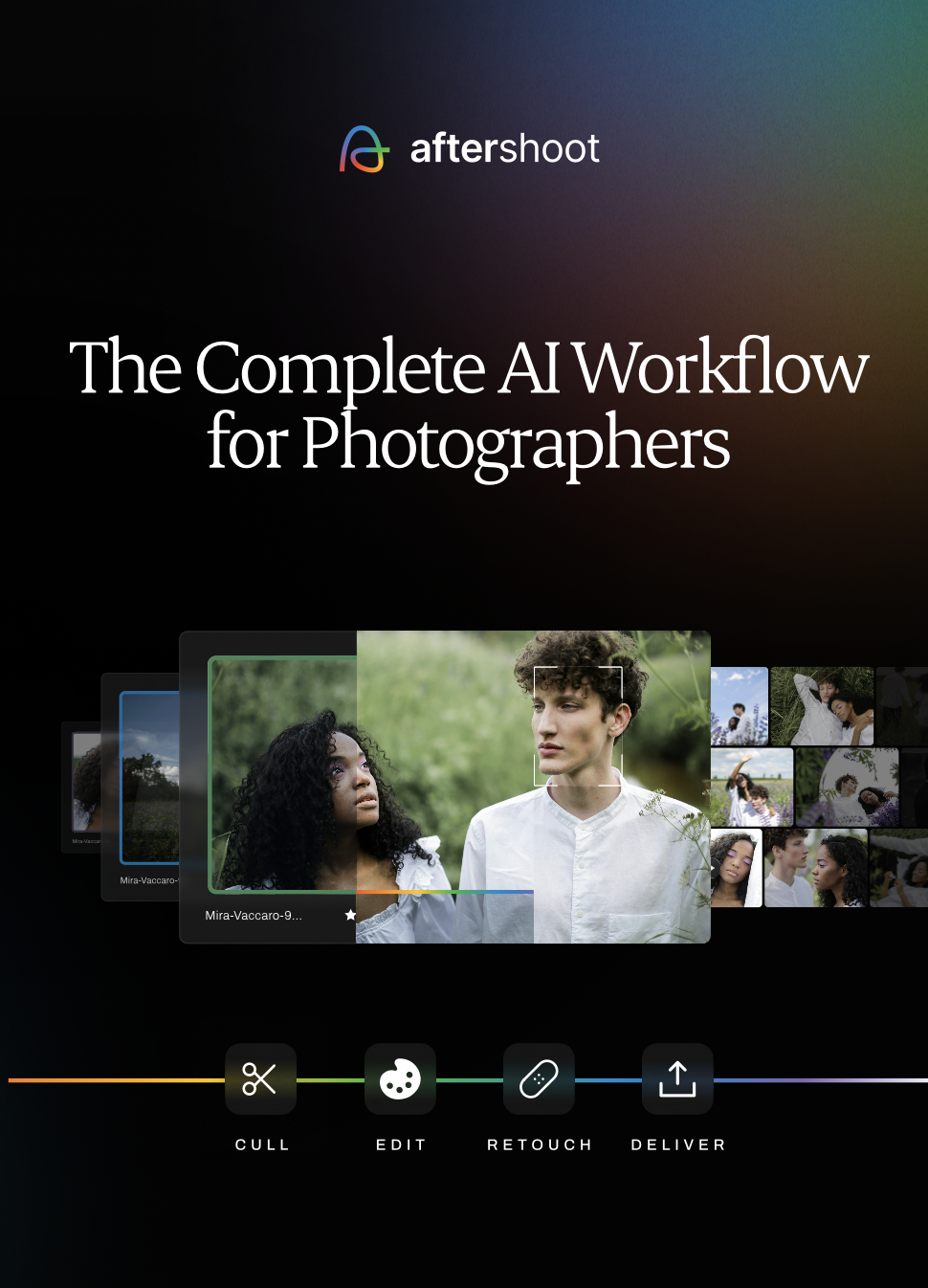
The company describes a simple flow: set up an AI profile, let AI edit your photos, edit manually as needed, then retouch and deliver. It also says that if you already culled your shoot in Aftershoot’s Select tool, your picks carry straight over, so you do not have to start over in a new app.
Three kinds of profile
According to Aftershoot’s editing page, there are three ways to get a profile, and each fits a different photographer.
1. Personalized AI profile. You import past edited images, with at least 2,500 required and 5,000 recommended, to create a profile that closely matches your established look across shoots and lighting. This is the right choice if you already have a signature style and a big back catalog.
2. Instant AI profile. You convert a Lightroom preset into an AI editing style that adapts to different lighting conditions. If your look lives in a preset you built or bought, this is the fastest route.
3. Pre-built AI styles. Aftershoot lists 30+ pre-built styles created by popular pro photographers, available through its marketplace. It also names newer creator profiles from Sondra LaRay, Chérie AI, and Esther Kay. You can compare styles, customize one, and apply it across your galleries. This is the best fit if you are building a look or want to try before committing to training your own.
Many photographers will use more than one. A personalized profile for your main wedding style, a different pre-built style for a moodier editorial shoot.
 Save
SaveHow to train a personal profile
Training quality depends on the training images. The software can only learn the look you show it. Here is how I would approach it.
Use finished, final edits. Import images you are proud of, fully edited and delivered. Do not include experiments or frames you edited in a rush.
Include variety. If your training set is all outdoor golden-hour portraits, the profile will not know what to do with a dark reception. Include indoor, outdoor, bright, dim, flash, and ambient light, in the proportions you actually shoot.
Keep the look consistent. If you changed your style halfway through the catalog, pick the period that represents the look you want now. A profile trained on two conflicting styles may give inconsistent results.
Match your cameras. If you shoot with more than one body, include images from each, since each handles color and noise a little differently. Aftershoot says the AI works across every camera and lighting condition, but training on your real mix is the safest way to get predictable results.
Start with a test gallery. Run a past wedding you already delivered through the new profile and compare it with your actual final edit. Flip back and forth. Where does it match? Where does it differ? Those differences are your adjustments.
Handling changing light
Changing light is where hand editing eats the most time and where AI editing earns its keep. A wedding goes from bright outdoor ceremony to dark indoor reception, and your editing has to follow without the skin tones swinging wildly.
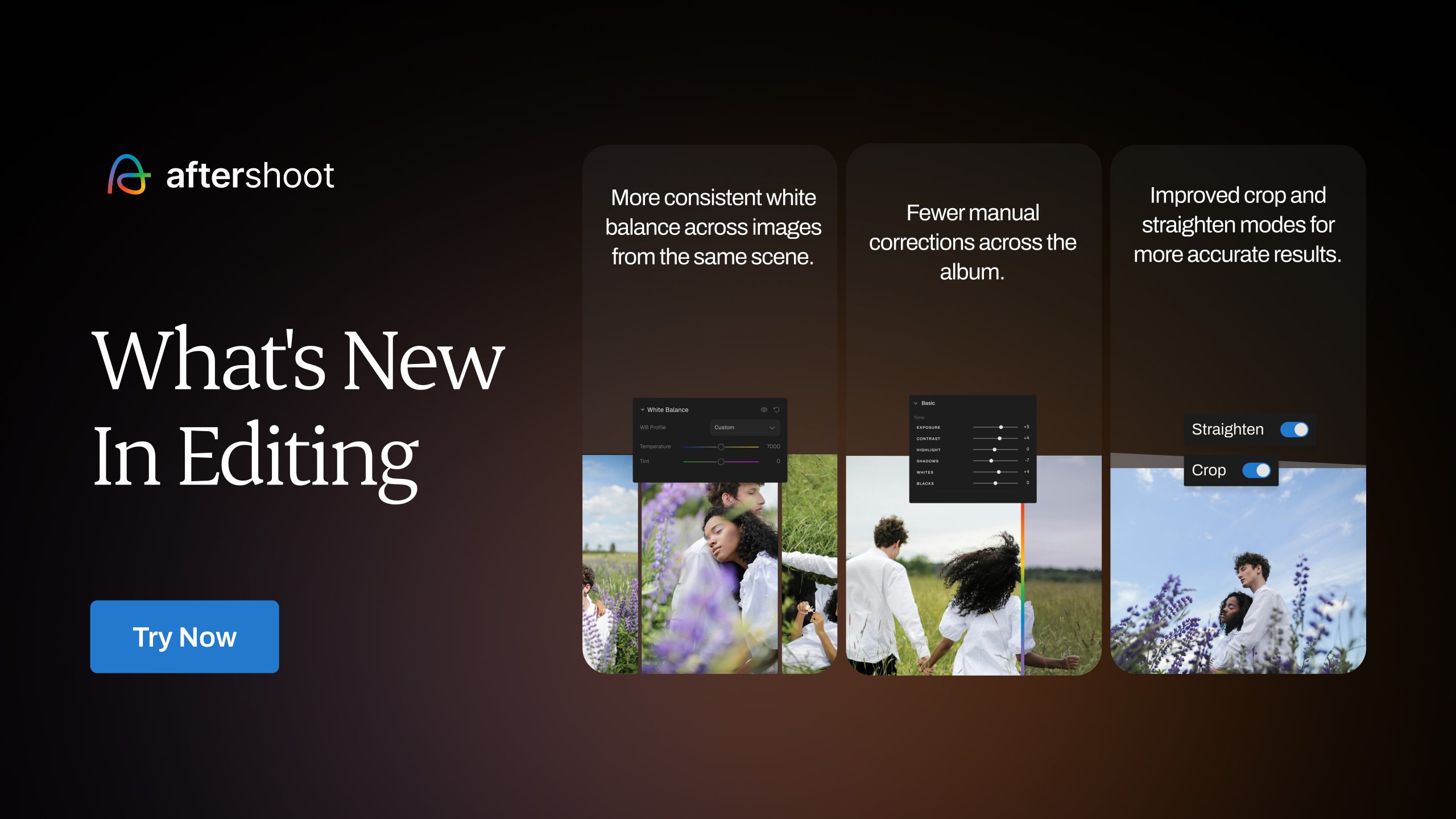
Aftershoot says its AI analyzes each image and applies the profile based on that image’s attributes, so its adjustments can change with the light rather than repeating fixed values. That is the idea behind adaptive profiles versus fixed presets. For best results, though, get your in-camera basics right. Set a decent white balance, expose carefully, and avoid heavily clipped highlights. AI can fix a lot, but clean input gives you cleaner output.
Aftershoot’s editing page also lists a histogram clipping indicator, so you can see how shadows and highlights are distributed and spot clipping as you edit. Use it on a sample of images from each lighting scenario before you trust a batch.
The precision tools
Style is half of editing. The other half is the technical cleanup that makes every frame look intentional. Aftershoot’s editing page lists several tools for this.
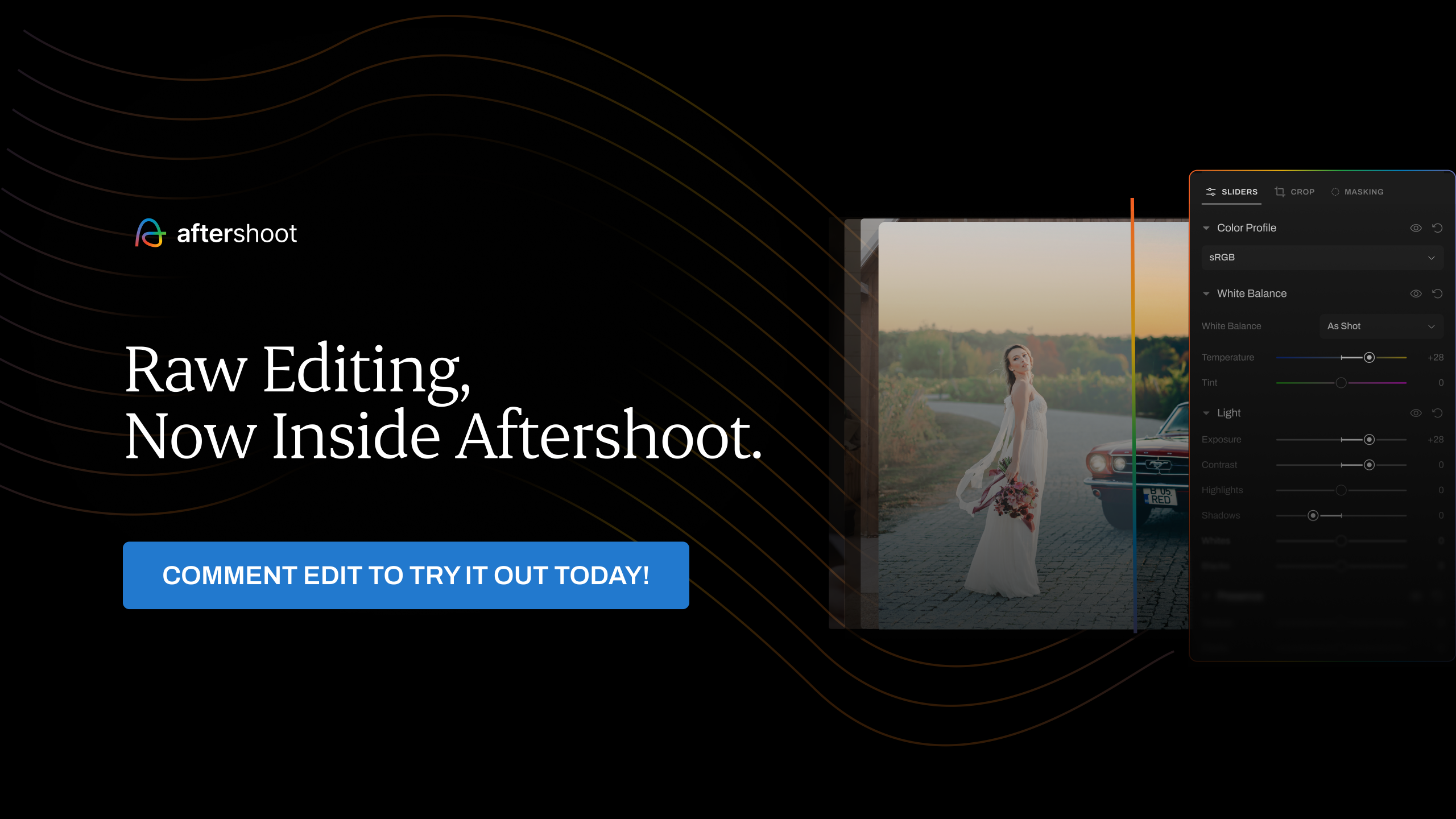
- Intelligent AI masking. It identifies and isolates subjects for targeted adjustments across the gallery, so you can brighten a face or adjust a background without painting by hand on every frame.
- Smart cropping and straightening. A straighten mode levels horizons, and a range of crop modes keeps framing consistent.
- Portrait and headshot crop. Batch crop an entire set using close, medium, or wide modes in one pass.
- Batch editing. Apply edits across an entire shoot at once.
- Manual RAW editing in the same app. Review the AI edits and fine-tune RAW files without moving between apps. You can also paint a mask by hand or invert one.
 Save
SaveA full editing workflow
- Cull first. Do not edit images you will not deliver. See our guide on culling wedding photos faster.
- Choose your profile. Personal, instant, or pre-built, matched to the shoot.
- Apply across the album. Let the AI process the selected images.
- Review by lighting scenario. Look at samples from each lighting situation: outdoor, indoor, flash, mixed.
- Correct the outliers. Fix frames that did not land, and consider whether a pattern suggests a profile adjustment.
- Crop and straighten. Use the batch crop and straighten tools, then fix any special cases.
- Retouch if needed. Natural skin cleanup comes next. Check faces at full size before applying the same retouch settings to the whole batch.
- Deliver. Export or send directly to a gallery.
If you want to compare this with a fully manual process, our import-to-export editing workflow walks through the manual steps, and many of the same principles apply: get white balance and exposure right first, then style.
Quality control: what to check
Skin tones. Check faces in every lighting scenario. Skin is the first thing a client notices.
White balance drift. Compare frames from the same scene. They should match, even if the light shifted slightly.
Highlights and shadows. Look for blown highlights on white dresses and crushed shadows on dark suits.
Sequence continuity. Scroll through the gallery in order. A sudden jump in color between neighboring frames is the tell of an inconsistent edit.
Your signature. Does it look like you? If a gallery feels generic, your training set may be too generic, or you may need to adjust strength.
For the workload side of the decision, see how much time AI culling saves over a wedding season. Culling and editing solve different parts of the delivery pipeline; measure each stage rather than assuming a saved hour in one stage fixes every bottleneck.
Cost
As checked in October 2026, annual billing costs the equivalent of $30/month for Edit ($360/year), $10/month for Select ($120/year), $20/month for Retouch ($240/year), or $45/month for Complete ($540/year). Month-to-month billing is $35, $15, $25 and $55/month respectively. These are different billing choices, not the same monthly checkout price. Complete includes the three tools and saves 25% against their combined $60/month annual-billing equivalent. The editing page also states there are no per-image fees: editing 500 images or 5,000 costs the same. Plans can change, so check the Aftershoot site for current pricing. Check the current offer and total before subscribing.
The company claims 29+ hours saved every month on editing. That is a vendor estimate, not a guarantee. Measure the time saved in your own workflow. See our time-saved math to run the numbers for your own business.
 Save
SaveMistakes to avoid
Training on too few or too similar images. The profile learns what you show it, so show it your real range.
Skipping the sample check. Never batch a whole wedding without checking a few frames from each light.
Chasing someone else’s look. A pre-built style is a great starting point, but clients hire you for your eye. Customize it.
Forgetting the in-camera basics. AI is not a license to shoot carelessly. Clean exposure in, clean results out.
Over-trusting a single pass. Always do a final review. Aftershoot’s own pages position the AI as a way to move faster while you stay in control.
Want the underlying color skills before handing a gallery to AI? My Complete Lightroom Editing Course at ShutYourAperture Academy offers instruction for deliberate color decisions and a repeatable Lightroom workflow. Learn to judge the edit yourself so an AI profile supports your look rather than deciding it for you.
Questions photographers ask
Does AI editing replace presets?
It can. Aftershoot also offers instant AI profiles that turn a Lightroom preset into an adaptive style, so you can keep the look of a preset while letting the AI adjust to each image.
How many images do I need to train a profile?
Aftershoot allows training with at least 2,500 edited images and recommends 5,000 or more for better results. Quality, variety and a consistent target style matter too.
Can I use Lightroom or Capture One edits?
Per Aftershoot, you can import past edits from Lightroom or Capture One to set up your profile.
Will it work in different lighting?
The company says its AI applies your style in a way that adapts to different lighting conditions. Check samples from each lighting scenario before batching a full gallery.
Can I still edit manually?
Yes. Aftershoot says you can review the AI edits and fine-tune RAW files in the same app, and it offers manual masking tools too.
Are there per-image fees?
No. Aftershoot states there are no per-image fees on its plans.
Is there a free trial?
Aftershoot currently lists a 30-day trial with full access to AI Editing features and no credit card required. Check the current trial terms before starting.
Is my look still mine if an AI applies it?
The profile learns from your edits, so it is built from your decisions. You still choose what goes in, what gets corrected, and what gets delivered.
The bottom line
A consistent look is a competitive advantage, and holding it across thousands of images in changing light is exactly the kind of work software should do. Train on your best edits, test on a past gallery, check each lighting scenario, and keep your own eye on the final result. When you are ready to try it, start at the Aftershoot site.
AI editing toolkit: check color on a dependable display
The Calibrite Display Pro HL (CCDIS3HL) is a monitor-calibration and profiling device. Calibrite lists support for LCD, mini-LED, OLED and Apple XDR displays. Check the current software, operating-system and display compatibility before buying. It helps you work from a measured display; it does not guarantee an exact match to every paper, printer or room light. This is a researched option, not a claim that I tested it for this workflow.
Aftershoot feature and pricing details were checked against aftershoot.com in October 2026 and can change. Verify on the official site before you buy. Usage numbers are from the author’s own Aftershoot app.
Images: featured portrait by Edin Chavez; promotional visuals supplied through Aftershoot’s press kit; usage dashboard supplied by the author from Aftershoot. As an Amazon Associate, I earn from qualifying purchases. Amazon/B&H links may earn a commission at no extra cost to you.