

Updated October 2026
The Canon EF 11-24mm f/4L USM is an ultra-wide zoom for Canon’s EF system. On a full-frame camera, its 11mm end gives you a very broad view while keeping the lens’s rectilinear design. That can be useful for architecture, interiors, and landscapes, but it also makes every decision about camera position more visible. The widest setting is a tool, not a shortcut to a stronger photograph.
This page originally announced the lens in 2015. It is now a researched guide to its specifications, compatibility, filters, and practical use. It is not a new hands-on review. The landscape and city photographs below are composition examples, not controlled test samples or a claim that this lens made them. Current price, stock, condition, and seller terms need to be checked with the retailer before buying.
Canon EF 11-24mm f/4L USM specifications
Canon’s official specification page lists a 16-element, 11-group design, a nine-blade diaphragm, ring-type USM autofocus, and a built-in hood. The lens weighs approximately 1,180 grams. Its closest focusing distance is 0.28 metres at 24mm, with maximum magnification of 0.16x at that setting. Those last two figures should not be treated as identical across the whole zoom range.
- Focal length: 11-24mm.
- Maximum aperture: constant f/4 across the zoom range.
- Lens mount: Canon EF.
- Format: designed to cover full-frame EOS DSLR sensors.
- Autofocus: ring-type USM, with manual-focus operation described in the lens instructions.
- Optical stabilization: none in the lens.
- Approximate weight: 1,180g.
- Filter arrangement: rear gelatin holder rather than a conventional screw-in front filter thread.
The constant maximum aperture keeps f/4 available as you zoom. It does not mean every scene should be photographed wide open. Depth of field, subject movement, light, and the desired rendering still determine the setting. Nor does f/4 make this a fast prime lens for every low-light situation. Think about the actual shutter speed and ISO you will need.
Compatibility: EF is not RF
This is an EF lens, not an RF lens. It fits compatible Canon EOS DSLRs with the EF mount. To use it on an EOS R camera, you need a suitable EF-EOS R mount adapter. Canon’s Mount Adapter EF-EOS R page describes EF and EF-S lens compatibility with EOS R cameras. Check the exact camera, adapter, and lens combination before you buy.
An adapter is part of the setup, not an invisible detail. It adds another connection and changes how the equipment fits in your bag and hand. Inspect both mounts, attach the lens correctly, and confirm autofocus and exposure operation with the camera you intend to use. Do not assume every third-party adapter behaves like Canon’s own model.
On a Canon APS-C body with a 1.6x crop factor, the angle of view is comparable to about 17.6-38.4mm on full frame. The lens’s actual focal length remains 11-24mm. You lose the full-frame 11mm field of view, so the reason to choose this particular large lens may be less compelling. Compare the angle of view, size, and cost with lenses designed around the format you actually shoot.
 Save
SaveWhat 11mm changes in the frame
An ultra-wide lens includes a lot of the scene from one position. That is useful when you cannot step back, but it can also leave the subject small and surrounded by empty space. Start by identifying the subject. Then decide what the surrounding area contributes. If the extra width adds nothing, zoom in or move.
Close objects become visually dominant when you place the camera near them. That relationship comes from camera position, not a magical effect that exists only in one focal length. A wide field of view lets you work close while retaining more background. Use that intentionally: a strong foreground rock, doorway, or geometric line can lead into the frame, while a random object close to the lens can take over the photograph.
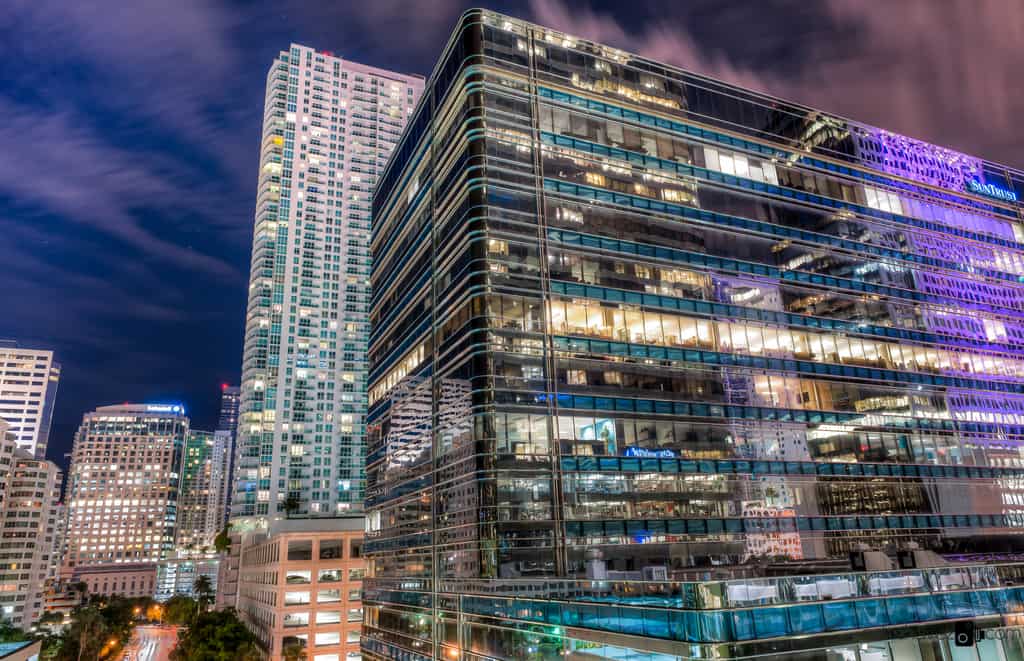
Rectilinear does not mean perspective-free. Keep the camera level when you want vertical lines to remain upright. Tilt it upward at a tall building and the verticals converge. That is a perspective decision, not proof of a defective lens. Correcting it in software can require a crop, so leave some room if you intend to straighten the photograph later.
 Save
SaveComposition tips for architecture and interiors
Look at the edges before pressing the shutter. A wall, chair, person, or sign near a corner may become more visually stretched than you intended. Move the camera or change the focal length when the edge treatment distracts from the subject. A clean central frame can still fail because of something you barely noticed at the border.
For interiors, choose a camera height that explains the room honestly. A very low viewpoint can exaggerate the foreground floor; a high viewpoint can change how furniture and walls relate. Avoid using the widest setting simply to make a space appear larger. The photograph should communicate the room, not create an impossible impression of it.
Check level carefully. Small tilt errors become obvious when the frame contains strong horizontal and vertical references. A tripod can help you refine the position, but it does not compose the photograph for you. Take time to inspect the whole frame and decide which lines should lead, which should stay straight, and which can be left out.
If people are part of the architecture photograph, keep their placement deliberate. Faces and bodies near the outer edges can look less natural. Position important people nearer the center when the goal is an ordinary-looking portrait within the space, or choose a less extreme focal length. Be clear about whether the picture is about the person or the building.
Landscape tips: choose the foreground first
A wide landscape often needs a foreground with shape, texture, or direction. Without it, the photograph can become a large patch of sky above distant scenery. Walk around before setting up. A slight change in position can alter the foreground much more than a small change in the zoom ring.
Do not assume that more depth of field means you can ignore focus. Inspect the nearest important detail and the distance. If one exposure cannot keep both acceptable, change the composition, stop down within a useful range, or use a carefully planned focus-stacking workflow for a static scene. Moving water, windblown plants, and changing light can complicate a stack.
Use the sky in proportion to its role. Interesting cloud structure may deserve space; a featureless sky may not. A wide lens gives you options, but the final frame still needs balance. Try a less wide version of the same scene before committing to the most dramatic-looking setting.
 Save
SaveFilters: read the rear-holder warning
The front design does not take an ordinary screw-in circular filter in the usual way. Canon provides a rear gelatin filter holder. That is not a reason to insert any material that seems to fit. Follow the lens instructions and check the dimensions and clearance before using a filter.
The official lens manual includes an important warning: the rear lens group moves closest to the filter at the wide end, so Canon recommends using a rear filter only when the zoom ring is not set to the wide end. The original short announcement omitted this caution. Do not treat the holder as unrestricted permission to use a rear filter at 11mm.
Specialized front-filter systems may be sold for this lens. Verify the exact holder and lens compatibility, total size, vignetting risk, and how it works at the focal lengths you need. A filter arrangement that works on a smaller wide-angle zoom is not automatically suitable here. Check the manufacturer’s instructions rather than forcing a general-purpose holder around the hood.
Even a correctly fitted filter creates another surface that needs inspection. Look for unwanted reflections, color changes, and marks in the file. Test a short series with and without the filter before relying on it during an important shoot. Do not discover an avoidable problem only after the light has gone.
Handling, focus, and protection
The lens is substantial. Include its weight in the total kit you carry, and check how the camera balances in your hand or on a tripod. Secure the camera plate and head properly. Carrying a heavy setup through a busy location deserves more attention than choosing a strap because it looks comfortable in a product photograph.
Canon describes dust and moisture resistance, but that is not a promise of waterproof operation or permission to expose the lens to any conditions. Protect the front element from knocks, sand, and spray. Use the correct cap when the lens is not in use, and avoid touching the glass while handling the wide built-in hood.
The instructions recommend completing the zoom adjustment before focusing because zooming can affect focus. Full-time manual focus is described after autofocus in One Shot AF operation. Learn those details with your camera rather than treating the phrase full-time manual as a universal instruction for every autofocus situation. Check a test image after a major framing change.
When this lens makes sense, and when it does not
The strongest reason to choose an 11-24mm zoom is a real need for its full-frame ultra-wide view. That may be a tight interior, a close architectural composition, or a landscape built around a dominant foreground. If you mostly use ordinary wide-angle views, a smaller lens may be easier to carry and work with.
Independent reviews from Camera Labs and The Digital Picture provide additional testing and image examples. Read their measurements as their work, not ours. Pay attention to the camera used, the aperture, and the image areas being compared rather than reducing a review to a single claim about sharpness.
For an older or used lens, inspect the actual item. Check the front and rear glass, hood, mount, focus and zoom operation, and sample files. Seller photographs and a model’s original reputation do not prove the condition of an individual copy. Confirm return terms and what is included, especially the correct cap and any accessories you need.
Compare the exact lens: Canon EF 11-24mm f/4L USM
Choose this lens for a specific ultra-wide need, not because wider automatically means better. Confirm the EF mount, any EOS R adapter you need, the seller’s condition and return terms, and the current total price. Check that you are comparing the same lens rather than a different RF wide-angle model.
Affiliate links may earn a commission. Retailer prices and availability can change.
 Save
SavePractice the decisions behind a stronger wide-angle frame
Make a short exercise at one location. Photograph the same subject from several positions and at several focal lengths. Compare the edges, foreground scale, vertical lines, and the subject’s size. That teaches you when width helps and when it only adds clutter.
The Shut Your Aperture Academy can help you develop exposure, composition, and editing skills that carry across lenses. Build a repeatable way to judge your frame before buying another piece of equipment. Better camera position and cleaner visual choices can improve a photograph even when the lens stays the same.
Frequently asked questions
Can I use the Canon EF 11-24mm on an EOS R camera?
Yes, with a suitable EF-EOS R mount adapter. Check the exact camera and adapter combination; the lens is EF, not RF.
Does the lens have image stabilization?
No. It has no optical image stabilization. Any camera-body stabilization behavior depends on the body and combination you use.
Can I attach an ordinary screw-in front filter?
Not in the conventional way. The lens has a large curved front element and rear gelatin holder. Specialized front holders require exact compatibility checks.
Can I use the rear gelatin filter at 11mm?
Canon’s manual recommends using a rear filter only when the zoom ring is not at the wide end, because the rear lens group can move close enough to contact the filter.
Are the city and landscape photographs lens test samples?
No. They illustrate composition choices and are not controlled EF 11-24mm test photographs or a claim about which lens made them.


