Food photography has one job: make the viewer hungry. Editing is where that job is won or lost, because cameras see food badly by default. Restaurant light is warm and dim, plates are white and blow out easily, and the colors that signal freshness, the reds of tomatoes, the greens of herbs, the gold of fried edges, sit exactly where careless saturation turns appetizing into artificial. This guide covers what a food preset needs to do, the look families that work, and how to test one before it touches a client shoot.
What a Food Preset Needs to Do
Protect whites. Plates, table linen, and ceramic backgrounds dominate food frames. A food preset must lift the image without clipping those whites, and its white balance behavior has to keep plate white actually white, not cream, not blue.
Handle appetite colors carefully. Red, orange, and yellow carry the appetite appeal in most dishes. Good food presets add warmth and saturation in small, controlled amounts. If a preset pushes the global saturation slider hard, sauces go neon and meat goes gray.
Fix mixed light. Restaurant shooting means tungsten pendants next to window light. Presets cannot fix mixed white balance globally, but a good one is built neutral enough that a single temperature adjustment per frame gets you home.
Add texture without crunch. Light clarity and texture lifts make bread crusts and grill marks read. Too much and the food looks dried out.
Look Families That Work for Food
Bright and clean. The food blog and editorial standard: lifted exposure, soft shadows, true whites, fresh color. Works for almost everything and ages well.
Warm and rustic. Warm tones, gentle fade, soft contrast. Fits cafe, bakery, and comfort-food work; it flatters bread, coffee, and wood surfaces.
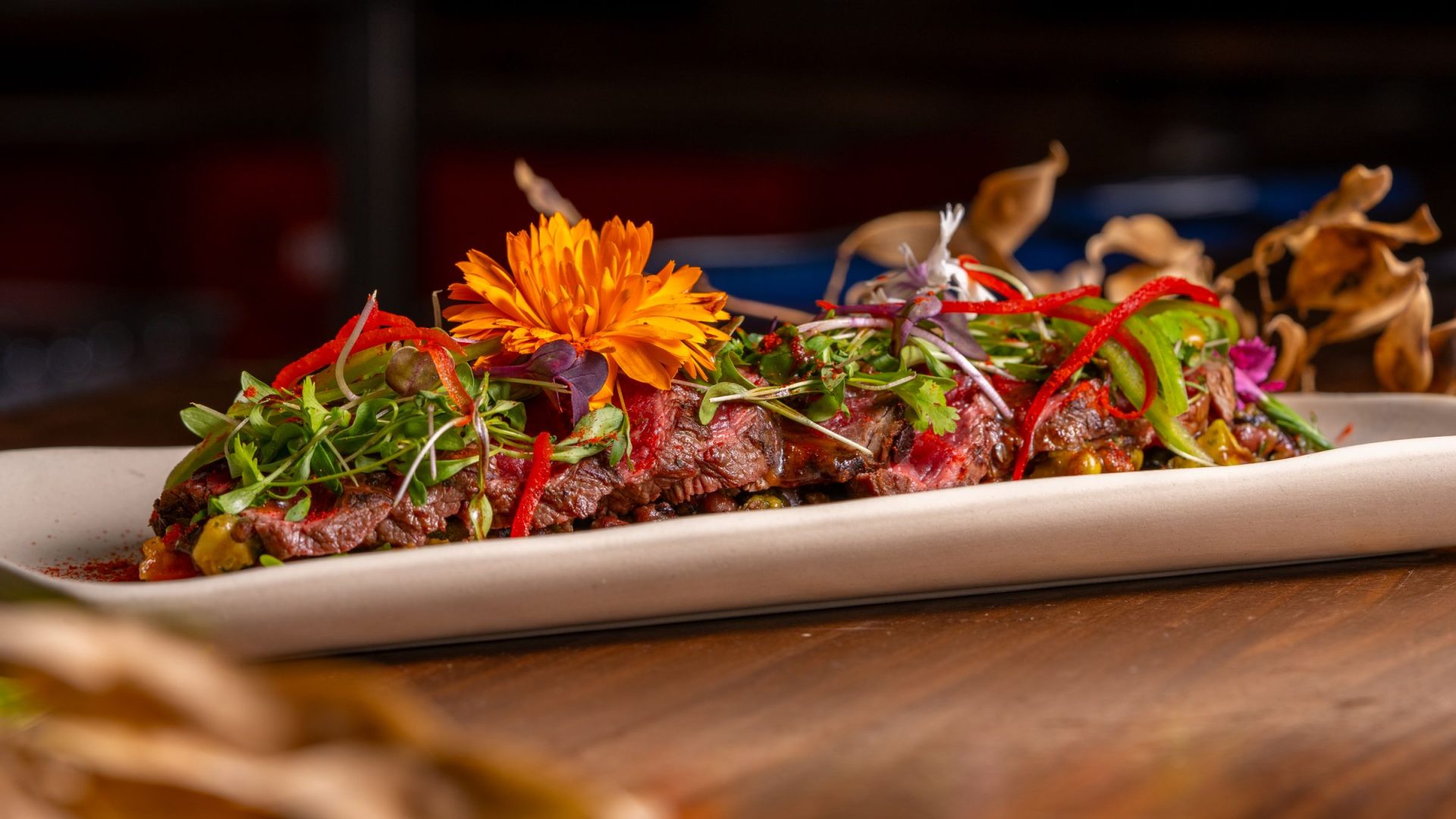
Dark and moody. Deep shadows, low-key backgrounds, dramatic directional light. The editorial and restaurant-branding look. It demands the shot be lit for it; a moody preset on a bright flat lay looks wrong.
Clean film. Slightly muted color, lifted blacks, soft grain. Good for cookbook-style storytelling sets.
Want to go further? The ShutYourAperture Academy’s The Edible Image (6 modules, 24+ lessons) is built to help you make food look as good as it tastes.
Testing a Food Preset
Run any new preset across your own recent food frames: one bright window-light dish, one dark restaurant plate, one white-plate-on-white-table setup, and one colorful dish with reds and greens. The preset that keeps whites clean, reds rich instead of orange, and greens fresh instead of neon is the keeper. Check it on your phone too, since a large share of food shooting and editing now happens in Lightroom Mobile.
We do not currently sell a dedicated food preset pack, so here is the honest path: the free starter pack in our Lightroom presets guide gives you a clean base to build a food look from, the free vs paid presets comparison shows what to look for when evaluating any pack, and our guide to creating your own presets walks through building and saving a custom food preset tuned to your own shooting style.
Gear for comparing food edits on the same files
Keep the source food frames and edit trials so you can compare plate whites, reds and greens without losing the original. A Samsung T7 Shield 1TB portable SSD is one option for a working copy. Check capacity, computer ports and cables, then verify copied files open correctly. Keep another backup separate. Storage preserves the comparison material; it cannot fix mixed light or make an unsuitable preset match a dish. Compare the current retailer specifications; no hands-on test, price or stock promise is being made here.
Compare Samsung T7 Shield 1TB on Amazon | Check Samsung T7 Shield 1TB at B&H
Affiliate disclosure: We may earn a commission from qualifying purchases through these gear links at no extra cost to you. As an Amazon Associate, Shut Your Aperture earns from qualifying purchases.