Food photos rarely fail on the big things. They fail on the small ones: a smear on the plate rim, a stray crumb, a sauce splash frozen mid-drip, a white balance that makes everything look faintly ill. Cleaning up a food photo in Lightroom takes five minutes when you know the order. This is that order.
Step 1: White Balance for Appetite
Restaurant light runs warm and dim, and cameras come home with files that look jaundiced. Start with the white balance eyedropper on the plate itself; plates are white for a reason, and they are the most reliable neutral reference in the frame. From there, season to taste: food wants to be slightly warm, not yellow. If the dish still looks off, check the tint; a green cast from fluorescent kitchen light kills appetite faster than anything else in this guide.
Step 2: Spot Cleanup
Switch to the healing tool and hunt the plate rim, the table, and the background. Crumbs, smears, drips, and fork marks all go. Work at 100% zoom and use a brush slightly larger than the blemish. What stays: anything on the food itself that is part of the dish. The goal is a clean plate, not a plastic one.
Step 3: Exposure and Color
Lift exposure until the dish reads fresh, but watch the plate highlights; white ceramic clips early. In HSL, give greens a small luminance lift so herbs and garnishes read alive, and keep red and orange saturation honest: appetite appeal lives in those channels, and overshooting them is the most common food editing mistake. A touch of texture or clarity on the food itself brings out crust, char, and crumb; keep it off the plate and the background.
A Real Before and After
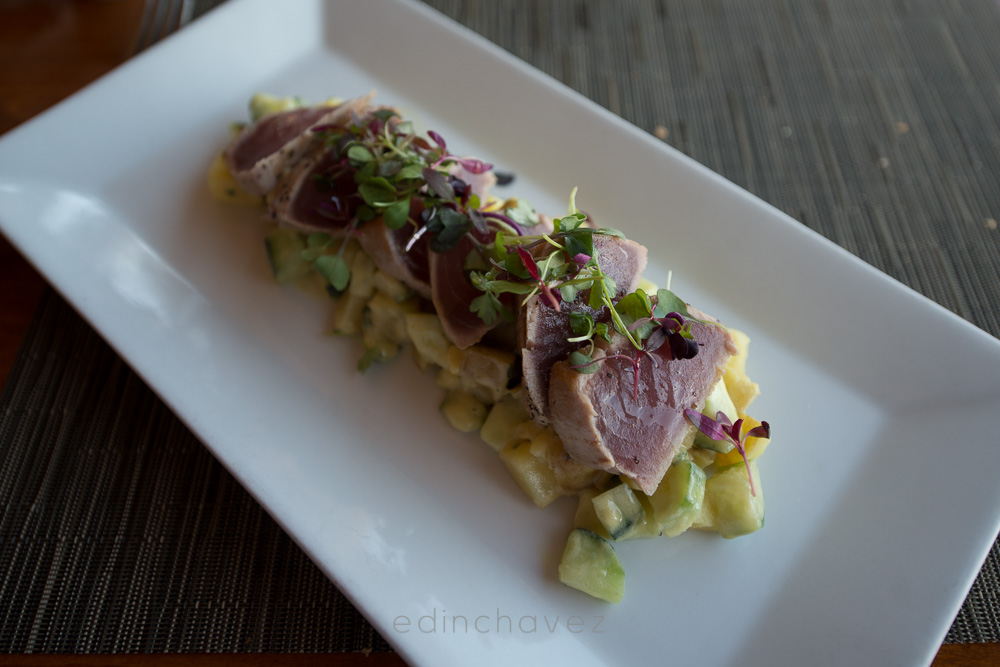
Here is the workflow on an actual dish, shot in restaurant light. Before: straight out of camera, cool and flat.
 Save
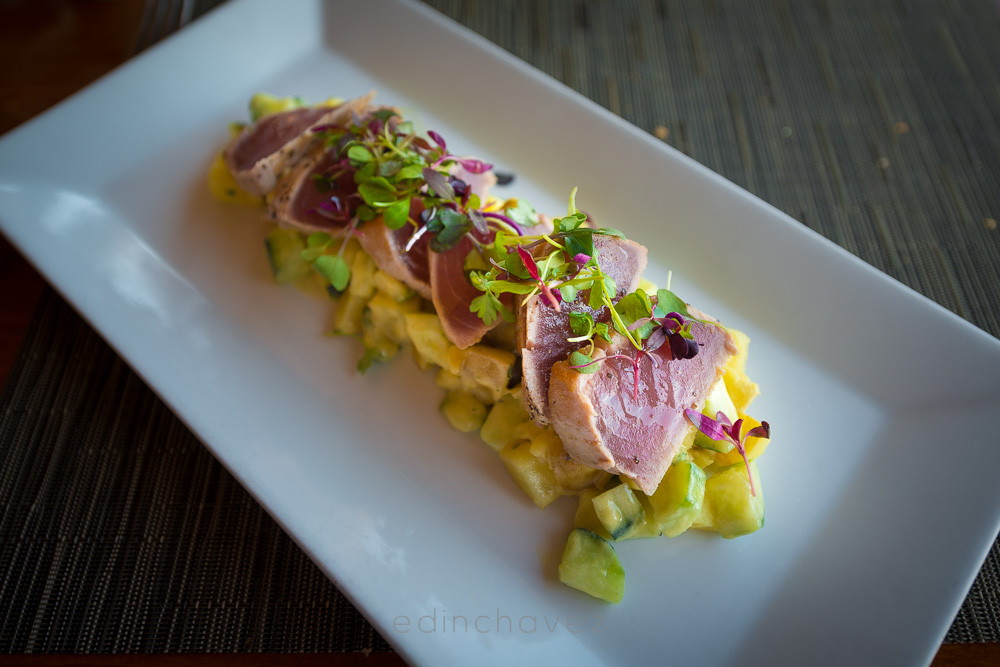
SaveAfter: white balance corrected off the plate, exposure lifted, greens brought back to life, plate rim cleaned. Same frame, five minutes.
 Save
SaveIf you shoot food regularly, build these corrections into a preset once and stop repeating yourself. Our guide to creating your own presets walks through saving a look like this, and the free starter pack in the Lightroom presets guide gives you a clean base to adapt. For choosing a finished pack, the free vs paid presets comparison shows what to look for on food files specifically.