Nikon Z5 Real Estate Photography Settings: Rooms and Windows
Nikon Z5 real estate photography settings should represent a room accurately while keeping the important details sharp. Set the camera level, choose a stable viewpoint, and check both the room and the window before editing. These are starting points based on camera controls, not a claim we used this body on a property assignment.
Nikon Z5 real estate photography settings to start with
- Support: Use a tripod when the room is still and a slower shutter is practical. Follow the Z5 and lens instructions for vibration reduction on the support you use; do not assume a fixed 1/60-second shutter on a tripod.
- Aperture: Try around f/8, then magnify a test frame to see whether near furniture and distant features are acceptably sharp. A narrower setting can add depth but may soften fine detail. Lens and focus distance matter.
- ISO and shutter: A low ISO can preserve detail on a steady camera, but set exposure for the actual room. If people or curtains move, a faster shutter may be needed, with a corresponding ISO change.
- Focus: Use a controlled focus area on an important part of the room rather than letting the camera pick a bright window. Check the selected Z5 AF-area mode and magnify the result.
- Color: Mixed lamps and daylight can shift wall colors. Adjust the lighting or white balance and keep finishes close to the real property.
Want to go further? The ShutYourAperture Academy’s Architectural & Interior Photography (8 modules, 32+ lessons) is built to help you compose with steel, glass and light the way architects do.
Window and listing check
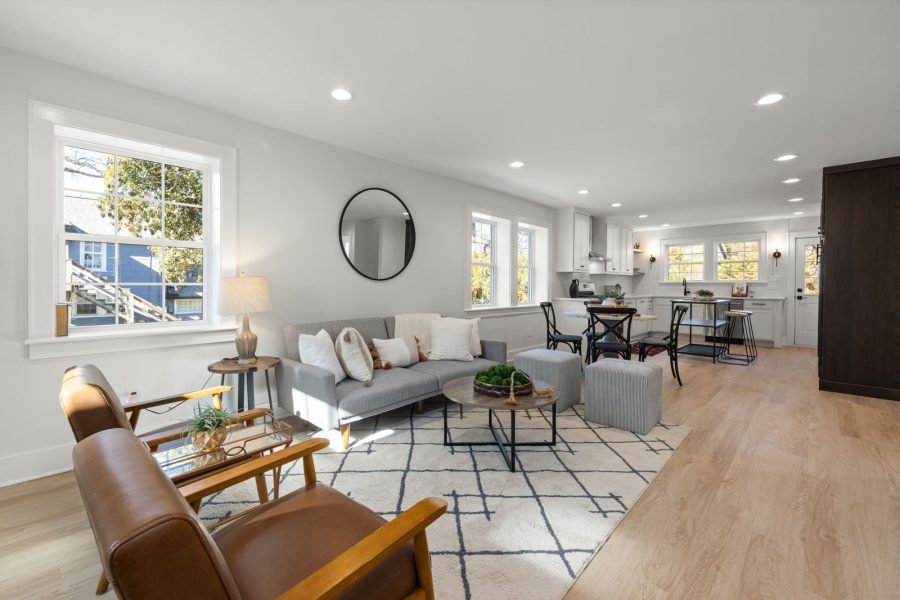
Bright windows may need a separate exposure. If you combine frames, look for halos, double edges and inaccurate exterior details. Keep verticals believable, remove temporary clutter physically when allowed, and do not digitally change permanent features or imply a different view. Inspect the exact exported image before delivery.
Nikon documents the Z5 AF-area modes and ISO settings. For aperture and shutter tradeoffs, see our aperture tips and shutter-speed tips.
Support for a room photograph
A Peak Design Aluminum Travel Tripod is one support option for a Z5 room photograph. Check the complete kit weight, plate fit and working height before buying. Set it on a stable floor, level the camera and keep people clear of the legs. A tripod can help hold the frame between exposures; it does not correct verticals, change the view through a window or remove moving people. Check the final export as described above. Compare the current retailer specifications; no hands-on test, price or stock promise is being made here.
Compare Peak Design Aluminum Travel Tripod on Amazon | Check Peak Design Aluminum Travel Tripod at B&H
Affiliate disclosure: We may earn a commission from qualifying purchases through these gear links at no extra cost to you. As an Amazon Associate, Shut Your Aperture earns from qualifying purchases.