If aperture still feels fuzzy, start with our deep-dive aperture photography guide — it covers everything from f-stop math to bokeh control.
Portrait photography has a weird problem: it’s packed with “rules” that sound official… but quietly limit your best work. The truth is, most “expert secrets” aren’t secret at all: they’re just simple techniques pros use consistently while everyone else argues about gear.
This post is a grab bag of those techniques: the stuff that makes portraits look expensive, intentional, and emotionally sharp: without turning your shoot into a science project.
The “rules” experts break (and why your portraits improve when you do)
1) Catchlights don’t have to be tiny, round, or “natural”
You’ve probably heard: “Make sure you have a small round catchlight at 10 o’clock.” Cool tip, not a law.
What matters: the catchlight shows there’s controlled light and life in the eyes.
What doesn’t: the exact shape.
Ring lights create donut catchlights. Softboxes create bigger rectangular ones. Window light can create a long strip. All valid: if it matches the vibe.
Practical move: choose a catchlight style on purpose.
- Beauty / clean commercial: big soft catchlights (softbox close to face)
- Edgy / dramatic: smaller catchlight (harder source, farther away)
- Cinematic: side light with minimal catchlight
2) One catchlight isn’t the “correct” amount
Two catchlights can look amazing (key + fill), especially in modern portrait styles. The trick is making it look intentional: not like random light sources.
Quick fix: if you see multiple catchlights and it feels messy, reduce the fill or move it farther from the lens axis.
3) Cropping the head can be strong (when it’s intentional)
The “don’t crop the top of the head” rule mostly exists because beginners accidentally chop heads. But intentional tight crops can feel intimate and editorial.
Use it when:
- the eyes are the hero
- you want intensity, not context
- you’re going for fashion/beauty energy
Avoid it when:
- the pose relies on body language
- hair/wardrobe is a key element
- your framing looks accidental
4) Your subject doesn’t need to look at the camera
A direct gaze is powerful: but it’s not the only way to make a portrait work.
Alternative prompts that look “pro”:
- “Look past me like you’re thinking.”
- “Close your eyes, slow breath, then open gently.”
- “Look at the light: don’t move your head, just your eyes.”
The secret sauce is intention. If they’re not looking at the camera, they should be looking somewhere for a reason.
The real secret: pros control three things (and everything else is optional)
If you want portraits that look instantly more “expert,” obsess less over camera settings and more over:
- Light direction (where the shadows fall)
- Distance (subject-to-background and camera-to-subject)
- Expression timing (the moment between poses)
Master those and you can shoot on almost anything.

Lighting tricks that feel like cheating (but aren’t)
1) “Bad light” becomes great when you move 2 feet
A lot of portrait lighting isn’t about adding light: it’s about micro-positioning.
Before you change settings, do this:
- rotate your subject 10–20 degrees left/right
- raise or lower chin slightly
- move them a step closer/farther from the light source
Micro-move cheat code:
If the face looks flat, turn the nose slightly toward shadow until you get shape in the cheekbones.
2) Use window light like a softbox (without owning a softbox)
Window light gets “pro” when you treat it like a studio source.
Setup:
- Subject 1–3 feet from window (not right against it)
- Turn them 45 degrees to window
- Place camera on the shadow side for mood, lit side for clean
If the shadows are too deep: bounce light back with a white wall, white poster board, or reflector.
3) The “negative fill” trick for instant drama
Want sharper cheekbones and more depth without fancy lights?
Put something dark on the shadow side: a black jacket, a curtain, a piece of black foam core. This absorbs light instead of bouncing it back.
Result: richer shadows, more shape, more cinematic portraits.
4) The easiest one-light setup that looks expensive
If you only have one light (or one window), do this:
- Light at 45 degrees from subject
- Light slightly above eye level
- Subject’s face turned slightly toward light
- Background farther away (more on that in a second)
This is simple “loop lighting,” and it works on basically everyone.
For more composition guidance that pairs well with these setups, check out our internal post on Steve McCurry composition tips.
Distance is the underrated portrait hack (background blur is not the point)
Most people chase “bokeh.” Pros chase separation.
1) The two distances that matter
There are two key distances:
- Camera → subject (affects perspective and facial shape)
- Subject → background (affects separation and background softness)
Simple rule:
To make a background look cleaner, move your subject farther from it: even if your aperture stays the same.
2) Stop using ultra-wide lenses up close (unless you want the look)
Wide lenses close to faces exaggerate noses and distort features. That can be cool, but it’s not “flattering.”
Go-to focal lengths for portraits (full-frame):
- 50mm: environmental portraits, storytelling
- 85mm: classic flattering portraits
- 105–135mm: compression + premium look
On APS-C, think roughly 35mm, 56mm, 85mm equivalents.
3) The “step back” trick for better faces
If someone’s face looks slightly off, don’t blame them. Change perspective:
- step back
- zoom in (or use a longer lens)
This reduces distortion and makes facial features look more natural.
Posing secrets: stop “posing,” start directing
A lot of posing advice feels like stiff mannequin choreography. Pros get better results by directing micro-actions.
1) Fix posture without saying “fix your posture”
Try:
- “Lean your forehead toward me a tiny bit.”
- “Drop your shoulders like you’re exhaling.”
- “Bring your chin forward and slightly down.”
That last one is a classic: because it defines the jawline without making them look like they’re trying.
2) Hands: give them a job
Hands look awkward when they’re idle. Give hands a task:
- lightly touch collarbone
- hold jacket lapel
- adjust sleeve cuff
- hand in pocket (thumb out helps)
- hold a prop with meaning (book, coffee, camera, flowers)
Rule of thumb: hands should look relaxed and purposeful, not posed and perfect.
3) The “weight shift” cue makes everyone look better
Instead of telling someone to “pose,” tell them:
- “Put your weight on your back foot.”
- “Now shift it forward slowly until it feels natural.”
Instantly reduces stiffness and adds shape.
4) Expression timing is where the money is
The best expression is usually between expressions:
- right after they laugh
- right as they stop smiling
- when they look down then back up
Shoot through transitions. That’s where portraits feel real.
If you want more on capturing natural moments (and not stiff smiles), our post on the art of taking the perfect candid photos pairs perfectly with these prompts.
“Experts don’t want you to know”… because it’s not glamorous: the flow matters
Gear is fun to talk about. Flow is what gets you great portraits consistently.
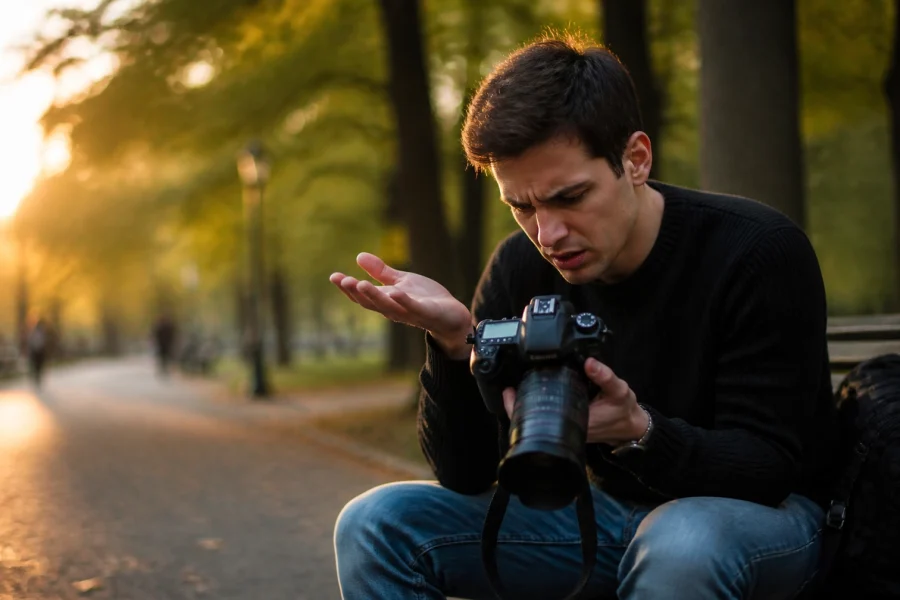
1) Stop chimping (constant LCD checking)
Checking every shot kills momentum and makes your subject self-conscious.
Better approach:
- nail exposure and focus early
- take a quick check every 10–20 frames
- keep talking while you shoot
Your subject should feel like you’re in control, even if you’re still dialing it in.
2) Give tiny feedback constantly
People don’t know if they’re doing well unless you tell them.
Say stuff like:
- “That’s it: hold that.”
- “Perfect. Now soften the eyes.”
- “Love that angle. Keep your chin there.”
It keeps energy up and reduces awkwardness.
3) Build a “safe shot” first, then experiment
Pros often start with the most reliable setup to get a guaranteed win:
- flattering light
- clean background
- simple pose
Once you have the safe shot, you can get weird with it:
- harsh light
- motion blur
- tight crops
- dramatic shadows
Editing tricks that make portraits look pro (without plastic skin)
Retouching isn’t a rescue mission. It’s polish.
1) Fix the frame before you touch the skin
Before you do any skin work, ask:
- is the crop stronger tighter or wider?
- is the horizon/verticals clean?
- does the background distract?
A great edit starts with composition.
2) Skin retouching: remove distractions, keep texture
Think: temporary stuff out, permanent stuff stays (unless requested).
Good targets:
- pimples
- flaky lipstick
- stray flyaway hair
- lint on clothes
Be careful with:
- skin texture
- smile lines (people look human, let them)
- under-eye areas (brighten gently, don’t erase)
If you want a fast workflow that still looks natural, tools like Luminar can speed up portrait edits: just keep the sliders on a short leash.
3) Dodge & burn is the real “expensive portrait” look
Tiny local exposure tweaks beat heavy global contrast.
Simple dodge/burn targets:
- dodge catchlights slightly
- dodge the irises subtly (not neon)
- burn jawline shadow a touch
- burn background edges to keep focus on face
4) Color grading: keep skin believable
A “cinematic” grade is cool until skin turns orange, gray, or alien green.
Quick check: if the whites of the eyes look tinted, your grade is too heavy.
For a broader upgrade to your overall shooting and editing results, see our guide on take better photos.
The underrated “pro look” checklist (use this before every portrait session)
Light
- Is the light shaping the face (not flattening it)?
- Is there a catchlight (even a small one)?
- Are shadows intentional?
Background
- Is the subject separated from it (distance)?
- Are there bright distractions behind the head?
- Is the background adding story: or just noise?
Pose + expression
- Is the chin slightly forward/down (when needed)?
- Are hands relaxed and purposeful?
- Are you shooting through transitions?
Technical
- Shutter speed high enough for your focal length?
- Focus on the near eye?
- Exposure protecting highlights on skin?
Extra credit: portrait ideas that don’t look like everyone else’s
1) Shoot through something (foreground layers)
Use:
- leaves
- window reflections
- curtains
- translucent fabric
It adds depth and a “found moment” vibe.
2) Use hard light on purpose
Hard light isn’t “bad”: it’s just honest. Use it for grit and character:
- side light with deep shadows
- midday sun with strong shapes
- a single bare bulb look (controlled, not random)
3) Add motion for life
Try:
- slow shutter + small movement (1/30–1/60)
- hair flip (subtle)
- walking toward camera slowly
Motion makes portraits feel less posed and more cinematic.
Workflow step (for Sonny): social tie-in for staggered post #4
This post can be broken into a simple carousel/reel series:
- Slide 1: “Stop obeying these portrait rules”
- Slide 2: Negative fill demo
- Slide 3: Subject-to-background distance comparison
- Slide 4: Chin forward/down + forehead lean
- Slide 5: “Shoot the transition, not the pose”
Have Sonny link back to this blog post from the caption and stories so people can get the full checklist and lighting setups in one place.
A few helpful links (internal + external, kept simple)
- Internal: Steve McCurry composition tips
- Internal: The art of taking the perfect candid photos
- Internal: Take better photos
- External: Practical learning resources at Shut Your Aperture
- External: More photography notes and breakdowns at blog.edinchavez.com
Skylum’s Aperty is purpose-built for portrait retouching with AI skin, eye and detail enhancement. Luminar Neo’s Portrait AI complements it for full-body and editorial work. Tagged as affiliate per FTC.