

The Sigma 50-100mm f/1.8 DC HSM Art solves a specific problem: a bright short-telephoto zoom for an APS-C camera. It does not solve every portrait problem, and it is not a small lens you buy without thinking about the rest of the kit. Start with the camera mount, your working distance and the photographs you need.
The attraction is easy to understand. You can change framing through the zoom range while keeping a maximum aperture of f/1.8 available. The tradeoff is a substantial lens with a limited range and an APS-C image circle. If you need a wide view in a small room, this is the wrong place to start.
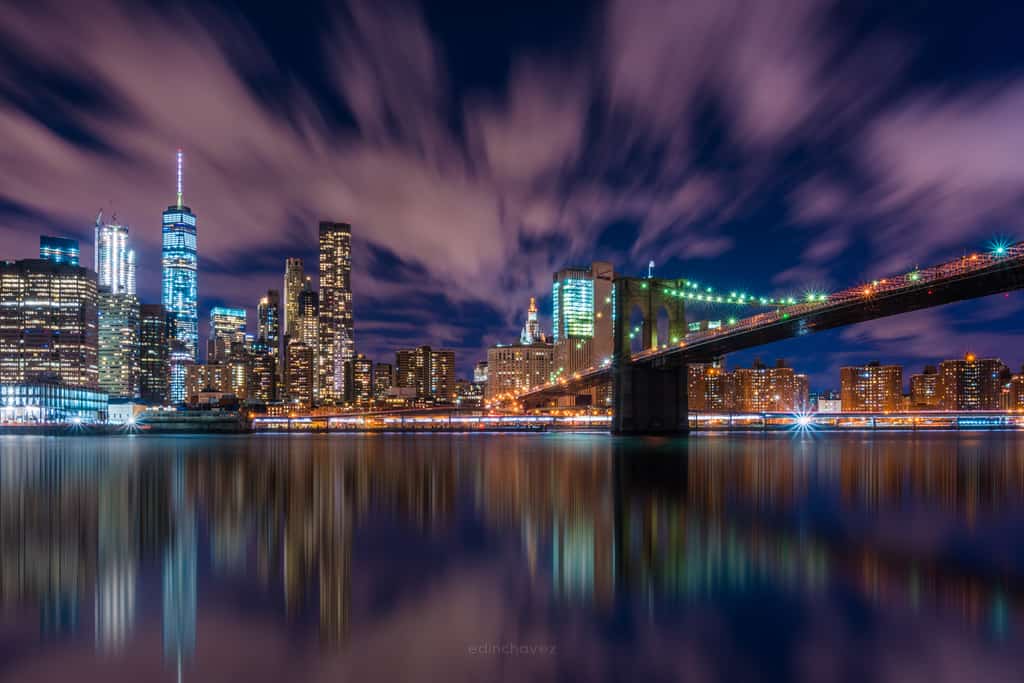
Updated October 2026. This guide covers the original 50-100mm f/1.8 DC HSM Art, not a later DG or mirrorless design. It uses Sigma’s specifications, manual and support information. It is not a hands-on review. The scene photographs illustrate composition and light, not sample files made with this lens or proof of its performance.
DC means APS-C, not full-frame coverage
Sigma’s 50-100mm product page identifies the sensor format as APS-C and lists Sigma SA, Canon EF and Nikon F versions. Those mount versions are not interchangeable. Check the actual mount on the lens being sold before comparing anything else.
A full-frame camera having a compatible-looking mount does not make this a full-frame lens. Sigma warns that using the DC image circle with a larger sensor produces vignetting. A supported crop mode may change what the camera records, but it does not turn the lens into a DG design or give full-frame coverage.
The physical focal length remains 50-100mm. The field of view depends on the camera’s sensor and crop factor. On a 1.5x APS-C body, it resembles the framing range of 75-150mm on full frame; on a 1.6x body, it resembles 80-160mm. Those are framing comparisons, not a change to the lens’s engraved focal lengths.
That distinction helps you plan a location. Stand where you can actually work and check whether the whole subject fits. A head-and-shoulders portrait, a full-length portrait and a small group need different space. A useful zoom range on paper can still be too tight for the room.
Check the complete camera and adapter combination
Begin with Sigma’s camera compatibility information, then check the camera and adapter makers where an adapter is involved. Matching a mount is only the first step. Autofocus behavior, correction settings and firmware can depend on the exact combination.
Sigma’s model firmware page records changes for particular camera and converter combinations. Read the entry for your mount rather than treating the page as a blanket guarantee. A correction for one Canon body or one converter does not establish support for every later camera.
If you are buying for an adapted mirrorless setup, test the actual equipment. Try the focus modes, aperture control and file recording you need. Check whether the camera uses a crop automatically and whether its lens corrections behave correctly. Do not buy on the assumption that an adapter preserves every function.
For a used lens, ask which firmware and adjustments are installed. A previous owner’s settings may not suit your camera. Keep the inspection practical: identify the hardware, check the relevant support information and make a set of real test files before committing.

F1.8 is an option, not the default answer
A constant f/1.8 maximum aperture gives you exposure and depth-of-field choices throughout the zoom range. It does not mean every photograph should be made wide open. Choose how much of the subject needs to be sharp, then decide whether the background needs more separation or more context.
For a portrait, pay attention to the focus plane across the face. If the head is turned, the nearest eye and farthest eye may not lie at the same distance. For a group, small differences in distance matter too. Stopping down can be the right choice even when the lens’s widest aperture was the reason you considered it.
Keep the subject’s movement in mind. A wider aperture can let you maintain a useful shutter speed in lower light, but it cannot guarantee accurate focus or an interesting expression. Watch the actual photograph. A background that looks beautiful does not compensate for a subject that is unintentionally blurred.
Build the background before relying on blur. Move away from bright distractions, check the frame edges and give the subject separation when the location permits. Zooming can change framing, but moving your position also changes the relationship between near and far objects. Make those choices deliberately.
The lens is substantial, so plan support and balance
Sigma lists approximately 1,490g for this lens, with the specification based on its stated mount reference. Add the camera and any adapter before deciding whether the kit suits a long handheld session. A lens can be optically appealing and still be the wrong weight for the way you work.
The design uses internal zoom and focus, so adjusting those rings does not extend the barrel. That can help keep the physical setup consistent, but it does not remove the weight. Hold and carry the complete kit before deciding whether it is comfortable for the intended assignment.
Sigma documents a tripod socket and collar for rotating between horizontal and vertical framing. Use a support that safely holds the complete equipment, and check the clamp and locking knob. Do not leave the camera resting in a position that puts avoidable strain on the mount.
For a still composition, support can make focus and framing easier to repeat. For a moving subject, a tripod or monopod does not replace a suitable shutter speed. Choose the support for your movement and working space, not only because the lens has a socket.
Focus behavior needs a mount-specific check
The lens uses Sigma’s HSM autofocus motor. The model manual explains the focus switch and manual override behavior. It also says the default Full-time MF setting varies by mount. Do not reduce that to a universal instruction to turn the focus ring during any autofocus operation.
The manual describes changing the Full-time MF setting and ring-rotation threshold through the optional compatible USB Dock and Sigma Optimization Pro. Check the correct dock and software instructions for the lens mount. A dock made for another mount or product family is not a substitute simply because it shares the name.
For a still subject, place the focus area on the detail that matters and review at useful magnification. For movement, choose an appropriate camera focus mode and follow the subject. If frames miss, separate focus errors from subject blur and camera shake before changing several controls together.
On a DSLR, compare ordinary viewfinder focusing with the camera’s other documented focusing method where available. Repeat a questionable result at more than one distance and zoom position. A single missed frame is not enough to diagnose a calibration problem or condemn the lens.
There is no optical stabilizer to depend on
This model has no lens optical stabilization. The DPReview specification entry lists image stabilization as absent. If a particular adapted body offers stabilization, verify how that combination works rather than treating it as a lens feature.
Choose shutter speed for both camera movement and subject movement. A person talking or turning can blur even when the camera is steady. Raise ISO when that is the better compromise, add suitable light when the shoot allows it or change the setup. Do not lower the shutter solely to keep a preferred ISO number.
For a static scene, use support when a longer exposure fits the image. Our tripod guide covers stability and technique. Check the result at useful magnification and look for the kind of blur you actually have before deciding what to change.
Close focus does not make it a macro lens
Sigma lists a minimum focusing distance of 95cm and a maximum magnification ratio of 1:6.7. That can be useful for details, but it is not life-size 1:1 macro. Plan the subject size you need rather than assuming a longer focal length automatically provides high magnification.
Minimum focusing distance is not the gap between the front of the lens and the subject. Allow room for the full kit, hood and lighting. If you need to fill the frame with a very small object, consider a tool designed for that task instead of forcing this zoom into an unsuitable setup.
At close distances and wide apertures, focus placement becomes especially important. Keep the important surfaces near the same focus plane when that suits the composition. Review whether the subject is understandable, not only whether one small detail is sharp.
Hood, filters and weather protection still matter
The specification lists an 82mm filter size. Check filter fit and avoid stacking accessories without testing for unwanted edges or image problems. The manual gives guidance on circular polarizers and warns that some filter combinations can cause vignetting. Use a filter for a clear photographic reason.
Fit the correct hood securely. Do not turn Sigma’s flare-reduction design claims into a promise of no flare under every light. Review difficult backlit scenes and adjust your angle or shade the lens safely when needed. Keep the composition, not only the technical artifact, in mind.
The manual says the lens is not waterproof and calls for protection near water or in rain. A brass mount and a substantial barrel do not establish weather sealing. Protect the equipment, avoid unnecessary exposure and ask about moisture history when inspecting a used copy.
Test a used copy with your photographs in mind
Check the glass, mount, contacts, filter thread, hood, rings, focus switch and tripod collar. Ask about impact, moisture and repairs. Test autofocus, manual focus and aperture behavior on your actual camera. Inspect files at several focal lengths and apertures, with a subject and light that make problems visible.
For a meaningful comparison, keep camera position, subject distance and processing consistent. Do not claim a controlled optical result from unrelated photographs. A practical test can still be simple, but it should answer the questions that decide whether this copy works for you.
Read the return terms and confirm the accessories included. Sigma’s product page lists the mount versions as discontinued, so do not mistake an old launch page for current stock or a new-product guarantee. Check the seller and current service options separately.
The useful decision is whether the complete kit fits your work. If you have the space, need the aperture and accept the weight, the design may make sense. If you need a wider view, full-frame coverage or a smaller carrying kit, recognize that before buying. The best lens for a photograph is one you can use well in the situation you actually have.
Frequently asked questions
Is the Sigma 50-100mm f/1.8 DC HSM a full-frame lens?
No. Sigma identifies it as APS-C [DC] and warns of vignetting with a larger sensor. A supported crop mode does not turn it into a full-frame DG lens.
Which mounts were offered?
Sigma lists SA, Canon EF and Nikon F versions. Check the actual lens mount, camera and any adapter; the versions are not interchangeable.
Does the lens have optical stabilization?
No. This model has no lens optical stabilization. If a body offers stabilization with an adapted lens, verify that exact combination separately.
Is f/1.8 available across the zoom range?
Yes. It is a constant f/1.8 maximum-aperture zoom. Choose the working aperture for depth of field and exposure rather than assuming wide open is always best.
Can I use manual override the same way on every mount?
Do not assume that. The manual says Full-time MF defaults vary by mount and describes settings through the compatible USB Dock and Sigma Optimization Pro.
Is this a 1:1 macro lens?
No. Sigma lists a minimum focusing distance of 95cm and maximum magnification of 1:6.7. It can photograph details, but it does not provide life-size macro magnification.
Gear to check for this APS-C lens
Verify the mount, condition and compatibility before buying. These are shopping starting points, not promises of stock, price or adapter support.
Original 50-100mm Art lens: Browse Amazon or B&H. Check the actual item against your setup.
Mount-matched dock: Browse Amazon or B&H. Check the actual item against your setup.
Correct-size filter: Browse Amazon or B&H. Check the actual item against your setup.
Stable support: Browse Amazon or B&H. Check the actual item against your setup.
Affiliate disclosure: This article contains affiliate links. If you buy through them, we may earn a commission at no extra cost to you. As an Amazon Associate, we earn from qualifying purchases.
For practical photography tips, visit the Shut Your Aperture Academy. Build your understanding of light, framing and focus alongside your lens choices.


