Updated October 2026
Monochrome photography asks you to look at a scene without relying on its colors. A red wall, blue jacket, and green tree may separate clearly in color, then become similar gray tones in black and white. The subject has not changed. The way you organize the photograph has.
A strong monochrome image needs more than a desaturation button. Light, shape, texture, timing, and the relationship between bright and dark areas have to carry the frame. Sometimes removing color makes those relationships clearer. Sometimes color was the main reason the photograph worked, and removing it weakens the picture.
Use these five tips as a workflow, from seeing the scene to making the final edit. You do not need a dedicated monochrome camera or expensive software. Start with a camera you know, a subject worth studying, and a willingness to compare results rather than chase a dramatic preset.
1. Look for tonal separation before you shoot
Ask where the viewer’s eye will go when color disappears. A bright face against a dark doorway can remain clear. A dark person against a dark wall may blend into the background. A colorful subject is not automatically a strong black-and-white subject, so examine the light and the background together.
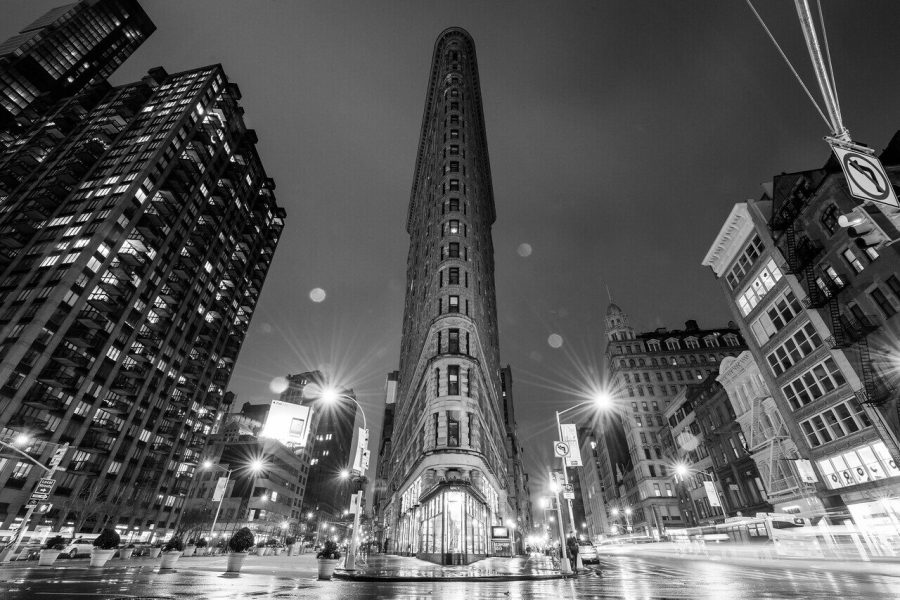
Look for a simple structure: a line leading toward the subject, a repeating shape, a silhouette, or a bright patch breaking up a darker area. These give the eye something to follow. You can keep a complicated scene interesting, but it still needs a visual hierarchy. Otherwise monochrome turns colorful confusion into gray confusion.
Change your position when two important parts merge. A step to one side may place the subject against a lighter background. A lower view may show a shape against the sky. Waiting can separate a moving person from a dark doorway. These decisions are often more effective than trying to force separation with extreme contrast afterward.
Squint at the scene briefly or use a black-and-white preview if your camera offers one. The preview can help you notice large bright and dark areas, but it is not a substitute for careful exposure or a final edit. Check the actual scene too, especially when a screen makes shadows appear darker than the recorded file.
Black and white is one kind of monochrome. A sepia or other single-hue treatment is monochrome too. Choose the treatment deliberately. A warm tint does not create a story by itself, and a photograph does not become meaningful merely because it looks old.
 Save
SaveA short seeing exercise
Choose a nearby scene with two or three obvious colors. Make one color photograph and one monochrome preview from the same position. Identify what disappears, what becomes stronger, and where the tones merge. Then make another photograph after changing the background or angle. You are training yourself to see relationships, not proving that black and white is better than color.
2. Keep editing flexibility without treating RAW as magic
RAW files are useful when your camera offers them and you have a workflow to process them. They give you more room to adjust tone and color-channel relationships during conversion than a finished JPEG usually does. They do not repair missed focus, every clipped highlight, or a frame with no clear subject.
On many color-sensor cameras, a monochrome picture style affects the preview and the JPEG while the RAW data still allows a color interpretation. The exact behavior depends on the camera, file type, and editing software. A dedicated monochrome sensor is different. Check your camera manual and test a file rather than assuming every RAW file contains recoverable color.
Nikon’s Picture Control guide describes monochrome options and model differences. Your camera may offer fewer choices or use a different name. A standard monochrome preview is enough to practice; you do not need a new camera to obtain a more dramatic preset.
If you want both a quick finished file and an editable original, RAW plus JPEG can be a useful test. Keep track of which file you are opening. An editor may initially display the embedded monochrome preview, then show its own color rendering. That change is not necessarily an error. It is a difference in how the file is interpreted.
JPEG is not a failure. If your phone or camera only gives you JPEG, start there and make good decisions about exposure, focus, and composition. Keep the original and export an edited copy. Avoid saving over the only file repeatedly, and do not judge your progress by whether you own every format option.
Expose for the detail you want to preserve
Look at important highlights, not only the average brightness of the screen. If you want texture in a bright cloud or a pale shirt, check that it is not clipped beyond useful recovery. A histogram or highlight warning can help, but understand that a preview histogram may reflect a processed image rather than all the flexibility of the RAW file.
Do not underexpose everything out of fear of a small bright reflection. Some tiny specular highlights can be acceptable, depending on the photograph. The goal is a deliberate exposure for the important content. Make a test frame, inspect it, and adjust when the subject or light changes.
 Save
Save3. Let light reveal shape and texture
Texture becomes visible through the way light and shadow describe a surface. Side light can emphasize ridges in stone, weathered wood, or fabric. Soft light can show a quieter range of transitions. Front light may flatten a surface, which can be useful if you want a simple graphic shape rather than roughness.
Do not make texture the only goal. A portrait does not need every pore emphasized, and an old building does not need aggressive clarity to prove that it is old. Choose how much detail supports the picture. Overdoing local contrast can make surfaces look brittle and turn gentle light into a harsh treatment.
Walk around a still subject and compare the light from several safe positions. Notice whether a shadow gives the object volume or cuts across the important detail. If you cannot move, wait for different light or choose a tighter composition. The direction of the light matters more than a blanket rule that every black-and-white photograph needs hard sun.
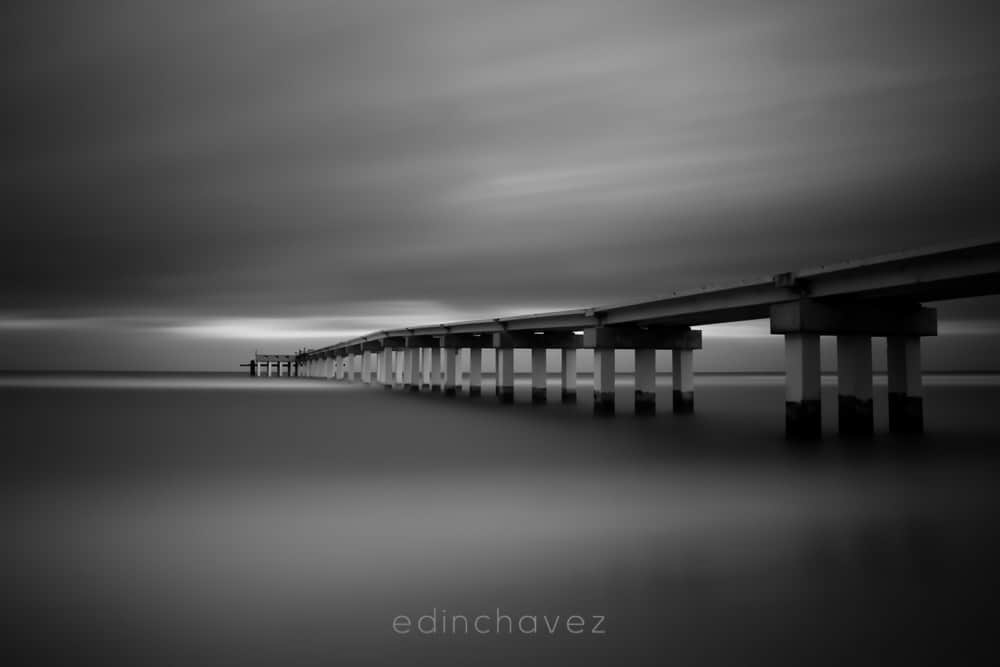
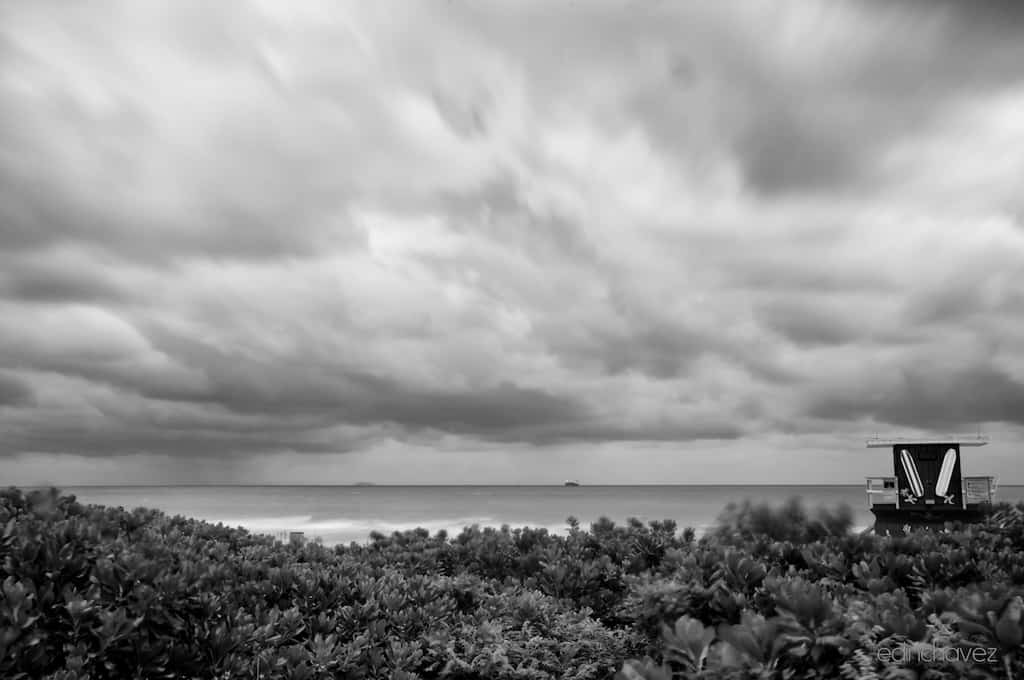
Clouds, mist, and overcast conditions can produce strong monochrome images too. The contrast may come from a dark structure against a pale sky, or from several layers with different brightness. A low-contrast scene can feel quiet and spacious. It does not need a deep black in every corner to work.
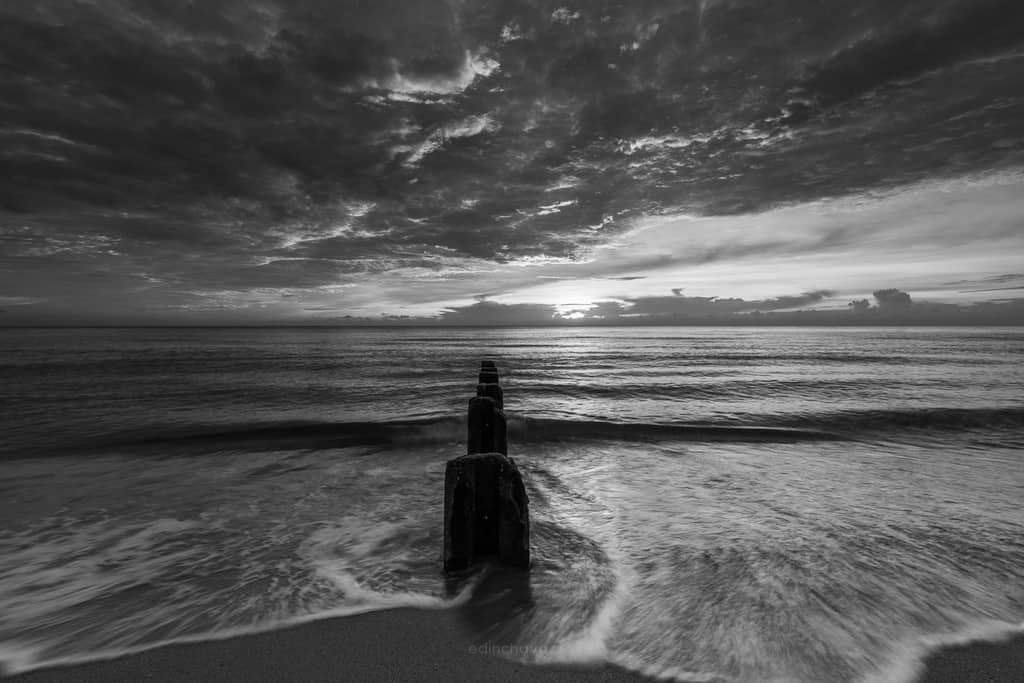
Choose shutter speed for the way you want movement to appear. A longer exposure can smooth water or stretch moving clouds, while a shorter one can hold a gesture. Neither is automatically more artistic. If you use a tripod, set it on stable ground away from people and moving water, and keep access rules in mind.
Read the photograph in large shapes
View the picture small enough that tiny details become less important. Can you still see the subject? Is one bright background patch stealing attention? This quick check helps you judge the structure before adding more contrast. If the large shapes are weak, a dozen small adjustments may only decorate the problem.
4. Use patterns, timing, and edges to organize the frame
Repeated windows, railings, palms, or shadows can give a photograph rhythm. Look for an interruption that adds interest: one open window, a person crossing a row of columns, or a curved shape among straight lines. Repetition is a starting point, not a complete photograph by itself.
Scan the edges before pressing the shutter. A bright fragment at the corner can pull the eye away from the main subject. A partly cut shape may look accidental. Move, wait, or crop in the camera when practical. Removing color does not remove clutter, and a black-and-white edit should not be an excuse to ignore the background.
For people and moving subjects, wait for separation between bodies and limbs when that helps the frame read. A gesture may be clearer a moment earlier or later. Keep the context honest. Do not crop or caption a normal interaction to invent an emotion or a story you could not know.
A silhouette needs a recognizable outline and a useful background. If the subject merges with a pole or another person, the shape can become confusing. Check the spaces around it. Small gaps between dark forms can matter more than fine surface detail.
Respect your subjects and the place. Stay out of a game or a performance area, do not block someone else’s view, and ask when a close portrait calls for permission. Strong timing comes from attention and patience, not manufacturing a confrontation for the camera.
 Save
SaveTry a one-subject series
Make a wide frame, a closer frame, and a detail of the same subject. Keep the monochrome treatment simple while comparing them. Which view has the clearest lines? Which has the most useful negative space? A small series teaches you more about composition than applying five different filters to one weak frame.
5. Build a useful range of grays in the edit
Begin with a neutral black-and-white conversion. Adjust overall exposure and contrast, then inspect the subject, highlights, and shadows. Do not push the black point down until every dark area becomes empty. Deep blacks can be effective, but so can a quiet midtone photograph with little true black.
A complete tonal range is an option, not a requirement. Some high-key pictures depend on pale tones; some low-key pictures depend on dark ones. What matters is whether the tones support the subject and whether the detail you intended is still readable. Judge the actual photograph rather than forcing its histogram to reach both ends.
A black-and-white mixer lets you change how original colors map into gray. For example, adjusting the blue channel can alter a blue sky’s brightness. Move the sliders gently and watch the whole frame. Extreme channel changes can create strange transitions, halos, or noise, especially along edges where colors meet.
Use local adjustments when a particular area needs help. Slightly brighten the face you want people to notice or reduce a competing bright patch. Work carefully around boundaries. A visible bright outline around a subject usually looks like an editing mistake, not better separation.
Check at full size for noise, sharpening artifacts, and damaged texture, then step back to judge the image at a normal viewing size. Do not make every decision at 200 percent magnification. The viewer needs a coherent photograph, not perfect pixels that no one can see in the final print or screen view.
Compare the color and monochrome versions honestly
Nikon’s guide to revisiting color images in black and white shows conversion as a creative choice. Make a version, then compare it with the original. If the picture loses the color relationship that made it interesting, keep the color version. Black and white is not a rescue plan for every unsuccessful photograph.
Save your editable original and export a copy for the intended use. A web image, a small print, and a large print may need different output sizes and sharpening. If you print, make a test and check that dark areas are still readable under the light where it will be viewed. Screen brightness can hide a print that is too dark.
 Save
SaveA simple monochrome practice plan
Choose one nearby subject and spend twenty minutes studying it. Start with the background, then the light, then the edges. Make a few frames from different positions while changing only one thing at a time. Keep the exposure and focus under control instead of chasing effects.
Back home, choose three photographs and convert them with a similar neutral starting treatment. Write one sentence about why each works or fails. Return to the subject with that note in mind. For fundamentals, use the Shut Your Aperture Academy. For more practice with camera decisions, read beginner photographer tips.
Monochrome photography questions
Is monochrome the same as black and white?
Black and white is a form of monochrome. Monochrome can also use one hue, such as sepia. The important feature is a single-color tonal treatment rather than a full-color image.
Do I need to shoot RAW?
RAW can give you more editing flexibility, but JPEG can still produce strong monochrome photographs. Keep an original and learn exposure, light, and composition with the format your camera provides.
Will monochrome mode erase color from my RAW file?
On many color-sensor cameras, monochrome settings affect the preview and JPEG while RAW allows a color interpretation. Camera, software, and sensor differences matter, so check the manual and test your files.
Does every black-and-white image need strong contrast?
No. Gentle midtones, high-key images, and low-key images can all work. Choose contrast for the subject and preserve the details you want instead of forcing every picture to contain pure black and pure white.
Why does my conversion look flat?
Important colors may have become similar gray tones, or the scene may lack a clear subject and useful light. Try another angle, better tonal separation, or careful channel adjustments. More contrast alone may not fix the structure.
A compact lens to compare
Nikon NIKKOR Z 40mm f/2
For Nikon Z users who want a small normal prime for a one-lens walk, this is an option to research. It is not an F-mount DSLR lens, and its view is tighter on DX than FX. It does not create a monochrome style for you. Your existing zoom or prime may already be the right tool for practicing light, shape, and timing.
Affiliate disclosure: Purchases through these links may earn Shut Your Aperture a commission at no extra cost to you. Check current price, availability, and compatibility before ordering.
Make color removal a decision, not a habit. When the light and shapes hold the frame together, monochrome gives them room to speak.