
Updated October 2026 | By Edin Chavez, owner of Edin Studios
Heads up: some links below are affiliate links. If you start an Aftershoot plan through them, Shut Your Aperture earns a commission at no extra cost to you. Readers who sign up through my link also get a 15% discount coupon.
You shoot a game on a camera that fires fast. The shutter goes off in bursts, the action peaks and falls, and by the final whistle your card holds ten thousand frames. Most of them are the second half of a movement you already caught. A few of them are the picture that makes the athlete’s year. Your job is to find those few without losing a weekend.
This guide is for sports, event, and any other high-frame-count photographers who need to go from a card full of bursts to a tight, deliverable set. I will cover how to think about a huge cull, a workflow you can run, and how Aftershoot fits in, using only what the company documents on its own pages.
My numbers, straight from the app. I run Edin Studios, a national event photography business, and Aftershoot is in my workflow every single day. The “You & Aftershoot” screen in my own app currently shows 343K total photos, 657 albums culled, 155K selected photos, 333K edited photos, and 61 days and 9 hours of time saved. That time figure is the app’s own tally, so read it as an estimate, not a stopwatch. Still, 657 albums is a lot of real work to run through one tool.
Averaged out, that is around 520 photos per album, but the spread is wide. Some albums are a few hundred frames, some are far bigger, and the big ones are where a fast cull pays for itself. I have not shot a sports season on Aftershoot specifically, since Edin Studios is national event work, so the sports tips below come from how burst-heavy shooting behaves, matched to documented features. Treat them as a plan to test, not a guarantee.
Table of Contents
- The math of a 10,000 frame shoot
- Principles for culling huge shoots
- The workflow
- Handling bursts
- Finding specific people
- Sorting into deliverables
- Protecting the hero shots
- Cost at volume
- Questions action photographers ask
The math of a 10,000 frame shoot
Let’s put numbers on the pain. Say you shoot 10,000 frames and you look at each for just two seconds. That is 20,000 seconds, a bit over five and a half hours, and that is with no second looks, no comparing, no breaks. Real culling takes longer because you zoom in on the close calls and compare bursts.
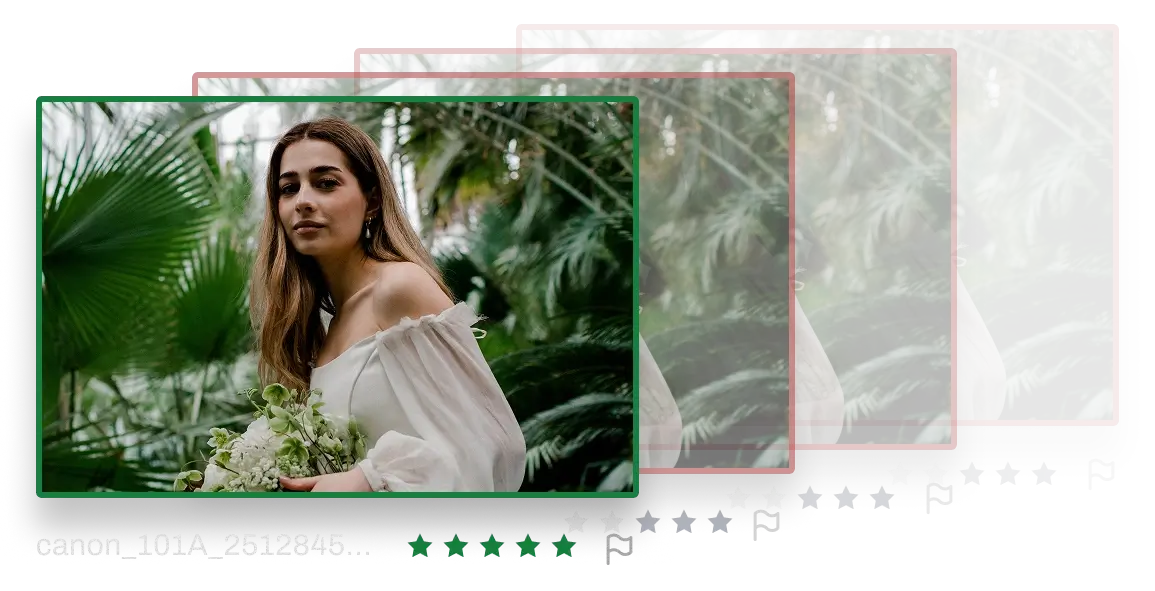
Now compare that with the figure Aftershoot publishes: it says manual culling takes about 3 to 5 hours per shoot while AI-assisted review takes 20 to 30 minutes against a top-picks pool of around 200 to 500 images. Those are the company’s own numbers for a typical shoot, not an independent test, and a 10,000 frame action shoot is bigger than typical. But the shape of the saving is the same. The AI does a first pass over everything. You review a shortlist.
 Save
SavePrinciples for culling huge shoots
Cull by moments, not frames. In a burst, you are choosing the best moment in a sequence, not rating ten pictures. Think in stacks.
Be ruthless on technicals, generous on emotion. Soft focus on the athlete, a hand covering a face, and missed timing are easy cuts. Peak emotion with a minor flaw deserves a second look.
Decide your deliverables first. Do you owe a team gallery, individual player sets, a social media pack, a highlights reel? The shape of the deliverable decides how you cull.
Do not cull at the end of the day. After a long shoot your judgment is shot. Let AI do the first pass tonight and review with fresh eyes tomorrow.
Keep a rescue pass. Always look at what the software rejected. The best action frames often score oddly because motion blur and unusual angles confuse simple quality measures.
The workflow
- Back up first. Two copies on two drives, before any software touches anything.
- Import the whole shoot. Aftershoot supports major RAW formats and JPEGs. Per the company, this runs on your own computer with no internet needed.
- Set your target and strictness. With Cull to Target, you set your count up front and the software builds the selection around that number. You can also choose a lenient or strict cull. For huge burst-heavy shoots, a stricter setting helps trim sequences, and you can loosen it if you are losing too many good moments. Our Cull to Target guide explains how to pick a number.
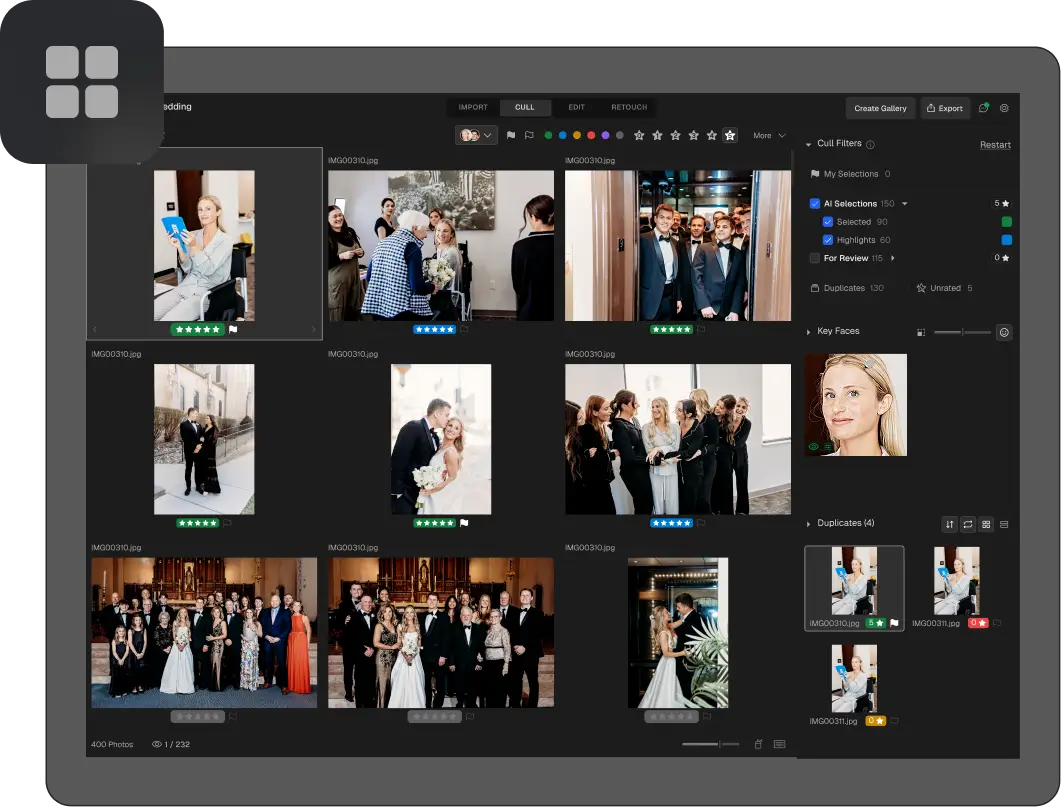
- Run the cull. Aftershoot analyzes images on 30+ factors, scores them, groups duplicates, and sorts the shoot into Selections and For Review.
- Review the Selections. Move quickly, checking the picks make sense for the story of the game or event.
- Scan For Review. Rescue the moments that matter.
- Sort into deliverables. Use categories to separate team, individual, and social picks.
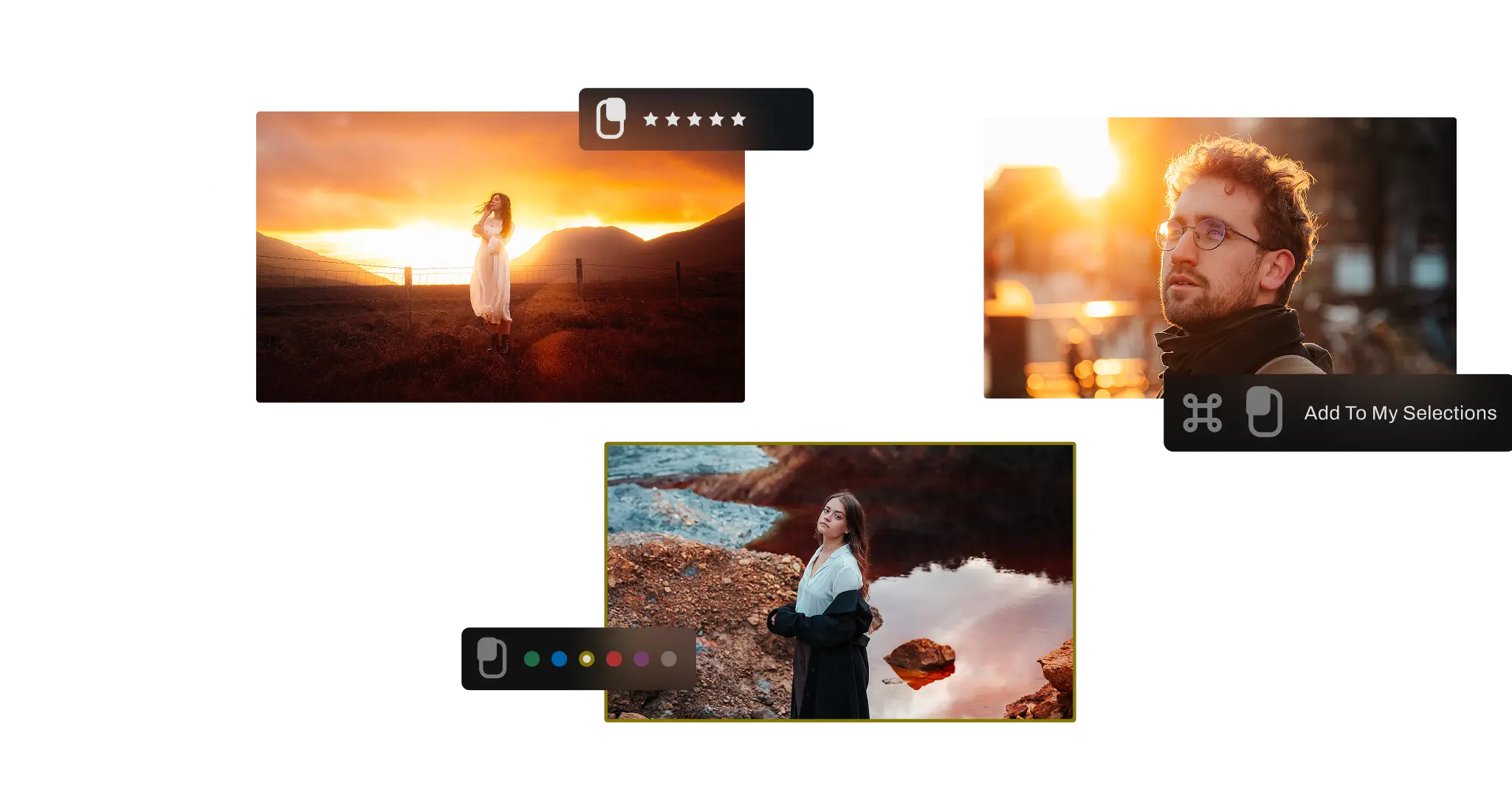
- Export ratings to your editor. Aftershoot exports to Lightroom Classic and Capture One, with ratings and labels intact.
 Save
SaveHandling bursts
Burst sequences are the whole story in action photography. Ten frames of one dive, one sprint, or one reception dance, nearly identical, with maybe one or two that capture the peak.
Aftershoot says its duplicate grouping tries to tell true duplicates from intentional variations, so a sequence becomes one group with a suggested frame rather than a pile of thumbnails. It also says this results in 15 to 20 percent fewer files heading into editing. For a 10,000 frame shoot, even a modest reduction in editing load is hours saved.
When the AI’s suggested frame is not the one you want, Survey Mode helps. It lets you compare up to 16 images side by side, zoom in, and pick the winner. For action, that means you can line up the whole sequence of a play and choose the exact instant of the catch or the swing. There are also grid and Loupe views if you prefer to browse a different way.
Finding specific people
Many event and team shoots come down to a specific question: where are the photos of this person? A parent wants their kid. A client wants the keynote speaker. A coach wants a certain player.
Aftershoot describes a face search feature: search a name and find that person wherever you are working, in Cull, Edit, or Retouch. For an event photographer, that is a fast way to confirm you have coverage of the people who matter. For team work, it speeds up building individual sets.
Aftershoot’s Galleries product also lists face-based filtering and keyword search so clients can go straight to their own photos once a gallery is shared. If you sell to parents or attendees, that can cut a lot of “can you find my photos” emails. Check the Galleries page for current plans and details, since the company describes the pricing there as a launch preview.
 Save
SaveSorting into deliverables
A big shoot rarely yields one deliverable. You might owe a full gallery, a quick social pack, and a handful of hero images for the client.
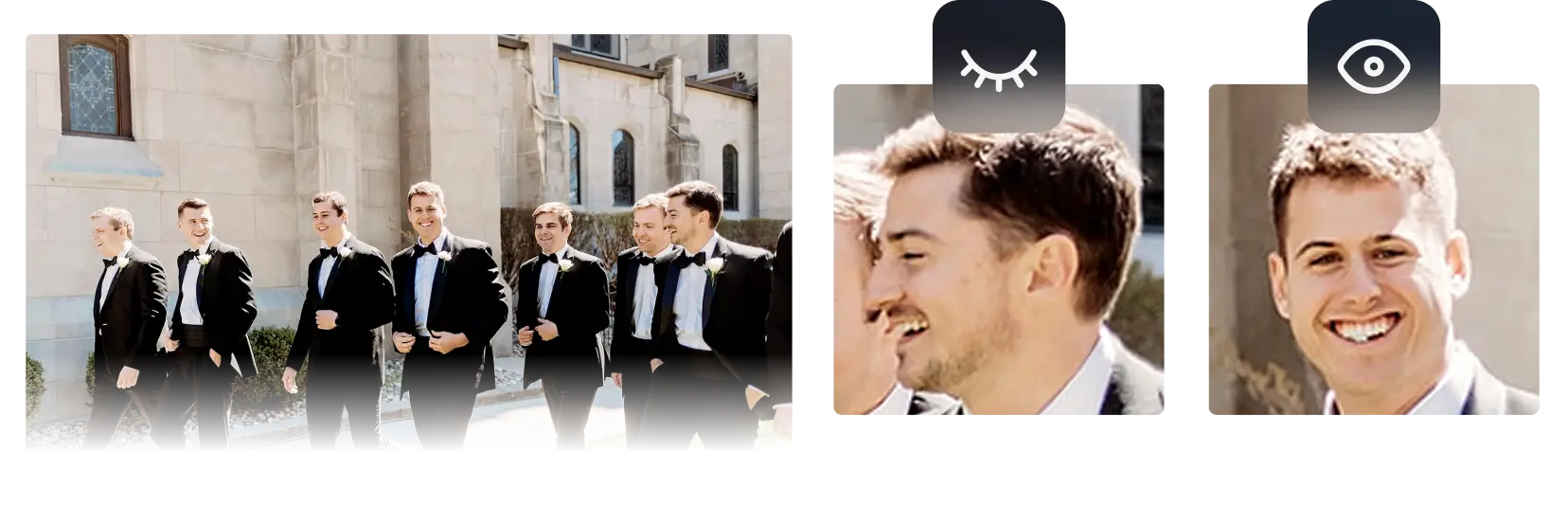
Aftershoot’s Spray Can tool sorts photos into multiple categories in a single pass, from album picks to client deliveries. That matters when you are splitting a huge selection: one pass through the images can assign each keeper to the right bucket instead of passing through the whole set three times.
A simple structure that works for many shoots:
- Hero: the 10 to 30 best images, edited first and used for promotion.
- Gallery: the full deliverable set.
- Social: a small group of vertical-friendly or high-impact frames for quick posting.
- Reserve: good alternates you keep but do not deliver unless asked.
Aftershoot also describes a Highlights feature for picking your best shots, which it says it rebuilt to be more accurate for delivering a first look to clients faster. For event work with a same-day expectation, that is worth testing. We cover that angle in our post on same-day delivery for event photographers.
Protecting the hero shots
The fear with any automated cull is losing the one great image. Here is how to guard against it.
Review rejects by sequence. Open the For Review group and look at it in time order. A great moment often sits in a cluster of weaker frames.
Test on a past shoot. Take a game or event you already culled by hand. Run it through the AI. Check whether your best images made the Selections. If a category of great frames goes missing, you know where to look more carefully.
Use the learning loop. Aftershoot says it learns your preferences from your corrections. If it keeps missing a certain kind of frame, such as a tight crop at the peak of a jump, rescue it consistently so the pattern is clear.
Keep your originals. Aftershoot says it never deletes or changes your images, and RAW ratings are typically written to XMP sidecar files. That means any cull is reversible.
 Save
Save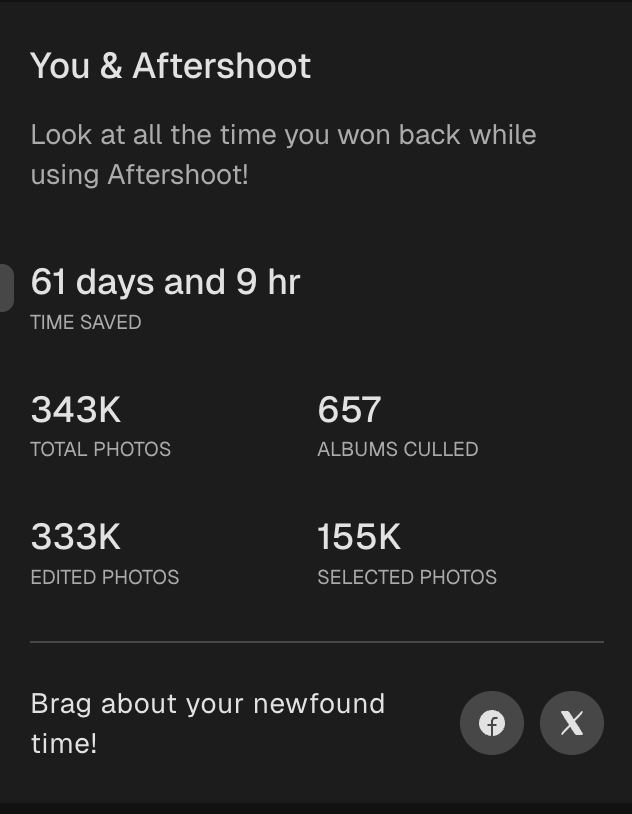 Save
SaveCommon mistakes on huge shoots
Culling on the field laptop at the last minute. If a deadline forces you to cull right after the final whistle, you will make worse calls than you would after a night’s sleep. Let the AI run the first pass while you pack up, and review fresh.
Keeping every burst “just in case.” Reserve folders are fine, but delivering ten near-identical frames of one play tells the client you did not edit. Pick the moment, not the sequence.
Ignoring the background. In a crowded venue, a distracting sign or a stray person can ruin an otherwise great frame. Check edges and backgrounds on your hero picks before you commit.
Skipping the backup. Ten thousand frames are ten thousand reasons to copy the cards twice before anything else happens.
Cost at volume
High-frame-count shooters feel per-image pricing more than anyone. Aftershoot’s culling page states that per-image tools charge $0.05 or more per photo, while its plans are unlimited. If you take that claim as a baseline, a 10,000 frame shoot at $0.05 per image would be $500 for that shoot alone. At volume that gets out of hand fast.
Aftershoot lists its Select (AI culling) plan from $10 per month, billed annually, with unlimited photos and no per-image fees, with a monthly billing option too. Editing and retouching plans are listed at $30 and $20 per month, and a complete bundle at $45 per month. Check the Aftershoot site for the latest, because plans and promotions change.
Want to go deeper on this? Take a look at the ShutYourAperture Academy, our photography school.
Questions action photographers ask
How long does it take to cull 10,000 photos with AI?
It depends on your computer, file size, and settings. Aftershoot says it culls 5,000+ photos in minutes. Test it on one of your own past shoots for a real number.
Will it find the best frame in a burst?
It suggests one using quality scoring and duplicate grouping, and you can compare the whole sequence in Survey Mode and pick the exact frame you want.
Can it find a specific player or guest?
Aftershoot describes a face search where you search a name and find that person in Cull, Edit, or Retouch.
Does it need an internet connection?
Per Aftershoot, no. It works locally, so you can cull in a stadium parking lot or on a plane.
Are my files safe?
Aftershoot says processing is local, nothing is deleted or changed, and you can opt out of data sharing on the import screen.
What if it rejects a photo I love?
Check the For Review group and the rejected pile. You can override any selection, and Aftershoot says it learns from your corrections.
What does it cost?
AI culling starts at $10 per month, billed annually, with unlimited photos. There is a free 30-day trial with no credit card required.
Have you used it for sports specifically?
I use Aftershoot every day for event photography at Edin Studios. I have not culled a sports season with it, so the sports specific parts of this guide are a plan built from documented features. Test it on a past game before relying on it.
The bottom line
Ten thousand frames do not have to cost you a weekend. Cull by moments, use AI to take the first pass and group the bursts, protect your hero shots by checking the rejects, and let a flat price keep the cost sane. Try it on a game or event you already know. The 30-day trial is free and needs no credit card, so the only thing you risk is a bit of your evening.
Gear that helps a high-volume workflow
These are categories worth browsing, not specific picks I am recommending. Check specs and reviews for your own camera and computer. Not sure what to buy? See my camera buyer guide.
- Fast memory cards. Burst-heavy events fill cards quickly. Check your camera manual for the card types it supports. Browse on Amazon | on B&H
- A fast card reader. Import thousands of RAW files without waiting on a slow reader. Browse on Amazon | on B&H
- A portable SSD. Keep shoots and exports on fast external storage. Browse on Amazon | on B&H
Amazon and B&H links are affiliate links. I may earn a commission at no extra cost to you.
Aftershoot feature and pricing details were checked against aftershoot.com in October 2026 and can change. Verify on the official site before you buy. Usage numbers are from the author’s own Aftershoot app.
Images: Aftershoot.
