Updated October 2026 | By Edin Chavez, owner of Edin Studios
Heads up: some links below are affiliate links. If you start an Aftershoot plan through them, Shut Your Aperture earns a commission at no extra cost to you. Check the signup page for any current referral offer.
Is AI culling better than culling by hand? The honest answer is that they are good at different things, and the best workflow uses both. I am an event photographer who has run hundreds of albums through AI culling, and the final selection still needs a photographer’s judgment. This article lays out where each approach wins, where each one fails, and how to decide.
The tool I use is Aftershoot, so that is the AI side of this comparison. I will keep the claims about it tied to what the company publishes.
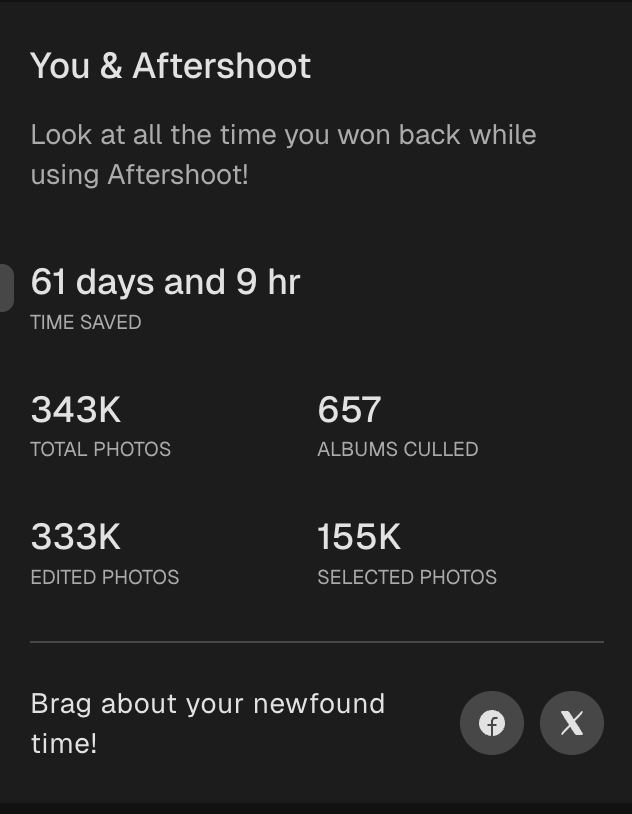
My numbers, straight from the app. I run Edin Studios, a event photography business, and Aftershoot is in my workflow every single day. The “You & Aftershoot” screen in my own app currently shows 343K total photos, 657 albums culled, 155K selected photos, 333K edited photos, and 61 days and 9 hours of time saved. That time figure is the app’s own tally, so read it as an estimate, not a stopwatch. Still, 657 albums is a lot of real work to run through one tool.
 Save
SaveTable of Contents
- The quick comparison
- Speed
- Consistency
- Taste and storytelling
- Control and safety
- Cost
- Privacy
- When manual culling still wins
- A fair test you can run
- Who should pick which
- The hybrid workflow I recommend
- Questions photographers ask
The quick comparison
Aftershoot publishes its own side-by-side on its culling page. Here is how it frames the comparison, so you can see the company’s pitch in one place. Remember, this is a vendor’s chart, not a neutral test.
- What you review: manual means every single photo, often thousands. With AI, you review the AI’s top picks, which the company puts at around 200 to 500 images.
- Time per shoot: the company lists 3 to 5 hours for manual and 20 to 30 minutes with AI.
- Duplicates: manually, you spot them one by one. With AI, they are grouped automatically.
- Blinks and blur: manually, you catch them by eye. With AI, they are flagged and filtered automatically.
- Adapts to you: manual takes the same effort every shoot. The AI says it learns your style.
- Your creative eye: with manual, it is buried under grunt work. With AI, you can focus on what matters.
Now let’s test each of those against real working life.
 Save
SaveSpeed
AI wins, by a lot. This is the least controversial point. A person looking at thousands of images simply cannot match software on raw throughput. The company claims hours become minutes. My own app estimates 61 days and 9 hours saved across my albums, which is the app’s tally rather than a stopwatch measure, but it fits the direction.
The fair caveat: the AI’s speed counts only if you trust the first pass enough to review a shortlist. If you re-check everything the AI did, you have just added a step. The speed gain depends on how much you let it carry.
Consistency
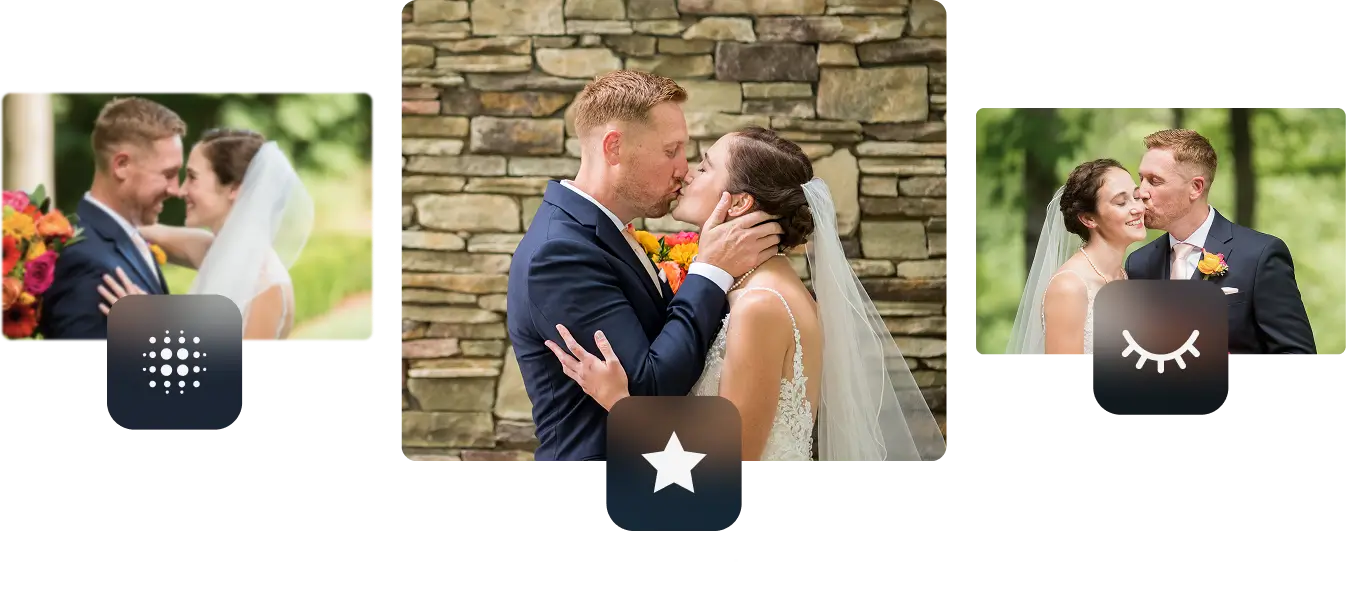
AI wins, with a footnote. A human culler is not the same person at frame 100 and frame 3,000. Energy drops, standards drift, and the last hour of culling is judged by a tired brain. Software applies the same scoring to image one and image ten thousand.
The footnote: consistent does not mean correct. If the AI misreads a type of shot, it will misread it consistently. That is why a test on a past shoot matters. You want to know where its judgment and yours disagree before a client gallery depends on it.
 Save
SaveTaste and storytelling
Manual wins. This is the big one. A person knows that the older man in the back row is the groom’s grandfather. A person knows that a slightly soft frame of the mother’s tears is the one the family will cherish. Software can score sharpness, expression, and composition. It cannot know your client’s story.
Aftershoot is upfront about this. Its pages say AI handles the 90 percent and your eye perfects the rest, and that no tool can replace your instinct for the emotionally perfect frame. I agree with that framing, and it is why I think of AI culling as a first draft, not a verdict.
Aftershoot also says it learns your preferences from your corrections, so over time its picks should move closer to your taste. That helps, but it does not replace the final human pass.
Control and safety
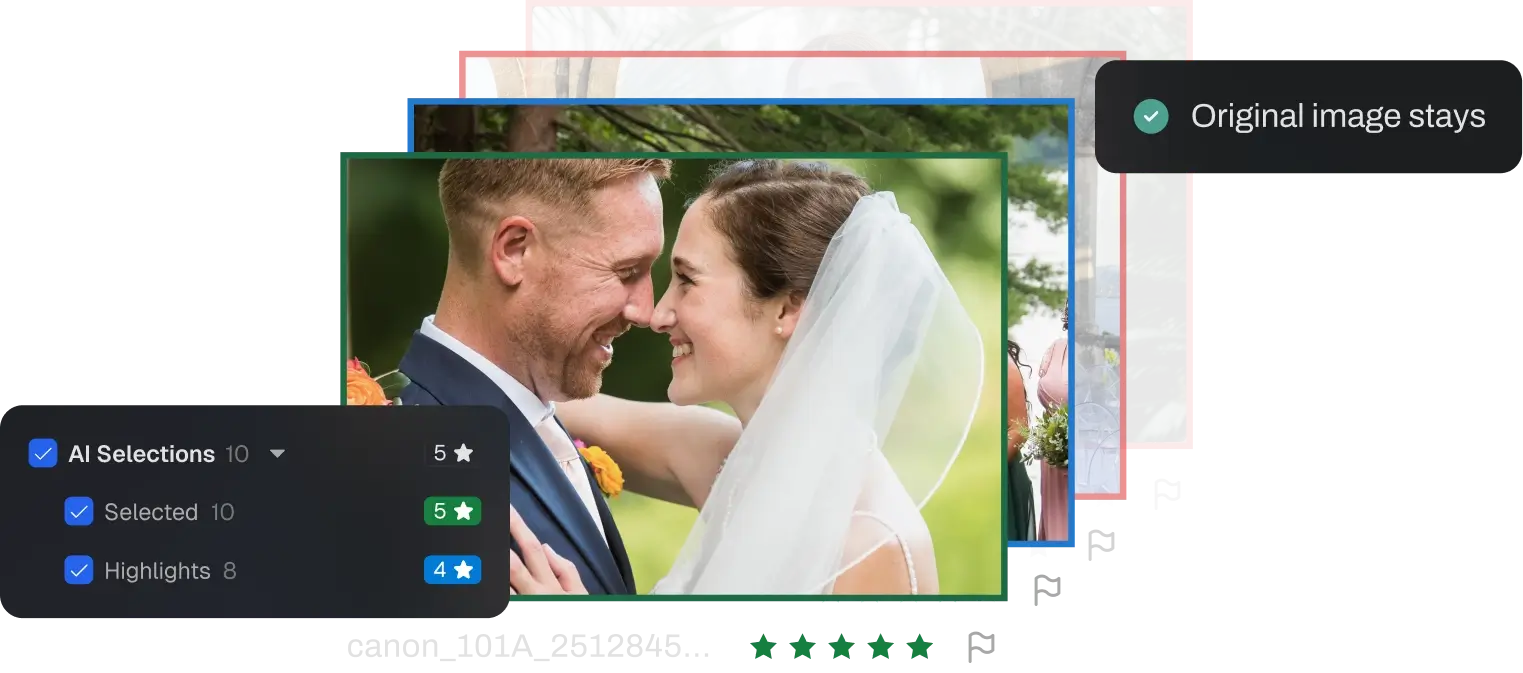
Roughly even, if you use the tool properly. Manual culling gives you total control by default. AI culling gives you control only if the software keeps you in charge. Per Aftershoot, nothing is deleted or changed, every image stays as it was, ratings for RAW workflows are typically written to XMP sidecar files, and you can review the full rejected pile and override any selection. Tools like Survey Mode (compare up to 16 images) and the Spray Can tool (sort into categories in one pass) are there so you can still make the call yourself.
Two practical safeguards from me: always look at the rejected pile at least briefly, and keep your original cards backed up until the gallery is delivered and paid.
 Save
SaveCost
It depends how you value your time. Manual culling costs nothing in software and a lot in hours. AI culling costs a subscription and saves hours. Aftershoot lists Select (AI culling) from $10 per month, billed annually, with unlimited photos and no per-image fees. The editing plan is listed at $30 per month, retouching at $20, and a complete bundle at $45 per month, each billed annually. Monthly billing is also offered; check the selected billing option before paying. See the Aftershoot site for the current plans. Check the signup page for the offer available with my referral link.
If you shoot a handful of small sessions a year, manual culling is a fine choice and the subscription may not pay off. If you shoot weddings, events, or any volume, the math usually tips toward AI quickly. Our post on the time-saved math for a wedding season gives you the formula to check this for your own business.
Privacy
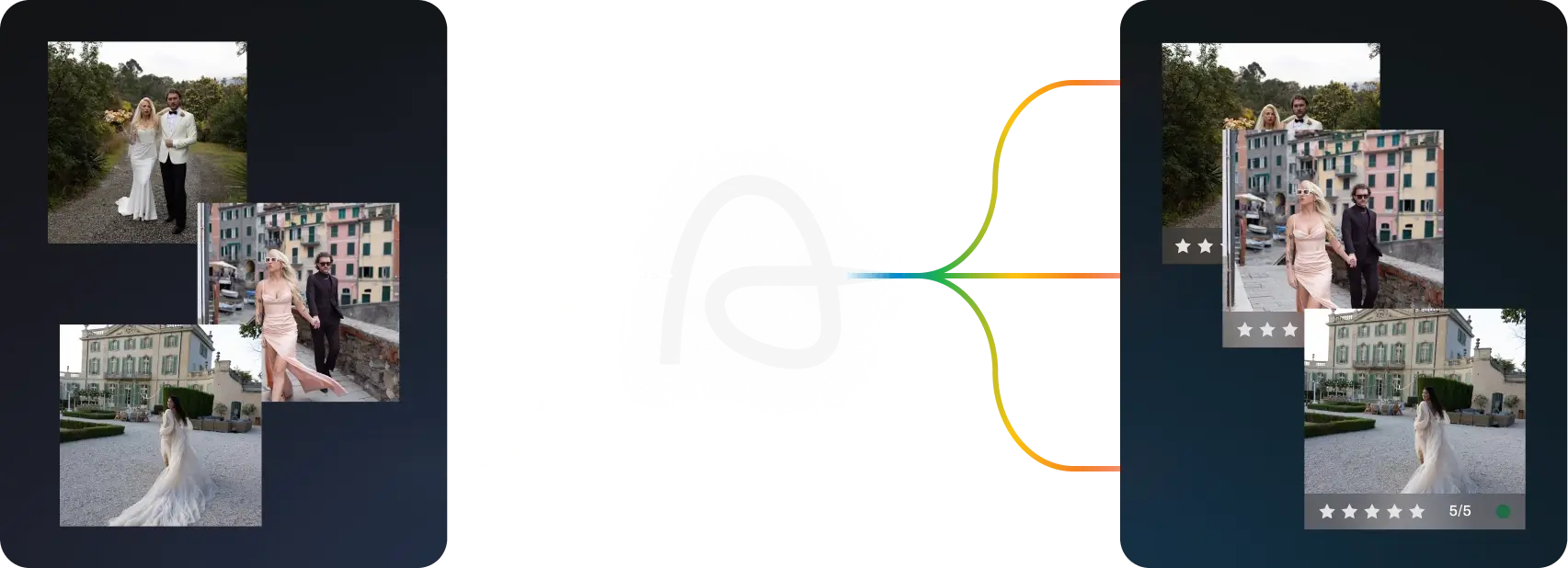
Depends on the tool. Manual culling keeps everything on your machine. Some AI tools upload your images to the cloud. Aftershoot’s page says its processing is 100 percent local, images never leave your machine, and it works offline. It also says that you can opt out of data sharing on the import screen, which it describes as helpful for NDAs. Its comparison chart notes that cloud tools upload your files, which is a point against those tools, not Aftershoot.
Whatever you use, read the current privacy terms yourself before you put sensitive client work through it.
 Save
SaveWhen manual culling still wins
Even with AI in a daily workflow, these are the cases where a manual pass makes sense.
- Tiny shoots. If you have 150 frames, the setup is not worth it. Just go through them.
- Highly personal projects. A project that is about your own vision, where every frame is a judgment call, benefits from a slow, deliberate manual review.
- Unusual style. If your style depends on frames that conventional quality scoring would reject, such as heavy motion blur or extreme underexposure, test carefully first. The AI may undervalue exactly what you are after.
- Learning. If you are a newer photographer, culling by hand teaches you what separates a good frame from a great one. That education is worth the time.
- Final hero picks. Even on AI-culled shoots, make the final selection of the hero images yourself.
A fair test you can run in one evening
Do not take my word, or the company’s, for any of this. Run the comparison yourself on one shoot you know well. It takes an evening and it settles the argument for your own work.
- Pick a past shoot you already culled by hand. Pull up your final selection so you have a record of what you chose.
- Run the same shoot through AI culling. Use the free trial. Write down how long the cull takes, including your own review and rescue time.
- Compare the two selections. How many of your picks did the AI also choose? How many of the AI’s picks would you have rejected? Look especially at the frames you chose that the AI put in the rejected pile. Those are your blind spots to watch for.
- Score the time. If your manual cull took four hours and the AI route took ninety minutes, you have your own number.
- Decide where to trust it. Maybe you trust the AI completely for technical culls (blinks, blur, duplicates) and always do the emotional pass yourself. That is a perfectly good outcome.
If you shoot different kinds of work, repeat the test on each. A wedding, a corporate event, and a portrait session can behave differently, and you want to know which ones the tool handles well before a deadline forces the question.
Who should pick which
Wedding and event photographers with many shoots a year usually gain the most from AI culling, because each shoot is large and the pattern repeats. Volume photographers such as school and team shooters gain even more, since near-identical frames are the whole job. Fine art and personal project shooters may prefer to stay manual, because every frame is a deliberate choice. Beginners should probably do a mix, culling by hand to build their eye while using AI as a second opinion.
The hybrid workflow I recommend
- Back up first. This does not change.
- Let AI take the first pass. Set a target count if you have one, as covered in our Cull to Target guide.
- Review the Selections. Check that the AI’s picks match your sense of the shoot.
- Skim the For Review pile. Rescue the human moments.
- Do the hero pass by hand. Choose the images that will represent the shoot.
- Edit the winners. Our import-to-export editing workflow picks up from here.
This gets you most of the speed of AI and most of the care of manual. It gives you a repeatable way to keep final judgment with the photographer.
A faster cull is only the start. Learn to finish your selected photographs with Edit Like You Mean It, the Lightroom editing course at ShutYourAperture Academy. Build your editing skills instead of spending the time you save hunting through sliders without a plan.
Questions photographers ask
Is AI culling better than manual culling?
It is faster and more consistent, while manual is better at taste and storytelling. The best result usually comes from using AI for the first pass and your own eye for the final call.
Will AI culling pick the same photos I would?
Often close, not always. Aftershoot says it learns from your corrections over time. Test it on a past shoot to see how its picks compare with yours.
Can AI culling miss important photos?
Yes, it can. That is why you should check the rejected pile, especially for emotional or unusual frames.
Does AI culling delete my photos?
Aftershoot says no. It states that nothing gets deleted or changed and every image stays as it was.
Does it upload my photos to the cloud?
Per Aftershoot, culling is local, and it works offline.
What does AI culling cost?
Aftershoot’s Select plan starts at $10 per month, billed annually, with unlimited photos and no per-image fees. There is a free 30-day trial with no credit card required.
Should beginners use AI culling?
It can help with speed, but culling by hand teaches you to see. Many beginners benefit from doing both on the same shoot and comparing the results.
How accurate are the company’s time claims?
They are vendor claims about a typical shoot. My app’s own tally lines up with the general direction, but your results depend on your shooting style. Measure it yourself with the free trial.
The bottom line
AI culling is not a replacement for a photographer’s eye. It is a replacement for the part of culling that never needed your eye in the first place: the blinks, the blur, the burst duplicates, the thousandth near-identical frame. Hand that to software, keep the taste for yourself, and test it on a past shoot before you trust it with a client. The 30-day trial is free and needs no credit card.
Gear that helps a high-volume workflow
These are categories worth browsing, not specific picks I am recommending. Check specs and reviews for your own camera and computer. Not sure what to buy? See my camera buyer guide.
- A color-accurate monitor. Judge exposure and skin tones on a screen you can trust. Browse on Amazon | on B&H
- A comfortable keyboard and mouse. You will rate and flag thousands of frames. Browse on Amazon | on B&H
- A portable SSD. Keep shoots and exports on fast external storage. Browse on Amazon | on B&H
Amazon and B&H links are affiliate links. I may earn a commission at no extra cost to you.
Aftershoot feature and pricing details were checked against aftershoot.com in October 2026 and can change. Verify on the official site before you buy. Usage numbers are from the author’s own Aftershoot app.
Images: Aftershoot and Edin Chavez.