
By Edin Chavez | Updated October 2026. This page began as a January 2014 development announcement. The Nikon D4S is not a new camera in 2026. This rebuild keeps the history straight and turns the old announcement into a practical guide to understanding the camera, checking a used example and deciding whether an older professional DSLR fits your photography.
A flagship badge is not a photograph. The real questions are whether the camera can make the files you need, whether its condition is sound and whether you can carry and operate it comfortably. Start there. Do not buy an old professional body just because it once sat at the top of a catalogue.
What Nikon actually announced in 2014
Nikon’s January 6, 2014 development announcement said the D4S was being prepared as its next flagship DSLR. It was to be shown at CES before the full release. That matters when reading the original headline: the January post was a preview, not a complete review and not a claim that the camera was already available.
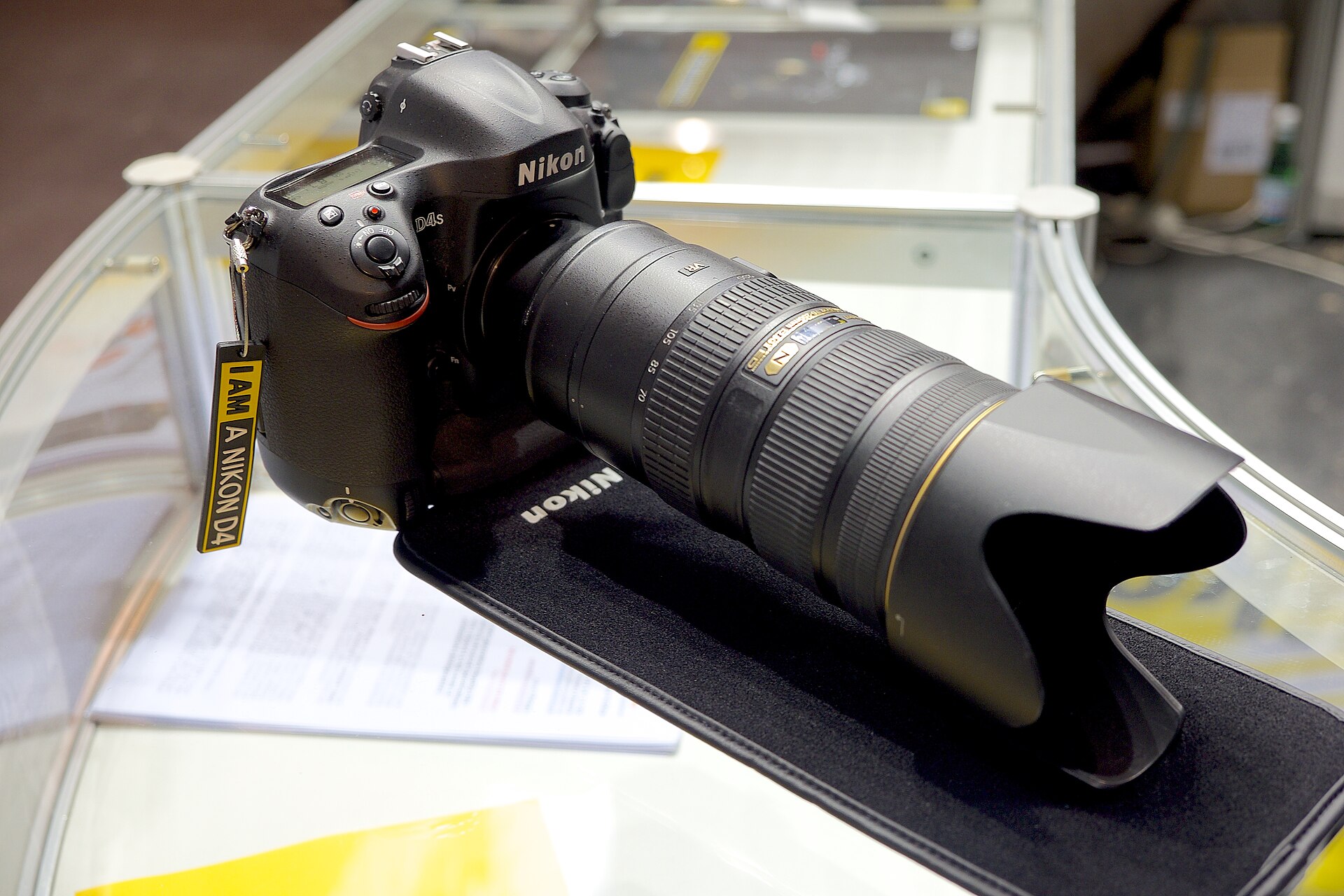
The February 24, 2014 release supplied the main specifications. Nikon described a 16.2-megapixel FX-format sensor, EXPEED 4 processing and shooting up to 11 frames per second with autofocus and auto exposure. Its 51-point autofocus system included a Group AF function. Those are manufacturer specifications, not a claim that this site tested every mode.
Nikon also listed a native ISO range of 100-25,600, with expansion up to Hi-4, equivalent to ISO 409,600. Treat the expanded number as an available setting, not a promise that its files will meet your own quality standard. A photograph for a small news image and a large fine-art print are different jobs. Inspect actual output for the use you intend.
The camera’s historical launch price and release date belong to that 2014 announcement. They are not current offers. A used example today needs its own condition report, included-accessory list and seller terms. This guide does not quote a live used price or promise that any retailer has the D4S in stock.
 Save
SaveRead the specifications as decisions, not trophies
Sixteen megapixels may be enough for the photograph you need, or it may leave less room for the heavy crop you plan. Decide from the final file, not from the number alone. If your usual habit is to shoot loose and cut away most of the frame, composition and pixel requirements deserve attention before you choose a camera.
Fast continuous shooting can improve the chance of catching a particular gesture, but it also gives you more files to review. Pick the moment you are trying to catch. Watch the movement, choose the background and begin a short sequence at the useful point. Holding the shutter through unrelated action is not the same as anticipating a frame.
The autofocus system still needs a useful target. An automatic selection can favour an object you did not intend. Practice with a person walking toward you, then across the frame, and inspect which detail is actually sharp. Read the camera’s manual for the selected autofocus mode rather than applying advice written for a different Nikon body.
An optical viewfinder is a different working experience from a mirrorless electronic viewfinder. You need to understand metering, exposure review and the camera’s information display. If possible, handle the body before committing. A camera that seems impressive in a specification table may be uncomfortable for a whole afternoon in your hands.
 Save
SaveStart a used-camera check with the exact example
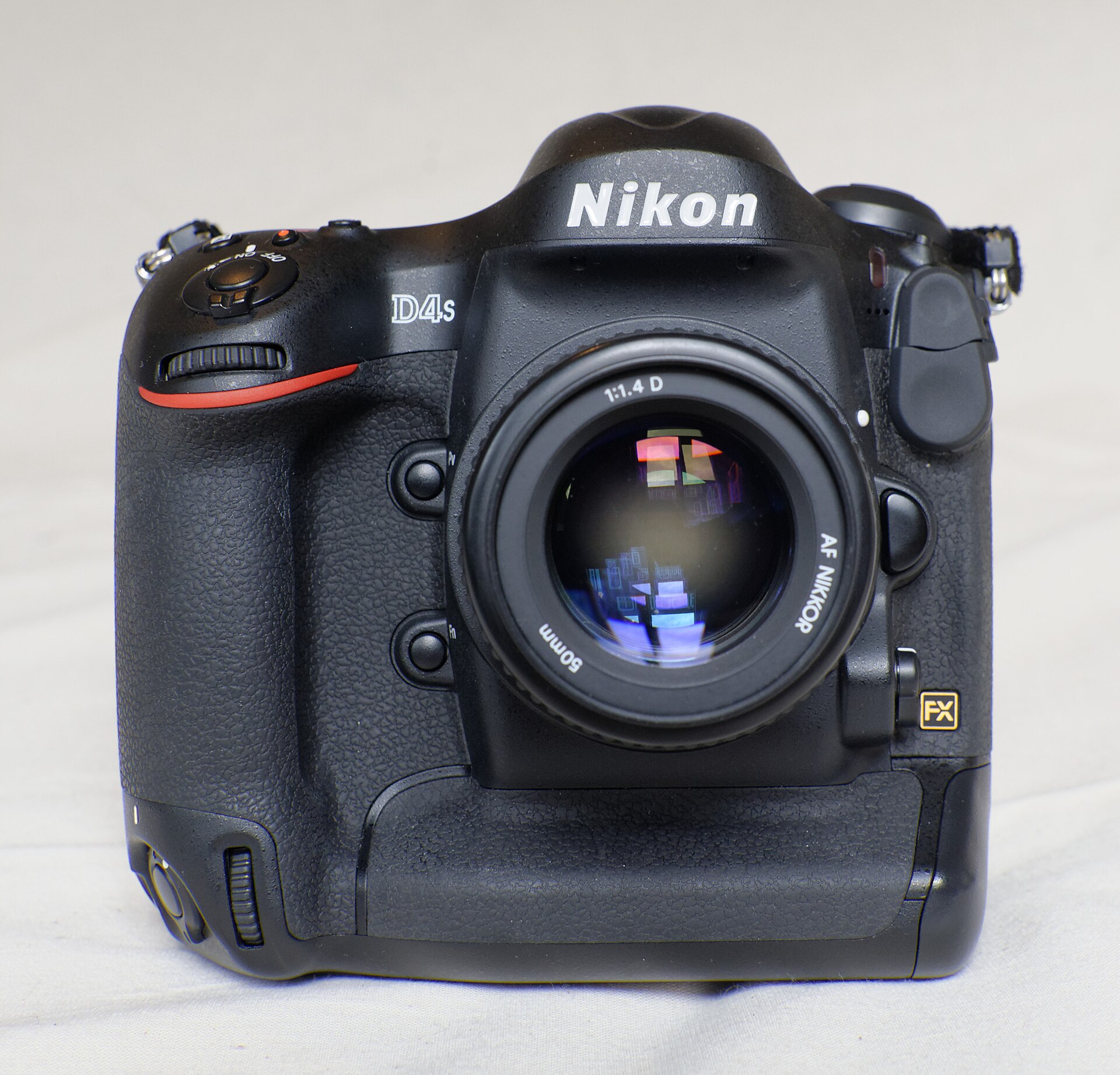
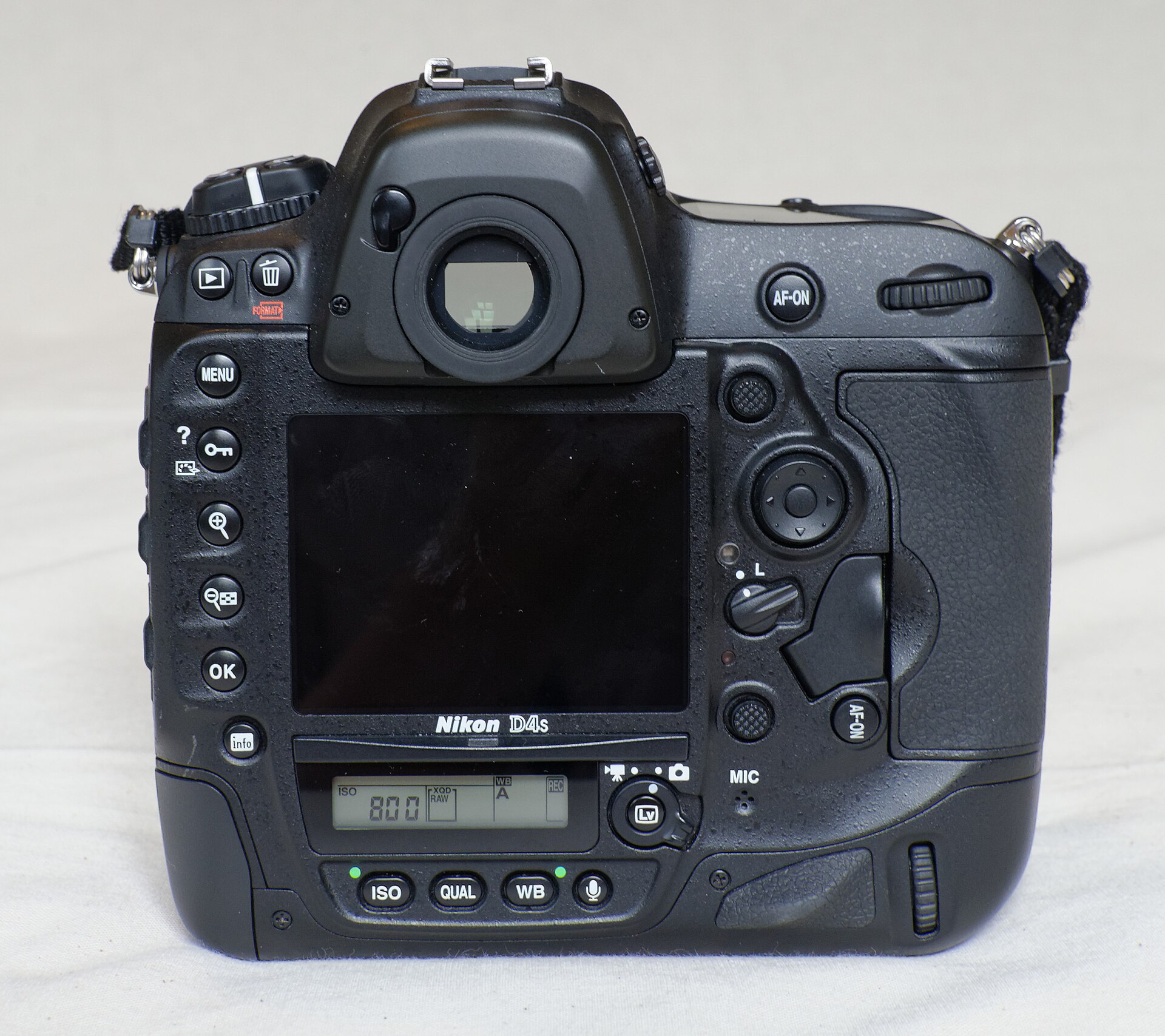
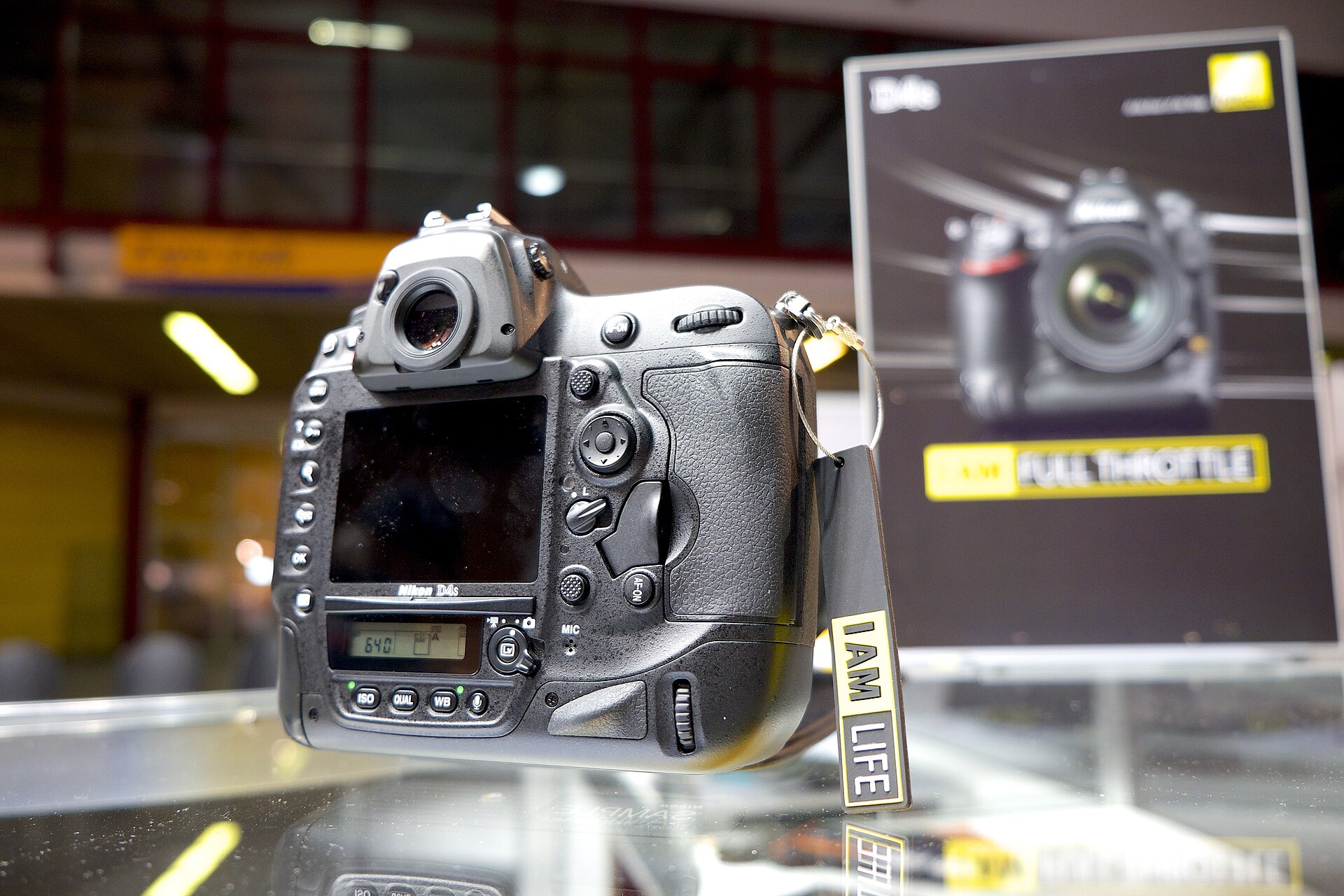
Ask for clear photographs of the actual camera being sold. Look for the model marking, body condition, controls, mount and connection covers. Stock product pictures cannot tell you what happened to that particular body. If a listing is vague about whether its photographs show the real item, settle that before paying.
Ask what is included: battery, charger, caps, strap and any other accessories. Check those against the exact model’s documentation. An inexpensive body can become a poor value if important parts are missing or unsuitable. Do not assume that an accessory described as compatible with Nikon fits every camera Nikon has made.
Ask how the seller assessed condition and what inspection or return period applies. Get the answer in the listing or a saved exchange. A reassuring adjective such as professional, mint or serviced is not a specific account of what was checked. If a repair is mentioned, ask what work was done and whether a service record is available.
A shutter-count report can be one useful piece of information, but it is not the camera’s whole history or a guarantee of its remaining life. Check the source of the number and consider the rest of the body. A clean exterior does not prove healthy electronics, and a worn finish does not establish that every internal part is failing.
Make a short test session count
Bring a lens and recording media confirmed compatible with the camera, or arrange those with the seller. Use the manufacturer’s manual for the exact requirements. Test the equipment that is part of your proposed purchase, not an unrelated shop display body. Keep the files so you can inspect them away from the excitement of the sale.
Begin with a stationary subject in useful light. Make frames at different apertures and focus distances. Inspect sharpness where you placed focus, along with visible marks or uneven results. A single pleasing preview on the rear screen is not enough to judge a lens/body combination or discover an intermittent problem.
Next, try the controls you will use most: exposure adjustments, focus selection, playback and a short burst. Watch whether the camera responds as expected and whether it records the sequence cleanly. If a control is unreliable or you see an error, investigate it before buying rather than hoping it disappears after the transaction.
Test a darker scene at settings relevant to your work. Compare several ISO values without changing the intended brightness carelessly. Look at colour, texture and shadow detail in the final files. Do not let the largest expanded ISO number set your everyday expectations, and do not judge every frame only at maximum magnification.
 Save
SaveTip: protect movement before protecting a low ISO
A moving person can be blurred even when the camera is held steadily. Choose shutter speed for the movement and the way it crosses the frame. Make a test and inspect the details that matter, such as a face, hand or ball. If those are soft because of motion, change the shutter speed rather than blaming the age of the camera.
If a faster shutter makes the exposure too dark, change the available tradeoff deliberately. You may need a wider aperture, a higher ISO or better light. Each affects a different part of the photograph. Nikon’s exposure guide is a useful foundation for that relationship.
A tripod can reduce movement of the camera, but it does not stop a running subject. Likewise, a sharp background and a blurred hand can show that the camera was stable while the subject moved. Learn to distinguish the problem before changing equipment. Otherwise you may spend money on a solution to the wrong issue.
 Save
SaveTip: decide which part of the frame has to stay sharp
Depth of field is a choice about relationships. A portrait may work with a clear face and a soft background. A layered scene may need a foreground subject and the setting behind it to remain readable. Choose the aperture for the photograph rather than opening the lens fully in every situation.
Check the actual focus point and the intended subject distance. A nearby railing or sign may attract focus while the person you care about stays soft. Practice selecting and tracking a target in a familiar place. Nikon’s FOCUS First guide helps connect focus with the broader decisions that make a photograph.
Review your own files at the size you intend to deliver. A useful frame can fail because of missed focus, but a technically sharp frame can still say nothing. Keep both questions in view: is the subject readable, and does its position, light or gesture justify the photograph? Equipment specifications answer neither question for you.
Build a repeatable low-light test
Choose one scene you can revisit and record your settings. Keep the subject and final output consistent enough that comparisons mean something. A different crop, different lighting or aggressive edit can conceal the reason one version appears better. Change one variable at a time while learning what the body can do for you.
Expose for the important information rather than lifting a needlessly dark file later. Check bright signs, reflective surfaces and faces where relevant. A histogram describes the distribution of tones; it does not know which part of the photograph you care about. Use the preview and your understanding of the scene together.
Compare an original file and a restrained edit. Strong noise reduction can smooth detail that should remain visible. Increasing contrast can hide shadows rather than improve them. Make the processing serve the photograph and review the exported result. The question is whether it works for your intended use, not whether a slider reaches a dramatic number.
 Save
SavePlan the workflow around the files you will actually deliver
Confirm that your editing software supports the files and your computer can open them. Run a real import and export test before an important assignment. A camera purchase is only one part of a working system; storage, editing, backup and delivery still need to function together.
Copy the test files to more than one safe location before formatting recording media. Open a sample from the backup rather than assuming the copy worked. Keep filenames and folders understandable. A fast burst has little value if you cannot find the important frame or lose the original after the shoot.
For paid work, agree on the required crop, file dimensions, format and usage. Do not promise a universal result because a manufacturer called the body professional. The job’s requirements, the particular camera’s condition and your own technique decide what you can deliver. Test the complete workflow before you make a consequential commitment.
When an older flagship makes sense, and when it does not
A used D4S can be worth considering if you specifically want its handling and DSLR workflow, understand its files and can inspect a healthy example. That is a conditional fit, not a blanket recommendation. Compare it with the equipment you already own and with current alternatives at their actual total cost.
If the main attraction is simply owning an old flagship, pause. Carrying a larger camera you leave at home does not improve your photography. A smaller body you know well may be the better working tool. Try a realistic walk or shooting session rather than deciding only from a photograph of the camera on a desk.
Do not stretch a budget until nothing remains for the lens, necessary accessories or an appropriate backup plan. Check the complete kit. Equally, do not buy a newer camera only because a date sounds old. Your actual files and workflow provide better evidence than either nostalgia or an upgrade slogan.
Learn faster with a plan. The ShutYourAperture Academy has 22 photography courses, from the fundamentals of aperture, shutter and ISO to genre courses like landscape, portrait and street.
Nikon D4S Q&A
Is the Nikon D4S a new release?
No. Nikon announced development in January 2014 and published its full release in February 2014. This page is an updated historical and practical guide, not a current product-launch announcement.
How many megapixels does it have?
Nikon lists a 16.2-megapixel FX-format sensor. Decide whether that suits your output and cropping needs by inspecting representative files, not by treating resolution alone as a quality ranking.
Does ISO 409,600 mean clean photographs at that setting?
No. That is Nikon’s expanded Hi-4 equivalent, separate from the native ISO range. An available setting is not a guarantee of detail, colour or acceptable noise for your own use. Test the settings you actually expect to need.
Is a used D4S automatically a bargain?
No. Condition, included accessories, compatibility, inspection terms and your intended job all matter. This guide does not provide a live price or stock promise. Review the specific listing and compare the whole system before buying.
What should I practice before photographing action?
Choose a clear background, test shutter speed for the movement and learn the focus mode you will use. Review a short sequence at useful output size. Fix the decision that failed rather than assuming a faster burst solves every problem.
Recommended gear: compare the complete camera system
Start with the actual D4S body, a documented compatible lens, suitable media, battery and charger. Check the exact camera manual and seller’s included-accessory list. No accessory is recommended here on the strength of a vague Nikon-compatible label.
Inspect the D4S used-body listing at B&H or read the D4S body listing at Amazon. These are exact-model references, not a price or stock promise. Check the current seller, condition, included battery and charger, warranty and return terms before buying. Compare the camera buyer guide if another system better fits the job.
Affiliate disclosure: As an Amazon Associate, Shut Your Aperture earns from qualifying purchases. Shut Your Aperture may also earn a commission from qualifying retailer purchases, at no extra cost to you. Choose equipment for the job and the specific condition, not for a promised result.
Keep learning with the site’s photography tips. Planning a trip? Browse destination guides and use a paid location PDF where available for place-specific planning. A camera cannot choose your viewpoint or arrival time for you.
Photo credits: Nikon D4S images via Wikimedia Commons: Karlis Dambrans (CC BY 2.0), Petra Klawikowski (CC BY-SA 3.0), Johnny De Ceulaerde (CC0).


