
By Edin Chavez | Updated September 2026
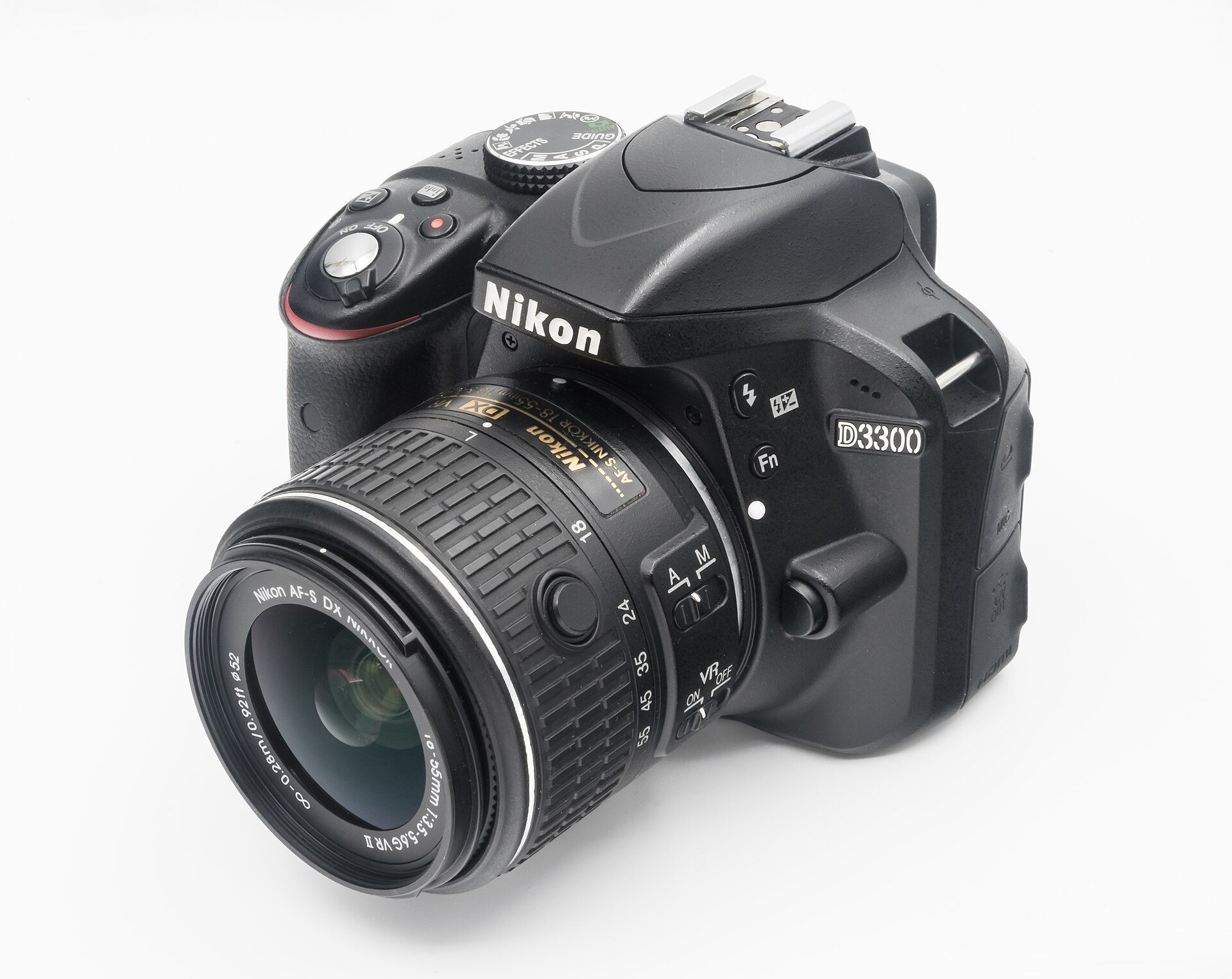
The Nikon D3300 arrived in January 2014 as a small entry-level DSLR. Its appeal was straightforward: a high-resolution DX sensor, an optical viewfinder, a compact kit zoom and controls that could grow with a beginner. This is a historical look at that camera with practical tips for someone who already owns one or is considering a used example. It is not a new-camera launch, a current-price announcement or a claim that every secondhand D3300 is a good buy.
A camera this old needs to be judged as a specific piece of equipment, not simply as a specification sheet. A clean lens, working autofocus, sound battery and reliable card slot can matter more than a small difference between bodies. Start with what you want to photograph, then inspect whether this particular camera can do the job. The sections below separate Nikon’s documented features from the checks and practice that make an older DSLR useful.
What Nikon announced in 2014
Nikon’s January 2014 announcement describes a 24.2-million-effective-pixel DX-format CMOS sensor without an optical low-pass filter and an EXPEED 4 processor. Nikon also specified approximately five frames per second under defined test conditions and Full HD movie recording at up to 60p. Those are release specifications, not evidence of the condition or performance of a body offered today.
The camera launched with the retractable AF-S DX NIKKOR 18-55mm f/3.5-5.6G VR II zoom. That exact lens name matters because later 18-55mm lenses and bundles can differ. A secondhand listing may contain another lens, no lens, or accessories that were never part of the original kit. Read the actual inventory rather than assuming that a familiar promotional photograph describes the package you will receive.
The D3300 was designed to make a DSLR approachable through Guide Mode while still offering the usual exposure controls. Its place in history is a beginner camera with room for learning, not a professional flagship. Nikon’s launch claims are useful for understanding the design, but this guide does not repeat promises of effortless results. Focus, shutter speed, light and the photographer’s choices still decide whether the picture works.
Understand the sensor without chasing megapixels
DX is Nikon’s smaller DSLR sensor format, not its FX full-frame format. Keep that distinction clear when comparing lenses or reading descriptions of another Nikon body. The 24.2-megapixel figure describes resolution; it does not tell you whether a subject is in focus, whether the highlights survived or whether a file has enough detail for the crop you want. Make a properly exposed test photograph and inspect the actual file.
The absence of an optical low-pass filter is part of the documented design. It is not a guarantee that every image will look sharper than every image from another camera. Lens quality, aperture, subject movement, camera movement and editing affect the result. Fine repeated patterns can also be a different challenge from a landscape full of irregular leaves and rocks. Choose your settings for the subject instead of using the sensor description as a shortcut.
For practical learning, keep the lens and camera position fixed while changing one setting at a time. Photograph a subject with texture, compare the focused area and look at the edges of the frame. Then repeat at a different aperture or shutter speed. Our aperture comparison tips provide a simple way to organize that exercise. The important result is knowing your own equipment, not winning an argument about numbers.
Lens compatibility is the first buying check
A lens that physically fits is not automatically a lens that provides every function. Nikon’s D3300 compatibility information distinguishes AF-S and AF-I lenses from other AF NIKKOR lenses and older non-CPU designs. Some lenses lose autofocus or metering functions. Do not buy an older bargain lens because the seller says only “Nikon mount” or “fits Nikon DSLR.” Confirm the full model name against Nikon’s compatibility table.
With the original AF-S DX 18-55mm VR II kit lens, check that the retractable barrel opens properly before trying to take pictures. Inspect the zoom action and switches, then test autofocus at more than one distance. Look for damage to the mount and obvious haze, fungus or scratches in the glass. A photograph of the front element alone is not a complete condition report, and a clean-looking body does not prove that the included lens is healthy.
When choosing an additional lens, identify the problem it should solve. You might need a closer focusing distance, a different field of view or more light at a useful shutter speed. A lens purchase should answer that need. It should not be a reward for owning a camera or a way to avoid practicing with the kit zoom. Before buying, ask whether a change in camera position or better light would make the existing lens sufficient.
Use the viewfinder and autofocus deliberately
Nikon documented an 11-point autofocus system for the D3300. A modest point count does not stop you making a good picture, but it makes it worth learning how to place the focus area and check the result. For a still subject, practice choosing a point on a detail that matters. Avoid repeatedly letting the camera choose an unrelated foreground object when the person or main subject is farther away.
For a moving subject, read the camera’s focus-mode instructions and practice before an important event. Start with movement that is easy to repeat, in useful daylight, with a background that does not confuse the frame. Compare the keeper rate as the subject comes toward you and moves across the scene. Do not judge the camera from a single rushed burst in poor light with an unfamiliar lens and a shutter speed that cannot stop the motion.
 Save
SaveFive frames per second is a launch specification with conditions, not a guarantee of endless bursts or perfectly focused action. Nikon’s announcement gives test settings for the quoted rate. In the field, timing, file settings and the subject still matter. A short burst with a clear reason is often easier to review than holding the shutter without watching the action. Anticipate where the important moment will happen and frame it before it arrives.
Build an exposure routine you can repeat
Begin with aperture, shutter speed and ISO as separate controls. Aperture affects light and depth of field; shutter speed affects movement; ISO changes the camera’s sensitivity setting and the exposure choices available to you. Nikon listed a standard ISO range of 100 to 12800 with expansion to an equivalent of 25600. That range is a capability, not a promise that every setting will meet your output needs.
For a still scene, decide how much depth of field you need, then check whether the chosen shutter speed is safe for the way you are holding the camera. For action, decide how the movement should look first. If you want crisp motion, do not accept a slow shutter simply because the exposure meter is happy. If blur is part of the picture, stabilize the camera so the blur belongs to the moving subject rather than to an accidental shake.
Take a test frame and inspect focus, bright areas and the edges of the composition. A small rear-screen preview can hide a mistake, so review a few files at a useful size when learning a new setup. Our ISO tips and shutter-speed tips cover the same decisions beyond this camera. The goal is a repeatable process, not a magic setting that supposedly works for everything.
Know what its wireless and video features actually mean
The original D3300 announcement describes Wi-Fi through the optional WU-1a Wireless Mobile Adapter. Do not turn that into a claim of built-in Wi-Fi, built-in Bluetooth or a modern phone-transfer workflow. If a used listing promises wireless transfer, ask what adapter is included and verify the current app and phone requirements before buying. An accessory that worked with a previous phone setup may not solve the workflow you have today.
Nikon specified Full HD recording at up to 60p. That is not 4K. If you need a camera for a particular video delivery, confirm the resolution, frame rate, sound requirements and focus behavior against the manual and a practical test. Do not rely on a seller using the word “HD” as if it explains the complete recording setup. A short trial clip with your intended subject is more useful than a feature list copied from launch marketing.
Keep a video test simple enough to diagnose. Record a still scene, then gentle movement, then a subject changing distance. Listen to the sound, review the focus changes and look for exposure shifts. Decide whether the result fits your purpose before adding accessories. For occasional clips, the D3300 may already cover your requirements. For another assignment, a different camera may be easier to use. Those are workflow choices, not reasons to pretend an older body has newer features.
Inspect a used D3300 as a complete working kit
Ask for the body, lens, battery, charger and any promised adapter to be listed separately. Check the seller’s condition grading, return terms and the photographs of the actual item. Confirm whether the listing is for a body only or a kit. An international-version listing, a used item and a renewed item can have different warranty and seller arrangements. Read those terms directly rather than borrowing a warranty claim from another page.
During a hands-on check, make photographs through the viewfinder and in Live View, try the controls and review the files. Look for obvious damage around the lens mount, doors and connectors. Test the card slot with a compatible card and confirm that images can be copied and opened. A camera that powers on has passed only the first step. The point is to find faults while there is still a clear return or inspection path.
Check the included battery and charger against the model’s instructions. Nikon lists an EN-EL14a battery for the D3300. Battery condition is not established by the model name, and an old pack can be the weakest part of an otherwise sound kit. Treat swelling, visible damage or unusual heat as a reason to stop using it and seek appropriate advice. Do not budget a used purchase around an assumption that every supplied accessory is safe and reliable.
A first-week practice plan
Spend the first outing on one subject and one lens. Make a wide view, a tighter composition and a detail. Change your position before changing equipment. Look for a background that explains the subject without competing with it, and check the frame edges before pressing the shutter. This teaches the relationship between distance, framing and perspective more directly than taking many unrelated snapshots.
On another outing, work on light. Photograph the same subject with light from the side and from behind, then compare the texture and contrast. Adjust exposure deliberately and keep a short note about the settings. Do not turn the exercise into a claim that one direction is always best. The useful skill is recognizing what the light is doing and choosing a frame that makes the subject readable.
Finish by selecting a small set rather than editing every capture. Identify why each selected photograph works and why a missed frame failed. Was the focus wrong, the shutter too slow, the background busy or the timing weak? Fix one repeatable problem on the next outing. If you are taking the camera on a trip, our destination photography guides offer free location previews before you choose a paid PDF. Planning where to stand is useful regardless of the body in your bag.
 Save
Save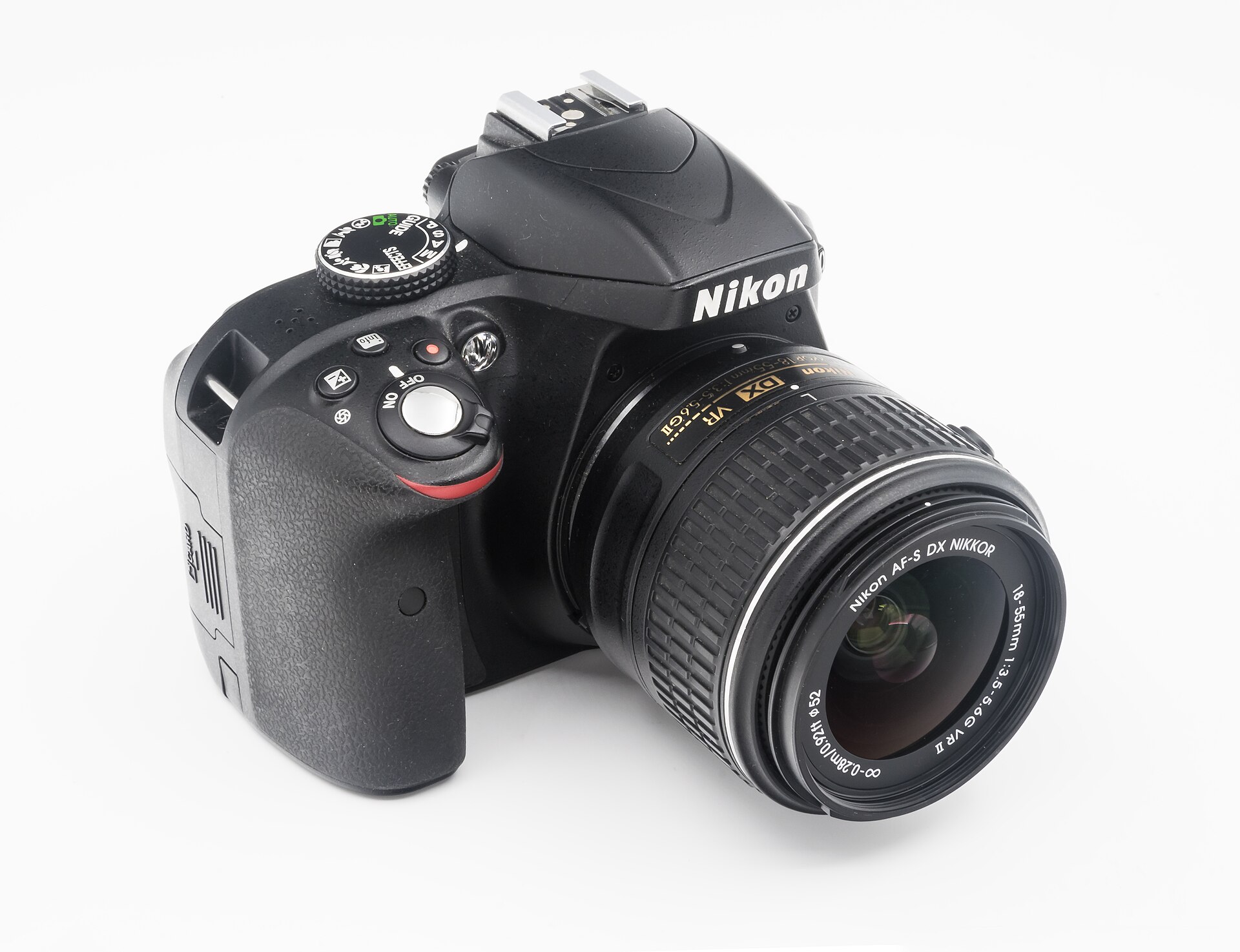 Save
SaveNikon D3300 Q&A
Is the D3300 a full-frame camera?
No. Nikon identifies it as a DX-format DSLR. Do not confuse it with an FX-format model when comparing lenses, field of view or accessories. Confirm the exact body name on the listing.
Does it have built-in Wi-Fi?
The launch workflow used the optional WU-1a Wireless Mobile Adapter. Do not assume the adapter is included, and check present phone and software compatibility before relying on wireless transfer.
Can it record 4K video?
Nikon’s documented recording feature is Full HD at up to 60p, not 4K. Match the camera’s actual options to your intended delivery and test a clip before an important recording.
Will every Nikon F-mount lens autofocus?
No. Nikon’s compatibility table distinguishes AF-S and AF-I lenses from other lens types with reduced functions. Verify the exact lens model and required functions; physical fit is not enough.
Is the old launch price a useful buying target?
No. A historical price does not describe current condition, seller terms or accessories. Compare complete current listings and judge the specific kit. This guide makes no current-price or stock claim.
Should I replace a working D3300 immediately?
First identify the photograph or workflow it cannot handle. If it is meeting your needs, practice may be more useful than a new body. Compare other cameras only when you can name a limitation that matters to your work.
 Save
SaveLearn faster with a plan. The ShutYourAperture Academy has 22 photography courses, from the fundamentals of aperture, shutter and ISO to genre courses like landscape, portrait and street.
Nikon D3300 gear check: the listing is not the kit
Compare the D3300 with the actual lens and accessories included. The original kit lens was the AF-S DX 18-55mm f/3.5-5.6G VR II, but a seller may offer a different bundle. Check autofocus compatibility, lens condition, battery, charger and return terms. Do not add accessories to hide a fault in the body.
Check D3300 used-kit listings at B&H | Check the D3300 18-55mm kit listing at Amazon
No present price, stock, warranty or firsthand test is promised. Compare the camera buyer guide if your requirements call for another body.
Affiliate disclosure: As an Amazon Associate, Shut Your Aperture earns from qualifying purchases. We may also earn a commission through B&H links. This is historical and practical guidance, not a claim of a personally tested used camera.
Sources: Nikon’s 2014 announcement, Nikon USA launch release, Nikon specifications and lens compatibility, Nikon D3300 manuals.
Images: Jacek Halicki (CC BY-SA 4.0), via Wikimedia Commons.


