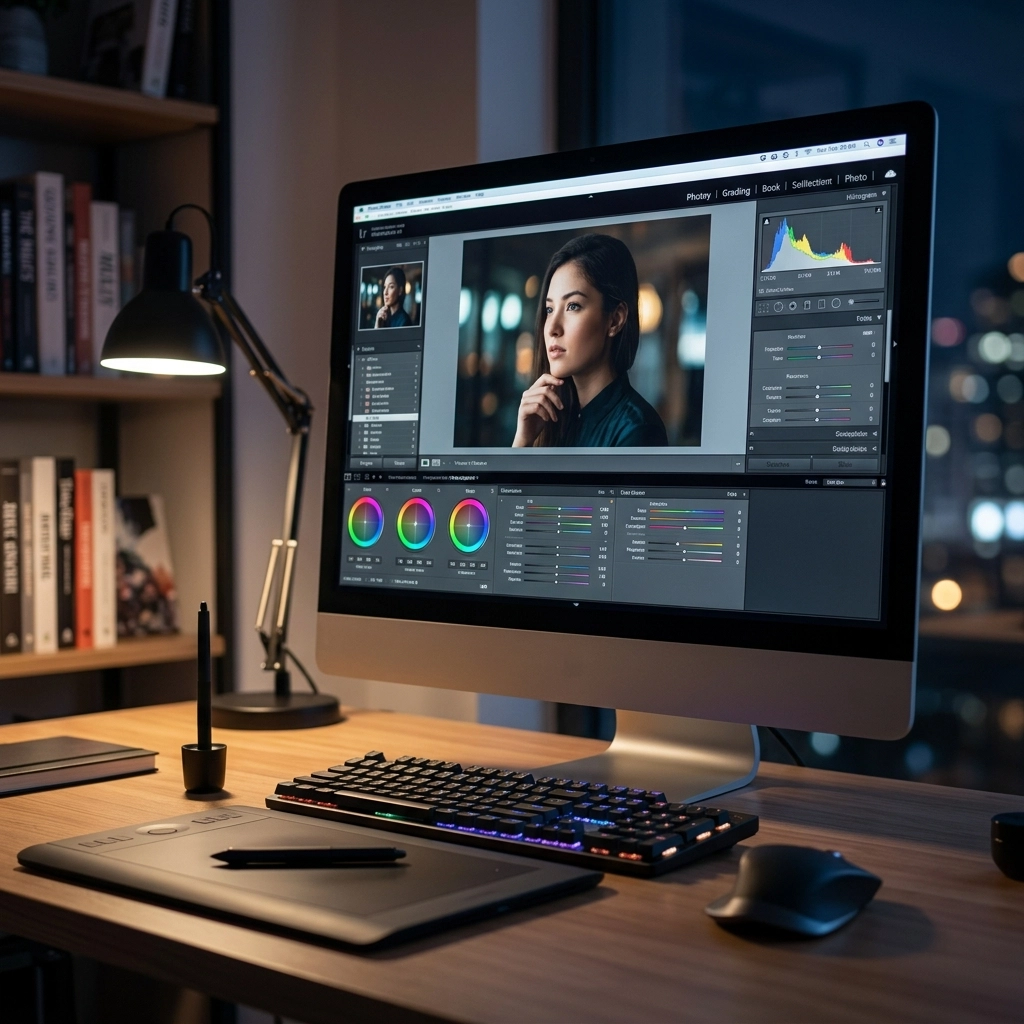
Let’s be real for a second: taking the photo is only half the battle. Back in the day, you’d drop your film off at a lab and pray the guy behind the counter didn’t ruin your vacation shots. Today, the "lab" is a piece of software sitting on your laptop or phone.
It’s April 2026, and the world of photo editing has moved faster than a shutter at 1/8000th of a second. We’ve gone from simple brightness sliders to AI tools that can literally rebuild a sky or change the lighting on a face with a single click. But with so many options: subscriptions, one-time buys, AI-heavy, or manual-intensive: how do you actually choose?
At Shut Your Aperture, we believe in keeping things simple. You don't need every tool under the sun; you just need the one that fits your vibe. Whether you’re just starting out with one of the best cameras for beginners or you’re a seasoned pro looking to shave hours off your workflow, this guide is for you.
Why Your Choice Matters More in 2026
In 2026, photo editing isn't just about "fixing" a mistake. It’s about style and efficiency. Most modern cameras, especially the ones you’ll find in our camera comparison insights, produce incredibly high-quality RAW files. These files are like raw ingredients: you need the right kitchen (software) to turn them into a five-star meal.
The software you choose dictates your workflow. If it’s too clunky, you won't want to use it, and your hard drive will just become a graveyard for "I'll edit this later" folders. If it’s too basic, you’ll outgrow it in a month.
The Pillars of Great Photo Software
Before we dive into the specific tools, let’s look at the four things you should actually care about:
- The Interface: Is it clean, or does it look like the cockpit of a 747?
- The Price Tag: Subscription fatigue is real. Do you want to pay every month forever, or buy it once and own it?
- The AI Factor: Does it have smart tools to save you time, or are you doing everything by hand?
- The Ecosystem: Does it talk to your phone? Can you edit on the couch and finish on your desktop?
 Save
Save
1. Adobe Lightroom: The Industry Heavyweight
Adobe Lightroom remains the gold standard for a reason. If you’re serious about photography, you’ve probably used it. In 2026, Lightroom is much more involved than a raw processor; it’s a full-blown management system.
The Good:
The batch editing is unmatched. If you just came back from a shoot with 1,000 photos, Lightroom is how you survive. Its "Select Subject" and "Generative Remove" features (powered by Firefly) have become incredibly precise. It also syncs perfectly with mobile, which is great for those using best smartphone cameras.
The Bad:
The subscription. You’re tethered to Adobe for life. If you stop paying, you lose access to the editing modules. For many, that’s a deal-breaker.
Best For: Professionals and high-volume shooters who need organization.
2. Luminar Neo: The AI Powerhouse
If you want your photos to look incredible without spending three years in art school, Luminar is your best friend. Skylum has leaned harder into AI than anyone else, and in 2026, it shows.
The Good:
Luminar uses "extensions" that handle specific tasks like a pro. Need to remove power lines? One click. Want to relight a scene based on 3D depth mapping? Done. It’s intuitive and, quite frankly, a lot of fun. It doesn't feel like "work." You can also get a perpetual license, which is a breath of fresh air.
The Bad:
It can be resource-heavy. If you’re running a laptop from 2018, it might chug a bit. Also, its library management isn't quite as robust as Lightroom’s.
Best For: Hobbyists, landscape photographers, and anyone who wants "the look" without the manual labor. Check out Shut Your Aperture for more tips on how to master Luminar presets.
3. Capture One: The Precision Tool
Capture One is often seen as the "fancy" alternative to Lightroom. It was originally built for high-end studio photographers, and it still carries that DNA.
The Good:
The color handling is superior. Period. Skin tones look better in Capture One right out of the gate. It also has the best tethering in the business. If you’re shooting in a studio and want your images to pop up on a big screen instantly, this is it. In 2026, their "AI Match Look" allows you to upload a reference photo and have the software apply that specific color grade to your image.
The Bad:
It’s expensive. Whether you go for the subscription or the one-time purchase, your wallet is going to feel it. It also has a steeper learning curve.
Best For: Studio pros, fashion photographers, and color perfectionists.
4. Affinity Photo 2: The Photoshop Killer
If you’re looking for a one-time purchase that does everything Adobe Photoshop does, Affinity Photo 2 is the answer.
The Good:
No subscriptions. You buy it, you own it. It’s incredibly powerful for compositing: meaning if you like to combine multiple photos, add text, or do heavy digital manipulation, this is your tool. It's built for modern hardware and is lightning-fast on Mac and PC.
The Bad:
It’s not a "photo manager." You can’t easily organize 500 photos in Affinity. It’s meant for working on one masterpiece at a time.
Best For: Budget-conscious creators and those doing heavy digital art. Pair this with our top photography tips to get the most out of your compositions.
5. ON1 Photo RAW: The All-in-One
ON1 has been the "dark horse" for years, but in 2026, it’s a legitimate contender for the top spot. It combines the organization of Lightroom with the AI effects of Luminar.
The Good:
It’s fast. You don’t have to "import" photos; you just browse your folders. Their "NoNoise AI" is world-class, making it a great choice if you do a lot of low-light shooting.
The Bad:
The interface can feel a bit cluttered compared to the minimalism of Luminar.
Best For: Photographers who want one program that does absolutely everything.
Comparing the Subscription vs. Perpetual Models
This is usually the biggest sticking point. Do you want a monthly bill?
- Subscription (Adobe, Capture One): You always have the latest version. You get cloud storage. You also have a never-ending bill.
- Perpetual (Luminar, Affinity, ON1): You pay once. It’s yours. If you want the major update next year, you might have to pay an upgrade fee, but the version you bought will work forever.
For many of our readers over at blog.edinchavez.com, the perpetual model is winning. People are tired of being "rented" their own tools.
The Role of Mobile Editing in 2026
We can't talk about software without mentioning the phone in your pocket. Even if you shoot on a professional rig, you’re likely sharing to social media from your phone.
Apps like Snapseed (still free and still great) and Photomator have brought desktop-level power to the iPad and iPhone. If you are traveling through canyons: maybe following our guide on mastering canyon and gorge travel photography: you might not want to lug a laptop around. Having a mobile workflow that syncs with your desktop is a massive advantage.
Hardware: Can Your Computer Keep Up?
Before you hit "buy" on any of these, check your specs. AI editing is demanding. In 2026, you really want at least 16GB of RAM and a dedicated GPU. If you’re editing 4K video alongside your photos, check out our list of best 4k video cameras and the hardware needed to process those massive files.
Using an old computer with modern AI software is like trying to run a marathon in flip-flops. It’ll work, but it’s going to hurt.
How to Make Your Final Decision
Still stuck? Ask yourself these three questions:
- What do I shoot most? If it’s 2,000 wedding photos, go with Lightroom. If it’s 10 epic landscapes, go with Luminar.
- How much do I hate subscriptions? If the answer is "a lot," look at Affinity or ON1.
- Do I actually enjoy the technical side of editing? If you just want it to look good fast, let the AI in Luminar do the heavy lifting.
Most of these companies offer a 7 to 14-day free trial. Use them. Download Luminar, throw some of your toughest RAW files at it, and see how it feels. Does it spark joy, or does it make you want to throw your mouse out the window?
Beyond the Software: Keep Your Gear Ready
Choosing the software is great, but don't forget the physical side of things. All the editing in the world won't fix a smudge on your sensor. Make sure you're keeping up with your camera maintenance guide so your RAW files start off clean.
Photography in 2026 is an amazing blend of art and technology. The tools have never been more powerful, and the barrier to entry has never been lower. Whether you’re printing your work via edinfineart.com or just sharing it with friends, the right software is the key to unlocking your creative vision.
If you’re still looking for the perfect hardware to go with your new software, check out our latest top camera deals. There’s never been a better time to be a photographer. Now, stop reading, pick a tool, and go make something beautiful.
For more professional insights and studio setups, you can always visit proshoot.io or edinstudios.com. Happy editing!
Skylum’s Luminar Neo runs as a Lightroom plugin and adds AI-powered sky replacement, portrait retouching and noise reduction to your existing workflow. Tagged as affiliate per FTC.