Best Camera Settings for Milky Way: The Complete Cheat Sheet
~8 min read · Updated 2026-05-08
shutyouraperture-20). Buying through these links costs you nothing extra and helps fund our free guides.
This is the camera settings cheat sheet for Milky Way: the mode, aperture, shutter speed, ISO, and focus combination that works — explained, then broken down into three real scenarios you will actually face. No filler. Pin the cheat sheet, read the scenarios, and shoot.
Table of contents
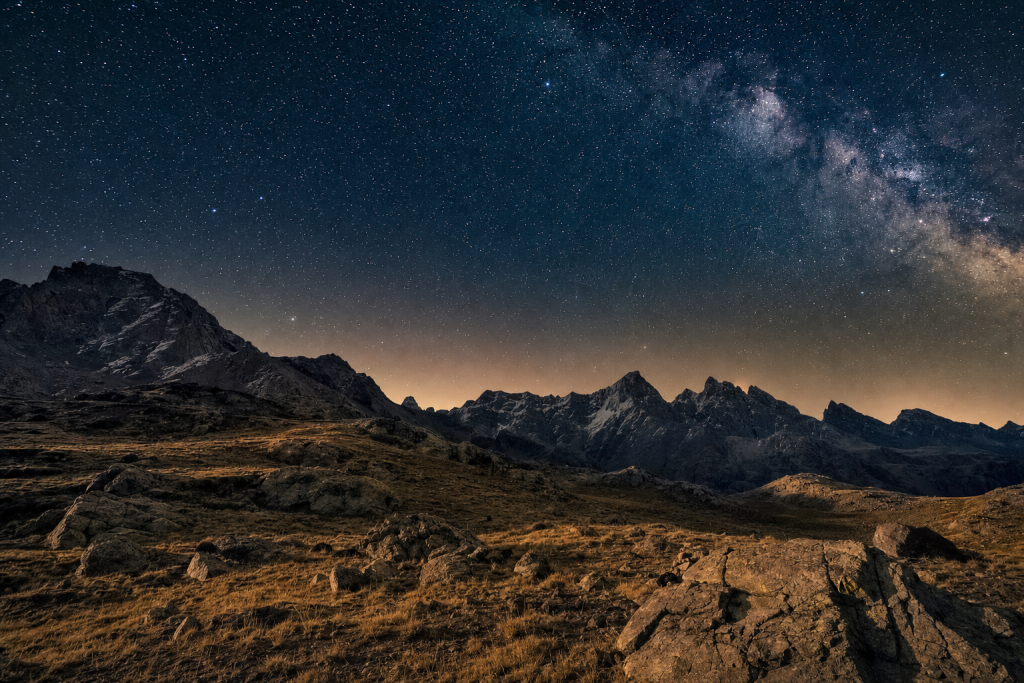 Save
Save1-minute cheat sheet: Milky Way
- Mode: Manual (M)
- Aperture: f/1.8-f/2.8 (as wide as your lens allows)
- Shutter Speed: 15-25 sec (use NPF rule: 500/focal length for rough guide)
- ISO: 3200-6400 (6400 on older sensors, 3200 on modern Sony/Nikon)
- Focus: Manual, infinity — confirm with 10x Live View zoom on a bright star
Pin this. Come back to it before every milky way session.
Get the complete Milky Way settings guide (PDF, $47): The ShutYourAperture Milky Way PDF guide: 52 pages covering new moon calendars, PhotoPills planning, NPF rule calculator, and full post-processing walkthroughs in Lightroom and Luminar Neo.
Preset pack ($19): ShutYourAperture Milky Way preset pack: 5 starting points from cold blue desert to warm summer core — includes a dedicated light pollution removal preset.
Bundle both for $54 — save $12. Browse the ShutYourAperture Shop.
Why these settings work
Milky Way photography demands the longest shutter speed that does not trail stars, the widest aperture on your lens, and an ISO high enough to expose the galactic core in one frame. The NPF rule gives you your maximum shutter time. f/2.8 or faster is necessary for single-frame exposures; f/4 is workable only above ISO 6400. Plan your shot with PhotoPills — core visibility and moon phase are the two variables that determine whether the night is shootable at all.
3 scenarios with full settings tables
Three situations you will encounter, with the exact settings for each:
Scenario 1: Single-frame galactic core
| Mode | Manual |
|---|---|
| Aperture | f/2.0 |
| Shutter Speed | 20 sec |
| ISO | 3200 |
| Focus Mode | Manual, infinity |
| White Balance | 3800K (manual) |
| Exposure Compensation | N/A (Manual) |
This is the baseline Milky Way exposure for a modern full-frame sensor. At 20mm and f/2.0, the NPF rule gives you approximately 20 seconds before star elongation becomes visible at 100% crop. ISO 3200 on a Sony A7 IV, Nikon Z6 III, or Canon R6 II will produce a cleanly recoverable RAW. Check the histogram — the galactic core should sit in the left-center of the histogram; clipping the right side is nearly impossible with this subject.
Scenario 2: Star tracker tracked exposure
| Mode | Manual |
|---|---|
| Aperture | f/2.8 |
| Shutter Speed | 60-180 sec |
| ISO | 800-1600 |
| Focus Mode | Manual, infinity |
| White Balance | 3800K (manual) |
| Exposure Compensation | N/A (Manual) |
With an iOptron SkyGuider Pro or similar tracker, shutter speeds of 1-3 minutes at f/2.8 and ISO 800 produce galactic core detail that no single-frame shot can match. The foreground will blur (it is not tracking), so plan a two-shot blend: tracked sky frame plus an untracked foreground frame at ground-level exposure. This is the workflow that produces magazine-quality Milky Way landscapes.
Scenario 3: Milky Way time-lapse
| Mode | Manual |
|---|---|
| Aperture | f/2.8 |
| Shutter Speed | 20 sec |
| ISO | 3200 |
| Focus Mode | Manual, infinity (do not touch focus between frames) |
| White Balance | 3800K (manual, locked) |
| Exposure Compensation | N/A (Manual) |
For a time-lapse, lock every manual setting and use an intervalometer set to 20-second exposures with a 1-second gap. Shooting 400-600 frames gives you 20-30 seconds of final video at 24fps. Keep white balance locked — Auto WB shifts between frames and creates flicker that is extremely difficult to fix in post. LRTimelapse is the standard software for deflicker processing.
Subscribe to the ShutYourAperture Aperture Academy for weekly photography tutorials, or browse the Shop for location PDF guides and Lightroom preset packs.
Gear that helps
You do not need to spend more than your subject demands, but the right gear eliminates the technical obstacles so you can focus on the image. These are the tools the settings above were designed around:
- Sigma 14mm f/1.8 Art — the widest f/1.8 prime on the market, unmatched for Milky Way single-frame work
- Sony 20mm f/1.8 G — the best balance of aperture, sharpness, and portability for astrophotography
- iOptron SkyGuider Pro — the most popular mid-range star tracker for landscape astrophotographers
- Peak Design Capture Clip — keeps the camera on your bag strap during the 2am hike to the location
- Rokinon 14mm f/2.8 — budget option that covers the Milky Way core on a crop-sensor body
ShutYourAperture is a B&H Photo affiliate. Links marked with affiliate notation may earn a commission at no extra cost to you.
Lighting and conditions
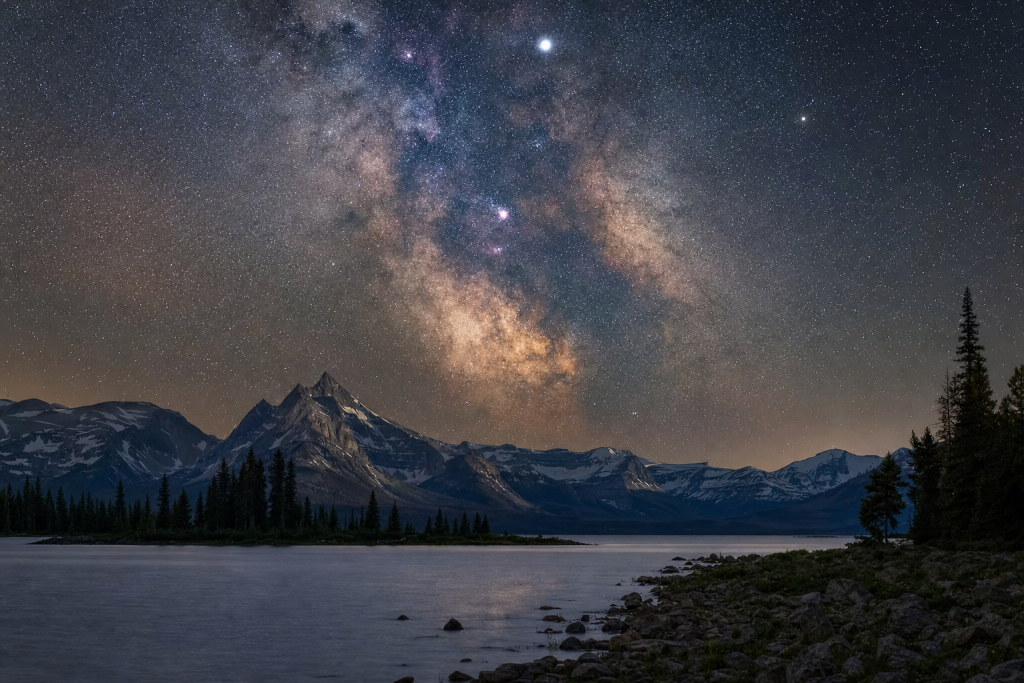
The only usable light for Milky Way photography is darkness — shoot within 3 days of the new moon for maximum galactic visibility. The galactic core is visible from the Northern Hemisphere from approximately March through October, peaking June-August when the core is highest in the sky around midnight. Use PhotoPills to find the exact date and time the core will align with your foreground subject.
 Save
Save5 common mistakes
These are the five errors that ruin otherwise well-composed images of milky way. Read them before the shoot, not after:
- Focusing at infinity on the lens barrel ring without confirming in Live View — many lenses overshoot infinity
- Shooting near a new moon but with a bright campfire in frame — any artificial light source at 2am shows as a harsh hotspot
- Not accounting for light pollution — an orange glow on the horizon shifts your white balance unpredictably
- Leaving image stabilization on for tripod shots — IS/IBIS on a tripod causes micro-vibration blur
- Using a cheap ballhead that creeps under camera + lens weight during a 20-second exposure
Sample workflow
Here is the shoot checklist condensed into a repeatable sequence:
- Set camera to the recommended mode and aperture before you arrive at the location.
- Dial in the base ISO and shutter speed from the cheat sheet above.
- Take one test frame, check the histogram, and adjust exposure if needed.
- Confirm focus method (AF mode and point, or manual zone) is set correctly.
- Shoot a small burst, chimp once, then commit to the settings and concentrate on the subject.
- At each major lighting change (cloud, shade, new location), repeat the exposure check.
- Back home: import RAW files and apply your base preset before any individual edits.
Post-processing
Start with a global white balance shift toward 3500-4000K to neutralize any orange light pollution. Use the new Lightroom Denoise at strength 40 before any local edits. Increase Texture (+25) to enhance nebula structure in the galactic core. Create a luminosity mask for the sky and push Clarity +15 and Dehaze +10 on the sky only. Use the HSL panel to desaturate Oranges and Yellows (light pollution colors) while boosting Blues and Purples for star color accuracy. A Radial Filter centered on the galactic core with Exposure +0.4 and Contrast +15 creates natural-looking core emphasis.
Preset shortcut: ShutYourAperture Milky Way preset pack: 5 starting points from cold blue desert to warm summer core — includes a dedicated light pollution removal preset. Available in the ShutYourAperture Shop.
Luminar Neo’s Sky AI, atmosphere AI and SuperSharp are designed for landscape work — replace flat skies, add depth, and recover detail in seconds. Tagged as affiliate per FTC.
Quick Amazon shortcuts to the gear most useful for this kind of shot. Use them if Prime shipping or Amazon credit makes more sense than B&H. As an Amazon Associate ShutYourAperture earns from qualifying purchases.
Frequently asked questions
What ISO should I use for Milky Way photography?
ISO 3200 is the standard for modern full-frame sensors with good high-ISO performance (Sony A7 IV, Nikon Z6 III, Canon R6 II). On older or APS-C sensors, ISO 3200 may produce excessive noise — test your specific body at ISO 1600, 3200, and 6400 at home and evaluate which produces the cleanest recoverable file after AI denoise.
How do I avoid star trails in Milky Way photos?
Use the NPF rule: (35 x aperture + 30 x pixel pitch) / focal length. For a practical shortcut, divide 500 by your focal length in mm and treat the result as your maximum seconds. At 20mm, that is 25 seconds; at 14mm, 35 seconds. Stars will show slight elongation at 100% crop but be invisible in standard print or web resolution.
Do I need a tracker to photograph the Milky Way?
No. A single-frame exposure at f/1.8-f/2.8, ISO 3200-6400, 15-25 seconds produces a publishable Milky Way image without a tracker. Trackers extend exposure time and reduce ISO, which improves fine nebula detail and reduces noise — but the baseline untracked exposure is fully sufficient for social media, prints up to 24×36 inches, and most editorial uses.
What app should I use to plan a Milky Way shoot?
PhotoPills is the industry standard — it shows the galactic core position at any date, time, and GPS coordinate, and includes an augmented reality view for aligning the core with your foreground. The Planner feature lets you find the exact night and hour when the core rises behind a specific mountain or building. It is worth the one-time purchase price.
 Save
SaveKeep shooting
More settings cheat sheets from the same cluster:
More at Shut Your Aperture
Browse the Camera Settings Cheat Sheets hub for every genre, or visit the Shop for PDF guides and Lightroom preset packs.
ShutYourAperture participates in affiliate programs. We earn a commission on qualifying purchases at no extra cost to you.
All links go to B&H Photo Video, the trusted pro source. Tagged as affiliate per FTC.