By Edin Chavez | Updated October 2026
The best 4K video camera records the mode your job needs, fits your lenses and works through your whole production process. A 4K label does not tell you the frame rate, sensor area, bit depth, autofocus behavior or recording medium. Those details can matter more than a higher headline resolution.
This guide compares four established options: Panasonic Lumix GH7, Panasonic Lumix S5IIX, Sony FX3 and Canon EOS R6 Mark II. It is a documentation-led comparison, not a claim that these are the newest cameras available in 2026. No firsthand camera testing is claimed. The photographs are Edin Chavez’s work used to illustrate subjects and shooting needs, not footage or test files attributed to these bodies.
Start With the Assignment
Write down what you must deliver before looking at a body. An interview recorded at a normal frame rate needs a different kit from slow-motion action, a wedding ceremony or a product shoot. Decide whether you need still photographs from the same camera. A video-first body can be a sensible tool without being the right choice for a photographer who also needs large prints.
List the shots you cannot miss. A fixed interview may prioritize audio monitoring, power and a long take. A moving subject may prioritize focus behavior and handling. A wide interior may expose a crop you would barely notice with a long lens outdoors. None of these requirements is answered by the word cinematic on a product page.
Consider the GH7 when its Micro Four Thirds lenses and internal formats fit your work, the S5IIX for an L-mount full-frame hybrid with external recording choices, the FX3 for strongly video-led work, and the R6 Mark II for a Canon RF stills/video hybrid. These are conditional fits, not a universal finishing order.
Use the camera buyer guide for broader system choices. If lens mount and still-image output are the bigger question, read the full-frame camera comparison alongside this guide.
Read the Exact Recording Mode
Check recording size and rate together. UHD 4K is 3840 × 2160; Cinema 4K is 4096 × 2160. A camera offering both may have different restrictions. Rates written as 59.94 and 119.88 are not mistakes. Match the camera’s system frequency to production and delivery requirements rather than treating every rounded marketing number as an identical setting.
Check codec, bit depth and chroma sampling for that exact row. A body may offer 10-bit in one mode and 8-bit in another. It may offer 4:2:2 at a lower rate and 4:2:0 at a higher rate. Do not combine the strongest number from each column into a mode the camera cannot record. A familiar editing codec can be worth more to a deadline than a larger raw file.
Full-frame describes a sensor, not a promise that every movie mode uses its whole width. Cropping changes the view through your lens. Digital stabilization can change it again. Frame a real wide shot with the final stabilization and frame-rate settings before deciding that your existing lens is wide enough.
Separate card capacity, battery endurance and recording limits. A manufacturer’s battery-test duration is not a guaranteed single-take ceiling. A maximum clip length is not a promise that the body will stay cool that long. A card’s capacity estimate does not account for a battery that runs out first. Plan all three.
 Save
SavePanasonic Lumix GH7: Internal Formats and Micro Four Thirds
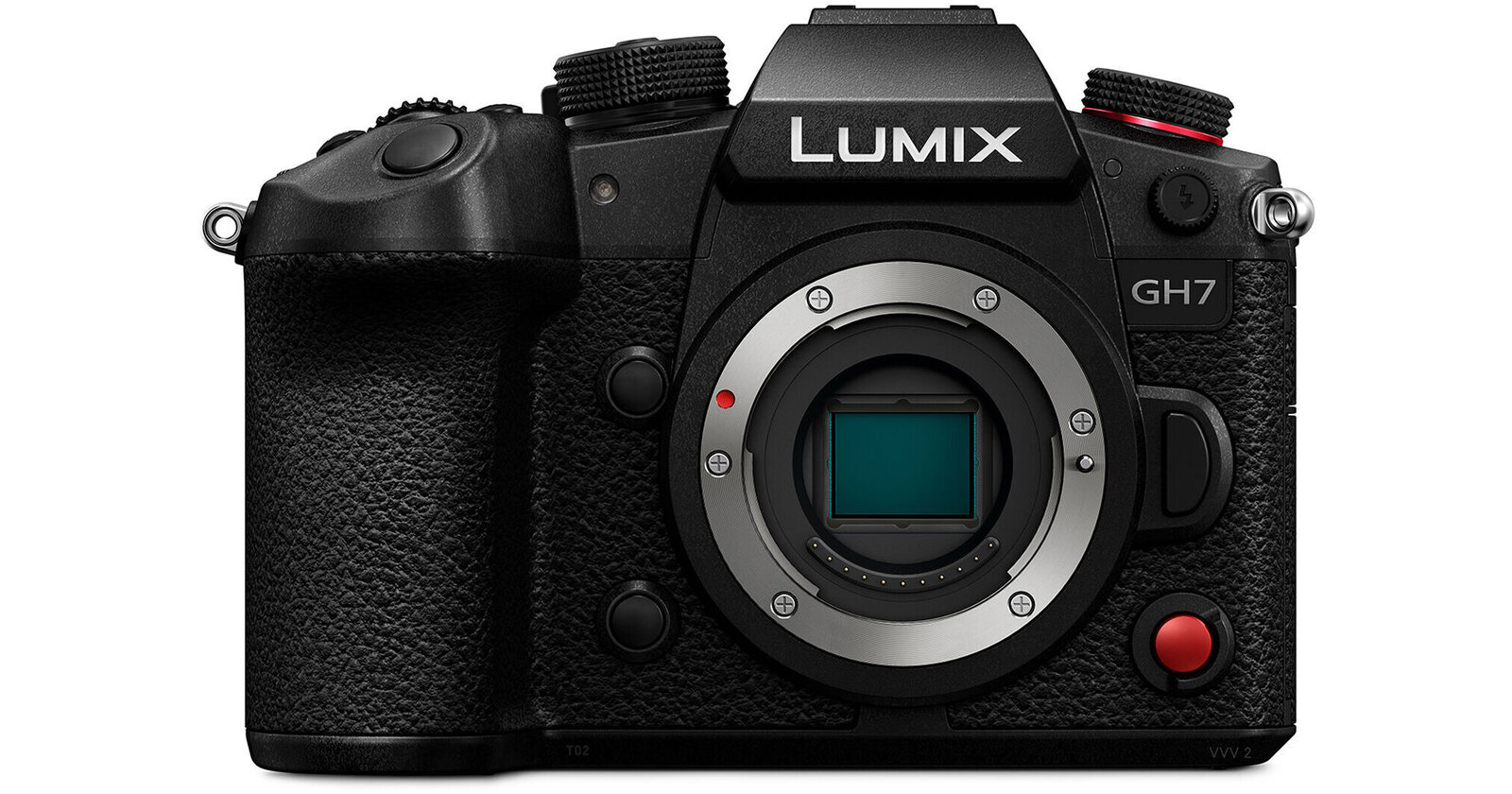
Panasonic’s GH7 specification table lists a 25.2-megapixel Micro Four Thirds camera with phase-detection autofocus, a cooling fan, CFexpress Type B and SD slots. The appeal is a collection of video tools in a body that also makes still photographs, provided this format and lens system suit the job.
The MOV table includes UHD/Cinema 4K at 119.88p in 4:2:0 10-bit Long GOP. At 59.94p it includes 4:2:2 10-bit choices. It also lists 5.8K 4:3 up to 29.97p and 5.7K 17:9 up to 59.94p. Those are distinct modes. Do not describe 4K120 as having every codec and sampling choice available at 4K60.
Internal ProRes and ProRes RAW are reasons to inspect the GH7, but raw does not work at every headline frame rate. Panasonic specifies CFexpress for ProRes and certain high-bit-rate options. The current table also includes USB-SSD power and mode conditions. Budget approved media, a reader, power accessories and mounting hardware, not just a bare body.
Autofocus has a slow-motion caveat: Panasonic says automatic subject detection is unavailable for high-frame-rate video above 60p. That is not the same as saying all autofocus disappears. Determine which functions remain in the intended mode and rehearse movement with the actual lens. A feature working in normal-speed video may behave differently here.
The fan does not make every take unlimited. Panasonic warns that recording above C4K, above 60p or in ProRes may stop to protect the camera. File-splitting rules can create new files while recording continues; that is different from a thermal stop. Run a long rehearsal with the actual codec, power, card and conditions before an unrepeatable event.
For independent context, Cameralabs’ GH7 review shows mode-by-mode coverage and autofocus examples. CineD’s GH7 lab test examines specific workflows. Those are their tests, not ours. Their results should not become blanket claims about every mode or later software version.
 Save
SavePanasonic Lumix S5IIX: Full-Frame Hybrid With Mode Caveats
The S5IIX specification sheet lists a 24.2-megapixel full-frame sensor, L mount, phase hybrid autofocus and formats including MOV and ProRes. Consider it if you already have compatible lenses or need one body for stills and video. Compare the whole lens and support kit before changing systems.
Its 4K/C4K 60p and 50p recording uses an APS-C area. Do not assume a full-frame lens keeps the same view at every rate. Price a lens that covers the real interior or handheld framing after the crop. Switching to a lower rate may change the area, but only helps when the assignment allows that rate.
Panasonic lists 6K and 5.9K modes up to roughly 30p, including a 3:2 6K mode. That can provide different reframing options, but does not make this a 6K60 or 4K120 body. Read resolution, rate and area together. A taller frame is useful only when the editor and delivery plan can use it.
ProRes and certain high-bit-rate modes depend on external USB-SSD recording. A drive adds a cable and another connection to manage. Protect that connection and confirm storage, power and editing compatibility. A convenient codec is less convenient when the drive hangs from an unsecured cable. Test the assembled rig, including any adapters, rather than its individual parts.
Panasonic’s heat-management explanation qualifies extended recording. Standard thermal management has a 30-minute stop in specified 6K/5.9K and ProRes modes. It warns about temperatures outside the recommended range. Separate those limits from long-recording claims for other modes and rehearse the intended thermal setting.
 Save
SaveSony FX3: A Video-First Choice
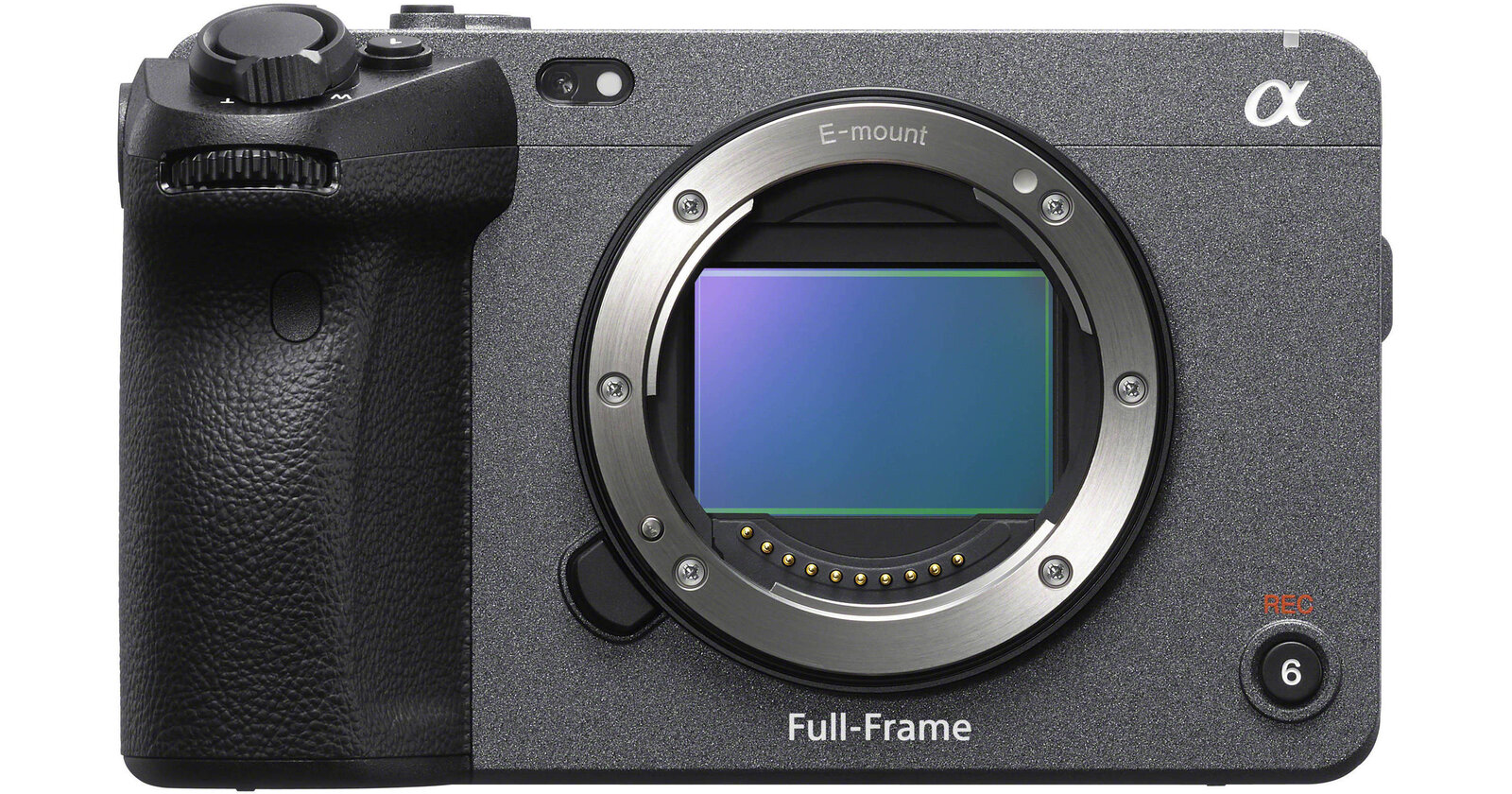
Sony’s FX3 specifications describe a full-frame E-mount video camera with XAVC options, sensor-shift stabilization and dual slots accepting CFexpress Type A or SD media. It belongs on a video-led shortlist when its controls and recording workflow fit the production. It is not automatically the best stills/video compromise.
The table lists UHD 4K at 119.88p/100p in XAVC S and XAVC HS, while other formats have different ceilings. Sony’s movie-setting guide identifies sampling and bit depth by setting. Check the row and card requirement. CFexpress Type A is not interchangeable with the GH7’s Type B because both names start with CFexpress.
Sony’s angle-of-view guide distinguishes ordinary movies from 4K120/100. It also says 4K cannot be recorded with APS-C/Super 35mm shooting turned on. Avoid a generic full-width-at-all-rates claim. Confirm framing at the final rate and stabilization setting, especially when the space gives you no room to move backward.
The recordable-time guide gives an approximately 13-hour maximum continuous session as a product-specification limit, while qualifying duration by temperature, media, settings, battery and camera condition. That is not a thirteen-hour endurance guarantee. Plan power, storage and cooling for the real take and keep vents clear.
Sony lists roughly 12-megapixel full-frame still-image output. That can suit some uses, but is not equivalent to buying a high-resolution stills body. Define print and crop requirements separately from video delivery. If detailed still photographs are an equal part of the job, compare a hybrid before committing to this route.
 Save
SaveCanon EOS R6 Mark II: RF Stills and Video
Canon’s R6 Mark II specifications list a 24.2-megapixel full-frame RF body, UHD 4K up to 59.94/50p and Canon Log 3 options. It is an established hybrid candidate for a photographer who wants both formats in a compatible Canon kit, not a claim about the latest RF release.
Canon offers full-width and cropped 4K choices. Check movie cropping and stabilization settings rather than assuming every configuration has identical framing. Full HD high-frame-rate modes must not be relabeled as 4K slow motion. Keep the resolution attached to its rate when comparing alternatives, particularly if a client asks for a slow-motion 4K master.
Internal recording and external raw output are different workflows. Canon separates MP4 recording, Log/HDR PQ settings and external output. Confirm recorder, cable, power and editing compatibility before depending on accessories. A specification mentioning raw does not mean raw is stored internally on an SD card. Test a complete output and export before quoting that workflow.
The movie-recording guide states a six-hour maximum per non-high-frame-rate movie. High-frame-rate limits are shorter, and internal temperature can reduce recording time. These are ceilings, not a promise of uninterrupted 4K60 in heat. Check thermal behavior and recovery for the intended take.
Use Canon’s recording and card tables for compression and Log settings. Familiar lenses and suitable cards are practical advantages, but do not remove audio, power and heat checks. Make the first test an end-to-end recording and export, not a clip watched only on the rear screen.
Build a Reliable Kit Before Upgrading
Start with sound. Test microphone, cable, headphones and backup together at the distance and noise level you expect. Optional XLR equipment is not included because a body supports it. Panasonic ties GH7 32-bit float audio to the separately sold DMW-XLR2 adapter. That feature does not fix wind, poor microphone placement or an unsuitable room.
Choose support for your shots. A tripod, monopod, shoulder arrangement or gimbal changes what you can repeat comfortably. Check the lens and accessories as a complete load. Stabilization does not eliminate rolling shutter, and smooth movement does not guarantee focus. Rehearse pans, walking shots and focus changes at final settings.
Control exposure deliberately. Use the free shutter-speed chart PDF as a reference, then test motion and flicker at your chosen rate. The free aperture-chart PDF connects depth of field to focus demands. Neither replaces a test under the actual lights.
Budget two verified copies of important recordings before reusing cards. Include readers, working storage, backup storage and copying time. Test playback and editing on the actual computer. A proxy workflow may solve more than a different body. Do not promise raw delivery before completing its export path and agreeing on what files the recipient needs.
A Rental Test That Answers the Buying Question
Use the same framing, lighting and delivery settings when comparing bodies. Record a static scene, controlled pan, moving subject and long take. Include skin tones and a bright highlight. Watch for focus changes, framing shifts, flicker, skew, handling noise and file problems. Change one setting at a time so you know what caused a difference.
Import the material, synchronize audio, apply the intended color workflow and export a real deliverable. Note batteries, card usage and warnings. Inspect the sequence rather than picking the sharpest frame. A body that creates less friction through the whole exercise may be a better buy than one with an impressive mode you never deliver.
4K Video Camera Q&A
Do I need more than 4K?
Only when extra recording area serves a purpose, such as reframing or a higher-resolution master. More pixels can increase storage and processing demands. Start with delivery requirements and test the workflow before paying for resolution you do not use.
Is 4K120 always better than 4K60?
No. Higher rates can change formats, autofocus functions, sensor area, light requirements and media needs. They serve different motion goals. Select the rate the sequence needs, then check its restrictions rather than buying the biggest number.
Does full-frame guarantee uncropped video?
No. S5IIX 4K60/50 APS-C recording is one example. Other bodies change framing at particular rates or stabilization settings. Confirm the view with your actual lens and final settings rather than relying on the sensor label.
Can I trust unlimited recording?
Treat it as a qualified claim for specific modes and conditions. Heat, media, power and settings can still stop a take. Read manufacturer footnotes, run a long rehearsal and keep a backup for moments that cannot be repeated.
Should I record ProRes RAW for every job?
Not automatically. Check current editor support, storage and delivery first. Raw and conventional ProRes are different formats. A tested 10-bit workflow may be better when turnaround and predictable playback matter more than extra processing choices.
When should I keep my current camera?
Keep it when it meets the assignment reliably and the problem lies elsewhere. Sound, lighting, support, lenses or backup may improve delivery more than a body upgrade. Replace a demonstrated limitation, not a marketing deadline.
Want to go further? The ShutYourAperture Academy’s Introduction to Videography (10 modules, 44+ lessons) is built to help you capture motion and tell stories.
4K Video Gear Box: Price a Complete GH7 Kit
If the GH7’s documented modes and lens system fit your work, compare the body-only model at Amazon or B&H. This is one researched route, not a universal winner or current-price promise. Include lens, approved media and reader, microphone, support, power and backup storage. Check seller, condition, warranty, returns and regional model before buying.
Affiliate disclosure: Some gear links are affiliate links. We may earn a commission at no extra cost to you. Manufacturer, independent-review and free-chart links are plain references. No hands-on test or camera attribution for the photographs is implied.