A nearby rock is not automatically the missing piece of a landscape photograph. It may give the frame a useful shape, interrupt a reflection, or hide the subject you came to photograph. Decide what it does before giving it more room.
The practical choice is to include it, change the camera’s framing or position if that is independently permitted, or exclude it from the photograph. “Move” here means moving the camera responsibly, never moving rocks, plants, or other parts of the scene.
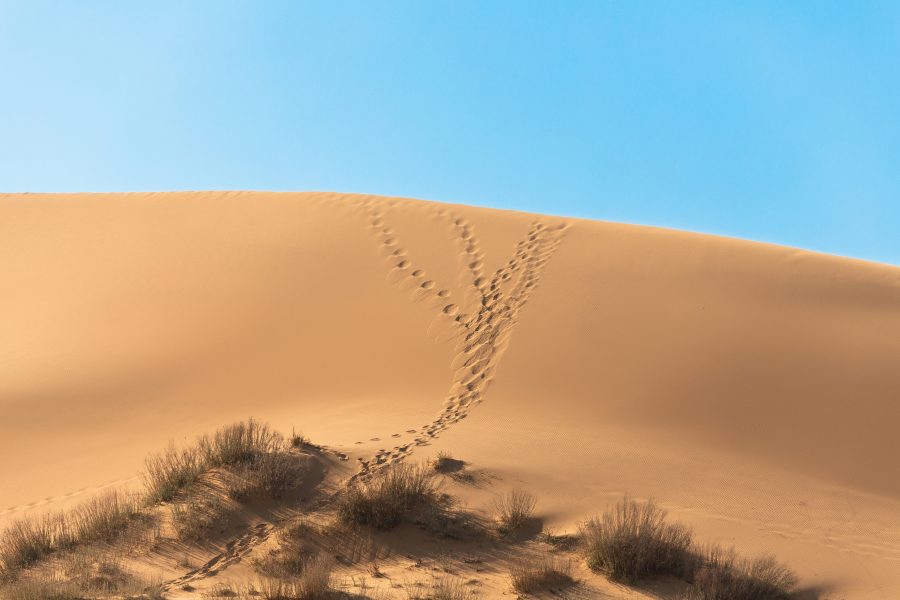
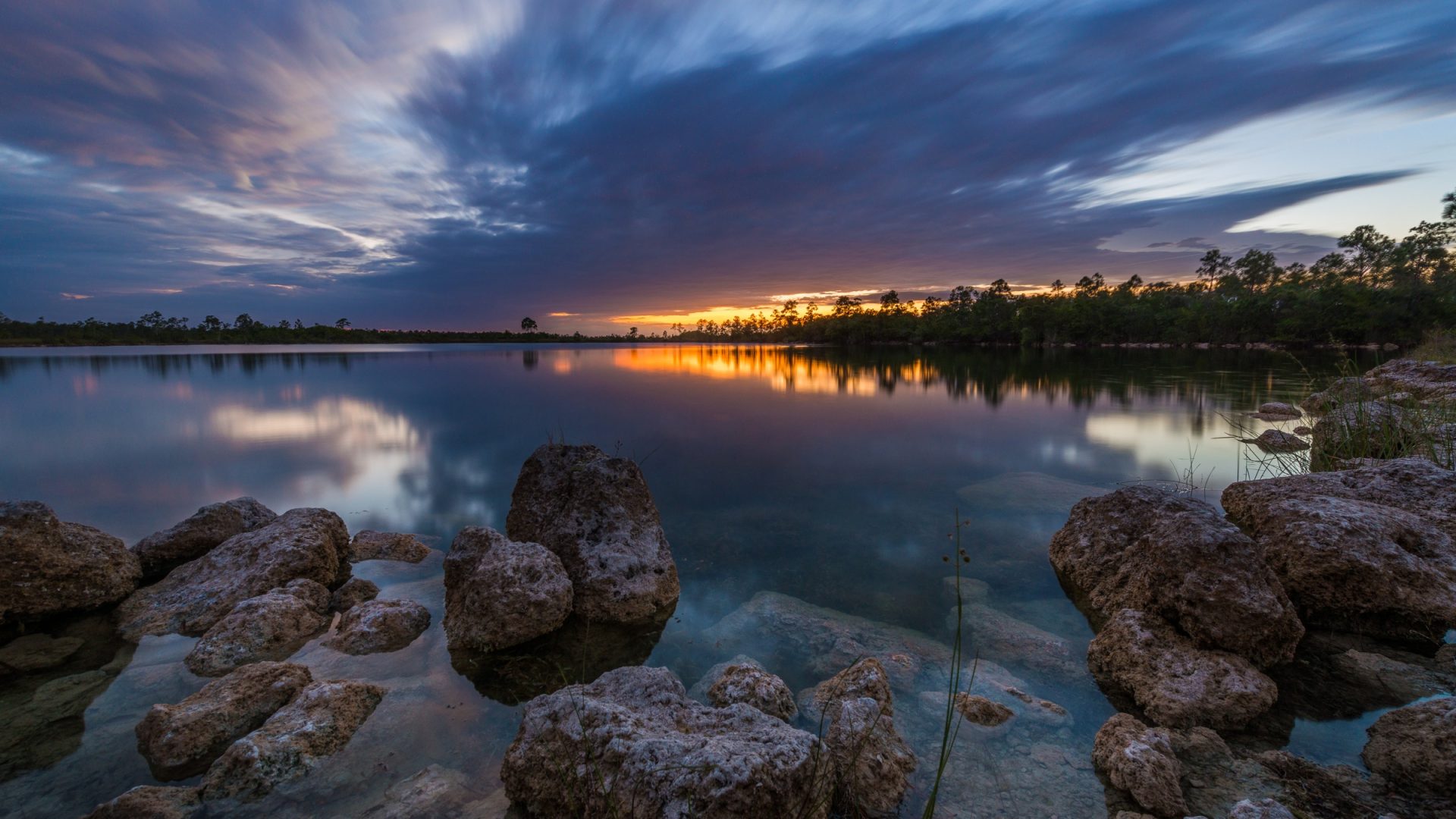
This is a foreground decision guide, not a requirement that every landscape have a large near object. The five owner photographs are separate illustrative scenes. They are not controlled alternatives, new shots made for this article, or a record of an analysis I performed on location. Read the visible relationships without turning them into settings, access, or same-session claims.
Give the near element a job
Start by naming what the picture is about. Is it a rock’s shape and reflection, distant formations across water, layers of terrain, or a narrow opening between walls? The near element needs to support that purpose rather than simply occupy the bottom of the frame.
Write its proposed job in a short phrase: establish an outline, frame an opening, interrupt a repeating pattern, or show the relationship between near and distant forms. Avoid a vague instruction such as “add depth.” You need something you can actually inspect in the image.
Then write the cost. The same rock might cover part of a reflection or take attention away from a distant feature. A wall edge might frame a gap while making the gap harder to see. A useful foreground can have a cost; the decision is whether that cost fits the picture.
Canon’s landscape guidance describes foreground interest as a useful compositional device and explicitly says that not every landscape needs it. Treat the technique as a choice, not a checklist item you must satisfy before the photograph counts.
 Save
Read dominance before calling it balance
Look at the whole frame at the size someone is likely to view it. Which shape asks for attention first? How much room does the near object take, and how much information remains about the intended distant subject?
Dominance is not a problem by itself. If the rock is the subject, a large near shape may fit the purpose. If the reflection is the subject, the same mass may become an obstruction. The goal determines the judgment.
Do not use “balanced” as praise without saying what you mean. Describe the relationship: a heavy dark shape on one side, several smaller shapes elsewhere, open water between them, or a narrow gap left for the distant feature.
Inspect whether the near element’s outline remains readable. Several overlapping objects can become one dark mass. That might be the intended shape, or it might hide distinctions you need. Read the actual result rather than assuming the presence of several rocks adds useful layers.
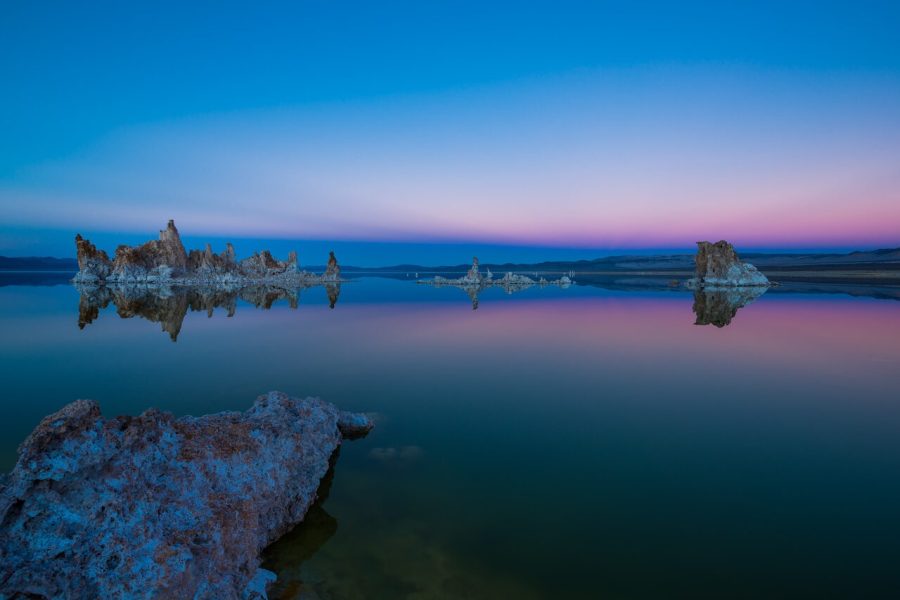
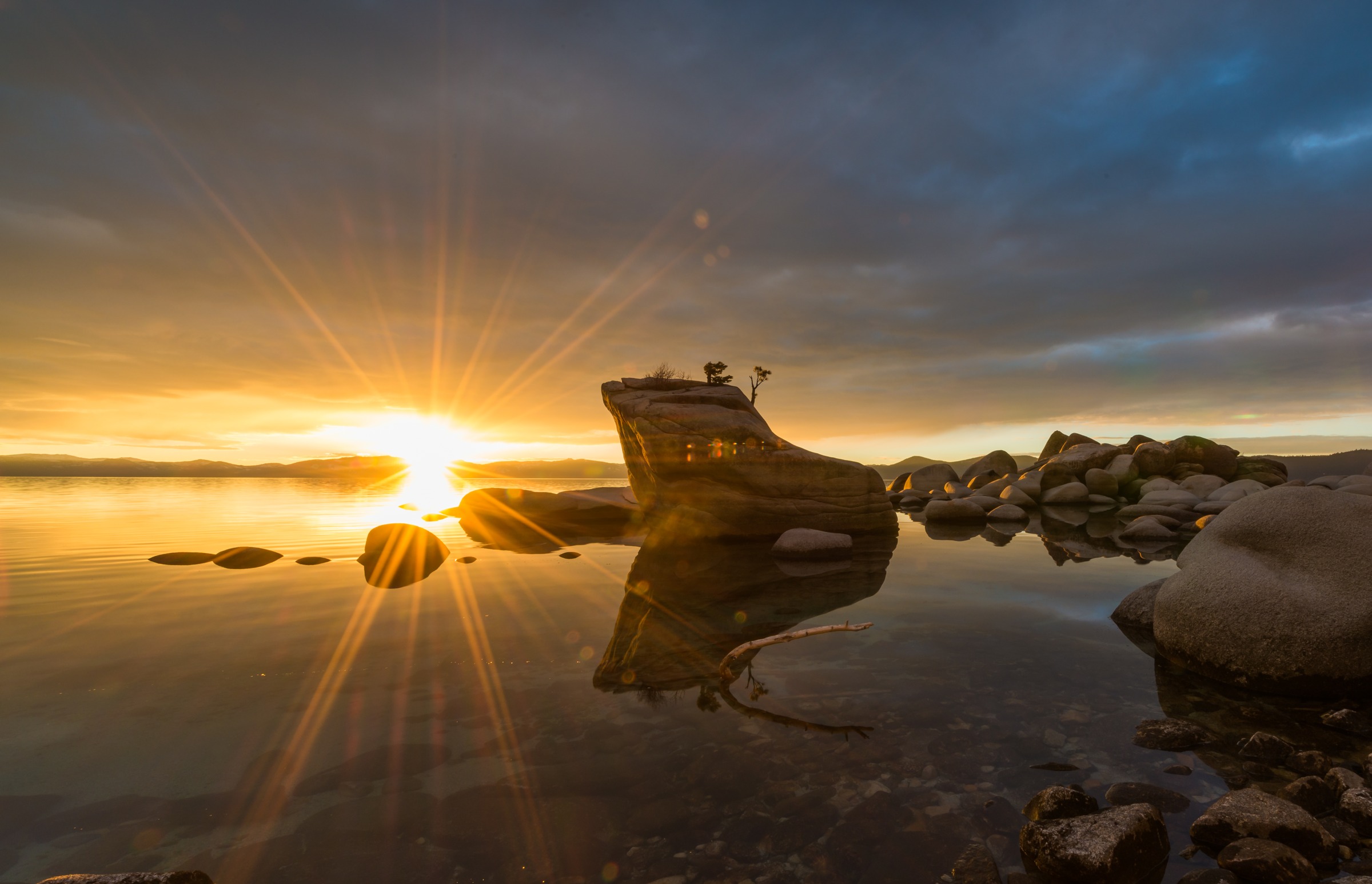
The first reference has large dark forms and interrupted reflection. It does not show a tested improvement over a version without them. No alternative is supplied, and the photograph does not establish where the camera could responsibly move.
Decide whether overlap helps or hides
A near form and a distant form can overlap, touch, or remain visibly separated. Name the relationship you want. If a clean distant outline matters, inspect where the near object crosses it. If overlap is part of the picture, keep it deliberate.
Look at the reflection as another shape rather than empty space under the subject. A near object can interrupt the reflected outline even when the distant object above it remains clear. Decide which part needs to remain readable.
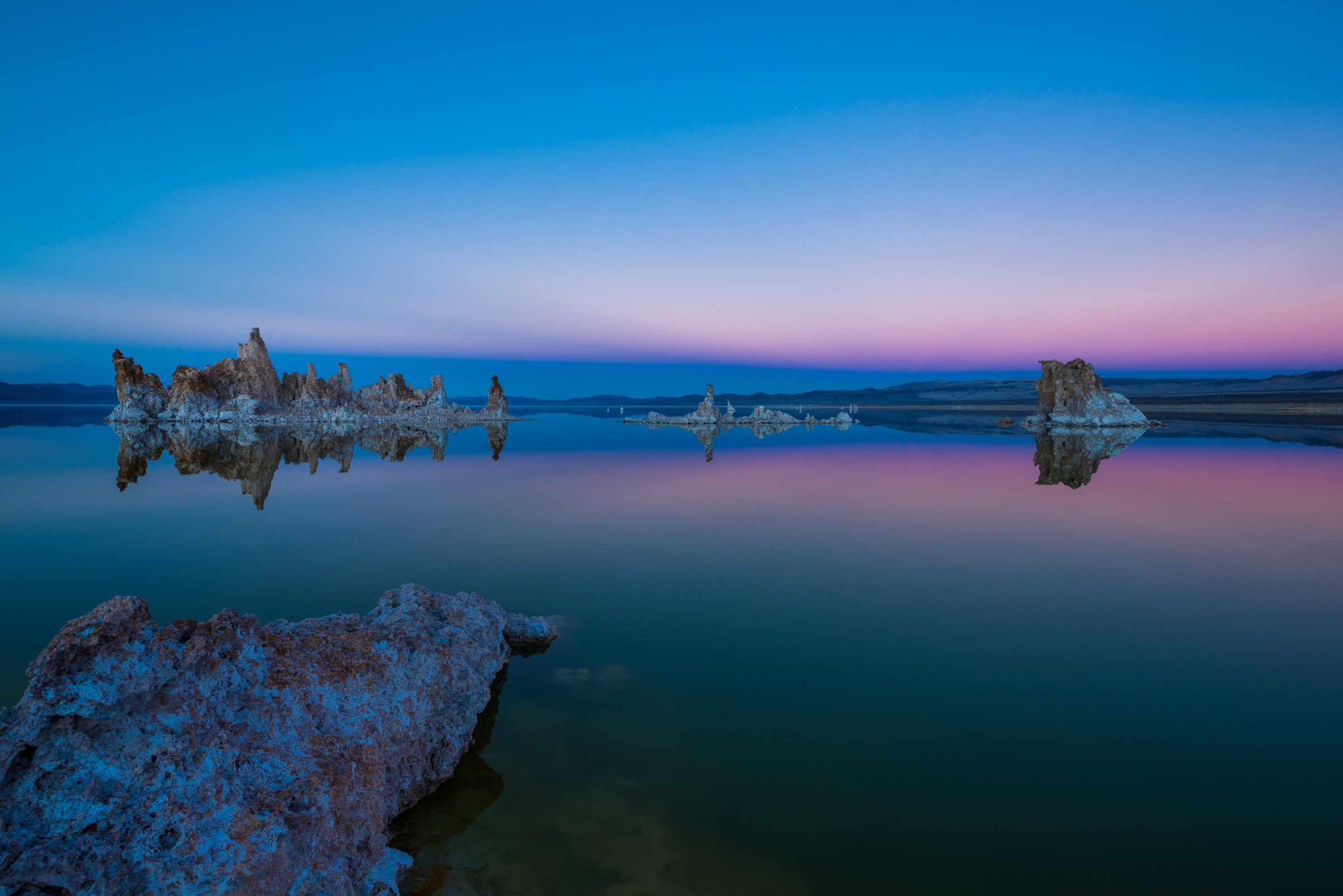
Do not diagnose the original camera position from the result. The reference below gives one visible arrangement of formations and water. It does not demonstrate a changed position, a before-and-after improvement, or a safe way to reach an alternative.
For your own photograph, compare the result with the stated purpose. If the overlap hides what matters, consider a framing change first. A possible position change needs an independently checked permitted surface, not a guess based on how small the adjustment seems.
 Save
Let a layered landscape work without adding an object
A landscape can contain enough relationships in the terrain itself. Repeated ridges, changes of tone, and overlapping forms may be the picture you want. You do not have to search for a rock or branch to add at the bottom.
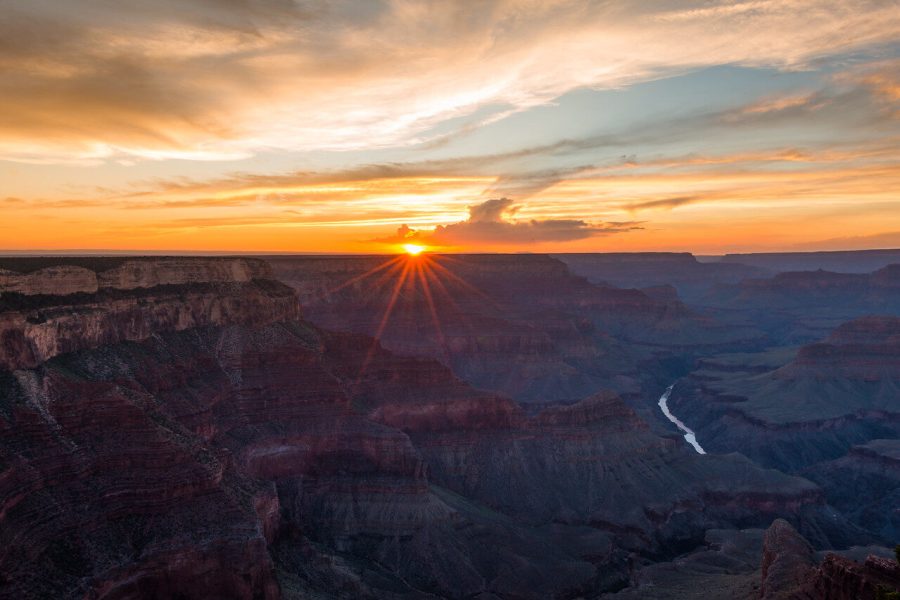
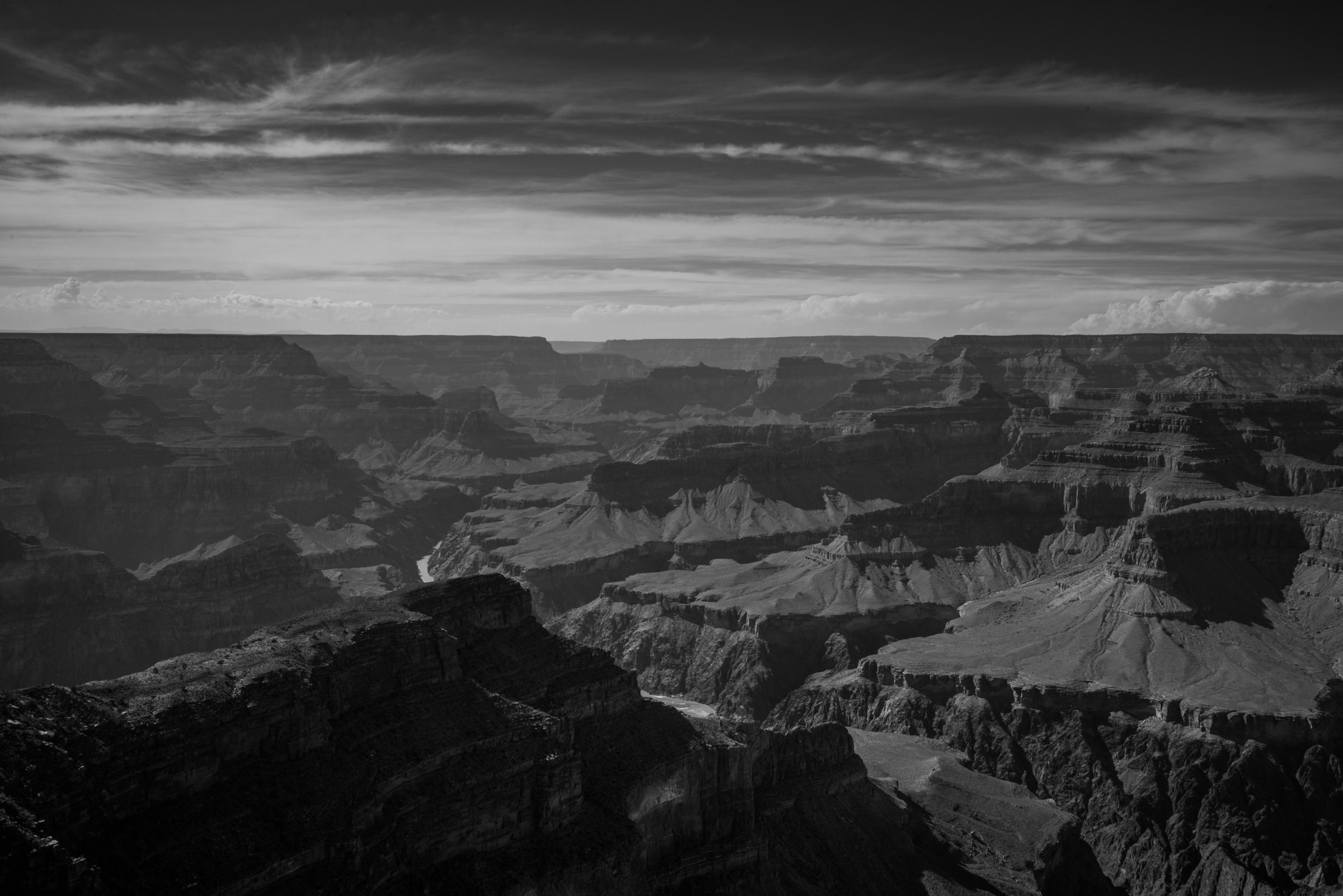
This does not mean the scene has no foreground. In the canyon reference, a lower near cliff is visible. The narrower point is that a layered landscape can work without adding a foreground object as a separate anchor.
Nikon’s article featuring Tony Sweet describes selecting smaller parts of a larger landscape and notes that not all landscape photographs need a wide-angle lens. That supports making a deliberate selection rather than always including the widest possible scene.
Look for the part that carries your purpose. If the photograph is about the rhythm of terrain layers, a large new near object might change that purpose. It might make the picture about the object with the landscape behind it.
You can choose that different photograph, but name the change. Do not call exclusion a missing feature or inclusion a guaranteed gain. Neither choice promises a particular emotional response or a measurable sense of distance.
 Save
Change framing before assuming you can change position
From the checked position, consider whether a different camera direction or tighter frame reduces an unwanted edge intrusion. Inspect what else that choice removes. Excluding a rock may also remove a useful water shape or change the relationship with the distant subject.
If a position change is necessary, stop and check the surface independently. Follow current local rules and signs. Remain within permitted space, keep clear of barriers and hazards, and do not step backward while watching the camera.
The National Park Service’s photographic safety guidance asks visitors to check alerts, use trails and boardwalks, stay on the safe side of barriers, and remain aware of surroundings. A composition idea does not replace those checks.
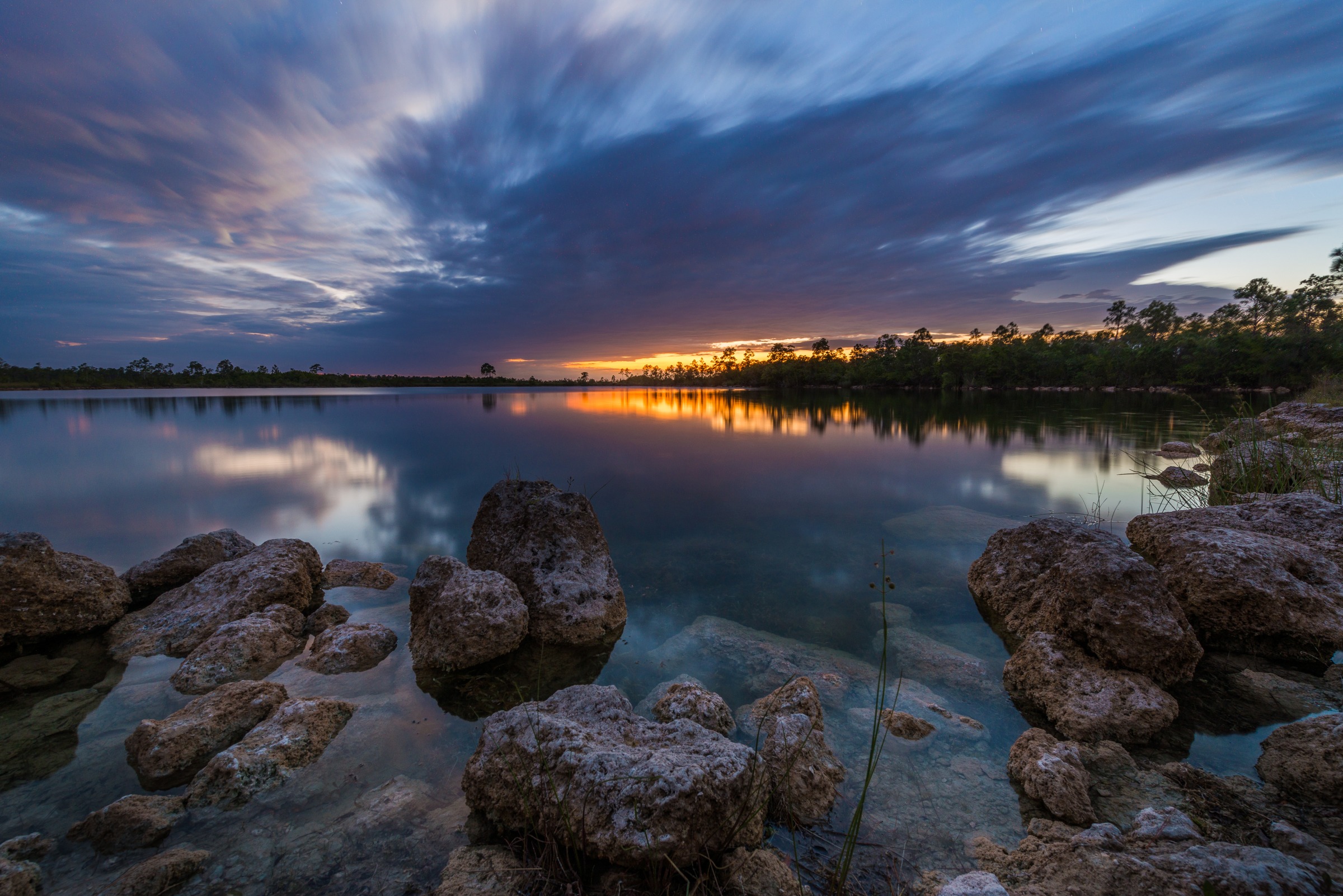
Never assume a clear-reflection alternative exists. The permitted space may offer no way to remove the near object, or the water may not provide the result you imagined. If the available frame does not meet the purpose, revise the purpose or reject the attempt.
Do not move a rock, bend a plant, or clear vegetation to create the alternative. The include/move/exclude checklist is about your camera and the photograph, not rearranging the landscape.
 Save
Consider edge foregrounds as well as bottom foregrounds
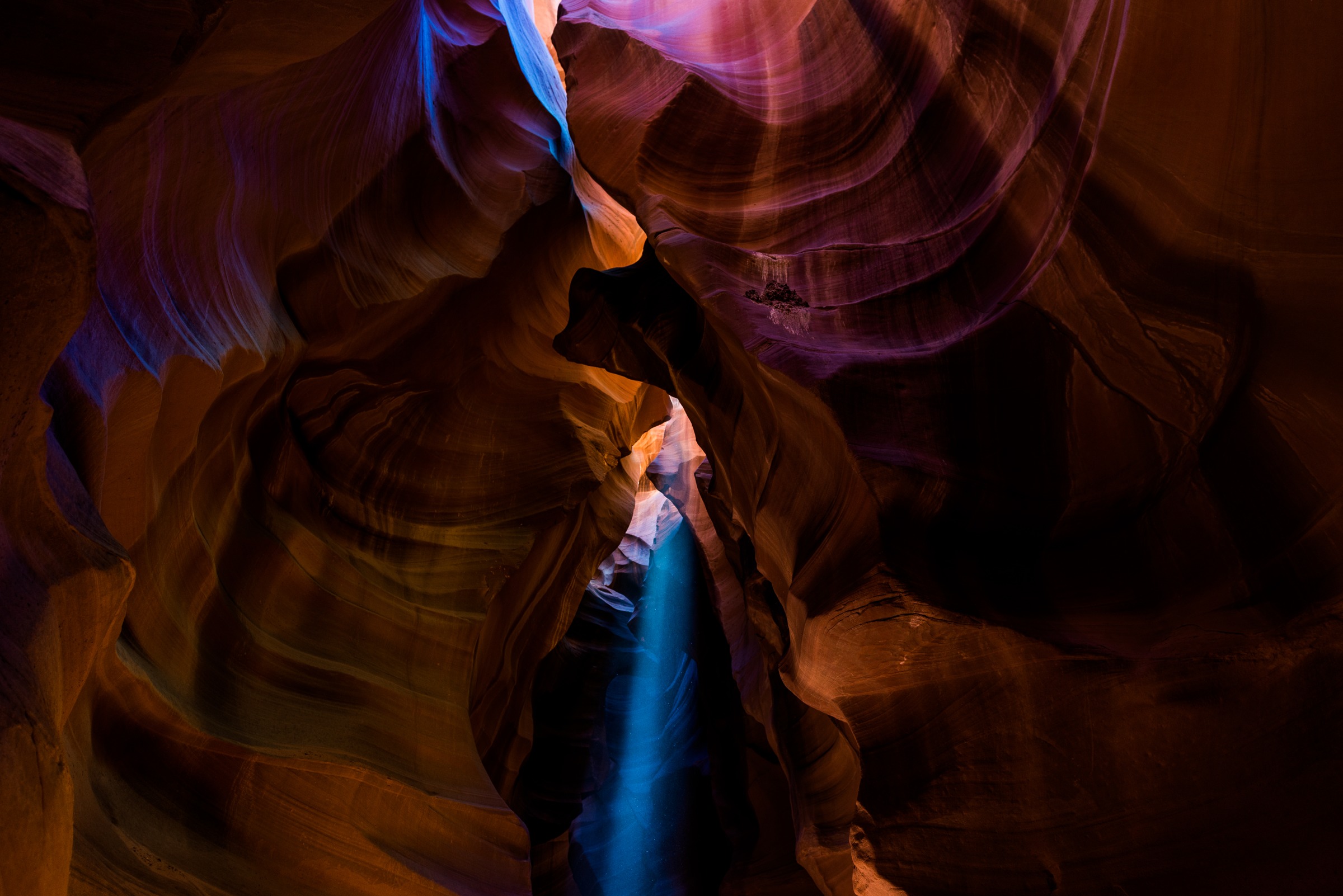
Near elements do not have to sit across the bottom of the photograph. Close wall edges can surround a gap. A branch can enter from above. Read every border before deciding that the foreground is a single object in the lower third.
Ask what the edges reveal and what they hide. If the narrow opening is the intended subject, the nearby walls may make its shape more distinct while also reducing how much you can see through it. That tension is a concrete relationship to judge.
The canyon-wall reference below supports a reading of close edges around a narrow gap. Its filename is not geographic verification, and this article does not use it to identify California’s Antelope Valley. The visible walls are enough for this composition question.
Do not infer a light-beam time, camera setting, access rule, or performed test from the frame. There is no supplied alternative with different edges. If you try a related framing exercise in your own permitted scene, keep the notes tied to what you actually changed.
 Save
Match focus to the purpose, not a universal aperture
After choosing the foreground’s role, name the areas that need to be readable. If the near outline matters more than its texture, the requirement differs from a picture built around fine rock detail. If the distant formation is the subject, do not let the camera’s focus choice accidentally shift the attention elsewhere.
Inspect the actual test frame rather than adopting a universal landscape f-number. A composition decision is not complete merely because one setting sounds conventional. Check whether the important relationships and required details remain visible in the result.
Softness does not automatically make a foreground wrong. It may be acceptable for your purpose or may hide an important shape. Describe the problem you see and make a new test if needed. Do not claim that these references prove any focus or aperture comparison.
Keep this check narrow. You are deciding whether the foreground supports the photograph, not turning every landscape into a requirement for identical sharpness from the nearest edge to the horizon.
An include, move, or exclude checklist
Include: the near element has a specific job, its visual weight fits the subject, and its overlap leaves the information you need readable. State the cost you accept, such as an interrupted reflection or a partly hidden gap.
Move the camera: a framing or position change has a clear purpose, and any physical move is independently permitted and suitable. Do not assume the alternative exists. Test it only when those conditions are met.
Exclude from the frame: the near element does not support the intended picture or takes away information that matters more. Check what the narrower frame loses as well as what it removes.
These are possible decisions, not a forced order. You do not need to photograph all three versions. If one decision already meets the purpose responsibly, the checklist has done its job.
A frame-reading worksheet
Write the intended subject, the near element, its proposed job, and its cost. Add the outline or reflection that must remain visible, the required focus area, and the checked standing-space limit.
Then name one next test, if a test is needed. “Tighter framing to reduce the near mass while keeping the distant outline” is specific. “Different camera height from the permitted surface to inspect overlap” is specific but still conditional. “Add depth” does not say what you will inspect.
After making your own frame, record the result and the choice you kept. If you changed several things together, note that instead of claiming one cause. Keep separate reference photographs separate; they do not become a controlled comparison because they appear in one article.
Foreground decision FAQ
Does every landscape need a large foreground object?
No. A foreground object is a useful choice when it supports the intended picture. A layered landscape can work without adding one.
Does more foreground automatically add useful depth?
No. Inspect its role, weight, and overlap. It may support the subject or hide information that matters more.
What does “move” mean in this checklist?
Change the camera’s framing or position only when the standing surface is independently checked and permitted. Never move rocks or plants.
What if near rocks interrupt a reflection?
Decide whether the interruption fits the picture. A different frame or permitted position is only a proposal, not a guaranteed clear-reflection alternative.
Does the canyon reference have no foreground?
No. A near cliff is visible. The lesson is that a layered landscape can work without adding a separate foreground object.
Are these five scenes controlled composition tests?
No. They are separate owner references, not same-session alternatives, new shots for this article, or performed position and focus comparisons.
Sources
Canon: foreground interest is optional; Nikon: consider foreground and background together; Nikon: select details within the landscape; Canon: framing and simplifying composition; NPS: check permission, barriers, and surroundings before changing position.
For broader scene and camera foundations, see our landscape photography guide. For route planning that stays separate from permission to stand, read our photography road trips guide.