
The M on the mode dial is not a badge of honor. It is a tool. Use it when you want shutter speed and aperture to stay where you put them, and learn what happens to the picture when you change one of those settings. That is a much better reason than thinking good photographers are never allowed to use automatic exposure.
To start shooting manual mode, choose your shutter speed, aperture, and ISO deliberately, make a photograph, and check the result. You do not need perfect settings on the first attempt. You need to know which part of the picture matters and which control can help you protect it.
This guide replaces the idea of a magic manual-mode recipe with a practical workflow. You will learn how to read the meter, separate motion from depth of field, understand Auto ISO, and avoid changing three things at once when one adjustment would do.
Updated October 2026.
1. Know what manual mode controls
In manual exposure mode, you choose shutter speed and aperture. ISO can be fixed at a value you select, or it can be automatic if your camera supports Auto ISO in M. That distinction matters. Manual with fixed ISO holds all three settings; manual with Auto ISO lets the camera change one part of the brightness decision.
Manual exposure is not manual focus. You can use autofocus while setting exposure manually, and manual focus while using an automatic exposure mode. They solve different problems. Do not turn off a useful focusing system simply because you moved the exposure dial to M.
The camera still has a meter. It can show whether your settings are brighter or darker than its recommendation without changing those settings for you. Think of that reading as advice from the camera, not a compulsory target.
Manual mode does not create better light, improve composition, or make a soft lens suddenly sharper. A good exposure in aperture priority can look just as good as the same exposure in M. Choose the mode for the job, not for how professional its name sounds.
2. Decide what the photograph needs first
Start with a question: what cannot be allowed to fail? For a moving person, it may be a sharp face. For a static landscape, it may be enough depth of field from foreground to distance. For moving water, it may be a particular amount of blur.
If motion is the priority, choose the shutter speed first. If depth of field matters most, choose aperture first. Then fit the remaining settings around that decision. This keeps you from reaching a bright-looking exposure that ruins the reason you took the photograph.
There is no universal starting combination. A low-light portrait and a sunny landscape do not need the same aperture, time, or ISO. Any number you read in a guide is a starting point for a particular situation, not a password that unlocks every photograph.
Make the scene easier where possible. Move into better light, clean up the background, or support the camera. Changing your position may remove the need for a more extreme setting. The settings should support observation, not replace it.
 Save
Save3. Set shutter speed for motion and camera stability
Shutter speed controls how long light is collected. A shorter time can help freeze movement but collects less light with everything else unchanged. A longer time collects more light but gives movement more opportunity to appear in the frame.
For a moving subject, try a fast shutter and inspect the important detail. The required speed depends on how quickly the subject moves, its direction, distance, your focal length, and how large you will view the picture. A number that works for a distant walker may fail for a close runner.
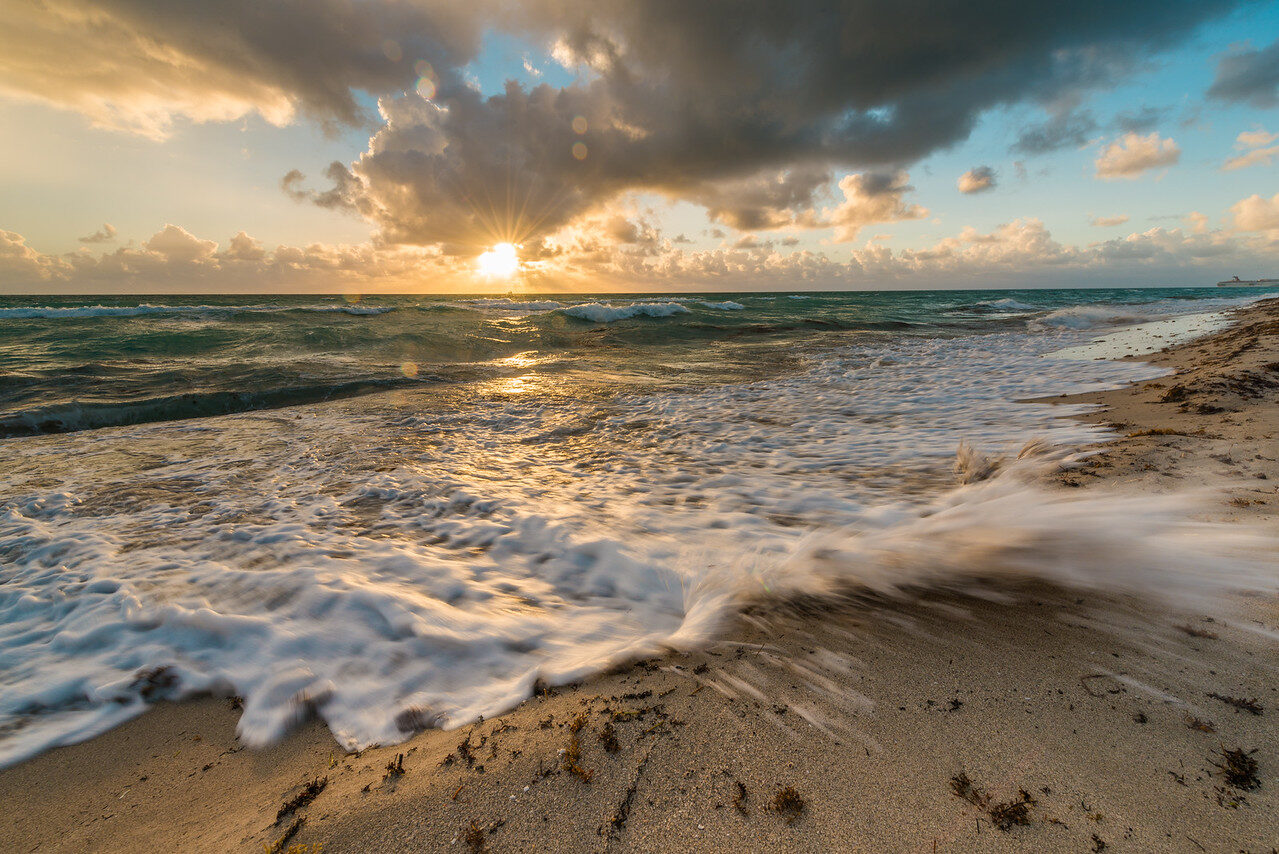
For intentional blur, slow the shutter in steps. Make one frame, review the movement, and adjust. A tripod can keep a building or shoreline steady while water blurs. It cannot prevent a person, branch, or wave from moving during the exposure.
Handholding adds another limit. Stabilization can help with your camera movement, but it does not freeze a moving subject. Do not assume an image will be sharp because a stabilizer is switched on. Inspect it at a useful magnification and raise the shutter speed when the picture needs it.
If motion is the lesson you want to practice first, our shutter priority guide offers a simpler route while you learn how the aperture responds.
4. Set aperture for depth of field, not a slogan
A lower f-number means a wider lens opening. It lets more light through at the same shutter speed, and often gives a shallower-looking focused area. A higher f-number narrows the opening and can give more depth of field, though focus distance, focal length, sensor format, and viewing size also affect the result.
You do not need f/1.4 or f/1.8 to use manual mode. Your lens may not offer either. A portrait can work beautifully at a narrower opening, especially when several faces need to look sharp. Choose what the scene needs rather than chasing the smallest number on the lens.
Depth of field is not a guarantee of focus. You still need to place focus correctly. A narrow aperture cannot rescue every missed focus point, and very small apertures can soften fine detail through diffraction. Stop down because the picture benefits, not because the highest number must be best.
For a landscape with foreground and distance, inspect both areas. If one is soft, consider focus placement, aperture, camera movement, and whether the scene exceeds what one frame can hold. Do not blame exposure mode for a focusing problem.
Our aperture priority guide explains this choice in more detail. You can learn aperture there and carry the same judgment into manual mode.
5. Use ISO to support the choices that matter
ISO affects how the camera handles the captured signal and the brightness of the rendered image. Raising it does not open the lens wider or collect light for longer. If aperture and shutter stay fixed, turning up ISO does not add incoming light.
When you need a fast shutter in dim light and the lens cannot open further, higher ISO can be a useful compromise. Some noise may be preferable to a blurred expression. If the subject is static and the camera is supported, a longer exposure may let you keep ISO lower instead.
There is no universal native ISO of 100, and there is no rule that every low-light photograph needs ISO 1000 or more. Cameras and modes differ. Check your manual, make test photographs, and learn how your files behave rather than treating an internet number as a limit.
With Auto ISO enabled, manual mode becomes a partly automatic exposure system. You still control time and aperture, but ISO may rise or fall as light or metering changes. Set an upper limit appropriate for your camera and output, then watch when the system reaches it.
Exposure compensation in M can have different effects depending on Auto ISO and camera settings. With fixed ISO, it may only change the meter reference rather than the exposure itself. Read the manual for your model and confirm which value changes.
 Save
Save6. Check the meter, then check the photograph
The meter compares your settings with its estimate for the scene. A mark in the middle is a useful starting point, but it is not proof that the subject looks right. Bright snow, dark backgrounds, and strong backlight can all need a deliberate difference from the recommendation.
Take a frame and look at the important detail. Is the face readable? Is the sky losing texture you wanted? Does the scene feel as bright or dark as you intend? Use the histogram and highlight warnings alongside the preview rather than judging solely by display brightness.
A histogram does not need to form one perfect shape. A dark scene can lean left and a bright scene can lean right. Watch for important tones crowding the edges, and remember that the camera usually shows a processed preview rather than every recoverable raw value.
If the photograph is too dark, choose which setting you can change without hurting the picture. Lengthen the shutter only if motion allows it. Open the aperture only if the depth of field remains suitable. Raise ISO when those other choices need to stay. If it is too bright, reverse the reasoning.
A simple manual-mode practice session
Pick a steady subject in steady light. A shaded wall, a plant, or a small arrangement on a table is enough. Support the camera and use fixed ISO for the first exercise so it does not quietly compensate for your changes.
Choose an aperture and shutter that give a reasonable meter reading. Make a frame. Change only shutter speed, keeping aperture and ISO fixed, and make another. Compare brightness and any movement. Write down what changed if your camera display makes the sequence hard to follow.
Return to the starting settings. Change aperture while holding shutter and ISO fixed. Compare brightness and the sharp-looking area around focus. Finally, change ISO while holding shutter and aperture fixed. Notice the difference in rendered brightness without assuming you collected more light.
The exercise is about cause and effect. It is not a contest to produce a finished masterpiece. Once you can predict the direction of a change, practice adjusting two settings to keep similar brightness while changing the appearance of motion or depth.
When manual mode makes the work easier
In steady light, fixed manual settings can keep exposure consistent while the composition changes. A subject passing in front of light and dark backgrounds may otherwise cause the meter to shift its recommendation even though the subject’s own light stays similar.
Manual mode can also be useful for repeated product photographs, panoramas, and deliberate long exposures. Consistency is the advantage. It is not a promise that the original settings will remain right after the light changes.
For moving water, choose the time that gives the texture you want and fit the remaining settings around it. If bright daylight makes a long exposure impossible at a sensible aperture and ISO, a suitable neutral-density filter can reduce incoming light. See our moving-water photography guide before buying filters.
When another mode is the smarter choice
If light is changing quickly and you need to react to people, aperture priority or shutter priority can reduce the number of decisions you make for each frame. You still control the part that matters and can use exposure compensation to guide the automatic part.
Manual with Auto ISO is another useful compromise when you want both shutter and aperture fixed while light changes. It has limits, so monitor ISO and the result. A mode is successful when it helps you make the photograph, not when it demands the most dial turning.
Do not let pride cost you the moment. If you can get a well-exposed, well-focused frame faster with a priority mode, use it. Learning manual gives you understanding that improves your choices in every mode.
Common mistakes to catch before the next frame
Check settings left over from the last scene. A long shutter from a landscape session can ruin a quick portrait. An ISO limit from daylight may be too restrictive indoors. A tiny aperture chosen for depth may force a compromise you did not notice.
Check focus separately from brightness. Also check whether the lens or camera has reached a setting limit. If changing one value does not produce the result you expect, look for Auto ISO, exposure compensation behavior, or another automatic feature before assuming the camera is broken.
For the underlying relationship between light, time, aperture, and ISO, read our exposure guide. Then keep practicing with the Shut Your Aperture Academy. The goal is fewer surprises, not a permanent attachment to M.
 Save
SaveManual mode questions
Is manual mode necessary for professional-looking photos?
No. Image quality depends on light, focus, composition, and suitable exposure choices. Manual mode is useful when holding shutter and aperture deliberately helps the job.
Is manual exposure the same as manual focus?
No. You can use autofocus with manual exposure, or manual focus with automatic exposure. They control different parts of making a photograph.
Does Auto ISO work in manual mode?
Many cameras support it. You choose shutter and aperture while the camera changes ISO within its limits. Check the behavior and controls for your model.
Should I always use ISO 100?
No. Base ISO and camera behavior vary, and the shutter or depth of field you need may require higher ISO. Choose the compromise for the picture.
Why is my picture dark when the meter is centered?
The meter is a recommendation, not proof that your intent is met. Evaluate the subject, histogram, and important details, then adjust settings deliberately.
References: Nikon exposure-mode documentation and Auto ISO guidance. Photographs illustrate scenes, not a controlled settings comparison or a record of camera EXIF.
Learn faster with a plan. The ShutYourAperture Academy has 22 photography courses, from the fundamentals of aperture, shutter and ISO to genre courses like landscape, portrait and street.
Useful gear for manual exposure practice
Buy what solves a real problem in your setup. Check lens filter diameter, camera-release compatibility, and tripod capacity before ordering. A tripod must include a suitable head and plate, or you need to add them separately.
Stable tripod and compatible head: useful for static landscapes when the selected shutter becomes long.
Compare on Amazon | Compare at B&H
Fixed neutral-density filter: choose the strength and diameter for your lens and exposure goal.
Compare on Amazon | Compare at B&H
Lens cloth and air blower: keep spray and dust from spoiling the frame.
Compare on Amazon | Compare at B&H
Affiliate disclosure: we may earn a commission from qualifying purchases through these links, at no extra cost to you. These are gear-search links, not claims that every listed item fits your camera.

