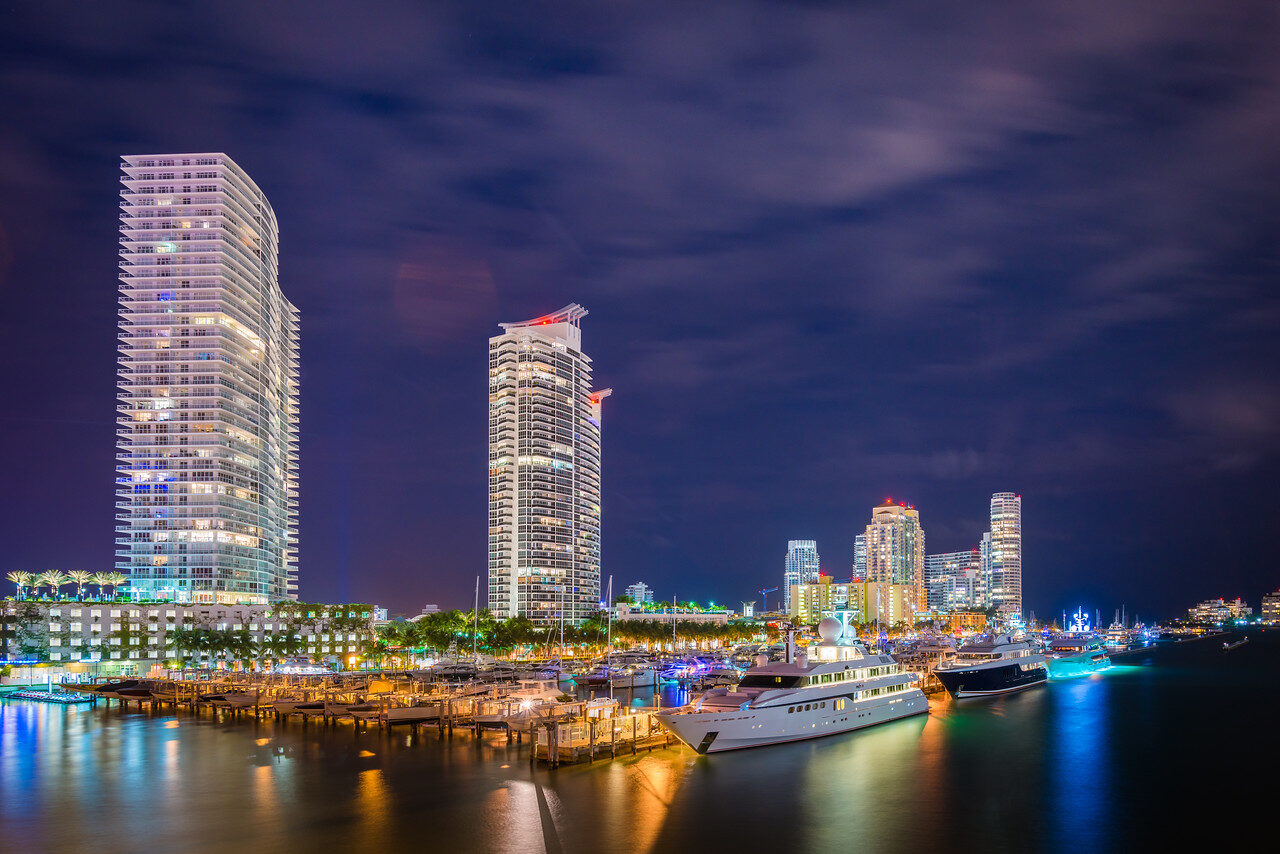
Night cityscapes are the most technically demanding edits in landscape work: extreme dynamic range, five different light sources at five different color temperatures, and noise lurking in every shadow. This is the complete Lightroom workflow, in the order that works. For the capture side, our night photography guide covers settings and technique.
 Save
SaveStep 1: White Balance for Mixed City Light
City nights mix tungsten streetlights, cool LED signs, and whatever color the buildings decided to be. There is no correct global setting, only a deliberate choice: cooler temperatures make night feel like night and let warm signs pop; warmer temperatures flatter the lights but gray the sky. Pick a base around 3200 to 4000K, then fix problem areas locally with masked temperature shifts rather than chasing a global compromise.
Step 2: Exposure Architecture
Pull highlights down hard. Signs, windows, and streetlights clip fast, and clipped color in a night file turns to white mush. Then lift shadows moderately; pushing them too far is what produces the gray, noisy, HDR-looking night file that gives the genre a bad name. Blacks can stay genuinely black. It is night. Let it be dark.
Step 3: Noise Without Mush
Night files need luminance noise reduction, but the sky and the buildings want different amounts. Apply a moderate global setting for the sky and water, then mask the buildings and lights back to full detail. Sharpening comes after noise reduction, never before, and the sky gets little to none.
Step 4: Color Control
The HSL panel is where night cityscapes are made. Saturated neon needs control, not boosting: pull the loudest channel down until it sits with its neighbors. A slight teal push in blue hue and a warm shift in orange gives the classic night-city palette without the overcooked cyberpunk look. Dehaze goes on light; heavy dehaze at night creates halos around every light source.
The Fast Version
The cityscape looks in the Landscape, Cityscape and Drone Preset Pack are built on this exact logic: controlled highlights, protected blacks, managed neon. One click gets you the architecture, then white balance and the HSL panel tune it to the scene. The free starter pack in our Lightroom presets guide lets you test the workflow on your own night files first.