
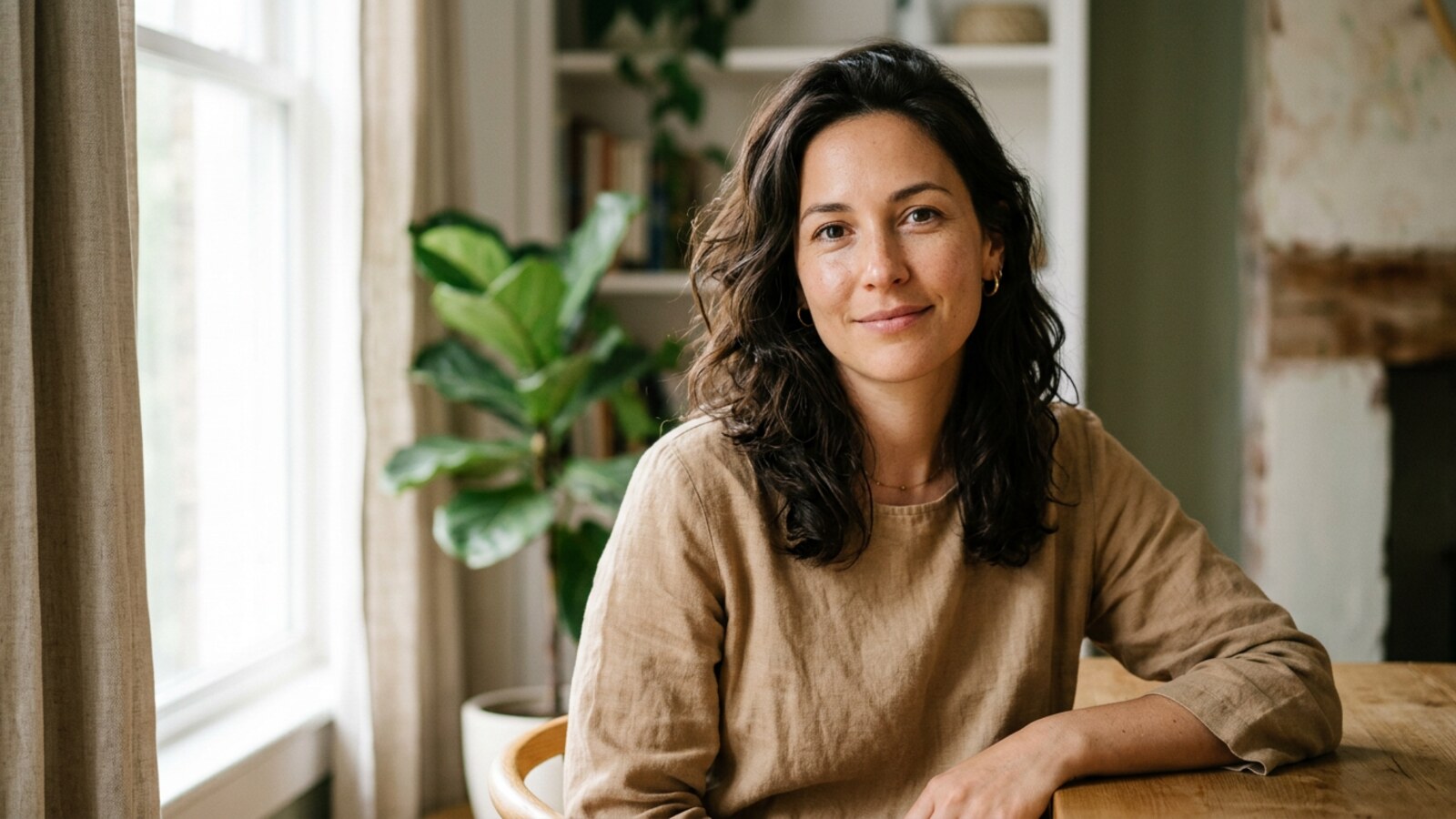
Portrait Lightroom Presets — 50 Skin-Flattering One-Click Edits
These portrait lightroom presets were built around one obsession: making every skin tone look exactly as beautiful as it did when you pressed the shutter. Not washed out, not over-saturated, not gray — beautiful. Whether you are shooting a beauty headshot in a controlled studio, a child sprinting through a sun-drenched field, a couple wrapped in golden-hour warmth, or a senior subject lit by quiet window light, the fifty presets in this pack deliver editorial-grade skin tones with a single click.
Most preset packs are designed for a narrow slice of the photographic world — usually fair-skinned subjects in soft, flattering, artificial-looking light. The result is presets that blow out highlights on lighter complexions, turn mid-tones muddy on deeper skin, and crush shadow detail on darker faces. We spent fourteen months testing across the full Fitzpatrick scale, from the palest Scandinavian complexion to the richest West African melanin, and every preset in this collection has been calibrated to hold highlight detail, protect shadow warmth, and keep HSL hue shifts in a range that flatters rather than distorts real human skin pigmentation.
The result is a pack that is equally at home on a headshot session for a corporate LinkedIn profile, a beauty editorial destined for a magazine cover, a natural-light family session with mixed skin tones in every frame, or a late-afternoon golden-hour shoot where warm orange tones threaten to swamp a subject’s complexion. These presets handle all of it. You get light and airy portrait presets for the soft, romantic look that dominates Instagram, moody portrait presets with lifted shadows and desaturated backgrounds for a cinematic editorial feel, and everything in between — a complete workflow, not a single aesthetic.
Every preset ships as both XMP and DNG — Lightroom Classic, Lightroom CC, Lightroom Mobile, Photoshop, and Camera RAW all supported. One purchase, all platforms, lifetime updates. Browse the rest of our preset collection or scroll down to see each preset in action.
Everything You Need — One Download
+DNG
Skin
Beauty Headshot — Smooth Lighting, Flawless Skin
The beauty headshot is the most unforgiving genre in portrait photography. Every pore, every highlight, every hue shift is on full display at viewing distances that landscape photographers never contend with. The camera resolves every imperfection with clinical indifference, and the challenge for the editing workflow is to restore the perception of smoothness without looking retouched — the goal is skin that reads as naturally luminous, not artificially airbrushed.
The five beauty lightroom presets in this section achieve that by targeting a very specific tonal range. The core adjustment is a gentle lift in the whites with a simultaneous hold on highlights — this separates skin luminosity from specular blow-out. HSL adjustments nudge the orange hue channel slightly warmer and bump the orange luminance up two points, which creates that creamy, dimensional skin quality associated with high-end editorial portrait presets. Simultaneously, the red hue channel is pulled slightly toward orange, smoothing the transition between flush areas and the surrounding skin tone rather than leaving harsh magenta rings around noses and cheeks.
For dark skin tones, these presets shine because they do not flatten shadow detail. A shadow-curve micro-adjustment holds richly pigmented skin in three-dimensional quality rather than collapsing it into a flat dark mass. Photographers shooting actors for casting profiles, corporate executives for LinkedIn headshot presets, or models for agency submissions find the results immediately usable — often with zero per-image adjustment beyond a minor exposure tweak.
Pair the Beauty — Neutral preset with the HSL Brush tool to selectively warm the skin while keeping a cool background tonal key, and you have a two-minute headshot workflow that rivals edits that used to take twenty minutes in Photoshop. For deeper editorial context on building a headshot workflow, see our guide to headshot Lightroom presets in 2026.
Child Natural Light — Candid, Fresh, Emotionally True
Photographing children in natural light means chasing constantly changing exposure values as they move between shade and dappled sun, all while attempting to catch expressions that last a fraction of a second. Post-processing needs to be fast, consistent, and — above all — gentle. Over-processing children’s portraits creates an uncanny quality that parents instantly reject. The natural light portrait presets in this section were designed to work transparently, enhancing rather than overriding what the camera captured.
The technical focus is on two problems. First, dappled natural light creates patches of warm and cool tones in the same frame, causing white balance to make some areas look correct while others look wrong. A calibration-level color profile adjustment creates a neutral starting point before other tonal work — reducing the struggle of a single WB setting against mixed-temperature light. Second, child photography presets must handle the transition between pale, delicate skin and saturated outdoor foliage without blowing out the child’s face or turning the background into an unnatural color.
The result is a set of presets that hold highlight detail in fair, rosy children’s skin, clean up the slightly muddy quality that overcast outdoor light sometimes imparts to complexions, and produce the warm, slightly matte look that characterizes the light and airy aesthetic popular in family photography. Color scientists call this a “lifted black with compressed highlight” profile — photographers call it the look that makes clients buy every single image from a gallery.
These presets also perform excellently on newborn photography presets scenarios where the softest possible skin rendering is required. The absence of over-sharpening in the base preset settings means delicate newborn skin does not develop artificial texture under post-processing.
Couple Environmental Portrait — Warm, Connected, True to Place
Environmental portraits are as much about location as they are about the people in frame. A couple photographed in an urban alley needs a grittier, cooler edit than the same couple photographed against a vineyard landscape — and yet the skin tones in both images need to remain warm, inviting, and natural. This is the fundamental tension that couple portrait presets must navigate: the environment and the subjects often want different things from the color grade.
The presets in this section resolve that tension by separating the luminosity and color treatment of skin tones from the environment using targeted HSL adjustments. The skin range — primarily oranges and reds — is handled independently from the greens, teals, and blues that typically dominate outdoor backgrounds. You can push the environment in a more desaturated, cinematic portrait preset direction while maintaining warm, natural skin values in the same frame. This is technically challenging to achieve manually, and it is exactly the kind of work that distinguishes a professionally calibrated preset from a quick Instagram filter.
For mixed-skin-tone couples, these presets are particularly valuable. When one partner has significantly lighter skin than the other, a single tonal adjustment that flatters one face will often be unflattering to the other. The color science behind this pack — tested specifically on mixed-tone family portraits as well as couple sessions — ensures that both subjects in a frame are treated fairly by the edit, with no artificial lightening of darker skin and no blowing out of lighter skin.
These engagement portrait presets also suit the warm, slightly hazy golden-hour look. Lifted shadows, a subtle split-tone, and gentle vignetting create dimensional depth without tipping into oversaturation. Read our guide to portrait Lightroom presets for dark skin for more on multi-subject color balancing.
Elderly Subject — Window Light With Dignity and Depth
Photographing elderly subjects with window light is one of the most rewarding and technically demanding scenarios in portrait photography. The interplay of natural directional light with aged skin — which has a dramatically different reflectance profile than younger skin due to changes in the sebaceous layer and collagen density — requires a delicate approach to tonal and color editing. The wrong preset will exaggerate fine lines and creases, flatten the three-dimensional quality of the face, and drain the warmth and character from a subject who has a lifetime of it.
The window light portrait presets in this section do the opposite. They leverage the directional quality of window light to create genuine sculptural depth rather than smoothing it away. The shadow detail adjustments hold the gradual luminosity transition from lit to shadow side, preserving the chiaroscuro quality that gives window-lit portraits their timeless quality. Simultaneously, subtle warm split-toning in the highlights prevents the cool cast that north-facing window light typically imparts, while leaving the blue and aqua channels untouched so that any sky visible through the window is not orange-shifted.
For dark skin elderly subjects, the window light presets are particularly well-behaved. The shadow lift is carefully calibrated to avoid the gray, muddy quality that poorly designed presets impose on deep skin tones when they attempt to open up shadow areas. Instead, the shadows warm slightly toward amber, which is the natural color temperature of light as it wraps around a subject — creating a sense of depth and volume rather than a flat, washed-out edit.
This scene set also works beautifully for senior portrait presets in high-school graduation contexts, environmental lifestyle portraits of older adults, and documentary family photography where grandparents are the primary subjects. The editorial quality of the results elevates these images from snapshots to heirlooms.
Man Studio Strobe — Bold, Clean, Commercial-Grade
Studio strobe photography presents unique post-processing challenges. The controlled, high-power light sources used in professional studio environments render color with a clinical accuracy that simultaneously reveals both the best and worst qualities of any preset. A preset that masks its weaknesses under the gentle imprecision of natural light will fail immediately under a beauty dish or octabox — every HSL hue shift, every tone curve decision, every color calibration adjustment becomes immediately visible and must be exactly right.
The studio strobe presets in this pack were developed and validated specifically under controlled studio conditions using a calibration target — not just tested on attractive images and declared good. The base color calibration ensures that the cool, slightly blue output of studio strobes is converted to a genuinely neutral starting point rather than a pushed-warm tint that looks natural at thumbnail size but becomes obvious at print dimensions. From that neutral base, the presets build toward a commercial, slightly desaturated look that suits corporate headshot presets and actor headshot presets, or a warmer, richer editorial grade for modeling portfolio presets and fashion work.
Men’s skin tones present specific challenges that generic portrait presets handle poorly — the combination of facial hair, deeper skin texture, and broader tonal range in male complexions means that orange-channel adjustments that work for women’s beauty photography can turn men’s skin orangey or artificially warm. The studio presets balance this by anchoring the orange channel adjustment more conservatively and compensating with a slight warm shift in the red luminance channel instead — a subtler intervention that reads as natural on male subjects across all skin tones from fair to very dark.
The moody variant of the studio preset — with a slightly crushed blacks point, de-saturated background tones, and a controlled highlight roll-off — creates the commercial-grade moody portrait presets look that dominates high-end fitness, fashion, and technology brand photography without requiring hours of manual adjustment.
Woman Golden Hour — Luminous Skin in Warm, Directional Light
Golden hour is simultaneously the most forgiving and most treacherous light for portrait work. Warm, directional late-afternoon light sculpts faces and creates the cinematic atmosphere clients associate with professional photography — but left uncorrected, it turns fair-skinned subjects orange and reduces dark skin tones to a poorly differentiated silhouette against a similarly warm background.
The golden hour portrait presets in this section navigate that tonal narrowing with precision. The key technical move is a split approach to white balance correction: the global white balance is shifted slightly cooler than the camera’s suggested value (usually by 200–400K), which protects skin highlights from orange clipping, while a calibration-level adjustment restores the warm, luminous quality to the shadow areas of the skin that gives golden-hour portraiture its emotional resonance. The effect is golden-hour light that looks golden and warm on the face without the subject appearing to have spent the week in a tanning booth.
For dark skin tones specifically, the golden-hour presets in this pack provide results that are genuinely exceptional. Rich melanin in golden-hour light — when the white balance is handled correctly — creates a luminous, almost glowing quality. These presets preserve and enhance that quality rather than suppressing it. The shadow warmth, the held highlight detail, and the subtle contrast in the midtones combine to give deeply pigmented skin an editorial quality that photographers who specialize in people of color have been chasing for years. Deep skin in warm light is one of the most beautiful photographic subjects available; these portrait lightroom presets treat it as such.
For content creators and influencers shooting lifestyle content in outdoor environments, the golden-hour set offers a consistent, recognizable aesthetic that builds a coherent feed visual identity without the manual color-matching labor that consistency otherwise requires. Explore the Framehaus Academy for structured courses on building golden-hour portrait workflows around this preset collection.
Get All 4 Packs — Portrait, Wedding, Real Estate & Landscape
One bundle. Every lighting condition. Over 225 presets covering portraits, weddings, real estate listings, landscapes, cityscapes, and drone aerials.
Get the Full Bundle — $129 →Built for Photographers Who Shoot People
Portrait & Headshot Photographers
From actor portfolios to LinkedIn sessions, these presets deliver polished results with minimal adjustment. Skin tones stay true across fair skin, medium, and dark skin tones — no separate workflow needed for different clients.
Wedding & Family Photographers
When a family session includes grandparents, parents, and children of mixed backgrounds, you need presets that handle every complexion in one edit. These portrait lightroom presets are calibrated for exactly that scenario — consistent, flattering results across mixed-tone groups in any lighting condition.
Content Creators & Influencers
Build a recognizable feed aesthetic without manual color-matching. The light and airy and golden hour portrait presets in this collection stay consistent across natural-light lifestyle content, beauty close-ups, and travel portraits — apply once, export, publish.
Works With Your Gear — All of It
| Software | Lightroom Classic (v9+), Lightroom CC / Desktop (v3+), Lightroom Mobile (iOS & Android), Adobe Photoshop (Camera RAW), Capture One (via DNG export-import workflow) |
| File Formats | XMP (Lightroom presets), DNG (universal develop settings) — RAW and JPEG both supported |
| Cameras — Canon | EOS R5, R6, R6 Mark II, R7, R8, R50, 5D series, 6D series, 90D, Rebel series |
| Cameras — Sony | A7 IV, A7R V, A7C, A7C II, A9 III, ZV-E10, A6700, A6400 |
| Cameras — Nikon | Z8, Z6 III, Z6 II, Z5 II, Z50, Z30, D850, D750, D7500 |
| Cameras — Fuji | X-T5, X-T4, X-S20, X100VI, X100V, GFX 100S (all Fuji RAW formats including compressed) |
| Cameras — Leica | SL3, Q3, M11, Q2 — all DNG-native formats |
| Cameras — Other | Panasonic S5 II, S1R; iPhone ProRAW DNG; Samsung RAW; DJI Drone DNG (Mavic 3, Mini 4 Pro) |
| Preset Count | 50 presets total — 10 Beauty/Headshot, 10 Natural Light, 10 Environmental/Lifestyle, 10 Studio, 10 Golden Hour/Mixed |
| License | Personal + commercial use · Unlimited clients · No attribution required · Lifetime updates included |
Installed in Under Three Minutes
- Download your ZIP file from the confirmation email or your account dashboard. Unzip the folder — you will find an
XMPfolder and aDNGfolder. - Open Lightroom Classic. In the Develop module, locate the Presets panel on the left side. Click the + icon and select Import Presets.
- Navigate to the unzipped folder and select all .xmp files (or select the entire XMP folder). Click Import.
- Your presets appear in a new Shut Your Aperture — Portrait group in the Presets panel. Click any preset to apply it to the selected image.
- Fine-tune exposure or white balance as needed. Most images need zero adjustment after the preset is applied.
- Download and unzip your preset pack. Locate the
DNGfolder inside the unzipped archive. - Open Lightroom CC (Desktop). Go to File > Import Profiles & Presets.
- Navigate to the DNG folder and select all files. Click Import. The presets sync automatically to all your connected Lightroom CC devices — desktop, mobile, and web.
- In the Edit panel, click the Presets tab. Find the Shut Your Aperture — Portrait group and click any preset to apply.
- Use the Amount slider to blend the preset at any opacity from 0–100% for a more subtle result.
- If you have Lightroom CC Desktop, install using the CC Desktop method above — presets sync automatically to your mobile app. Skip to step 5.
- For direct mobile install, transfer the .dng files to your phone via AirDrop, Google Drive, iCloud, or email attachment.
- Open Lightroom Mobile. Tap the + icon to add photos and import the DNG files. They will appear as grey images in your library.
- Open a DNG file. Tap the three-dot menu and select Create Preset. Name it and save it to a new group. Repeat for each DNG preset file.
- To apply: open any photo, tap Presets, navigate to your group, and tap. Done.
4.9 Stars from 2,437 Photographers
Skylum’s Aperty is purpose-built for portrait retouching with AI skin, eye and detail enhancement. Luminar Neo’s Portrait AI complements it for full-body and editorial work. Tagged as affiliate per FTC.
Frequently Asked Questions
Yes — this was the primary design brief for the pack. The presets were calibrated across the full Fitzpatrick skin tone scale ensuring darker complexions retain shadow warmth and three-dimensional quality. HSL adjustments in the orange, red, and brown channels are specifically tuned to work with high-melanin skin, preventing the flat or muddy quality that affects deeper skin tones in poorly designed presets.
Absolutely. The highlight protection built into every preset in this pack is specifically designed to prevent the blow-out and orange-shifting that affects light, fair skin in warm light. Scandinavian, Eastern European, and other very pale complexions retain creamy, dimensional quality rather than going flat or chalky. The beauty and headshot presets in particular were extensively tested on fair-skinned subjects for corporate, actor, and editorial contexts.
Yes — this is one of the core use-cases these presets were built for. When multiple subjects in the same frame have significantly different skin tones, a single global white balance or tonal adjustment that flatters one person can be unflattering to another. The color science in this pack separates skin-tone treatment from background and environment treatment, and the calibration-level adjustments are designed to be neutral enough that they work well across the full range of complexions in the same edited frame.
Lightroom Classic version 9.0 or later, Lightroom CC / Desktop version 3.0 or later, or Lightroom Mobile (any current version). The DNG format presets also work in Photoshop Camera RAW CS6 and later, as well as Capture One via a DNG import-export workflow. All major current versions of these applications are fully supported.
Both RAW and JPEG are supported. The presets are optimized for RAW files — which offer the maximum tonal range for the adjustments to work within — but all settings translate to JPEG as well. JPEG files have a compressed tonal range, so very aggressive tonal adjustments (large exposure or shadow/highlight moves) may show some limitation, but the skin-tone color work translates cleanly to JPEG files.
Yes. The license includes personal and commercial use with no restrictions on client volume, usage type, or commercial context. You can use these presets on client work, editorial commissions, advertising campaigns, and social media content for brands. No attribution is required. The license is per photographer, not per project.
Yes. Fuji X-T5, X-T4, X-S20, X100VI, and other X-Trans sensor cameras are all supported. Fuji’s X-Trans sensor and its compressed RAF format are handled by Lightroom’s own RAW decoder, and our presets work at the Lightroom develop settings level — meaning they are fully compatible with all Fuji RAW files that Lightroom can open. We recommend testing the calibration preset variants as Fuji’s color science is slightly different from Bayer-sensor cameras.
The easiest method is to install via Lightroom CC Desktop, which syncs presets automatically to all connected mobile devices. If you only have Lightroom Mobile, transfer the DNG files to your phone, import them into your library as photos, open each DNG, and use “Create Preset” to save it to a preset group. Full step-by-step instructions are in the Installation section above.
Lightroom presets work on color, tone, and light — they never alter facial geometry, skin texture, or body shape. AI retouching apps like Facetune modify facial features in ways considered inappropriate for professional editorial, headshot, or documentary work. Our presets give you professional color grading without any manipulative retouching.
Lightroom Classic and Lightroom CC use slightly different preset storage architectures. The XMP files are for Lightroom Classic, and the DNG files are for Lightroom CC / Desktop and Mobile. Both formats are included in your download. If you use both applications, install the XMP files in Classic and the DNG files in CC — the same preset settings are available in both workflows.
Yes. The pack includes a full set of moody, cinematic portrait presets alongside the light and airy variants. The moody presets use a controlled shadow crush, desaturated background tones, and a subtle cool-to-warm split grade that creates the editorial, high-contrast look associated with fashion, fitness, and commercial portrait photography. All moody variants are still skin-tone safe — the desaturation targets the background tonal range rather than the skin hue range.
Yes. Lifetime updates are included with your purchase. As Lightroom releases new versions with new profile capabilities, we update the preset pack to take advantage of them. Previous buyers receive all updates at no additional charge via the same download link in their purchase confirmation email.
We offer a 30-day money-back guarantee, no questions asked. Contact our support team within 30 days of purchase for a full refund if the presets do not work for your workflow. We ask that you genuinely try them first, but we have a very liberal interpretation of that — and we have never disputed a sincere refund request.
Both. Each preset is calibrated to produce a polished result on a well-exposed image without further adjustment. But every Lightroom preset is just a set of develop settings — you have complete control over every slider after applying. Most photographers make minor per-image exposure or white balance tweaks before exporting. Edits are always non-destructive; your original file is preserved.
Portrait Lightroom Presets vs. the Alternatives
| Feature | This Pack (SYA Portrait) | Free Presets | AI Portrait Apps (Facetune, etc.) |
|---|---|---|---|
| Calibrated for dark skin tones | ✓ Yes | Rarely | No — face-altering only |
| Calibrated for fair skin tones | ✓ Yes | Inconsistent | No — face-altering only |
| Works across mixed-tone groups | ✓ Yes — explicitly tested | Usually no | N/A |
| Works in Lightroom Classic | ✓ Yes (XMP) | Sometimes | No |
| Works in Lightroom Mobile | ✓ Yes (DNG) | Rarely | Yes |
| Non-destructive editing | ✓ Yes — always | Yes | Often bakes in edits |
| Professional/commercial license | ✓ Included | Usually restricted | Subscription-based |
| Preset count | 50 curated presets | 3-10 usually | Not applicable |
| Lifetime updates | ✓ Included | No | Subscription required |
| Alters facial geometry or texture | ✓ Never — color & tone only | Never | Yes — retouching-based |
Add Wedding, Real Estate & Landscape — Complete Your Toolkit
All four packs. One-time payment. Portrait, wedding, real estate, and landscape — over 225 presets, every lighting scenario, lifetime updates across all packs.
Get the Full Bundle →Your Next Portrait Session Deserves This Edit
50 portrait lightroom presets. Every skin tone. Every lighting scenario. One-time purchase, lifetime updates, 30-day money-back guarantee.
Add to Cart — $49 →


