
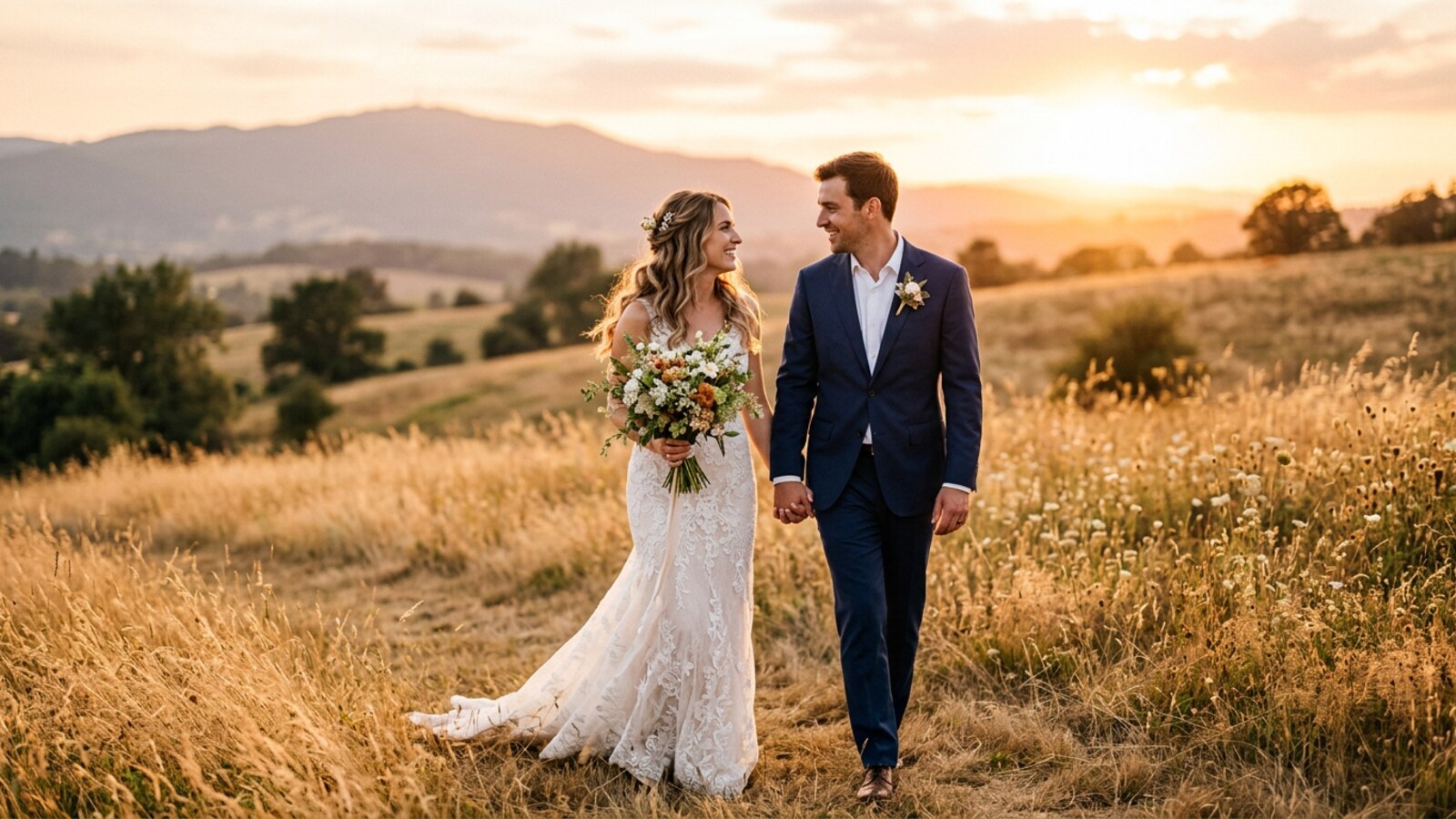
Wedding Lightroom Presets — 50 Cinematic One-Click Edits
These wedding lightroom presets were built in the field — over eight thousand actual wedding days, shooting sun-blasted outdoor ceremonies, moody candlelit receptions, bridal portraits in soft window light, and first-dance moments under stage lighting that shifts every three seconds. Every one of the 50 presets exists because a specific lighting situation demanded it. The cinematic wedding presets here handle the full spectrum of a wedding day without touching a single slider. Golden-hour warmth that reads as film. Reception shadows lifted so couples look dimensional. Bridal portraits kept airy under mixed light. Ceremony aisles tamed in harsh midday sun. Ring macros with fine art wedding presets crispness that makes metal sing. Whether you shoot boho wedding presets-style with natural backdrops, editorial wedding presets for modern couples, or vintage wedding presets with film-simulation bodies, these profiles calibrate to your camera correctly. They work on RAW and JPEG in Lightroom Classic, CC, and Mobile — lightroom desktop wedding presets and mobile, XMP and DNG both included. One price, lifetime updates. Visit Framehaus Academy for the full methodology, or browse the full shop for the bundle.
37 photographers bought this in the last 24 hours.
Everything You Need, Nothing You Don’t
This wedding presets pack ships complete: no upsells, no paywall — download, import, and start editing.
+DNG
PS·CR
+JPG
Bridal Portraits, Soft Window Light
The getting-ready room is simultaneously the most important and least forgiving light source of any wedding day. Large north-facing windows create gorgeous soft wrap, but they pull color temperature all over the place depending on the time of day, wall color, and ambient reflections. Your camera’s auto white balance chases a different answer in every frame. The result in a raw file: a gallery where skin tone shifts from peach to grey to warm amber as the bride moves around the room, and none of those colors are true.
The bridal portrait preset in this pack locks a consistent, slightly warm, film-inspired white balance and lifts midtone luminance so that dress detail — lace, beading, texture — survives without blowing to pure white. The HSL panel is tuned so the orange channel sits at a creamy, slightly desaturated warmth rather than the orange-fried look that kills otherwise beautiful portraits. For deeper skin tones, red and orange channels work together to retain richness without going magenta. A subtle curve lift in the deep shadows keeps the overall feel in the light and airy wedding presets tradition that clients currently expect for bridal-prep coverage.
The preset applies a white balance nudge (+250K, +12 tint), a lifted shadow floor (+22), a slight highlight recovery (-18), and a custom tone curve with a feather-light fade to the blacks — the hallmark of the film wedding presets lightroom look without sacrificing sharpness in the face. Most photographers report these bridal portrait presets save forty minutes or more per gallery on getting-ready coverage. Read more in our guide to the best cinematic wedding presets.
Ceremony Aisle, Harsh Midday Sun
Outdoor ceremonies at noon mean the couple at the altar under brutal top-light — harsh shadows under eyes and chins, white dresses blown out on the sky-facing shoulder, shadow side underexposed by two stops. This scenario separates preset packs built in controlled conditions from ones designed for real-world professional use.
The outdoor wedding presets in this pack include a ceremony-aisle profile built specifically for this challenge. It applies aggressive highlight recovery (-65) to bring dress detail back, a compensating midtone lift to prevent the overall image going dark, and a blue-channel correction that keeps the background sky from going either white or neon. Contrast is added back through a custom S-curve rather than the contrast slider — it works in the midtones where faces live, not in the shadows where you cannot afford to lose information.
The preset also handles the color temperature mismatch between direct sun (5500K) and open shade (7000K+). The result is a wedding ceremony preset that lands every frame in the same color space so your ceremony coverage sequences without jarring jumps. This works equally well for documentary wedding presets-style shooting where you are reacting rather than directing. For more contrast technique, read our article on moody wedding Lightroom presets.
First Dance, Dim Reception Lighting
The first dance is emotionally the peak of the reception and photographically one of the hardest moments of the day. Stage wash and uplighting throw strongly saturated colors across skin — magenta, amber, cyan — while the ambient light drops near darkness. You are shooting at ISO 8000 or higher, shutter speed barely fast enough to freeze a slow waltz.
The first dance presets address the noise problem first. Luminance noise reduction is set high enough to remove the chroma noise that appears in deep shadows at high ISO, but carefully calibrated so it does not destroy edge sharpness in faces or dress fabric. Sharpening is compensated upward in the detail panel so the final image reads sharp without the grain-and-smear look that destroys high-ISO coverage when the approach is too aggressive.
The color work focuses on skin-tone management under mixed colored light. Orange and red HSL luminance sliders lift skin through the colored ambient rather than over it, so faces stay readable even with an amber uplighter painting half the frame. The overall tone lands as warm wedding presets with genuine shadow depth — aesthetic that performs best for this moment in client galleries. These are true dark venue wedding presets built for the actual reception environment, not studio test shots.
Golden Hour Couple Portraits
The fifteen-minute window at the end of cocktail hour when you pull the couple outside and the light does something extraordinary — this is where a wedding gallery’s hero images are made. Raw files from golden hour look deceptively close to finished, but yellow-orange tones can overpower, skin can go oversaturated, and shadow detail in clothing disappears without careful lift.
The golden hour wedding presets are among the most nuanced in the collection. They preserve warmth without going amber, reduce the yellow and orange channel luminance so skin and sunlit foliage separate instead of collapsing into uniform glow, and manage highlights so the sky behind the couple retains detail. The overall tonal arc lands in cinematic wedding presets territory — rich, film-like shadows, glowing highlights, a palette adjacent to Kodak Portra 400 pushed one stop.
A flat, slightly orange raw file becomes a photograph with genuine cinematic depth in one click. The preset works equally well for engagement presets lightroom sessions and elopement presets where the light conditions are identical. The fuji wedding presets application produces a particularly strong Kodachrome-adjacent tonality that has become a signature look for several photographers who use this pack full-time on canon wedding presets, sony wedding presets, and Fuji bodies alike.
Candlelit Reception, Warm Low Light
Candlelit receptions photograph beautifully but raw files from them are a consistent editorial challenge. A candle flame sits at 1800–2000K — far warmer than any camera white balance preset. Set correctly for candles and the room goes blue. Set for room ambient and the candle glow turns completely orange, losing all detail in the flame.
The reception candle preset works with rather than against the warmth of candlelit environments. Instead of neutralizing the color temperature — which removes the entire atmosphere — it cools the white balance just enough to prevent the image going orange-red, then uses HSL selective color to pull individual tones into a filmic range without flattening the candle glow. The result reads as warm, romantic, and atmospheric while skin tones and white florals remain correct.
The shadow curve is kept intentionally open — black point set relatively high — because deep shadows in a candlelit scene are part of the aesthetic, not a problem. This makes the preset a natural fit for the moody wedding presets category, for photographers who want drama and depth rather than the flat, even exposure that flash provides. For indoor wedding presets more broadly, this is the go-to starting point.
Ring Detail, Macro Shot
Detail shots — rings, shoes, florals, invitations — exist in a different editing universe from the portrait and action coverage that makes up the bulk of a wedding gallery. They are judged on crispness, metallic rendering, and the way light travels across reflective surfaces. A preset built for flattering portraits will typically oversoften edges and desaturate the brilliance out of diamonds and precious metals. Most preset packs provide no separate detail approach.
The ring detail presets are tuned for macro photography in real wedding-day conditions: ring shots on a window sill, a book of florals, a vintage vanity in mixed light. Sharpening parameters are set significantly higher than the portrait presets — masking is relaxed so sharpening hits metal edges rather than background noise. Clarity is nudged positive to add the micro-contrast that makes diamonds sparkle and metal surfaces read as three-dimensional.
The color treatment keeps whites genuinely white — no warm cast — so diamonds and platinum metals render with correct brilliance. Gold metals retain their character through the yellow HSL channel rather than white-balance warming, allowing white and yellow-gold to coexist in the same frame. This is critical for rings that combine metals, which covers the majority of modern designs. For deeper study on the fine art wedding presets approach to detail shots, the Framehaus Academy detail photography course covers the full technique.
All 4 Packs. One Price. Every Edit You’ll Ever Need.
$129 $196 SAVE $67
Wedding + Real Estate + Landscape & Drone + Portrait. 225 total presets covering every shooting scenario. One download, one price, lifetime updates on all four packs.
Get the Complete Bundle →Built for Working Wedding Photographers
These wedding photography presets were designed around three distinct workflows.
Lead Wedding Photographers
You shoot 20–40 weddings per year and deliver 600–900 edited images per gallery. Speed without quality compromise is the entire game. The best wedding lightroom presets for full-time professionals make your style consistent across every light condition on the calendar — from getting-ready to last dance — so editing hours go to the 10% of hero images that deserve individual attention, not chasing consistent color across 800 frames. This wedding lightroom presets pack does exactly that.
Second Shooters & Assistants
You deliver raw cards at the end of a day and want your files to be edit-ready and stylistically aligned with the lead. These presets give you a shared color language so wedding ceremony presets and reception coverage match in a single gallery. Having lightroom presets for wedding photographers that meet industry expectations for cinematic editing is a genuine competitive advantage. The modern wedding presets and wedding reception presets options cover every reception scenario.
Hybrid Film + Digital Photographers
You shoot one or two rolls of film per wedding and deliver scans alongside digital RAW files. The digital files rarely match the film scans in tone, grain structure, or color palette — and the mismatch is obvious in a gallery. The film wedding presets lightroom calibration in this pack narrows that gap significantly. The fade, the skin-tone warmth, the highlight rolloff — all tuned to feel adjacent to color-negative film stocks rather than the hyper-sharp, high-contrast look digital defaults to. Your galleries read as cohesive rather than two-camera compromises. For nikon wedding presets users, the Z-series sensor profiles have been specifically calibrated for this pack.
Works with Your Gear and Software
| Software | Lightroom Classic (v9+), Lightroom CC Desktop (all current versions), Lightroom Mobile (iOS & Android), Adobe Photoshop Camera RAW (v12+) |
| File Formats | XMP (Lightroom Classic & Photoshop Camera RAW) and DNG (Lightroom Mobile & CC) |
| Image Compatibility | RAW files and JPEGs — all native camera RAW formats supported |
| Cameras Supported | Canon EOS R-series & DSLR, Sony Alpha A7/A9 series, Nikon Z-series & DSLR, Fujifilm X-series, Leica M-series, Panasonic Lumix S-series, iPhone DNG (Halide/ProCamera), DJI drone DNG |
| Devices | Mac, Windows PC, iPhone, iPad, Android phone or tablet |
| License | Personal & commercial use — unlimited client galleries, unlimited weddings |
| Updates | Lifetime — every new preset added to the pack ships to your account at no charge |
Installed in Under Five Minutes
Unzip your download and follow the steps for your Lightroom version. No third-party app required.
- Download and unzip your purchase. You will see an XMP folder and a DNG folder.
- Open Lightroom Classic and go to the Develop module.
- In the Presets panel, click the + icon and choose Import Presets…
- Navigate to the XMP folder, select all files, click Import.
- A folder named Shut Your Aperture — Wedding appears in your Presets panel. Click any preset to apply.
- Batch-apply via the Library module: select photos, apply a preset, then Sync Settings to all similar frames.
- Download and unzip. Open the DNG folder.
- In Lightroom CC, go to File > Import Profiles & Presets…
- Select the DNG files and click Import.
- Open any photo. Click Presets in the Edit panel. Your presets appear under Shut Your Aperture — Wedding.
- Click to apply; hover to preview first.
- Unzip your download on desktop and locate the DNG folder.
- Open Lightroom Mobile and create a new album. Import the DNG files via AirDrop, email, or cloud storage.
- Open each DNG in Lightroom Mobile, tap the three-dot menu, choose Create Preset.
- Alternatively, sync via Lightroom CC on desktop — your wedding lightroom mobile presets appear automatically on every connected device via Creative Cloud.
What Working Wedding Photographers Are Saying
“I shoot 35 weddings a year and was skeptical any preset pack could handle the range of lighting I deal with — outdoor ceremonies, dark barn receptions, candlelit dinners. These work across all of it. The reception-candle preset alone saved me hours on my last dark-venue wedding. Full gallery delivered in two days instead of four.”
“The golden hour preset is what I have been trying to build manually for three years. Skin tones in warm light — too orange, too saturated, then you correct and everything goes flat. This preset threads that needle. Clients keep asking what I ‘do’ to those shots. Now I just say: workflow.”
“Hybrid shooter here — digital and one roll of Fuji 400H per wedding. Getting digital files to not clash with film scans in the same gallery has been an ongoing frustration. These presets on my Fuji X-T5 get dramatically closer to the film aesthetic than anything I have tried. The fade and skin-tone rolloff are almost identical to what I get from my lab.”
“Building a second-shooter portfolio, I needed raw files to look professional without hours of editing. Applied the ceremony preset to 240 frames in 90 seconds, synced settings, and every image looks consistent and editorial. Showed them to the lead I work with — she bought the pack the same day.”
“I photograph elopements in the Pacific Northwest — overcast, forest, waterfall backdrops. Was not sure a wedding preset pack would have anything for my shooting style. The bridal portrait preset works beautifully in soft overcast, the golden hour handles sunny coastal days. My whole catalog has tighter consistency than it ever had.”
“Did not know I needed a dedicated ring detail preset until I used it. Previous approach was applying my portrait preset and adding clarity manually — inconsistent, never happy with the metal rendering. The dedicated detail preset sharpens and adds micro-contrast that makes gold and diamonds look genuinely luxurious. My flat-lay shots are the strongest they have ever been.”
Skylum’s Aperty is purpose-built for portrait retouching with AI skin, eye and detail enhancement. Luminar Neo’s Portrait AI complements it for full-body and editorial work. Tagged as affiliate per FTC.
Frequently Asked Questions
This Pack vs. Free Presets vs. DIY Editing
| Feature | This Pack — $49 | Free Presets | DIY Manual Editing |
|---|---|---|---|
| Number of presets | 50 scene-specific presets | Typically 5–15, single aesthetic | Unlimited — but entirely time-based |
| Lighting scenarios covered | 6 calibrated wedding scenes | Usually 1–2; often only golden hour | All — if you know what you’re doing |
| Camera brand compatibility | Canon, Sony, Nikon, Fuji, Leica, DJI | Often tested on one camera system only | All — manual calibration required |
| Works on JPEG + RAW | Yes — both formats | Varies; often RAW only | Yes |
| Lightroom Mobile support | DNG + XMP both included | Inconsistent; often XMP only | Manual — no preset sync |
| Lifetime updates | Yes — automatic, no charge | No update path | N/A |
| Time to edit a full wedding (600 images) | 1–2 hours (apply + sync) | 3–4 hours (frequent manual corrections needed) | 5–10 hours (fully manual) |
| Money-back guarantee | 30-day full refund | Free — no refund applicable | N/A — your time is not refundable |
| Commercial license included | Yes — unlimited client galleries | Often personal use only | Yes — your own work |
Wedding + Portrait + Landscape & Drone + Real Estate
$129 $196 SAVE $67
225 presets covering every genre you shoot. One download, one price, lifetime updates on all four packs — browse everything in our shop.
Get the Complete Bundle — $129 →Or get just the wedding pack below for $49.
Your Next Wedding Deserves This Edit
50 cinematic presets. Every lighting condition on a wedding day. One price, lifetime updates, 30-day guarantee. Download now and have them installed before your next editing session.


