
Real Estate Lightroom Presets — 50 Listing-Ready One-Click Edits
Great real estate lightroom presets don’t just make a home look pretty — they make it sell. Every listing photo you put on the MLS is a direct reflection of your professionalism, and buyers decide whether to schedule a showing in under three seconds of scrolling. That means flat, muddy, window-blown RAW files are deal-breakers. This pack of 50 MLS-ready real estate photo editing presets was built from the ground up for the specific lighting challenges that every property photographer, listing agent, and Airbnb host faces shoot after shoot: harsh backyard sun, the mixed-temperature chaos of a chef’s kitchen, the blinding window glare in a freshly remodeled bathroom, the flat ambient light in a living room that refuses to pop, the moody mixed-source glow of a primary bedroom, and the fleeting magic of a twilight exterior at blue hour. Each of the 50 presets in this pack performs one job flawlessly — recover blown highlights, balance warm tungsten against cool daylight, deepen a twilight sky without crushing shadow detail, and deliver a consistent, magazine-quality look across an entire property gallery in minutes rather than hours. These are professional real estate presets and listing photography presets engineered for speed: load them via Sync, batch-apply across 80 listing photos, and deliver to your client before dinner. Whether you shoot on a Sony, Canon, Nikon, or Fuji mirrorless body — or even iPhone DNG and drone DNG files from your aerial shots — the presets adapt. XMP and DNG formats work across Lightroom Classic, Lightroom CC Desktop, Lightroom Mobile, Photoshop Camera RAW, and Adobe Bridge. One purchase, lifetime updates, and a 30-day money-back guarantee. Browse the full Shut Your Aperture preset shop to see the complete catalog, or keep reading to discover exactly why these 50 presets belong in every real estate photographer’s workflow.
41 photographers bought this pack in the last 24 hours
Everything You Need to Edit a Full Listing in Under an Hour
+DNG
CR
Ready
Backyard Pool & Harsh Sun: Recover the Sky Without Losing the Water
A backyard pool shot on a cloudless afternoon is one of the most deceptive scenes in listing photography. The water reads as washed-out white in your RAW file, the sky is blown to pure paper, and the surrounding patio goes flat and grey. Standard exposure compensation destroys the shadow detail in the grass and the fence line. The result on MLS? Buyers scroll right past it.
The Pool Sun preset family inside this pack uses a precision highlight-roll-off curve that pulls sky blues back into range without darkening the mid-tones where your pool deck and furniture live. A subtle teal channel push restores the water’s natural color — the kind of aqua that makes buyers close their eyes and imagine summer afternoons. The companion Pool Overcast preset lifts the diffuse flat look of a cloudy pool exterior with warm shadows and a boosted clarity pass that gives the tile and stone texture they deserve. These pool exterior presets are also available in real estate presets lightroom format (XMP) for Lightroom Classic workflows.
These exterior real estate presets are also drone-compatible. Run them on DNG files from your DJI Mavic or Phantom and watch the aerial pool perspective transform from a washed-out top-down blur into a resort-ready hero image. For agents handling their own photography on an iPhone, the same DNG presets apply cleanly to iPhone ProRAW files. Check out our guide to the best twilight real estate Lightroom presets for more outdoor lighting strategies, and visit Framehaus Academy for full video walkthroughs on exterior real estate editing from aerial to ground level.
Speed matters on a 30-home shoot day. Apply Pool Sun to your first frame, use Lightroom’s Sync Settings to push it across every exterior shot in the gallery, then batch-export — this is what real estate batch edit presets are actually built for.
Chef’s Kitchen & Mixed Lighting: One Click to Neutral, Balanced Whites
A chef’s kitchen is the centerpiece of any luxury listing — and the hardest room to edit. You’ve got warm halogen pendant lights over the island, cool LED recessed fixtures in the ceiling, daylight flooding through the window above the sink, and stainless steel bouncing all three color temperatures back at your lens simultaneously. Every pixel is fighting the others, and the result is a skin-crawling yellow-green cast that makes even a $200,000 kitchen remodel look cheap.
The Kitchen Mixed preset in this pack takes a calibration-first approach: it opens with a custom camera profile correction that neutralizes the green channel push common in Sony A7 and Canon R-series sensors under artificial light, applies a selective HSL shift that pulls warm ambers back to natural wood tones without going grey, and finishes with a targeted whites lift that lets stainless steel actually read as steel rather than warm bronze. The result passes the “tile test” — if your white tile still looks white, your color balance is correct.
For listings where the kitchen has no window daylight, the Kitchen Artificial preset variation handles pure tungsten and LED mixed environments with a different white balance offset calibrated to minimize green and orange simultaneously. Both are included in the pack. These kitchen presets Lightroom professionals rely on were tuned across hundreds of real listing shoots, not just on test charts.
Pair the Kitchen Mixed preset with a gentle Radial Filter on the island area to add a soft local warmth spotlight — a technique covered in full detail in our article on real estate presets for luxury homes. Agents shooting their own listings will find the “one-click to client-ready” speed of these MLS lightroom presets transforms a 3-hour editing session into 25 minutes. Real estate presets lightroom professionals rely on for fast turnaround are built exactly like this — calibrated for the scene first, stylized second.
Modern Bathroom & Window Glare: Recover Tiles Without Blowing the Mirror
Modern bathrooms sell homes — spa showers, floating vanities, designer tile work. But they’re a lighting nightmare. A window behind the vanity creates brutal backlighting that blows highlights into pure white, the mirror doubles every blown source, and the white tile and white fixtures merge into a single featureless blur. Push exposure down to rescue the window and the tile goes grey and lifeless. It’s a no-win situation unless you have the right preset.
The Bathroom Window preset uses an aggressive highlight-recovery curve specifically calibrated for high-key reflective environments. It rolls off the top 1.5 stops of your highlight range with a tone curve shape that preserves the texture gradient in white tile — you can see the grout lines again without the overall image going dark. A micro-contrast boost on the Texture slider (set to +22) brings back the dimensional quality of tile, stone, and marble surfaces that HDR edits tend to flatten.
For bathrooms with no natural light — common in guest baths and powder rooms — the Bathroom Artificial variant handles warm vanity lighting with a cooler white balance offset and a precision green-channel correction that prevents skin tones in mirror reflections from looking jaundiced. Combined, these two bathroom presets Lightroom options cover every scenario you’ll encounter on a listing shoot.
White balance calibration is the single most important factor in bathroom real estate photography, and these white balance real estate presets remove the guesswork entirely. Run a test shot on any bathroom in your next property and apply the preset before you even look at the histogram — the results will consistently land within one or two minor local adjustments of a finished photo.
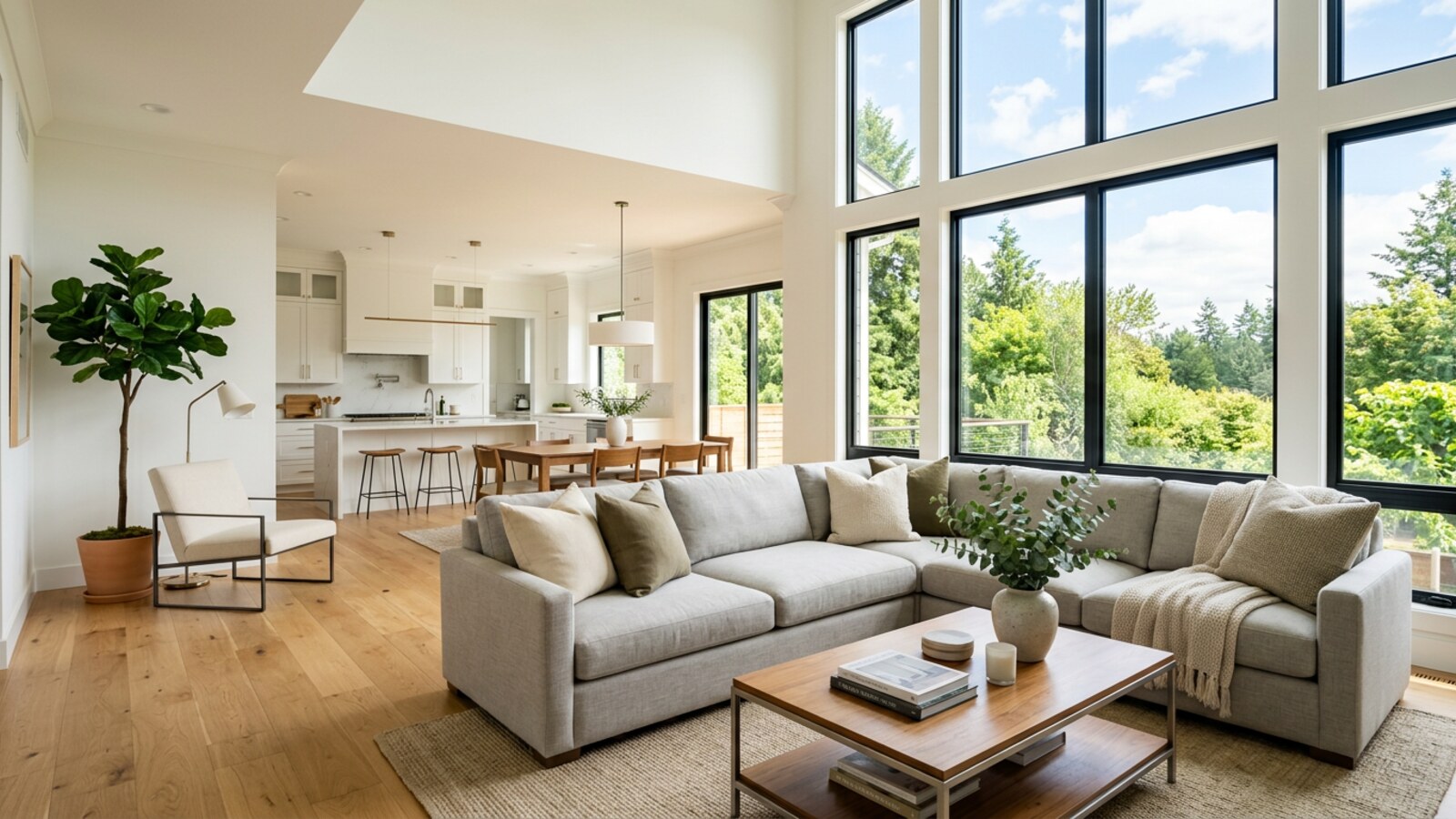
Modern Living Room & Ambient Interior: Make Every Sofa Look Magazine-Ready
The living room is the hero shot of most residential listings, and it’s also the most frequently under-edited. Ambient interior light — a mix of recessed LEDs, floor lamps, and whatever daylight filters through sheers — tends to produce RAW files that are technically correct but emotionally flat. There’s no drama, no warmth, no sense that this is a room you want to live in. That feeling gap between “technically exposed” and “listing-worthy” is exactly where these interior real estate presets do their best work.
The Living Room Warm Ambient preset opens with a targeted shadow lift that separates dark wood furniture from shadow areas while adding a subtle warm tint to the lower mid-tones — the photographic equivalent of turning on a table lamp. A haze reduction pass through the Dehaze slider brings depth to the room without flattening the color. The Vibrance boost is intentionally restrained at +14 to enhance textiles (rugs, cushions, drapes) without oversaturating skin tones in lifestyle staging photos.
The companion Living Room Cool Modern preset takes a completely different visual direction: a cooler, cleaner edit more appropriate for contemporary minimalist homes where the design language is all whites, greys, and raw concrete. This works beautifully for Airbnb and VRBO listing photography where the platform’s aesthetic skews clean and editorial. These Airbnb photo presets are already used by hundreds of short-term rental hosts on the platform to dramatically improve their thumbnail click-through rates.
Both variations are calibrated for natural light real estate presets environments. They handle wide-angle distortion-corrected shots from ultra-wide lenses (Sigma 10-20mm, Canon EF-S 10-22mm, Sony 12mm Gmaster) without introducing color fringing or lateral chromatic aberration shifts. Apply them across your full room gallery in seconds with Lightroom’s Sync function for truly fast real estate editing presets that keep your turnaround time under two hours per property.
Primary Bedroom & Mixed Window Light: Warmth That Makes Buyers Linger
The primary bedroom shot has one job: make the buyer want to wake up there. That means warm, inviting, clean — and correctly exposed across the full dynamic range from bright window light to shadowed corners behind the headboard. In practice, this is a mixed-light challenge where the window side of the room is daylight-balanced and the bedside lamp side is 2800K tungsten, and your camera’s auto white balance picks a point somewhere in the unhappy middle that satisfies neither source.
The Bedroom Window Warm preset targets this exact scenario with a split-toning approach: a warm golden tint in the shadows that unifies the lamp-lit areas with the rest of the room, paired with a cooler highlight treatment that prevents the window-side linens from going too yellow. The net result is a cohesive, luminous look that reads as “natural morning light” even when the actual light source was a mix of five different color temperatures. This is one of the most nuanced bedroom presets Lightroom professionals have been asking for, and it’s finally in a preset format that actually works.
For master suite shoots where the design includes blackout curtains and the only practical light source is a combination of floor lamp and ceiling fixture, the Bedroom Artificial Warm preset handles full artificial-light interiors with a warm-neutral color profile that makes plush bedding and hardwood floors look rich and inviting rather than murky and low-contrast.
These ambient real estate presets also work exceptionally well on Airbnb host photography where the primary bedroom is often the deciding factor in a booking. A well-lit, properly color-graded bedroom photo increases perceived nightly rate and review scores — a documented phenomenon in short-term rental platform data. Pair with the flash real estate presets variants for strobe-lit setups where photographers use off-camera flash to fill windows.
Twilight Exterior & Blue Hour Magic: The Hero Shot That Gets the Listing Clicked
There’s a reason the best real estate photographers in every market charge a premium for twilight exterior shoots. A properly edited blue hour photo of a home’s facade — windows glowing warm against a deep cobalt sky, landscape lighting illuminating the driveway, the architecture rendered in crisp shadow detail — generates more clicks, more showings, and more offers than any other single image in a listing gallery. The challenge is that you have roughly 15 minutes of usable light and no margin for slow editing decisions.
The Twilight Blue Hour preset family was designed for exactly this window. It opens with an exposure baseline that targets the 2-3 stops of dynamic range between the sky and the interior window glow, applies a deep blue-violet shadow treatment that pushes the sky toward the classic twilight palette without posterization, and uses a precision warm-to-neutral transition in the highlight range that makes window light look inviting rather than overexposed. The result is the cinematic, magazine-quality twilight look that previously required 45 minutes of manual editing and masking — delivered in a single click.
The Twilight Darker Sky variant goes deeper into the blue-hour palette for dramatic luxury listing hero shots where the architecture is the focal point and maximum sky drama is desired. Both are calibrated for wide-angle exterior captures at ISO 400–1600 on full-frame sensors, and they perform cleanly on crop-sensor cameras and even iPhone DNG ProRAW files. These are the finest twilight real estate presets and blue hour real estate presets in the pack, and for many photographers they’re worth the price of admission on their own.
For drone aerials shot at golden hour or blue hour, the Drone Blue Hour preset handles the flatter color profile typical of DJI camera profiles with a bespoke calibration offset. Discover more aerial editing strategies in our in-depth guide to the best twilight real estate Lightroom presets, or explore the full range of drone-specific presets in the Landscape, Cityscape & Drone Presets pack.
Get All 4 Packs for $129 — Save $67
$129 $196 YOU SAVE $67
Real estate, wedding, landscape & drone, and portrait — 225 total presets across every genre you shoot, one download, one lifetime license. The complete toolkit for professional photographers who do it all.
Get the Bundle — $129 →Built for Every Professional Who Photographs Property
Whether you shoot 30 listings a month or one vacation rental per quarter, these presets eliminate the bottleneck between the shoot and the delivery.
Real Estate Photographers
You’re delivering 30–80 edited images per property within 24 hours. Speed is non-negotiable. These presets were designed for professional batch workflows — apply via Sync, export, done. Every preset is color-profiled for the specific lighting scenarios you encounter on every shoot: daylight interiors, mixed artificial, twilight exteriors, drone aerials. Stop spending 4 hours editing what should take 45 minutes.
Listing Agents Shooting Their Own Homes
You don’t have a photographer’s eye for post-processing, and that’s fine — these presets do the heavy lifting. Shoot in RAW mode on any modern mirrorless or DSLR, drag your files into Lightroom, click a preset, and your listing photos look like they were edited by a professional. These agent real estate presets were specifically calibrated for non-photographers who need listing-ready results without a learning curve. From luxury real estate presets for high-end properties to everyday market-ready edits, this pack covers every price point.
Airbnb & Short-Term Rental Hosts
Your listing thumbnail is your most important marketing asset — and most Airbnb hosts are losing bookings to better-photographed identical properties. These Airbnb photo presets and VRBO listing presets are designed to make vacation rental spaces look warm, welcoming, and aspirational. Apply them to iPhone DNG files for zero-cost photography upgrades that deliver boutique hotel-quality listing photos. The difference in click-through rate can pay for the preset pack on your first booking cycle.
Compatibility & Format Details
| Software | Adobe Lightroom Classic · Lightroom CC Desktop · Lightroom Mobile (iOS & Android) · Photoshop Camera RAW · Adobe Bridge |
| Format | XMP (Lightroom Classic & CC) · DNG (Lightroom Mobile) · .lrtemplate (Legacy Lightroom 6 and earlier) |
| Compatibility | RAW files · JPEG files · HEIF · TIFF · iPhone ProRAW DNG · Drone DNG (DJI, Autel, Skydio) |
| Cameras Supported | Canon (R-series, 5D/6D/7D, Rebel) · Sony (A7-series, A9, ZV) · Nikon (Z-series, D-series) · Fujifilm (X-series, GFX) · Leica · Panasonic (S-series, Lumix G) · iPhone 12 Pro and later (ProRAW) · DJI Mavic 3 / Mini 4 Pro / Air 3 (DNG mode) |
| Devices | Mac (Intel & Apple Silicon) · Windows 10/11 · iPhone (iOS 15+) · Android (Lightroom Mobile latest) |
| Version Required | Lightroom Classic 9.0+ · Lightroom CC 6.0+ · Lightroom Mobile 7.0+ · Camera RAW 13.0+ |
| License | Lifetime personal & commercial use · Unlimited properties · No subscription · Lifetime free updates |
| Delivery | Instant download via secure link · ZIP file (~18 MB) · Re-download anytime from your account |
Up and Running in Under 5 Minutes
Choose your platform below. All presets install the same way they always have — no app, no account login, no cloud dependency.
- Download your ZIP file from the confirmation email and extract it to your Desktop. You’ll find a folder called SYA-RealEstate-Presets containing XMP files organized by scene.
- Open Lightroom Classic. In the Develop module, locate the Presets panel in the left column and click the + icon. Select Import Presets…
- Navigate to the extracted folder, select all XMP files (Cmd+A / Ctrl+A), and click Import. The presets will appear immediately in a new “SYA Real Estate” group.
- To batch-apply: select your first image and click the preset. Then select all remaining images in the Filmstrip (Cmd+A), click Sync Settings, and check the preset parameters you want to apply. Click Sync.
- Export using your standard MLS or client export settings. The presets are calibrated for both web-resolution JPEG exports (72 dpi) and full-resolution TIFF deliveries.
- Extract the ZIP and locate the XMP files inside the SYA-RealEstate-Presets / XMP subfolder.
- Open Lightroom CC Desktop. Click the Presets icon in the right-side Edit panel (the three horizontal sliders icon). Scroll to the bottom and click Import Presets.
- Select the extracted XMP files and click Import. The pack appears in your Presets panel immediately.
- Right-click any preset to rename, move into a group, or set as a default for a specific camera profile — useful if you always shoot a specific body on real estate assignments.
- Presets sync automatically to all devices logged into the same Adobe account, including your mobile phone and iPad for on-site review during shoots.
- Transfer the DNG files from the SYA-RealEstate-Presets / DNG-Mobile folder to your iPhone or Android device via AirDrop, Google Drive, Dropbox, or USB.
- Open Lightroom Mobile. Tap the + icon to add an album, or navigate to your camera roll and add the DNG preset files to a Lightroom album.
- Open one DNG preset file. Tap the three-dot menu → Create Preset → name it (e.g., “SYA Backyard Pool”) → Save. Repeat for each preset file or use the batch import if available in your Lightroom Mobile version.
- To apply: open any listing photo, tap Presets at the bottom, find your SYA group, and tap the preset. Adjust exposure as needed for the specific scene.
- Works on iPhone real estate presets — both ProRAW DNG files and standard HEIF captures from any recent iPhone model. Drone DNG files from DJI’s iOS app import cleanly as well.
What Real Estate Photographers & Agents Are Saying
“I shoot 12–15 listings a week across three counties and my entire MLS delivery workflow just got cut in half. The twilight and kitchen presets alone saved me at least 90 minutes per property. I applied the bundle to 340 photos on my first day and every single one landed within a minor tweak of final. These are genuinely the best real estate lightroom presets I’ve bought in seven years.”
“As a listing agent who photographs my own homes, I was spending evenings in Lightroom guessing at white balance and getting mediocre results. I installed these presets on a Sunday, ran them on a six-bedroom luxury listing the next morning, and had photos on the MLS by noon. The kitchen mixed-light preset is black magic. My broker asked who I hired.”
“I manage 14 Airbnb properties and photograph all of them myself on a Sony A7C. Before these presets I was outsourcing retouching at $4–6 per image and still not happy with the results. Now I batch-edit an entire property gallery — 45 images — in under 20 minutes. My click-through rate on two properties went up noticeably within 30 days of refreshing the photos.”
“The backyard pool and twilight exterior presets are worth every dollar. I shot a $4.2M oceanfront property last month and the twilight blue hour preset gave me a hero image I’d normally spend an hour masking and blending. The client used it as the MLS featured photo and it sold in 6 days. My clients have started asking specifically for ‘the blue hour shot.'”
“I shoot with a Canon R5 and Mavic 3 combo for a boutique brokerage. The drone presets in this pack surprised me — I didn’t expect them to handle DJI D-Log files this well without a LUT step. The aerial pool and twilight aerials now look consistent with my ground-level shots, which makes the listing gallery feel cohesive. No more color mismatches between my drone and my camera body.”
“I’m a real estate photographer based in the Pacific Northwest where we deal with overcast, grey, rainy conditions 70% of the year. I was skeptical that a preset pack would handle our flat, diffuse natural light as well as it handles the bright sun presets you see in demos. The Living Room Cool Modern and Bedroom Window Warm presets are perfect for our market — clean, natural, and professional without looking over-processed.”
Skylum’s Luminar Neo has the industry’s best one-click sky replacement and atmosphere AI — the two edits real estate listings need most. Tagged as affiliate per FTC.
Frequently Asked Questions
This Pack vs. Free Presets vs. Outsourcing
A clear-eyed look at the real cost and quality of your editing options.
| Feature | SYA Real Estate Pack — $49 | Free Presets | Outsourced Editing ($5/photo) |
|---|---|---|---|
| Calibrated for real estate lighting | ✓ Yes — 6 scene types | ✗ Generic | ✓ Varies by editor |
| Works on drone DNG files | ✓ DJI calibrated | ✗ Rarely | ✓ Editor-dependent |
| MLS color accuracy | ✓ Calibrated standard | ✗ No standard | ✓ Usually acceptable |
| Batch editing speed (50 photos) | ✓ ~20 minutes | ✗ Still 2+ hours manual | ✗ 24–48 hr turnaround |
| Cost per 50 listing photos | $0.98 (year 1) · $0 after | $0 | $250 |
| Lightroom Mobile / iPhone DNG | ✓ Included | ✗ Often XMP only | ✓ N/A |
| Lifetime updates | ✓ Included | ✗ Never updated | ✗ Pay per job |
| You control the final look | ✓ Always | ✓ Always | ✗ Outsourcer’s judgment |
Get All 4 Packs for $129 — Real Estate, Wedding, Landscape & Drone, Portrait
$129 $196 SAVE $67
225 total presets. Every genre covered. One lifetime license across all your devices. This is the preset bundle that professional real estate photographers, wedding photographers, and content creators are loading on every shoot. Stop buying packs one at a time — get the complete toolkit at a fraction of the individual price.
Get the Full Bundle — $129 →Or buy just the Real Estate pack below if you prefer.
Edit Your Next Listing in Under an Hour
50 professional real estate lightroom presets. One-click MLS-ready results. Every room, every lighting condition, every camera. $49 — lifetime license, lifetime updates, 30-day guarantee.
Buy Now $49 →More Preset Packs from Shut Your Aperture
Browse the full preset shop — all packs include lifetime updates and work across Lightroom Classic, CC, Mobile, and Photoshop Camera RAW.


