Landscape, Cityscape & Drone Lightroom Presets — 75 Atmospheric One-Click Edits
Landscape Lightroom Presets — 75 Atmospheric One-Click Edits for Landscape, Cityscape & Drone Photography
These landscape lightroom presets were built for three of the most technically demanding photographic disciplines: open-air landscape, urban cityscape, and aerial drone photography. One pack, three complete toolkits — 75 production-grade presets covering every light condition from milky way astrophotography at 3 a.m. to tropical DJI Mavic 3 aerials at high noon, from a misty Pacific Northwest forest creek to the neon-soaked streets of Tokyo at blue hour. Whatever you shoot, whatever camera you fly, there is a preset here that fits immediately on import and cuts your editing session down from hours to minutes.
Landscape photography lives and dies in the half-second between a keeper and a missed shot. You do not have the luxury of dialing in color in the field — you need a starting point that respects the dynamic range you captured, preserves the atmosphere of the moment, and gives you a platform to make micro-adjustments rather than rebuilding an edit from scratch. These presets were calibrated across thousands of actual landscape, cityscape, and aerial images — not studio test shots, not artificial scenarios. The golden hour presets were tested on real mountain ridgelines. The night cityscape presets were built on actual Sony and Canon RAW files from midtown Manhattan and downtown Tokyo. The aerial drone presets were calibrated on DJI Mavic 3 DNG files and DJI Phantom DNG files, ensuring the flat D-Log color science translates cleanly without banding or crushed shadows.
Whether you are a solo hiker who packs a Sony A7 IV into the backcountry, a drone pilot delivering commercial aerials for travel brands, or a street photographer chasing the neon glow of a foreign city at midnight — this is the landscape lightroom presets pack that handles every one of those scenarios with a single purchase. Browse the entire preset library at the Shut Your Aperture shop and see how this pack fits into your broader editing workflow.
41 photographers bought this pack in the last 24 hours
Everything in the Pack
One purchase. Instant download. Covers every platform, every RAW format, every workflow.
& DNG
+ PS
+ JPG
6 Challenging Conditions, 75 Purpose-Built Edits
These landscape lightroom presets do not chase a generic aesthetic. Each sub-group was designed for the exact light, color science, and exposure challenge of its scene.
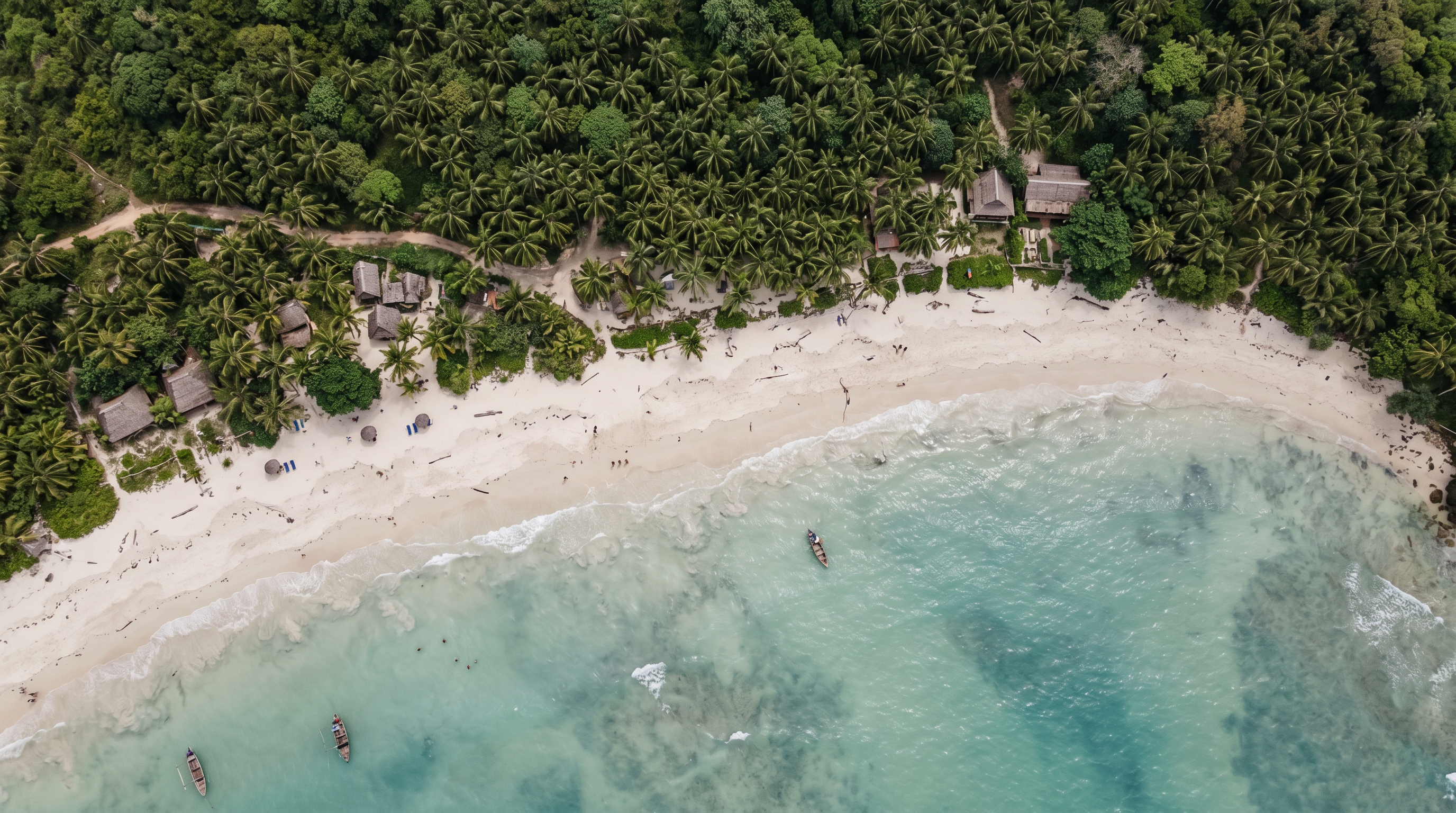
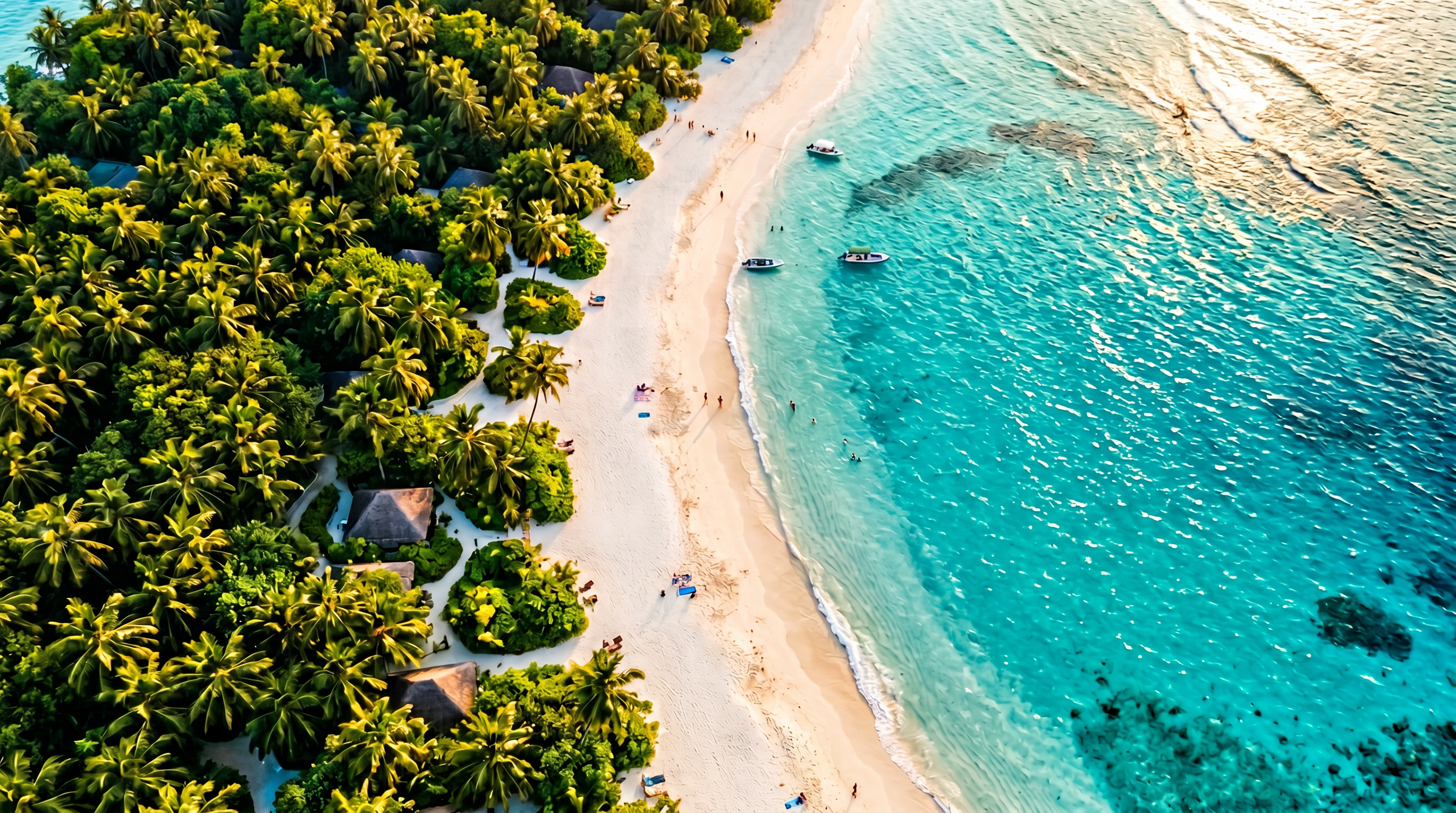
Tropical Aerial Drone Coast — Vivid Water, True Coral, Clean Horizon
Tropical drone lightroom presets have a specific problem to solve: the DJI Mavic 3’s flat D-Log-M color profile renders tropical waters as washed-out cyan, bleaches the coral and sand to a muddy beige, and leaves the horizon sky without any depth. The coastal aerial presets in this pack were built entirely on DJI DNG files and tackle these issues at the profile level before any tone adjustments begin.
The Tropical Coast presets push the aquamarine channel into deep teal-to-turquoise territory using a precise HSL hue shift, dial the luminance on the sand tones to avoid burning highlights, and lift the sky into a vivid cerulean without the artificial look of a graduated filter applied too aggressively. The result is the color you actually saw hovering at 120 metres, not the compressed version your drone’s flat profile produced.
These presets are equally effective on shots from the DJI Mavic 3, DJI Phantom 4 Pro DNG, and iPhone ProRAW when shooting over tropical coastlines. They also hold up on JPEG files processed from the DJI app, though we always recommend shooting in DNG for maximum latitude. If you want to go deeper on aerial color grading workflows, the complete guide to DJI Mavic Lightroom presets covers the exact HSL and tone curve adjustments used in this pack.
Use cases: travel brand aerials, island resort photography, tourism boards, surf and ocean sports content, boat and yacht photography, coastal real estate aerials.
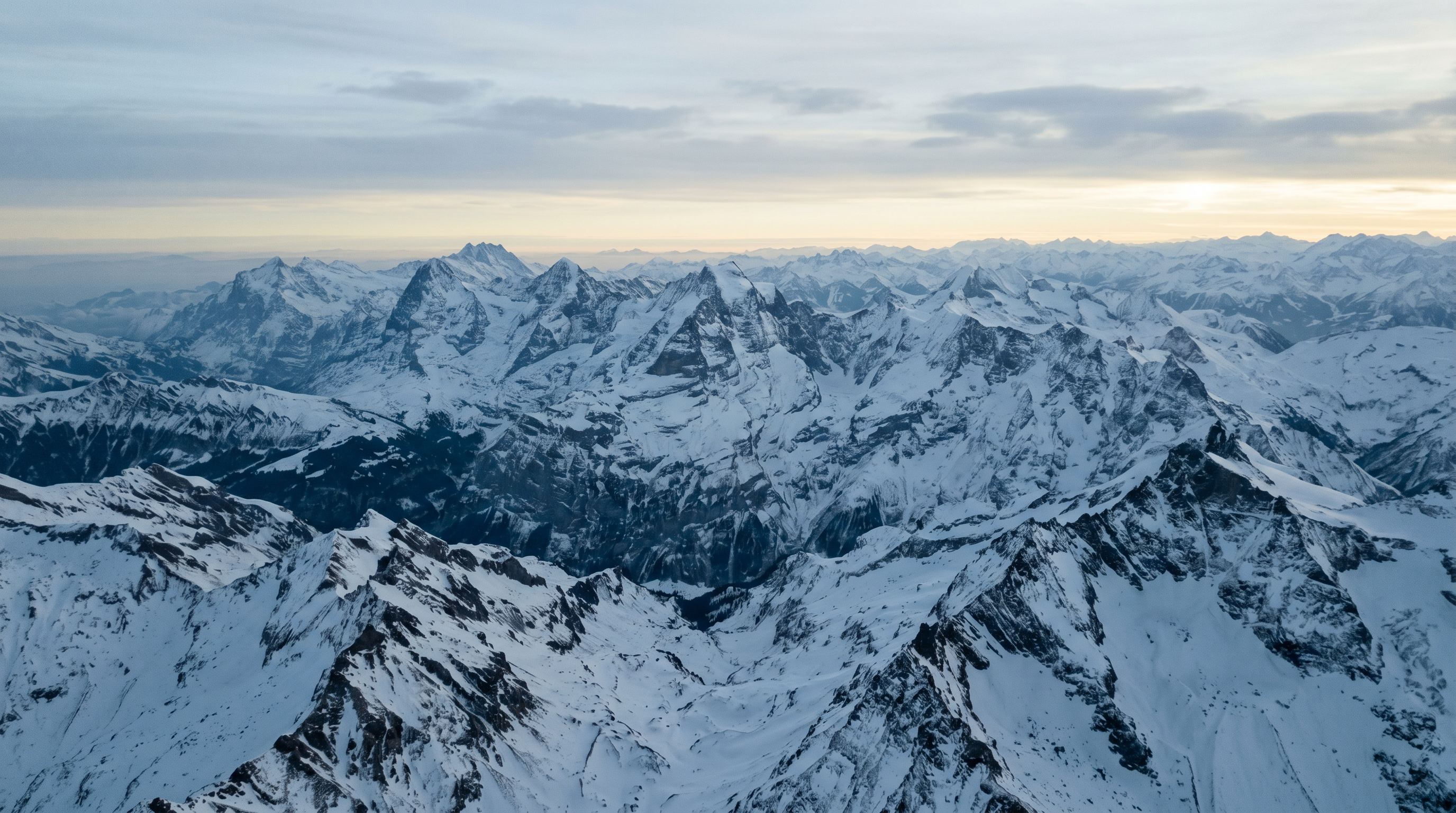
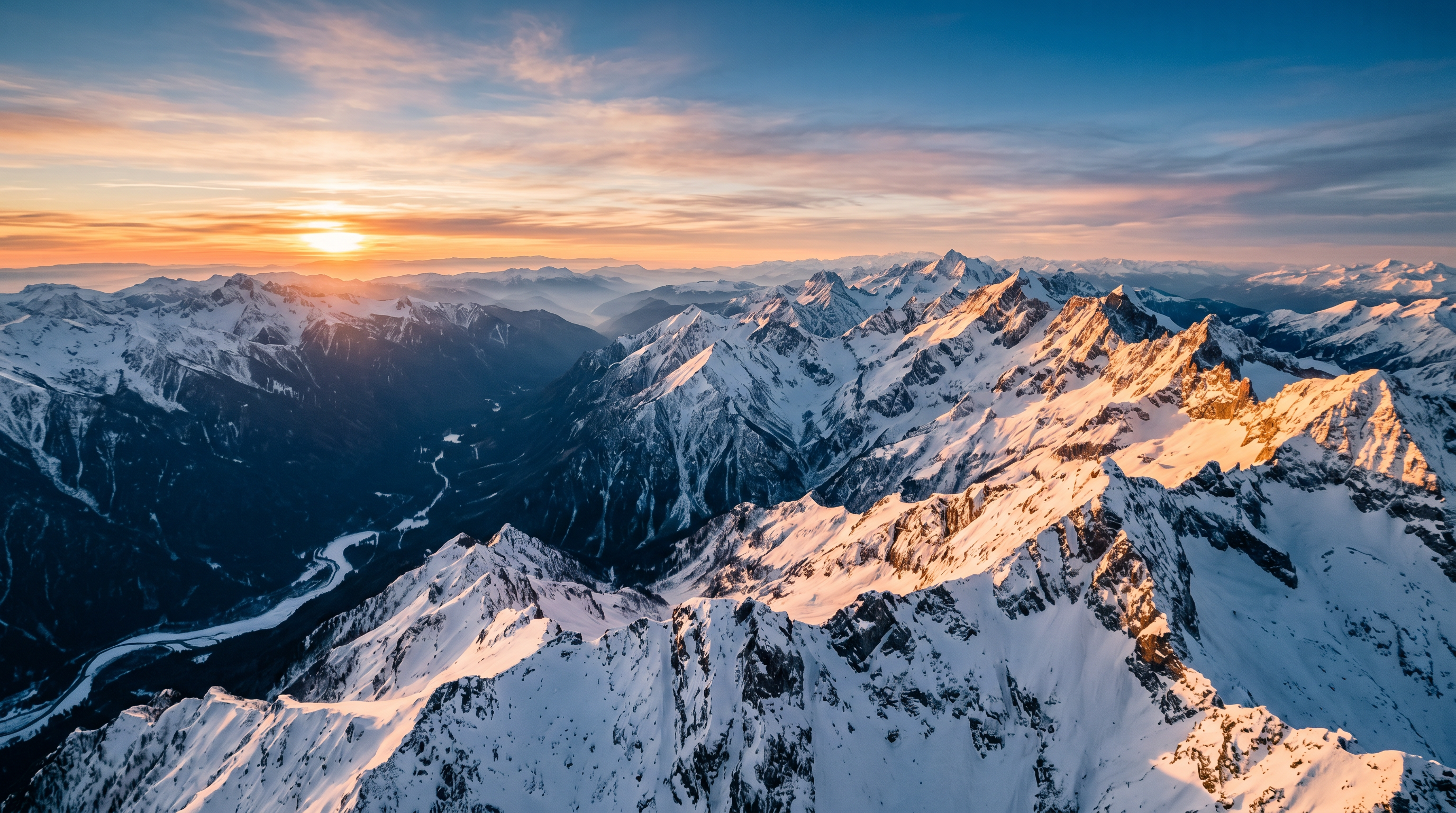
Drone Winter Mountain — Cold Clarity, Contrast in Snow, No Blown Whites
Winter mountain aerials present one of the hardest exposure challenges in all of outdoor photography: the drone’s sensor is trying to expose for both the blazing white snow fields and the dark grey rock faces in the same frame. Automatic exposure compensation almost always produces a result where either the snow is blown to paper-white or the shadows turn to pure black with no detail.
The drone winter mountain presets in this collection use a specific highlight recovery curve — pulling the recovery slider, dropping whites, and using a luminosity-masked HSL adjustment on the blue channel — to render snow with texture and definition while preserving the deep slate-grey and charcoal tones of exposed rock. A subtle cool white balance shift reinforces the Alpine feeling without making the image look icy or clinical.
These landscape lightroom presets also handle the compression artefacts that DJI DNG files sometimes show in large uniform snow fields. By applying a slight clarity reduction in the highlights and a gentle noise reduction on the luminance channel, the snow reads as smooth and natural rather than crunchy or over-sharpened. These are designed for winter landscape presets that photographers use for Alpine tourism, ski resort imagery, snowboarding content, and backcountry expedition photography.
For further study on aerial color science, visit the Shut Your Aperture School editing courses where the full DNG color grading module is taught step by step.
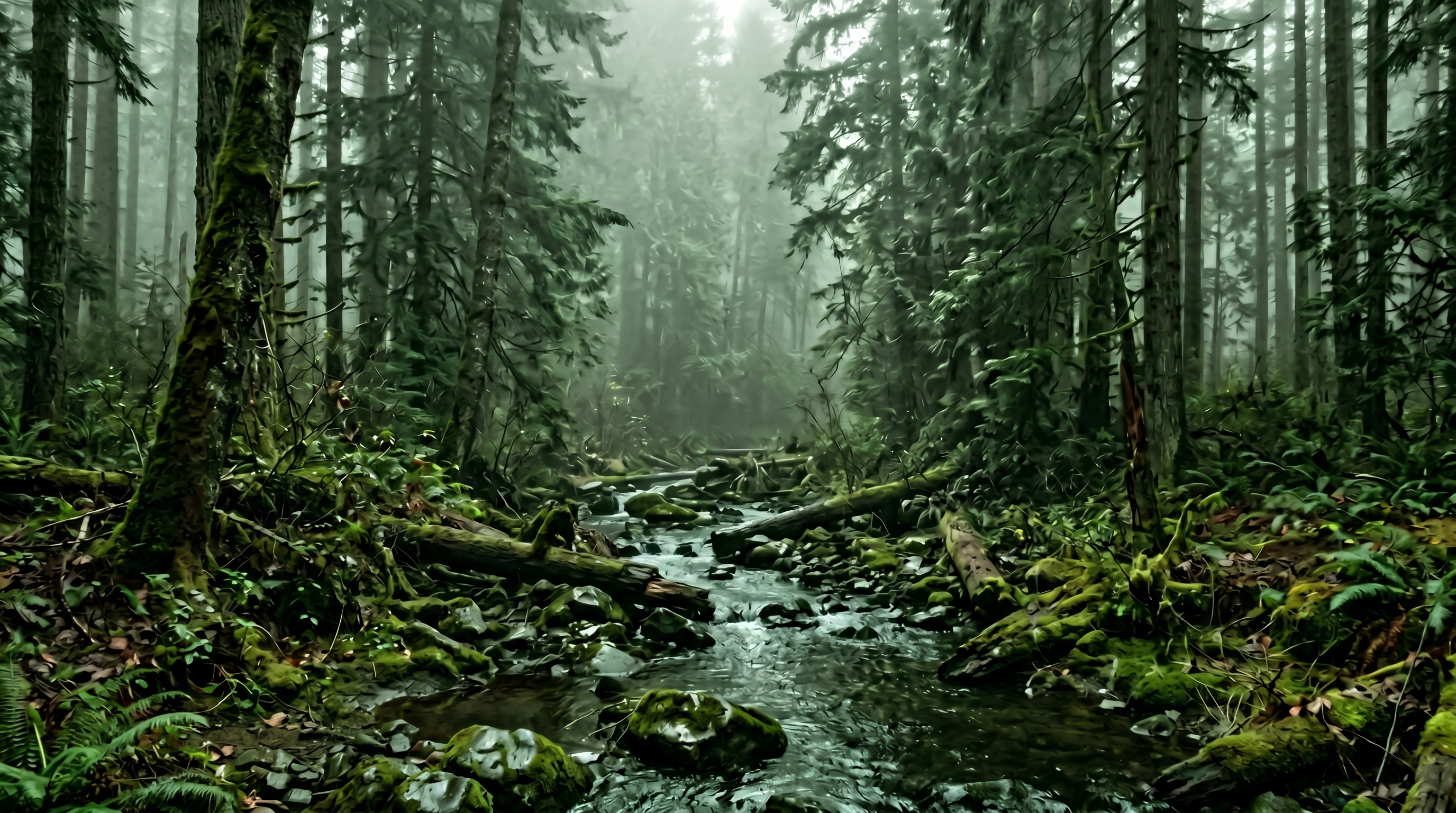
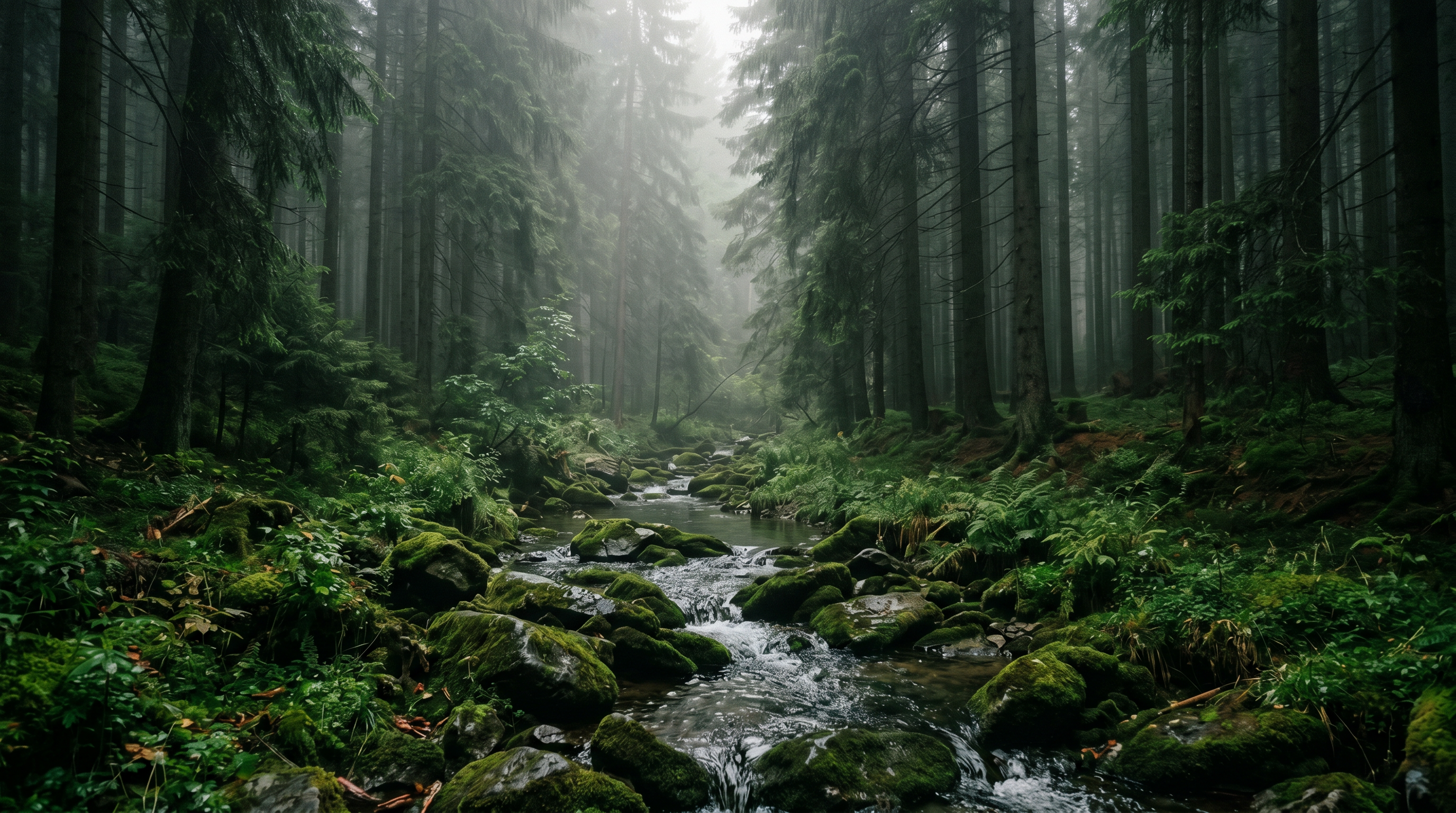
Forest Creek Soft Overcast — Moody Greens, Silk Water, Atmospheric Depth
Overcast light in a forest environment is simultaneously the easiest to expose for and the hardest to make visually interesting. The flat, diffused light from a cloudy sky is incredibly forgiving on dynamic range — there are no hard shadows, no blown highlights — but it also strips away depth and atmosphere, leaving your forest creek images feeling flat and lifeless.
The forest creek presets solve this with a carefully crafted contrast curve that adds drama without introducing artificial local contrast. A split-tone treatment pushes the shadow areas toward a cool, desaturated blue-grey while keeping the midtones in the natural green spectrum. The result is that moody, atmospheric forest presets lightroom look — the feeling of standing beside a cold Pacific Northwest stream in October — without resorting to heavy-handed dehaze or over-processed clarity.
The waterfall presets within this sub-group are particularly effective on long-exposure shots (anything from 0.5 seconds to several minutes) where the water has silked out. The highlight and white recovery in these presets is calibrated to keep moving water rendering as bright silver-white without clipping, while the mist and spray around rocks is rendered with full texture and tonal separation.
Works on: Canon CR3, Sony ARW, Nikon NEF, Fuji RAF (all tested), and iPhone ProRAW from iPhone 14 Pro and later. For the complete breakdown of long-exposure technique and which presets work best on silked-water shots, read our article on landscape long exposure and milky way Lightroom presets — the techniques overlap significantly.
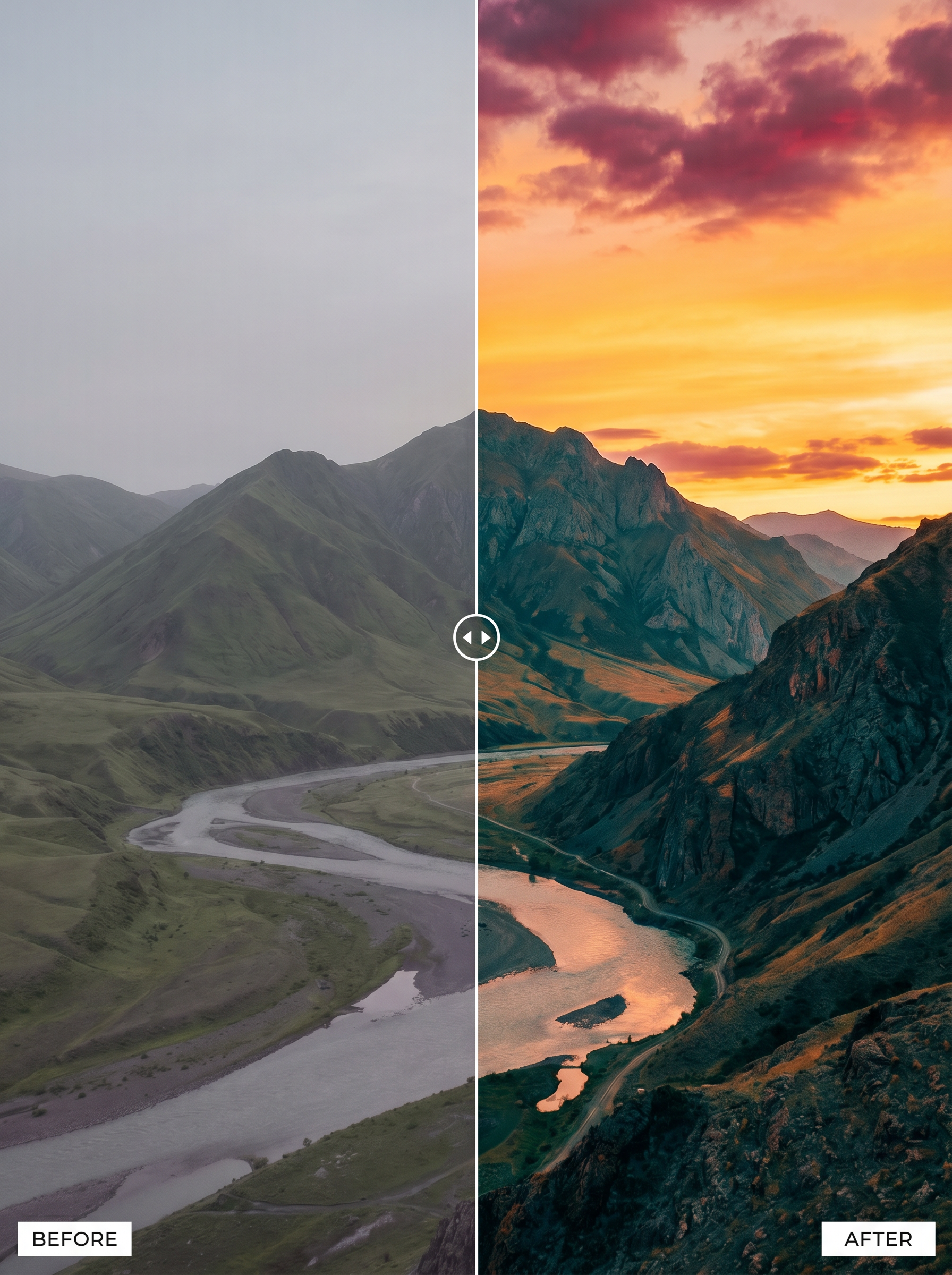
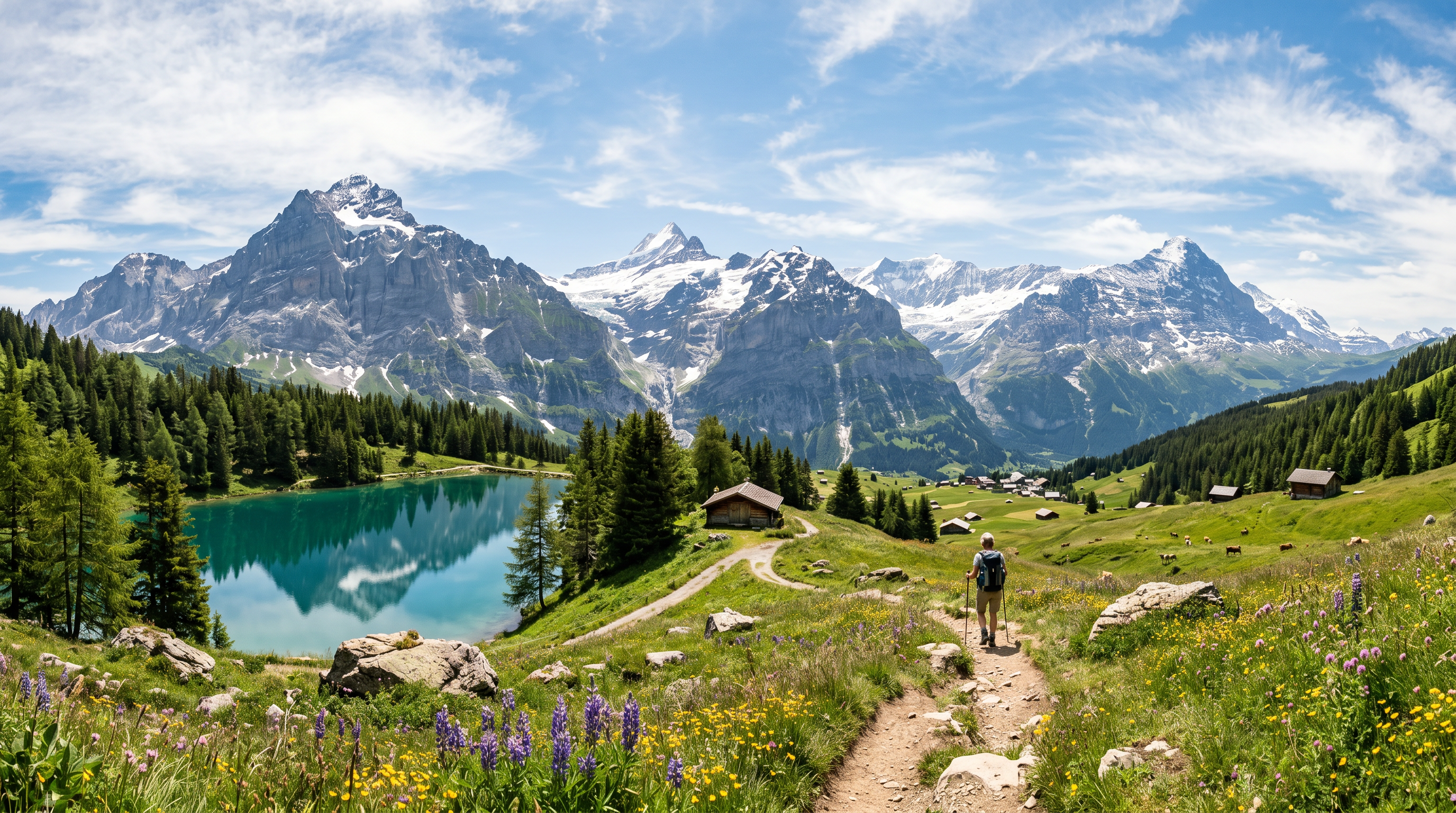
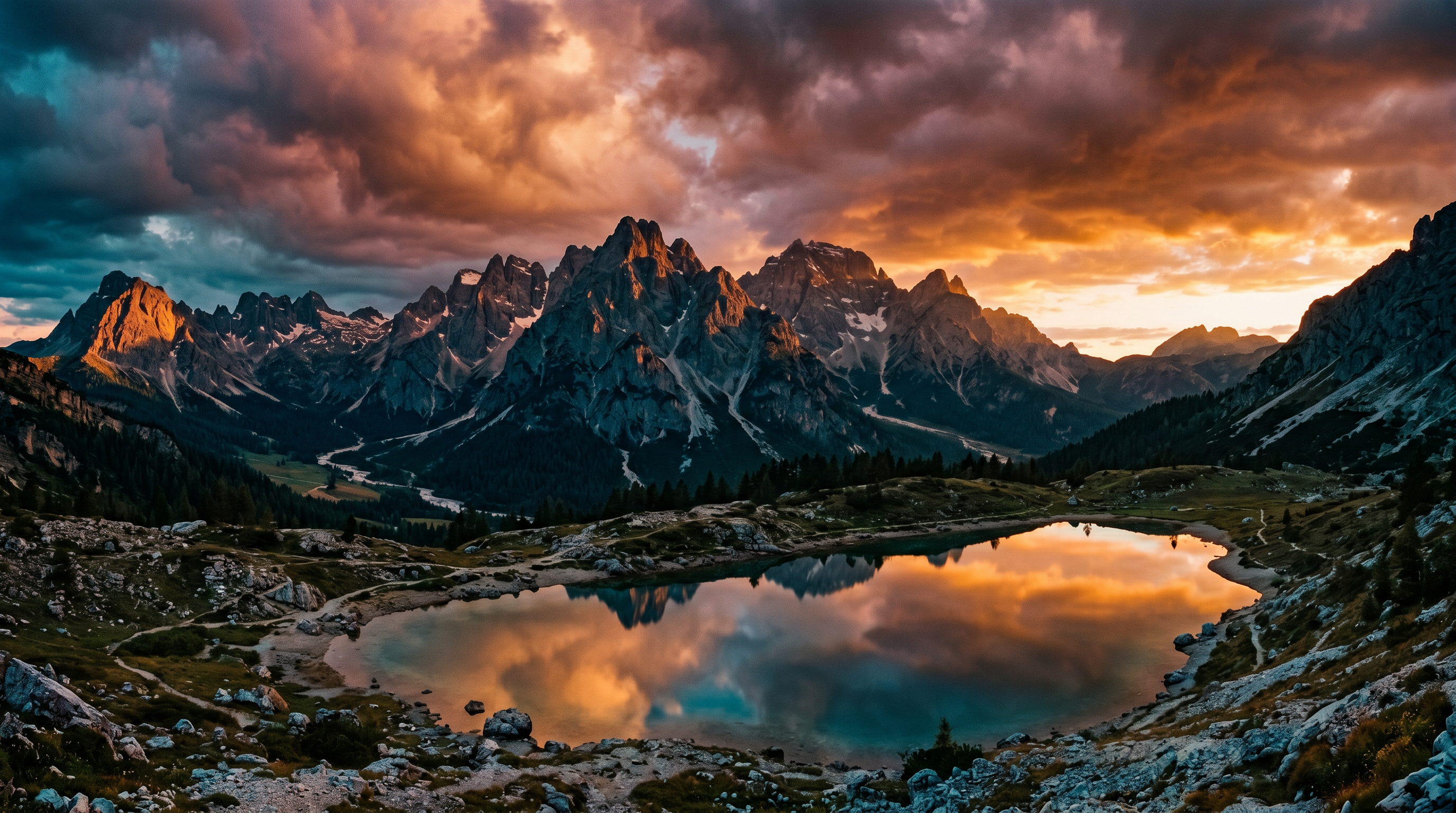
Mountain Golden Hour Sunset — Warm Drama, Teal Shadow, Cinematic Depth
Golden hour on a mountain ridgeline is the most photogenic light that nature produces, and also one of the fastest-changing. You have perhaps eight minutes from when the sun touches the horizon to when the light disappears into a purple-grey murkiness. Editing speed in this context is not a luxury — it is a workflow requirement. These landscape lightroom presets are designed as exact one-click starting points for golden hour mountain imagery.
The golden hour landscape presets sub-group uses a classic teal-and-orange grade that has become the signature color language of high-end landscape photography. But rather than applying a generic split-tone, these presets use a multi-point tone curve calibrated specifically for the warm orange-yellow spectrum of low-angle sun hitting granite, pine, and alpine meadow. The orange channel is pushed up in hue and saturation to make the warm tones pop, while the shadow areas are given a cool teal push that creates cinematic depth without destroying the environmental colours in the middle of the frame.
These are the teal and orange landscape presets that landscape photographers have been requesting — built on real mountain imagery, not artificial test charts. They also serve as exceptional starting points for sunrise sunset presets across any terrain type: desert, coastal bluffs, rolling hills, and arctic tundra all benefit from the same tonal architecture because golden hour produces similar color physics regardless of the foreground subject. Milky way astrophotography shot during the blue-to-dark transition also responds well to these presets as a starting base.
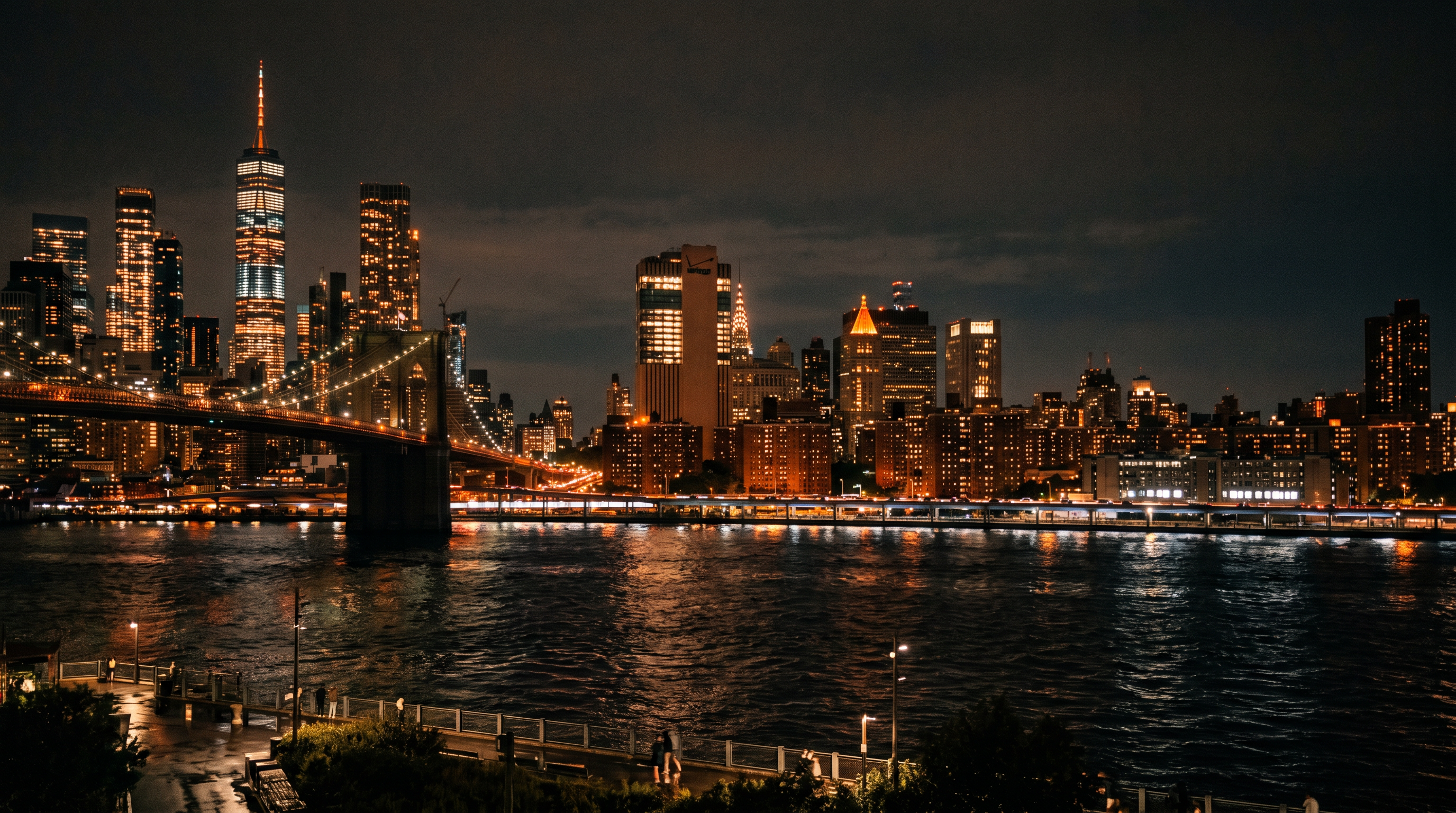
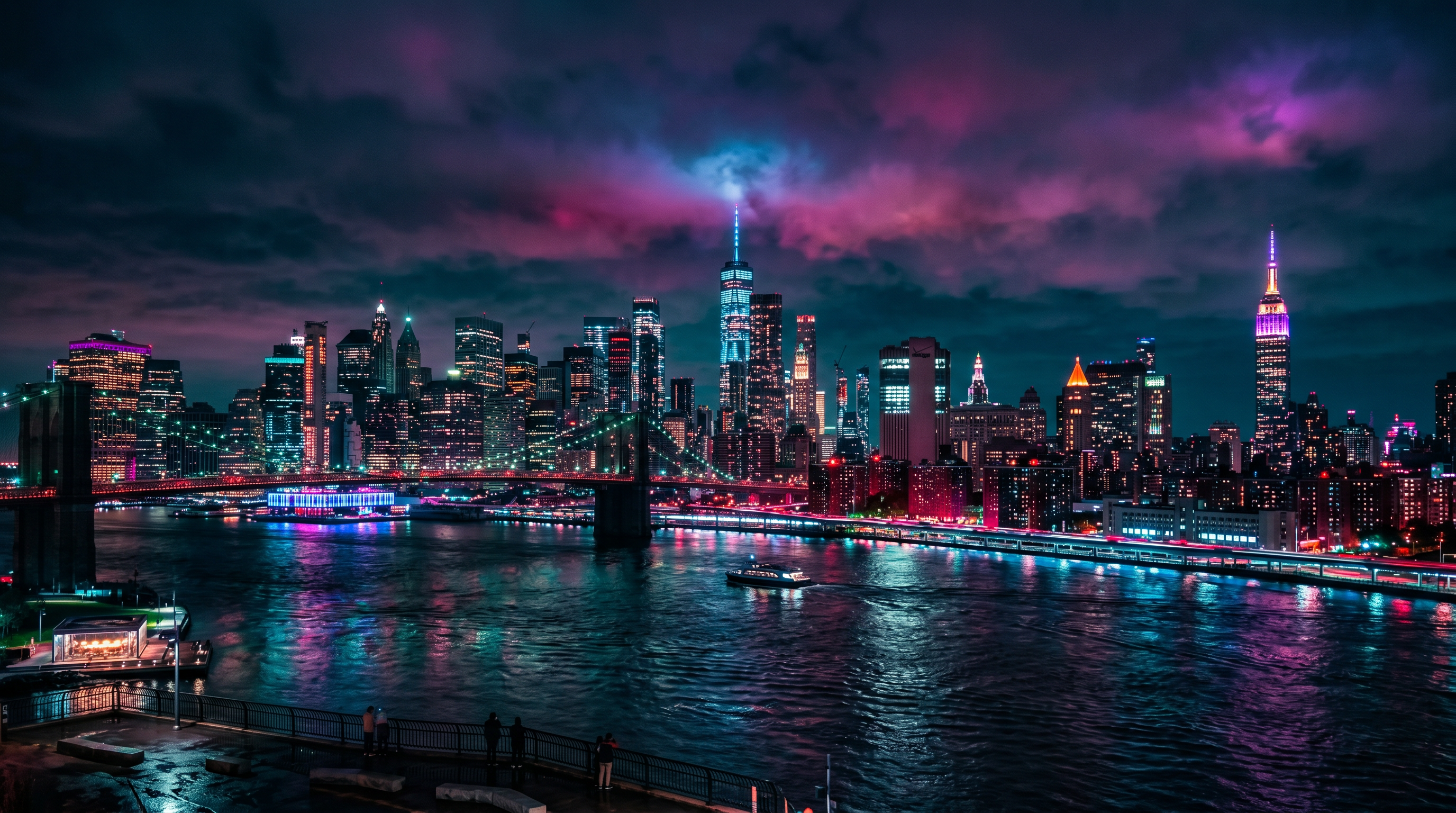
NYC Skyline Night Cityscape — Blue Hour Drama, Building Light Separation, Zero Noise
Night cityscape photography at the blue hour — that 20-minute window after sunset before the sky goes fully black — produces images where every light source in the frame is competing with a still-luminous sky. Buildings are lit with warm sodium vapour and LED lights, the sky is a deep cobalt or indigo, and your camera is rendering both simultaneously at ISO 800 to 3200 with significant risk of colour noise.
The cityscape lightroom presets in this pack for the NYC skyline night scene were built on Nikon Z9 and Sony A1 RAW files at ISO 1600 and ISO 3200 during actual blue hour sessions in Brooklyn and Jersey City. The noise reduction parameters are baked directly into the preset — you will not need to open the detail panel and manually dial in your own settings. The luminance noise reduction is set aggressively enough to clean the sky without destroying building edge definition, and the colour noise reduction targets specifically the magenta-green banding that afflicts high-ISO cityscape work.
The blue hour landscape presets sub-group pushes the sky toward a rich, saturated royal blue while keeping the warm building lights at their natural amber-orange. The result is high-contrast, editorially polished cityscape lightroom presets output that is immediately ready for print, publication, and commercial licensing without additional work. These are designed for architecture photographers, urban landscape shooters, and commercial real estate drone photographers working in dense city environments. The NYC skyline presets and the long-exposure urban shots both benefit from the same tone curve framework.
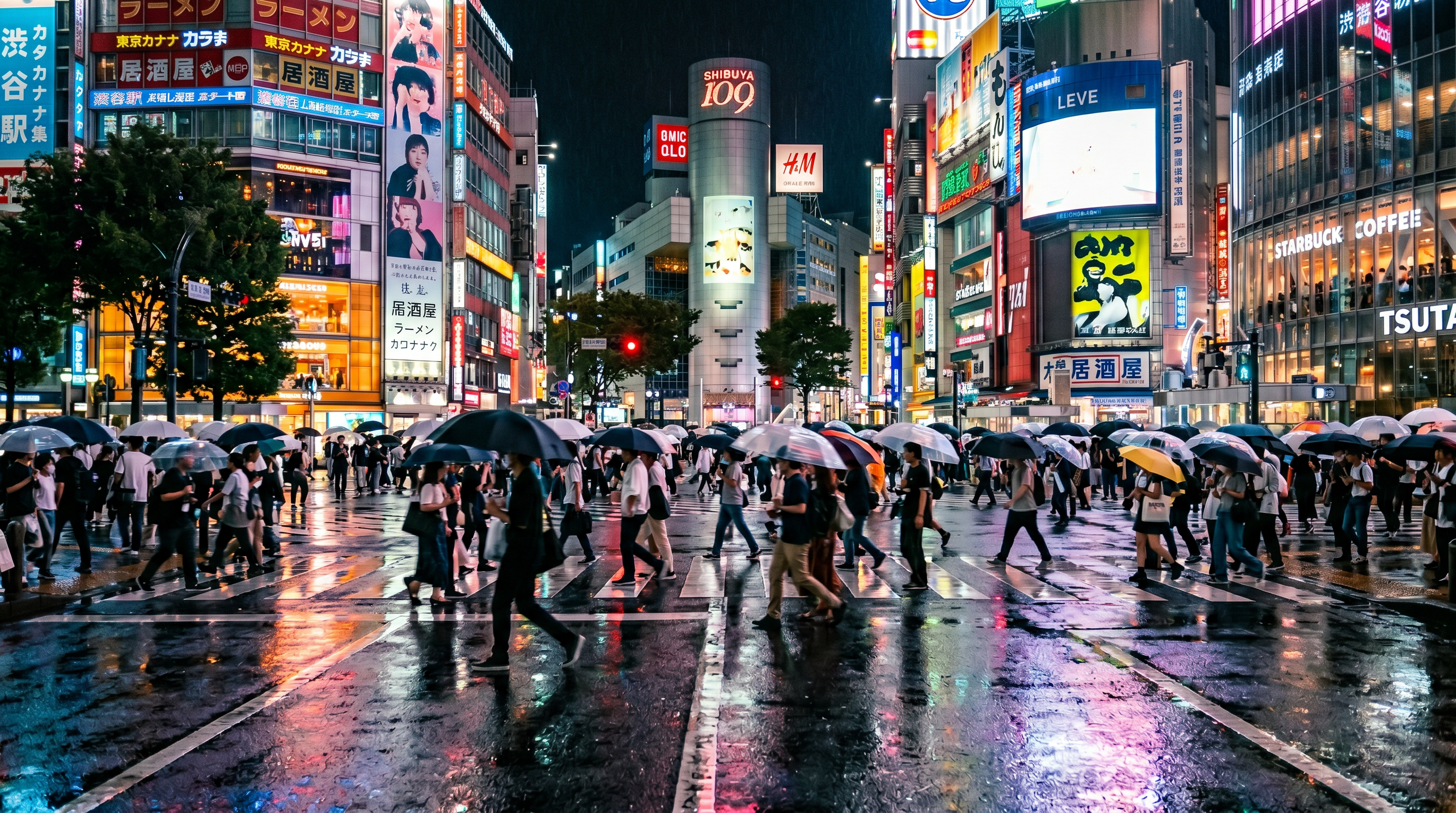
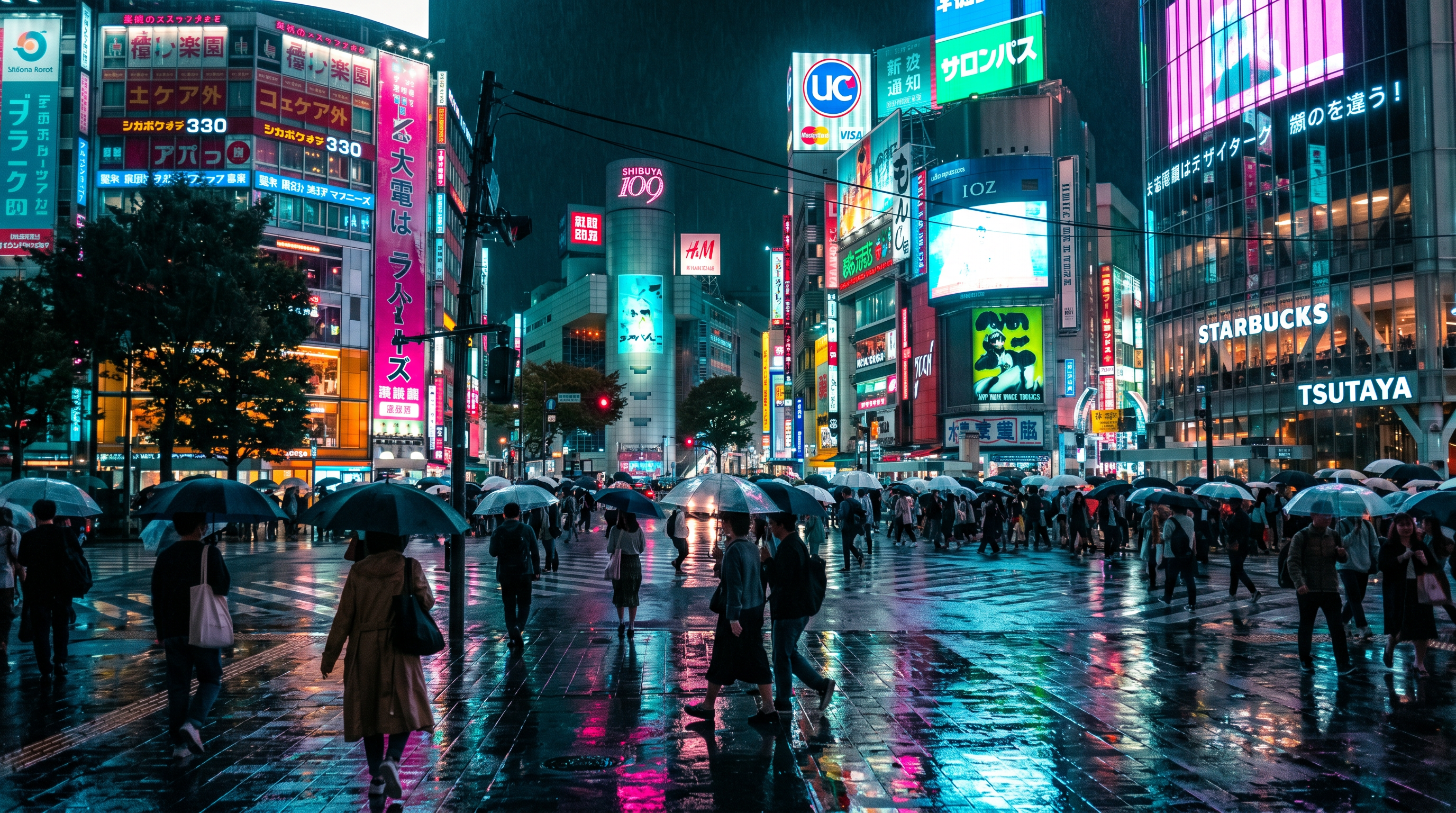
Tokyo Neon Street Cyberpunk — Electric Color, Deep Shadows, Rain Reflections
The cyberpunk lightroom presets category is one of the most-requested in street and travel photography. The aesthetic — electric magenta and cyan neon against jet-black shadow, wet pavement reflections that multiply every colour in the scene, faces illuminated by a single advertisement panel — has become the visual signature of a generation of urban documentary photographers working in Tokyo, Hong Kong, Osaka, and Seoul.
These neon city presets and Tokyo street presets approach the cyberpunk grade with precision rather than brute-force saturation. Rather than simply cranking the vibrance slider, they use targeted HSL adjustments on the magenta, red, purple, and aqua channels to make the neon frequencies in the image glow at maximum intensity while keeping the warm skin tones and asphalt in the scene from turning completely artificial. The shadow detail is preserved through a deliberate tone curve lift at the lower-left anchor point — enough to see texture in dark clothing and wet pavement without destroying the visual contrast that makes cyberpunk imagery compelling.
The result is a polished, publication-ready cityscape lightroom presets grade that has been used in editorial spreads, brand campaigns for Japanese travel boards, and commercial street photography work. The long exposure presets variant within this group is specifically calibrated for 1-4 second exposures where car and scooter light trails streak through the wet streets, adding an additional layer of motion and energy to the cyberpunk aesthetic. Works on Sony RAW, Canon RAW, Fuji RAF, and iPhone ProRAW files.
Get All 4 Packs — Landscape, Wedding, Portrait & Real Estate
$129 $196 Save $67
200 presets across every genre. One price. Lifetime updates. The complete editing toolkit for every shoot you take on.
Get the Complete Bundle →Built for Three Types of Outdoor Visual Creator
These landscape lightroom presets were designed with specific shooting workflows in mind — not a generic audience.
Landscape Photographers
You hike with 20 kg of kit to a ridgeline at 4 a.m. to catch the first light. Your RAW files need a starting point that respects your dynamic range, recovers your highlights from sunrise, and delivers a cinematic grade without two hours of manual editing after every outing. The 25 landscape presets in this pack — covering golden hour, blue hour, overcast forest, milky way astrophotography, long exposure, and winter snow — are calibrated on real outdoor RAW files, not studio shots. Use the moody landscape presets for overcast days, the golden hour group for magic-light sessions, and the astrophotography presets for your next milky way shoot.
Drone Pilots & Aerial Creators
You fly a DJI Mavic 3, DJI Phantom, or another professional drone platform and shoot in D-Log-M or standard DNG. The flat, washed-out color science of drone footage and drone stills is a known challenge — these drone lightroom presets are the first preset pack built specifically for DJI DNG color profiles rather than retrofitted from ground-level camera profiles. The 25 aerial presets cover tropical coastal aerials, winter Alpine aerials, desert aerials, urban aerial overviews, and dawn/dusk aerials. Each preset respects the specific color gamut and noise signature of DJI sensors at ISO 100 to 800, the typical range for aerial photography.
Travel & Cityscape Content Creators
You travel to cities like Tokyo, New York, Hong Kong, and Paris with a camera and publish editorial photography for travel media, brand sponsorships, or your own social channels. The 25 cityscape lightroom presets in this pack deliver four distinct urban visual languages: clean architectural daylight, blue hour drama, neon cyberpunk night, and long-exposure light trail. Whether you shoot Sony, Canon, Nikon, or Fuji, these presets handle the mixed artificial light of urban environments without producing the colour cast artefacts that generic travel presets routinely fail on. The mobile DNG versions work directly in Lightroom Mobile for on-the-road editing straight from your phone.
Works on Every Camera, Platform & Format
| Software | Adobe Lightroom Classic · Lightroom CC Desktop · Lightroom Mobile (iOS + Android) · Adobe Photoshop (Camera RAW panel) · Adobe Bridge |
| File formats | XMP (Lightroom Classic & CC) · DNG (Lightroom Mobile) · .lrtemplate (legacy Lightroom 6 and below) |
| RAW formats | Canon CR2, CR3 · Sony ARW · Nikon NEF, NRW · Fujifilm RAF · DJI Mavic 3 DNG · DJI Phantom DNG · iPhone ProRAW DNG (iPhone 12 Pro and later) · Panasonic RW2 · Leica DNG |
| JPEG support | Yes — presets apply to JPEG. Dynamic range recovery is limited on JPEG compared to RAW. We recommend RAW or ProRAW for best results. |
| Lightroom version | Lightroom Classic 9+ · Lightroom CC 3+ · Lightroom Mobile 6+ · Photoshop CC 2020+ |
| Operating systems | macOS 12+ · Windows 10/11 · iOS 15+ · Android 10+ |
| Cameras tested | Canon EOS R5, R6, R8 · Sony A7 IV, A7R V, A1, ZV-E10 · Nikon Z6 III, Z8, Z9 · Fujifilm X-T5, X-H2, GFX 50S · DJI Mavic 3 (D-Log-M DNG) · DJI Phantom 4 Pro (DNG) · iPhone 14 Pro, 15 Pro, 15 Pro Max |
| Preset count | 75 total: 25 Landscape · 25 Cityscape · 25 Drone Aerial |
| Updates | Lifetime free updates — future preset additions included automatically |
| License | Personal & commercial use · Single-photographer license · No subscription |
Installed in Under 2 Minutes on Any Platform
All three installation methods are covered below. You receive all file formats — XMP, DNG, and .lrtemplate — in a single ZIP download.
- Download the ZIP file from your purchase confirmation email. Extract it to your desktop or a preset storage folder of your choice.
- Open Adobe Lightroom Classic. In the top menu, go to Edit > Preferences > Presets (Windows) or Lightroom > Preferences > Presets (macOS). Click Show All Other Lightroom Presets to open the Develop Presets folder in your file browser.
- Copy the extracted SYA-Landscape-Cityscape-Drone folder (containing all XMP files) into the Develop Presets folder you just opened.
- Restart Lightroom Classic. Your 75 presets will appear in the Presets panel on the left side of the Develop module, organised by category: Landscape, Cityscape, and Drone Aerial.
- Click any preset to apply it to your selected image. Use the History panel to step back if needed. Copy and paste preset settings to other images using Ctrl/Cmd+Shift+V for fast batch editing.
- Download the ZIP file from your purchase email and extract it to a convenient location on your computer.
- Open Lightroom CC (the cloud version). Navigate to the File > Import Profiles & Presets menu option.
- In the file browser dialog, navigate to your extracted SYA preset folder and select all XMP files or the entire folder. Click Import.
- The presets will appear immediately in the Presets panel on the right side of the Edit module. They are organised into the Landscape, Cityscape, and Drone Aerial sub-groups.
- If your presets do not appear after import, try restarting Lightroom CC. Alternatively, manually place the XMP files into ~/Library/Application Support/Adobe/Lightroom/Develop Presets/ on macOS or the equivalent path on Windows.
- Download the ZIP file on your desktop computer and extract it. Locate the DNG sub-folder inside the extracted SYA folder — these DNG files are the mobile preset format.
- Transfer the DNG files to your iPhone or Android device using AirDrop, Google Drive, iCloud Drive, or USB. Alternatively, email them to yourself and download via the Files app.
- Open Adobe Lightroom Mobile on your device. Tap the + icon to create a new album named “SYA Presets” for organisation purposes.
- Import all DNG preset files into Lightroom Mobile. Once imported, open any DNG preset file as a photo, then tap the three-dot menu and select Create Preset. Name it and assign it to the appropriate group.
- Your presets are now saved in Lightroom Mobile’s Presets panel and can be applied to any photo in your library. Swipe through the preset groups to preview before applying. Tap once to apply — no sliders required.
What Landscape & Drone Photographers Are Saying
623 photographers have rated this pack an average of 4.8 out of 5 stars.
“I shoot DJI Mavic 3 aerials for a Caribbean resort chain and the drone presets are genuinely the first ones I’ve found that handle D-Log-M DNG files without creating that horrible magenta cast in the ocean. Applied to 400 images in two batch sessions — the color across the shoot is now perfectly consistent.”
“The Tokyo neon street presets are exactly the cyberpunk edit I’ve been trying to recreate manually for two years. The magenta and cyan channels are dialled in perfectly — the neon signs glow without turning skin tones purple. One click and I’m 90% of the way there. Genuinely impressive.”
“The golden hour mountain presets saved my Dolomites trip edit. I had 1,800 images to turn around in 48 hours for an outdoor brand client. These teal-and-orange presets worked on Canon R5, Sony A7 IV, and DJI Mavic 3 DNG files simultaneously with completely consistent output. Worth every cent.”
“I’ve bought six different landscape preset packs over the years and most of them overshoot the drama — the shadows go too dark and you lose all the detail in the foreground. These presets manage the highlight-to-shadow balance properly. The forest creek moody presets especially — perfect for my PNW work.”
“The NYC blue hour cityscape presets are exceptional — the sky-to-building separation is handled better than anything I’ve seen commercially. I’ve been editing New York skylines for eight years and this is now my permanent starting preset for all blue hour city work. The baked-in noise reduction on the sky is a specific genius touch.”
“I specifically bought this for the milky way astrophotography presets. The way the night sky presets handle colour noise while keeping the star detail is technically remarkable — usually noise reduction and sharpness are in direct opposition. The 25 landscape presets alone are worth five times what this pack costs.”
Luminar Neo’s Sky AI, atmosphere AI and SuperSharp are designed for landscape work — replace flat skies, add depth, and recover detail in seconds. Tagged as affiliate per FTC.
Frequently Asked Questions
Yes. The 25 drone aerial presets in this pack were built and calibrated specifically on DJI Mavic 3 D-Log-M DNG files. They handle the flat color profile of DJI aerial cameras correctly, including the specific cyan channel behavior of DJI sensors over tropical water, the high-contrast challenge of snow-and-rock Alpine aerials, and the urban aerial color rendering at dusk. They are also tested on DJI Phantom 4 Pro DNG files and perform equally well. See the complete DJI Mavic Lightroom presets guide for detailed workflow notes.
These landscape lightroom presets work on JPEG files. You will see the color grade and tonal adjustments apply immediately. However, JPEG files have a much narrower dynamic range than RAW files — specifically in the highlight and shadow recovery areas. The dramatic effects of the preset, such as pulling back blown-out skies and lifting crushed shadow detail, will be significantly more limited on JPEGs. For best results, we strongly recommend shooting in RAW (or ProRAW on iPhone) to take full advantage of what these presets can do.
75 presets total, split into three equal groups of 25: Landscape (covering golden hour, blue hour, overcast, forest, milky way astrophotography, winter snow, long exposure, and sunrise/sunset), Cityscape (covering blue hour urban, night skyline, neon street, cyberpunk, twilight cityscape, and long-exposure light trails), and Drone Aerial (covering tropical coastal aerials, winter mountain aerials, desert aerials, urban overview aerials, and dawn/dusk aerials). All presets install into clearly named sub-groups within Lightroom’s Develop panel.
Yes. Every purchase includes DNG preset files that are compatible with Adobe Lightroom Mobile on both iOS and Android. The DNG format allows you to save preset settings and apply them to any image in your Lightroom Mobile library. Installation takes about five minutes and is covered step by step in the Mobile installation tab above. Once installed, the presets behave identically on mobile as on desktop — a single tap applies the full grade.
Yes. The XMP preset files included in this pack work directly in Adobe Photoshop’s Camera RAW panel and Adobe Bridge. When you open a RAW file in Photoshop via Camera RAW, navigate to the Presets panel on the right side and you will find all 75 presets available. The editing parameters applied by each preset (exposure, tone curve, color grading, HSL, noise reduction) are identical whether you use them in Lightroom or Camera RAW.
Yes — the Landscape sub-group includes dedicated milky way and night sky presets. These are calibrated for the specific challenges of astrophotography: extremely high ISO noise (typically ISO 3200 to 25600), the warm orange cast from light pollution and sodium vapor street lights in the lower sky, and the blue-to-purple tones of the upper atmosphere. The presets use aggressive but targeted luminance noise reduction, a precisely calibrated white balance shift to neutralize light pollution, and a gentle clarity adjustment that sharpens the star field without making individual stars look artificial. Read our full breakdown at the milky way lightroom presets guide.
Free landscape presets are almost always built on one camera, one lighting condition, and one creator’s personal aesthetic. They tend to produce acceptable results on images that closely match the original — and very poor results on anything different. The presets in this pack were calibrated across seven camera systems, six scene types, three lighting conditions, and drone DNG color profiles that free preset creators almost never have access to. The tonal architecture is consistent, the HSL adjustments are targeted and not overbuilt, and the results hold up across a wide range of exposure values without requiring heavy manual correction after the fact.
Yes. The license included with this purchase is for personal and commercial use by a single photographer. You may use these presets on work delivered to clients, in editorial publications, in advertising campaigns, and in stock photography. You may not resell, redistribute, or repackage the preset files themselves. If you are part of a photography studio or agency and need a multi-seat license, please contact support for studio licensing options.
Yes. The Tokyo neon street and cyberpunk cityscape lightroom presets were primarily calibrated on Sony ARW files because of Sony’s particularly strong high-ISO performance in artificial light environments, but they are fully tested on Canon CR3, Nikon NEF, and Fuji RAF files as well. The HSL adjustments for the magenta, red, purple, and aqua neon channels are built on color relationships that are consistent across all of these color spaces. You may need to fine-tune the white balance shift by ±200 Kelvin depending on your specific camera profile, but the grade will land in the right territory on the first click.
In Lightroom Classic, after placing the XMP files in the Develop Presets folder, a full restart of Lightroom is sometimes required before new presets appear in the panel. In Lightroom CC, use the File > Import Profiles & Presets method rather than manually copying files, as this method does not require a restart. On Lightroom Mobile, the DNG import method requires you to create a preset from each DNG file manually — this is a Lightroom Mobile limitation and not specific to these files. Full written and video installation instructions are available via your purchase confirmation email.
Yes. Fuji RAF files have a unique color science — particularly their warm green and orange rendering — that many preset packs handle poorly. These presets were tested on Fuji X-T5, X-H2, and GFX 50S RAF files across all 75 presets. The Fuji film simulation creates a slightly different starting point for color grading, and you may find the golden hour and forest presets require a ±150 Kelvin white balance nudge to perfectly match the default look intended, but no other adjustments should be necessary. The drone presets work on the DJI DNG format regardless of which ground-level camera you pair your aerial workflow with.
You are covered by a full 30-day money-back guarantee. If you are not satisfied with the presets for any reason within 30 days of purchase, contact support for a complete refund — no questions asked. Because these are digital downloads, we ask that you actually install and test the presets before requesting a refund, but we honor all requests within the 30-day window. After 30 days, your purchase is final but you continue to receive all lifetime updates at no additional cost.
Yes. iPhone ProRAW DNG files from iPhone 12 Pro onwards are explicitly supported and tested. The landscape and cityscape presets apply cleanly to ProRAW files, with the caveat that iPhone sensors have significantly less dynamic range than full-frame cameras. The golden hour presets are particularly strong on iPhone ProRAW as the sensor handles warm tones well, and the night cityscape presets include baked-in noise reduction settings appropriate for the lower ISO ceiling of smartphone sensors. The drone presets are not directly applicable to iPhone ground shots, but the landscape and cityscape groups all work.
You do not need Lightroom Classic specifically — the presets work in Lightroom Classic, Lightroom CC Desktop, Lightroom Mobile, and Adobe Photoshop Camera RAW. We include XMP files for desktop versions (both Classic and CC), DNG files for Lightroom Mobile, and .lrtemplate files for legacy Lightroom 6 and earlier. For most photographers, the XMP format on Lightroom Classic or CC Desktop will be the primary workflow, but all formats are included so you can work on whichever platform suits your current project.
Yes — the complete bundle includes all four packs (Landscape/Cityscape/Drone, Wedding, Portrait, and Real Estate) for $129, saving you $67 versus purchasing each pack individually at $49 each. The bundle gives you 200 presets covering every genre of professional photography with a single purchase and a single lifetime update subscription. Get the bundle at the complete bundle checkout page.
How This Pack Compares
| Feature | This Pack ($49) | Free Presets | Generic Landscape Packs |
|---|---|---|---|
| Preset count | 75 (3 categories) | 5–20 | 20–50 |
| DJI drone DNG support | ✓ Mavic 3 + Phantom calibrated | ✗ Not tested | ✗ Rarely included |
| Cityscape presets | ✓ 25 cityscape presets | ✗ Not included | Rarely included |
| Cyberpunk / neon presets | ✓ Tokyo, NYC, urban neon | ✗ Not included | ✗ Not included |
| Milky way & astrophotography | ✓ Dedicated group | ✗ Not included | Rarely |
| Lightroom Mobile DNG | ✓ Included | Sometimes | Sometimes |
| Camera RAW / Photoshop | ✓ XMP works in Camera RAW | Rarely | Sometimes |
| Lifetime updates | ✓ Included free forever | ✗ No updates | Paid upgrades |
| 30-day money-back guarantee | ✓ Full refund | N/A | Varies |
| Commercial use license | ✓ Personal + commercial | Personal only | Varies |
Everything You Need to Edit Every Genre — One Bundle
200 presets. Landscape, Cityscape, Drone, Wedding, Portrait, and Real Estate. The complete editing system for professional photographers, available as a single instant download at the lowest price we offer.
$129 $196 Save $67
Get the Complete Bundle — $129 →Or get this pack alone for $49 — Add to cart →
Start Editing Like a Pro — Download Today
75 atmospheric landscape lightroom presets for landscape, cityscape, and drone photography. One-click edits for every scene, every camera, every platform. $49 lifetime access.
Explore the Complete Preset Library
Each pack is purpose-built for its genre. Browse the full collection at the Shut Your Aperture preset shop.