There is no one Sony ZV-E10 II landscape setting that makes every scene sharp, clean and well exposed. The useful setup depends on your lens, subject distance, wind, moving water, available light and whether you have a tripod. This guide gives you a repeatable starting plan, not a promise that a menu preset can replace looking at the scene. Make a test frame, zoom in on the result and adjust while the light is still there.
Sony’s specifications list a 26-megapixel APS-C sensor, E-mount lenses, raw still recording and a vari-angle rear screen. The ZV-E10 II does not have a built-in electronic viewfinder or sensor-shift stabilization for still photographs. Sony says still-image stabilization comes from a compatible lens. These are important differences if you are trying to compose in bright sun or handhold a slow exposure. They do not prevent good landscapes; they tell you where to spend attention first.
Sony ZV-E10 II landscape settings: a quick starting setup
For a static daylight scene, begin in aperture priority with raw recording, ISO 100, a middle aperture near f/5.6 to f/8 on your lens, single-point focus on a deliberate subject, and a check of the resulting shutter speed. Those are starting values, not a guaranteed sharpness formula. If the shutter is too slow for wind, moving people or handheld technique, change the plan: open the aperture, raise ISO, use support, or let the motion blur when that is the look you want. Examine the histogram and brightest useful detail after the first frame.
For dusk or an intentional water blur, put the camera on secure support, start with a low ISO and set the shutter speed for the motion you want. Use a delayed release or a compatible remote method if pressing the button shakes the camera. Confirm focus on the rear screen with magnification, shoot one frame, then inspect the actual file. When light changes, change exposure before it becomes a row of unusable frames. There is no magic f/11 setting and no automatic need to buy a new lens.
Know the camera before choosing a setting
Sony lists the ZV-E10 II sensor at 23.3 × 15.5 mm with approximately 26.0 million effective pixels for stills and a 6192 × 4128-pixel large 3:2 still. Its listed still formats are JPEG, HEIF and RAW. The camera uses Sony E-mount lenses. The rear screen is a touch-enabled, vari-angle display; there is no eye-level finder built into this body. Check whether you can see exposure and focus on that screen in harsh light. A sun shade can help, but test your own setup rather than assuming a particular accessory fits.
This camera’s still-photo shutter is electronic according to Sony’s specifications. Read the specific limitations for flash synchronization and artificial-light banding before using it for mixed landscape and portrait work. Outdoor daylight is often simple; a cityscape lit by signs or flickering lamps can be less predictable. Inspect a test frame for distortion or bands when those sources matter. Do not infer that a fast-looking shutter number will freeze every moving object or keep straight lines straight.
Before leaving, set the still/movie switch to stills, confirm the card has room, clean the front element, charge the battery and make one raw file you can open on your computer. Sony lists one SD card slot, so plan a transfer and backup after a long outing. Save a second battery if you expect extended screen use and review, especially in cold conditions. A battery-life number from a laboratory test is not a promise for your particular day.
Choose a file format you can actually edit
Raw keeps more latitude for deliberate white balance, highlight and shadow work than a camera-finished JPEG in many workflows. It does not recover light that was never recorded: completely clipped channels and motion blur remain problems. Choose raw if your editor supports Sony’s files and you expect to adjust a bright sky or mixed-color scene. RAW+JPEG can give you an immediate preview as well. If you need ready files without editing, test JPEG or HEIF and make sure your sharing destination supports the format.
Look at the histogram and image preview, not only the overall brightness of the screen, which can change with ambient light. Decide what must retain texture: clouds, a snowfield, a pale building or a bright reflection. Make a second exposure if the first clips an important area. For very high contrast, you may need several exposures, but do not assume a bracket will merge moving waves, branches and people cleanly. Inspect the final merge for halos and doubled edges.
At sunrise, a locked white balance can keep a sequence consistent while the colors change. Auto white balance may make each frame look attractive in isolation but shift its interpretation of a warm sky as the composition changes. Make a neutral version and a warmer version if color is the reason you got up early. Raw gives you room to revise white balance, but a consistent starting point saves time. Do not exaggerate saturation until every subtle color transition disappears.
Aperture: sharpness is a scene problem
Try f/5.6 or f/8 with a typical wide or standard lens in daylight, then zoom in on the edges and foreground. Your lens can have a different best range; the subject may be too close for one focused frame to cover everything. Stopping down increases depth of field but can make the shutter slower and can soften fine detail through diffraction at very small apertures. No single f-number guarantees near-to-far sharpness on every focal length or scene.
Choose the most important plane. If a textured rock fills the foreground and distant mountains must both be crisp, test focus at different distances. Magnify the captured frame rather than trusting the small whole-screen preview. If one frame still cannot hold the depth you need, focus stacking may be a postproduction option for a static scene, but movement between frames can produce artifacts. Do not stack a windy tree or breaking wave without inspecting the edges.
Do not automatically select the widest aperture just because it lets more light through. It can isolate a detail beautifully, but it also narrows the region that looks sharp. Likewise, f/16 is not a free guarantee that every leaf and mountain is clear. Photograph a few candidate apertures when you have time, compare at your intended output size and keep a note about how your own lens behaves. That is more valuable than a copied aperture chart.
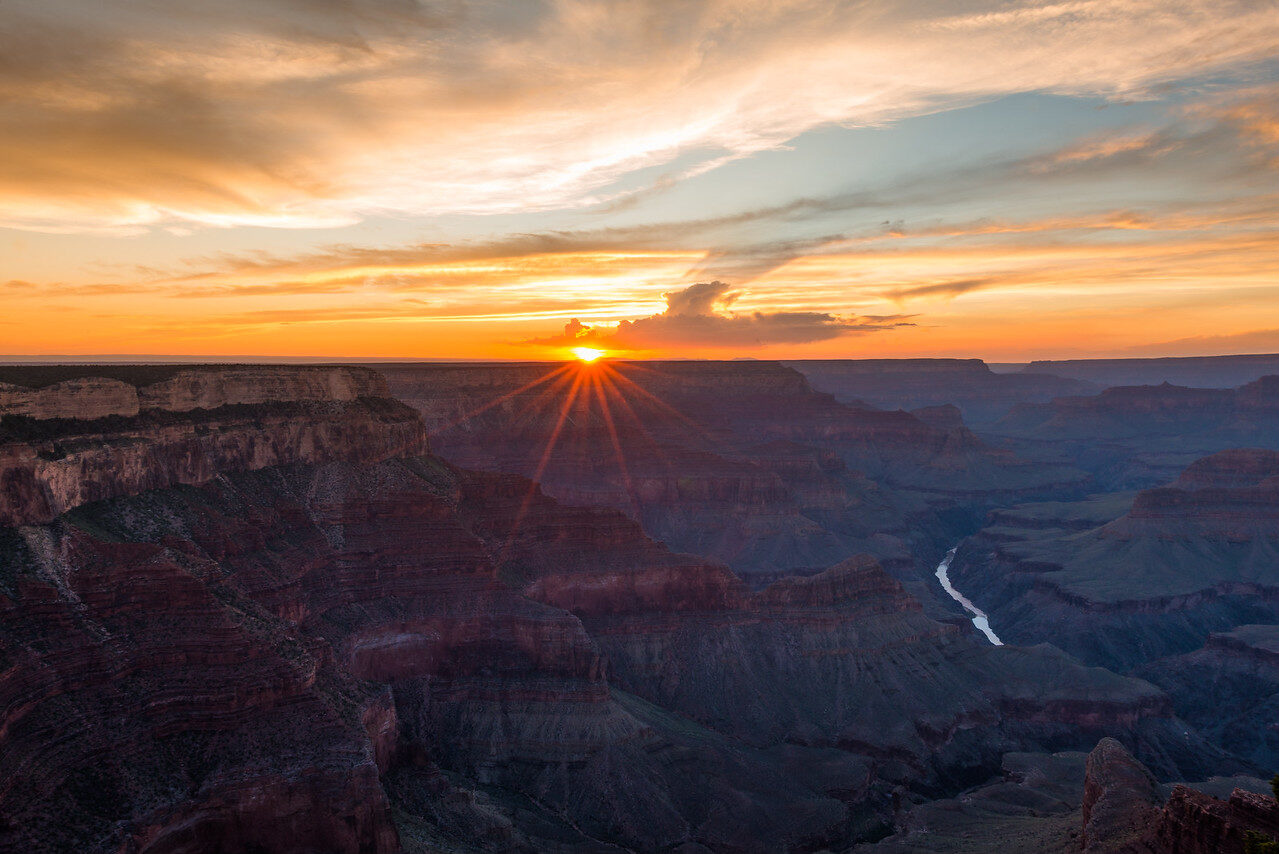 Save
SaveShutter speed: decide what should move
For still cliffs and buildings, shutter speed mainly has to control camera movement if the camera is handheld. For moving water, foliage, clouds or people, shutter speed changes the photograph’s meaning. A faster setting can render a splash or person more distinctly; a slower one can let motion become streaks or haze. Try several speeds and review the actual motion, not a generic label like “silky.” The right answer for breaking surf differs from a thin stream.
If you handhold, make repeated frames at the chosen speed. Your focal length, body stance, wind and lens stabilization change the usable limit. Sony’s specifications list no sensor-shift stabilization for stills. If your lens has Optical SteadyShot, check that it is active when appropriate. If the lens lacks its own stabilization, the camera cannot invent lens-based correction. Sony’s still-image SteadyShot help specifically notes that the function is unavailable with a lens without a SteadyShot mechanism, and a lens switch can control the setting.
For a tripod exposure, follow Sony’s advice to turn the still-image SteadyShot function off where applicable. Secure the camera, keep the tripod out of foot traffic and wind, and verify that the plate does not interfere with a screen, door or battery change. The tripod does not stop grass, people or stars from moving. If the scene itself moves, test whether you want the movement rendered sharply or visibly blurred, then set the shutter for that decision.
ISO: use the light you have, not a slogan
ISO 100 is a clean daylight starting point on this camera, but there is no prize for keeping it at 100 while the shutter becomes too slow to photograph the subject. If wind is blurring the trees or the camera is moving, raise ISO enough to reach a workable shutter. Test several values in your own light and review the raw file at the print or screen size you will deliver. High-ISO quality is not a single cutoff that applies to every image.
Sony lists a standard still sensitivity range of ISO 100 to 32000, with extended settings beyond that. “Available” does not mean every setting looks equally clean, nor is the extended low setting automatically better than the native starting point. When the scene is static and your tripod is solid, you can often keep ISO low and let the exposure run longer. When light changes fast and you must handhold, Auto ISO with a deliberate upper bound can help, but inspect the selected value and resulting shutter speed.
For the exposure relationship between aperture, shutter and ISO, use our ISO photography guide. Remember that brightening an underexposed image later can expose shadow noise; protecting highlight detail does not mean making every raw file unnecessarily dark. Make a test and look at the parts of the scene that matter rather than chasing a perfectly centered histogram.
Focus where you need detail
Pick a specific feature in the scene and confirm focus there. Wide landscapes can fool you: an autofocus point on the horizon may leave a very close foreground soft, while focus on a nearby rock may not reach the mountains. Make a frame focused at your chosen distance, enlarge it and compare foreground and distance. If the lens breathes or shifts while changing focus, give yourself a second frame rather than relying on a tiny display.
Sony lists focus magnifier and peaking among the camera’s tools. Magnification is useful for checking a static feature at the point you care about. Peaking can help you locate contrast, but its colored outline is not a measurement of final sharpness. In dim dawn light, give focus confirmation more time. At night, a distant lamp or star can be a check if you magnify carefully; do not blindly spin the lens to a printed infinity mark and assume perfect stars.
With a moving foreground person, choose whether that person or the landscape is the subject. Trying to make both decisive without considering depth of field and shutter speed may leave neither clear. For panoramas, keep focus and exposure consistent through the sequence unless the composition requires a deliberate change. Review overlap and horizon before leaving; stitching software cannot recover a missing strip of the view.
Composition with a screen rather than a viewfinder
The vari-angle screen helps when the camera is low near a foreground subject or high on a stable support. The trade-off is glare in bright sun and the temptation to judge a detailed exposure on a small image. Shade the screen, use magnification and check the histogram. Watch the corners for bright litter, cut-off branches, a tilted horizon or a distracting road. A deliberate small shift in camera position can be worth more than a new lens.
Try one frame with a foreground anchor and another without it. A rock, fence or wet reflection can add depth when it leads into the picture, but it can also steal attention from the sky or mountain you came to photograph. Check the edges and the distance between visual layers. Move yourself before zooming if the site is safe and permitted. Do not step onto fragile vegetation or close off a path to get a slightly cleaner angle.
Keep the rear screen clear when the camera is mounted vertically. Confirm that the tripod plate and camera cage, if you use one, do not block rotation. A vertical frame may suit a tall waterfall or tree; a wide frame may suit a layered vista. Shoot both when the scene merits it. The sensor has enough pixels for some crop, but cropping cannot restore foreground you excluded entirely.
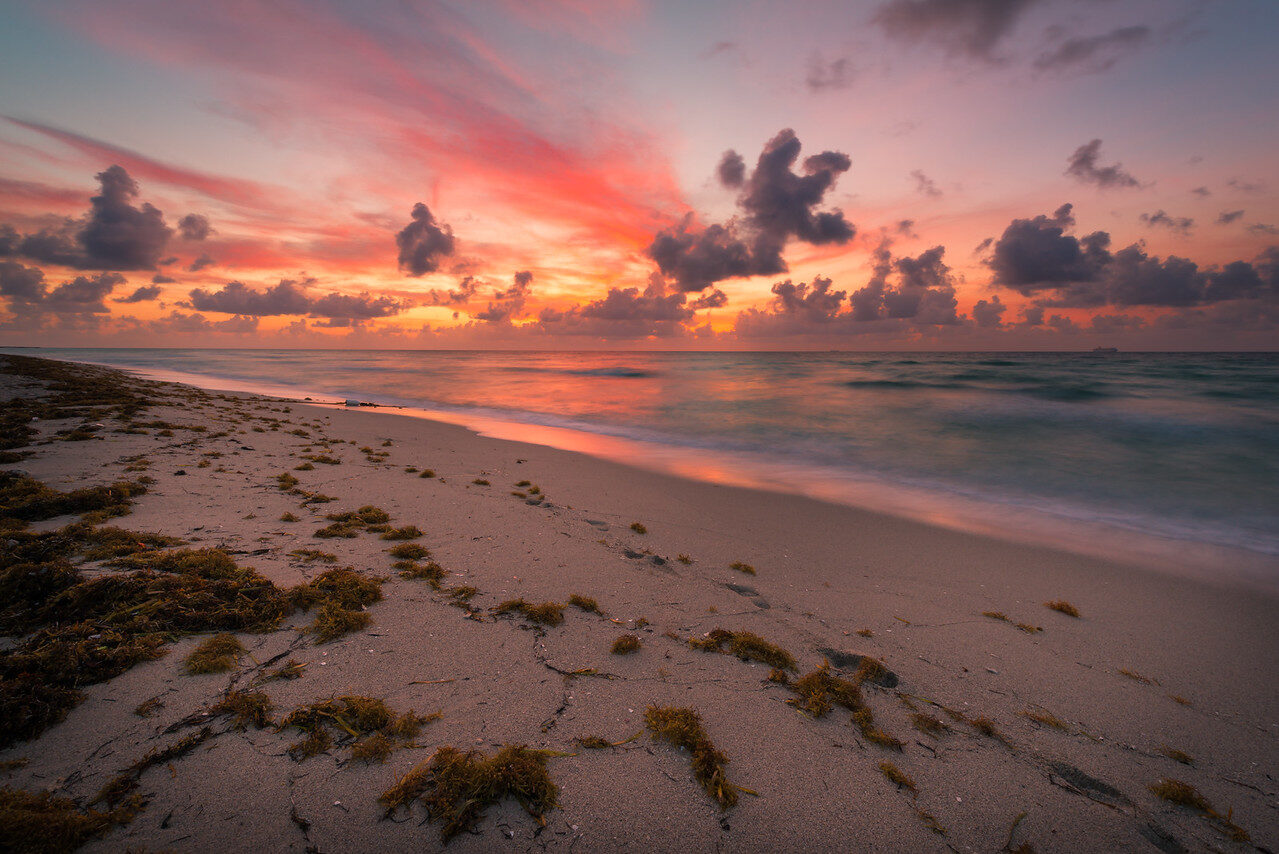 Save
SaveBracketing and high-contrast skies
When the sky is much brighter than the land, make a frame that protects important clouds and another that preserves the dark foreground. You may choose a single carefully exposed raw file or make several exposures to blend later. On a stable tripod, avoid changing framing between frames. Check whether leaves, waves or people changed; an automated merge can make moving elements look doubled. A gradient filter or a different time of day can be simpler than a complicated blend.
Do not mistake a vivid screen preview for evidence that highlight texture survives in the file. Inspect the brightest useful patch with the histogram and a magnified preview. If a sun disc is blown out, that may be natural and acceptable; losing all texture across the entire sky may not be. Decide before leaving what the photograph needs. Make a second, safer exposure when there is doubt. Digital files are cheap; repeating a dawn trip is not.
Water, filters and long exposures
A circular polarizer can change reflections and contrast, but it can make a very wide blue sky look uneven. Rotate it while watching the actual scene and take a comparison without it. An ND filter can allow a slower shutter in bright conditions. Its strength, color shift, vignetting and fit depend on the filter and lens. Neither filter is mandatory for a good landscape, and buying one from an old affiliate list before you know your lens thread and use case is a poor first step.
When water or clouds move through a long exposure, make one shorter reference frame as well. A long exposure can erase texture that made the scene interesting. Be careful near tides and slippery banks; a camera support is not worth a fall. Keep yourself and the tripod out of a public path. If a permit or local rule governs support at the location, follow it. The photograph is not improved by disrupting a place or other people.
Night landscapes with the ZV-E10 II
For a night sky, use a stable tripod, focus carefully at distance using magnification, and make a short test exposure. Review stars for trails and softness at full size. The longest usable shutter depends on focal length, composition, viewing size and how much star movement you accept. Increase ISO or open the lens if the test is too dark; close down or shorten the exposure if the stars or foreground do not look right. Do not treat a single “500 rule” number as a guarantee.
Bring a safe light to see controls, protect the screen’s brightness from spoiling your night vision and check battery capacity in cold weather. Make a separate exposure for a dark foreground if you need one, then be honest about any composite you produce. Artificial lights can cause color casts or flicker; inspect a city nightscape instead of assuming the camera will fix both automatically. Sony’s listed electronic still shutter is another reason to test under artificial illumination.
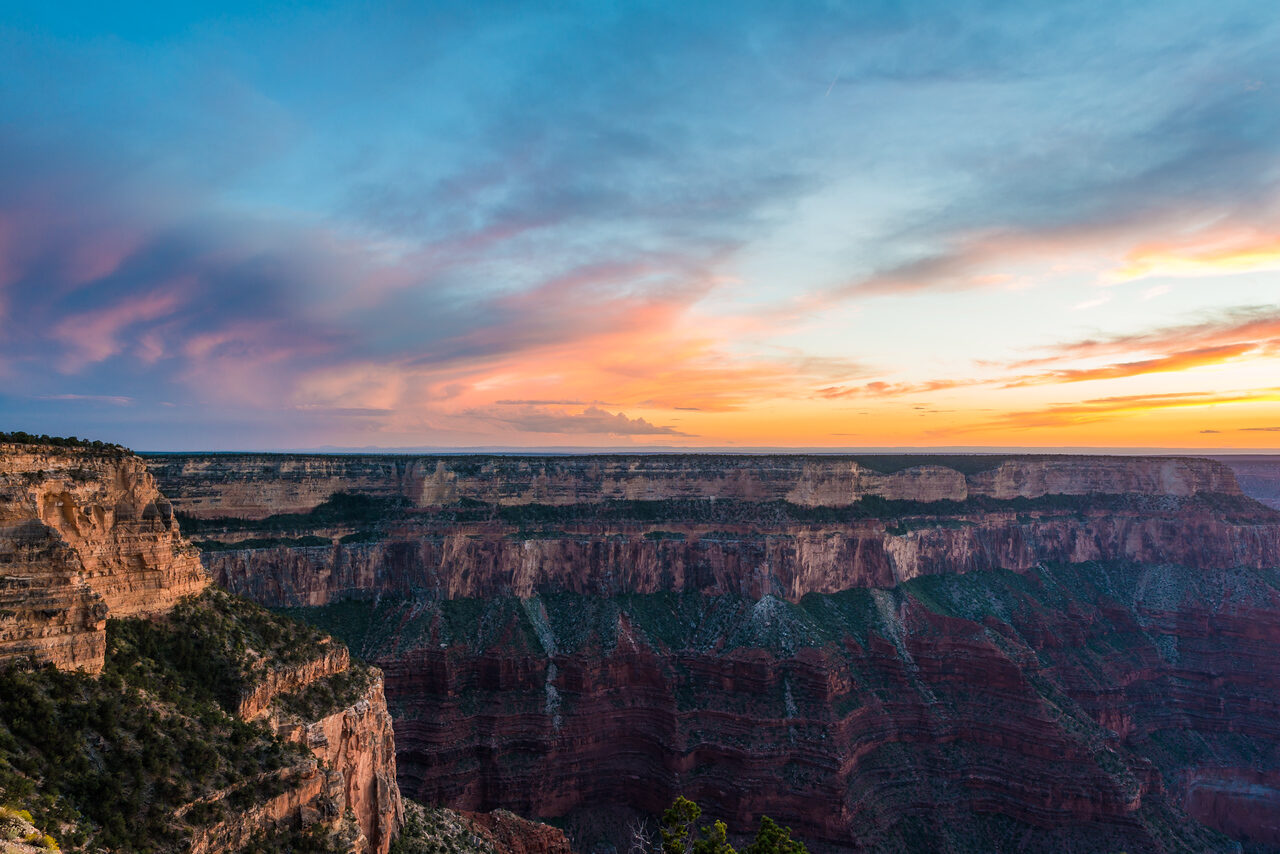 Save
SaveThree field exercises to learn your own lens
First, photograph the same static view at f/4, f/5.6, f/8 and f/11, adjusting shutter to hold roughly the same brightness. Focus on one chosen point each time. Compare the center, corners and foreground at full size. The result teaches you what your lens does in that scene, and whether depth of field or diffraction is the real limit. Keep the files named by setting so you do not have to guess afterward.
Second, photograph moving water or windblown branches at several shutter speeds, while changing ISO or aperture to maintain the intended brightness. The goal is not to copy somebody else’s “correct” waterfall exposure. Find the shutter that keeps the texture you want. On a tripod, watch for vibration and use a delayed release if touching the body moves the frame.
Third, shoot a high-contrast sky and land as one raw file and as multiple exposures without moving the camera. Edit both. If the one-frame version gives you the needed detail without artifacts, keep it simple. If the blend works better, inspect branches and water where alignment is hardest. This comparison tells you when extra technique really earns its time.
What to pack and check before you leave
Take a charged battery, an appropriate SD card, a clean lens, a cloth and a safe way to carry the camera. Add a tripod or small support when your planned shutter speeds require one, not because every landscape must be made from a tripod. If your lens has stabilization, know how its switch works and check Sony’s still-image help for tripod use. Test the card and backup flow before a remote trip. Ask whether you can carry and set up the kit at the actual location.
Plan around light and access, not only a sunset time from memory. Check the current route, weather and any site rules near departure. Arrive early enough to compose without rushing. Leave a second viewpoint in mind if your intended spot is crowded, closed or unsafe. A location’s current conditions cannot be guaranteed by a camera-setting article. The setting list exists to free your attention for the scene, not to replace judgment.
Want to go further? The ShutYourAperture Academy’s Light. Land. Legacy. The Landscape Photography Course (10 modules, 40+ lessons) is built to help you master light, land and composition for landscapes that last.
Questions about Sony ZV-E10 II landscape photography
What is the best aperture for landscape photos on the ZV-E10 II?
There is no universal best aperture. Try f/5.6 to f/8 as a starting range with many lenses, then inspect your own scene for foreground depth, corner detail and diffraction. A close foreground may call for a different focus point, a smaller aperture or multiple focused frames.
Does the Sony ZV-E10 II have in-body stabilization for stills?
No sensor-shift stabilization is listed for stills. Sony says still-image SteadyShot depends on a lens with a compatible mechanism; the option is unavailable with a lens without it. Check the lens switch or camera setting and test the result. On a tripod, follow Sony’s help on switching it off as appropriate.
Can I shoot landscapes in raw on the ZV-E10 II?
Yes. Sony lists ARW raw as a still-image recording format alongside JPEG and HEIF. Test that your editor opens the files, and expose to keep the highlight detail you need. Raw helps editing latitude but cannot repair a badly blurred frame.
What ISO should I start with?
ISO 100 is a reasonable daylight start. Raise it when your shutter speed would otherwise blur a moving subject or a handheld frame. On stable support with a static scene, a longer exposure can keep ISO lower. Evaluate the file at your actual delivery size.
Does the camera have a viewfinder for bright sun?
The ZV-E10 II does not have a built-in eye-level finder. Compose and check focus on its vari-angle rear screen. Test readability in the sun where you shoot, shade it as needed and magnify a captured image to confirm detail.
Do I need an ND filter or a tripod?
Neither is mandatory for every landscape. A tripod helps with stable long exposures and consistent brackets; an ND filter can slow a shutter in bright light. Try the scene first, then add the tool that solves an actual problem. Use safe and permitted support positions.
A final setup you can trust
Set a useful file format, choose the subject and focus point, start at a middle aperture and low ISO, then look at the shutter speed the scene demands. Check highlight detail and magnified sharpness after one test. If the result fails, change one variable deliberately and shoot again. This habit works through changing weather and lenses better than a saved “landscape” preset. The landscape photography guide and shutter-speed guide can help you build the rest of the shot.
For model-specific limitations, use Sony’s ZV-E10 II specifications and its still-image SteadyShot help. Recheck the documentation and your installed firmware if a particular menu feature becomes essential to a paid or one-chance trip.
A blower for exposed lens and filter surfaces
A Giottos Rocket Air Blaster in large black, model AA1900, is one option for loosening dust from an exposed lens or filter surface before a landscape session. Follow the equipment cleaning instructions and keep the nozzle clear of the glass. This is a hand blower, not a sensor-cleaning service; do not direct it inside the camera without checking the manufacturer instructions. It will not remove every mark or fix softness caused by focus or motion. Compare the current retailer specifications; no hands-on test, price or stock promise is being made here.
Compare Giottos Rocket Air Blaster Large Black AA1900 on Amazon | Check Giottos Rocket Air Blaster Large Black AA1900 at B&H
Affiliate disclosure: We may earn a commission from qualifying purchases through these gear links at no extra cost to you. As an Amazon Associate, Shut Your Aperture earns from qualifying purchases.